



 More Products
 Compare


More Products


Back




Back








我的荣耀 开启荣耀之旅
打开
App 内打开



 Disagree Terms
 Log out




 Track Your Sleep with HONOR WATCH Series
![]()

0

0

0
Follow
Following



Share


Favorite
Comment

Like
 The link Copied
Add to Favorites
Create
Confirm
Comments (
0 )


Comment…
Add to Favorites
Create
Confirm


Copyright © Honor Device Co., Ltd. 2020-2026. All rights reserved.
 粤公网安备44030002002883号 粤ICP备20047157号
- Posts
- photo
- video

Hi guys
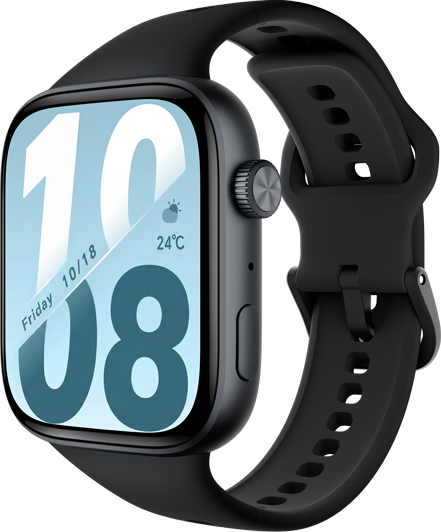
Want to know your sleep quality in recent days? HONOR * series is your best helper. It can not only track your sleep, but also provide suggestions, so as to help you sleep better in more nights.
Record Various Data of Your Sleep
Want to know how well you slept last night? If you wear any of HONOR * series while sleeping, it will automatically detect and record the time when you fall asleep and wake up, and identify whether you are in a light or deep sleep. You can sync and view detailed sleep data in detail in HUAWEI Health App.
To view your sleep data on HONOR MAGIC * series, press the Up button from the home screen, swipe until you find Sleep, then touch it and swipe up on the screen to view your nighttime sleep duration and nap duration.
To view your sleep data history, please go to HUAWEI Health App on your phone, touch Sleep to view your daily, weekly, monthly, and yearly sleep statistics.
*Reminder: Naps that you take during the day (less than three hours) are counted under Naps. The sleep data is collected from 20:00 to 20:00 on the following day (24 hours in total).
HUAWEI TruSleepTM Provides Scientific Guidance
Open HUAWEI Health App, tap Devices, then touch your connected device name, and go to Health monitoring > HUAWEI TruSleepTM to enable it.
After HUAWEI TruSleep TM is enabled, the * will monitor your sleep quality, wake-up times, and breathing patterns in real time. You can view your sleep quality assessments and improvement suggestions on the Sleep in Health App.
When your * detects that you are sleeping, it will automatically disable Always-on screen, Incoming call notifications, Raise wrist to wake screen, and other features in order to avoid disturbing your sleep.
*Reminders:
Enabling HUAWEI TruSleepTM may reduce the battery life.
The HUAWEI TruSleep TM tracking will not be affected whether your phone powers off while you are asleep or Do Not Disturb is enabled in the HUAWEI Health App.
Wear HONOR * Series,
get to know your sleep status better, and improve your sleep quality more effectively.
Report