



 More Products
 Compare


More Products


Back






Back








我的荣耀 开启荣耀之旅
打开
App 内打开



 Disagree Terms
 Log out




 How to Reset HONOR MagicWatch 2 to Factory Settings?
![]()

0

0

0
Follow
Following



Share


Favorite
Comment

Like
 The link Copied
Add to Favorites
Create
Confirm
Comments (
0 )


Comment…
Add to Favorites
Create
Confirm


Copyright © Honor Device Co., Ltd. 2020-2026. All rights reserved.
 粤公网安备44030002002883号 粤ICP备20047157号
- Posts
- photo
- video

Hi guys
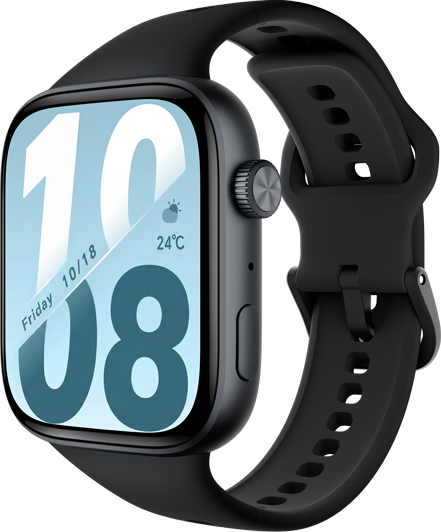
If your smartwatch HONOR MagicWatch 2 it works very slow, it hangs, you have a full memory and you want to erase everything or you want to sell it or give it away and you want nobody to be able to access your accounts and passwords you can do a factory reset so that it returns to be like the first day.
this is the perfect guide for you. Here we have a step by step guide to hard reset HONOR MagicWatch 2 to factory settings.You must bear in mind that a reset or return to the factory state in a smart * erases all its content
Disclaimer: Performing reset on the HONOR MagicWatch 2 deletes all the data, please exercise caution before confirming.
How to Hard Reset HONOR MagicWatch 2
There are two ways to reset HONOR MagicWatch 2 to factory settings. The first method is directly from the * while the other requires tweaks in the Huawei Health app.
If you want to make a reset using the device options to return to the factory state a HONOR MagicWatch 2 you have to follow these simple steps:
1- First step:
At the very start, press the Top right button to wake up the screen. Then press the Top right button again to open the menu.
2- Second step:
Next, scroll down and tap the Settings.
3- Third step:
Now tap the System.
4- Fourth step:
Then scroll down and tap on the Reset.
5- fiveth Step:
Next, tap the Checkmark to confirm and start the reset.
Your device MagicWatch 2 from Huawei it will restart and take several minutes to start while restoring the device to its factory state and optimizing the applications pre-installed in the opperative system .
7- Outstanding work!
If you want to reset the MagicWatch 2 from a linked mobile phone follow the next steps.
1- First step:
Open the Huawei Health app on your smartphone.
2- Second step:
Touch ‘Devices’ and select the device name(HONOR MagicWatch 2).
3- Third step:
Select Restore factory settings.
You can * the educational video
I hope it is useful
Report