



 More Products
 Compare


More Products


Back






Back






我的荣耀 开启荣耀之旅
打开
App 内打开



 Disagree Terms
 Log out




 How to manage the gallery on Cloud?
![]()

0

0

0
Follow
Following



Share


Favorite
Comment

Like
 The link Copied
Add to Favorites
Create
Confirm
Comments (
0 )


Comment…
Add to Favorites
Create
Confirm


Copyright © Honor Device Co., Ltd. 2020-2026. All rights reserved.
 粤公网安备44030002002883号 粤ICP备20047157号
- Posts
- photo
- video

Hi guys
Store your data securely with HUAWEI Mobile Cloud
Safely store your photos, videos, contacts, notes, and other important information. HUAWEI Mobile Cloud allows you to back up your data to a secure cloud which prevents data loss in the event that you lose your phone as well as allowing you to conveniently transfer your data to a new device anytime, anywhere.
How to manage the gallery on Cloud?
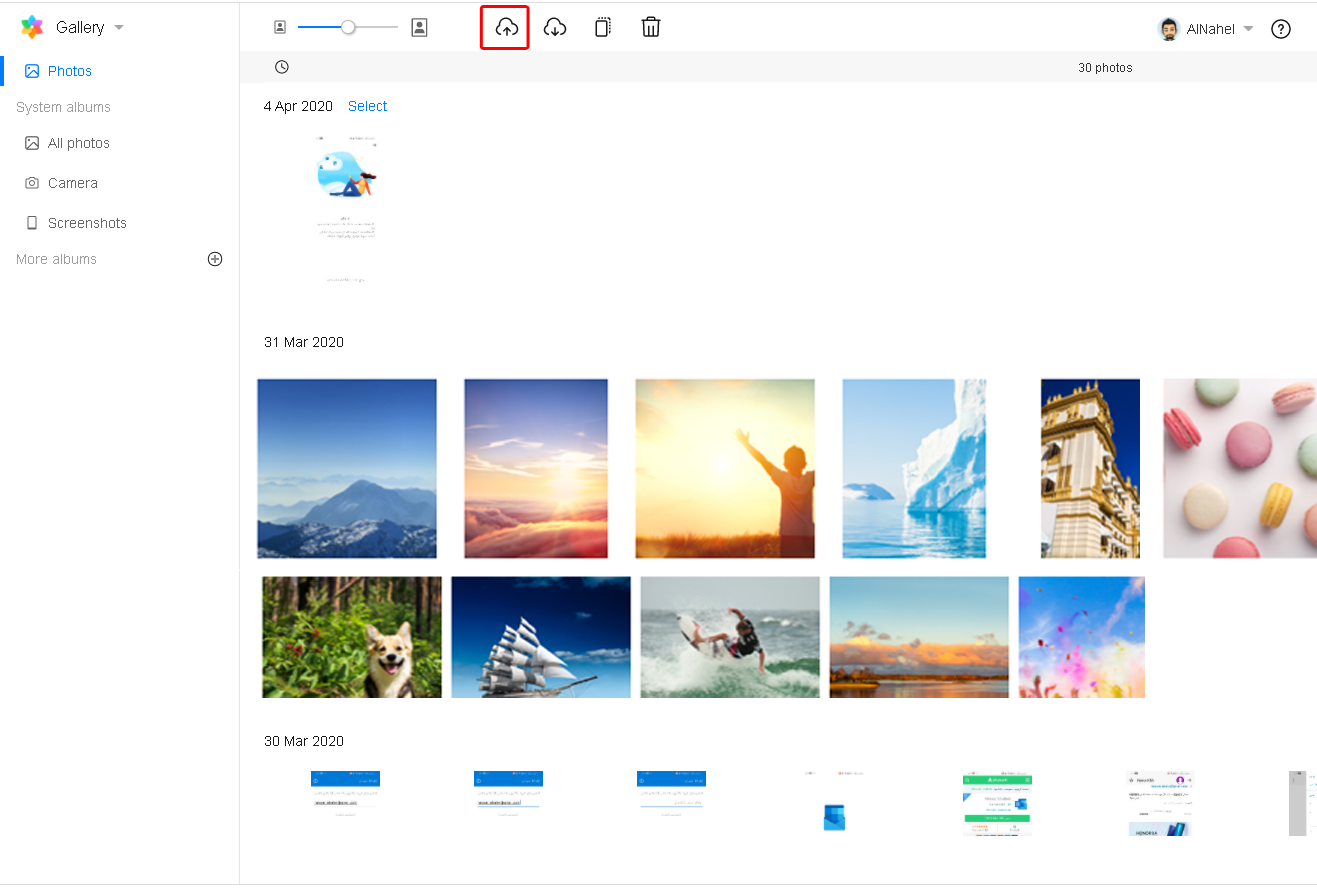
Uploading photos
Log in to https://cloud.huawei.com/ and access Gallery. Click an album, and click the Upload button at the top of the page to upload photos. Alternatively, drag a photo into the Gallery page. Then, a dialog box will prompt you to select an album
.
Downloading/deleting photos/videos
Log in to https://cloud.huawei.com/ and access Gallery. Select a photo/video, or press and hold the Shift or Ctrl key to select multiple photos/videos. Then click Download or Delete.
Moving photos/videos
Log in to https://cloud.huawei.com/ and access Gallery. Press and hold the Shift or Ctrl key to select multiple photos/videos. Click the Move button at the top and choose the target album from the drop-down list. Alternatively, drag the selected photos/videos to the target album.
Creating an album
Log in to https://cloud.huawei.com/ and access Gallery. Click the "+" sign next to Albums. Enter an album name, and then click in a blank area or press Enter.
Deleting an album
Log in to https://cloud.huawei.com/ and access Gallery. Double-click an album. Click Delete to delete the album.
Restoring recently deleted photos/videos
Log in to https://cloud.huawei.com/ and access Gallery. Click the Recently deleted album on the right side of the page to view the recently deleted photos/videos. Click a photo/video and click the Restore button at the top. The photo/video will be moved to the album where it was deleted from.
Renaming an album
Log in to https://cloud.huawei.com/ and access Gallery. Double-click an album. Edit the album name. Then, click in a blank area or press Enter.
Was this information helpful or not?
Yes No
Report