



 More Products
 Compare










How to Upgrade the System from Windows 10 to Windows 11
| How to Upgrade the System from Windows 10 to Windows 11 |
Problem
How can I upgrade the system from Windows 10 to Windows 11?
Solution
Note: System upgrade is risky, please back up your personal data first to avoid loss.
Solution 1:

Since the system upgrade takes a long time, connect the power supply during the upgrade.
- Choose Settings > Windows Update. The following prompt is displayed.
- Click Download and install.
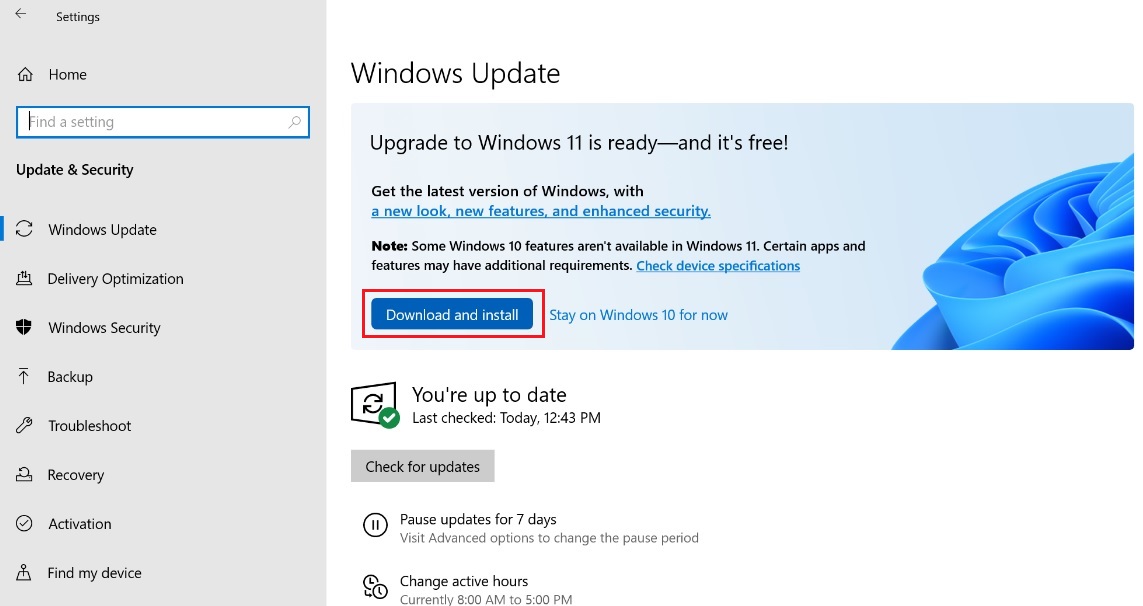
- Click Accept and install.
- After the download is complete, as shown in the figure below, click Restart now to install Windows 11.
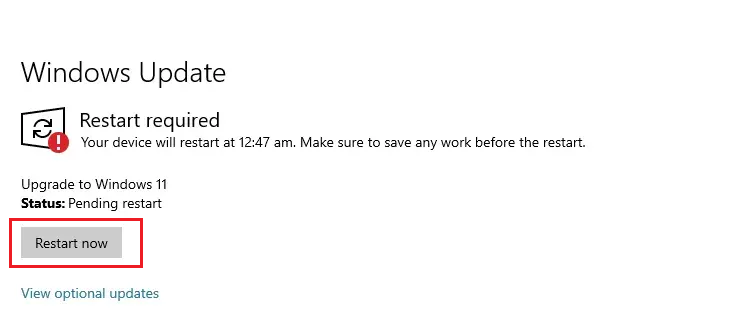
- Check whether the upgrade is successful.
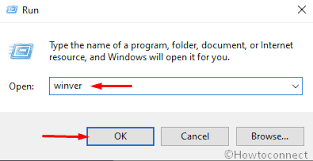
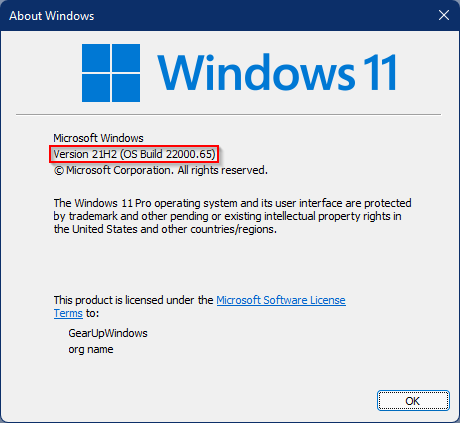
Procedure: Press Win + R, type winver, and press Enter. If the version is 22000.xxx, the upgrade is successful.
Solution 2:
- Log in to the Microsoft official websitehttps://www.microsoft.com/zh-cn/software-download/windows11 to download Windows 11 installation assistant (Windows11 InstallationAssistant.exe).
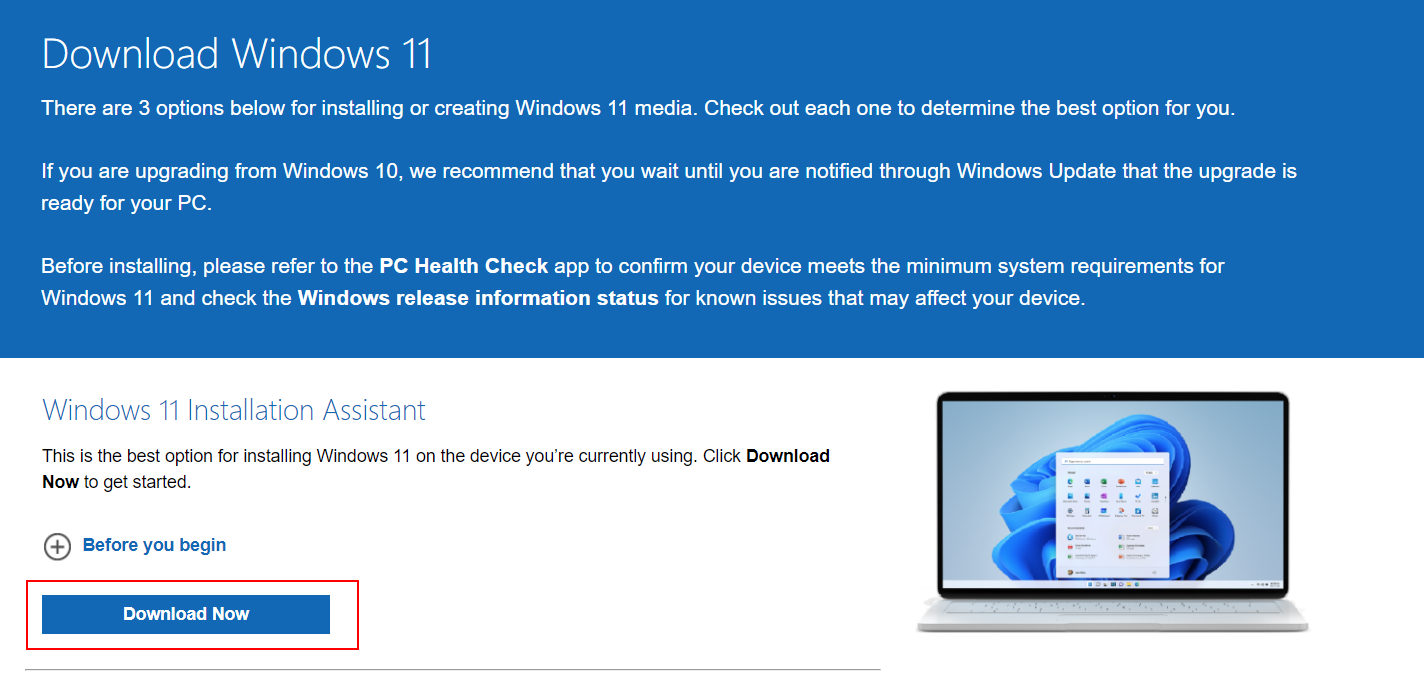
- Right click to run Windows11 InstallationAssistant.exe as the administrator.
- If the prompt "Use the PC Health Check app to check compatibility" appears, follow the prompt to get the PC Health Check app first. Or visithttps://aka.ms/GetPCHealthCheckAppto download the PC Health Check app. If the prompt is not displayed, go to step 5.
- Open the PC Health Check app and click Check Now.
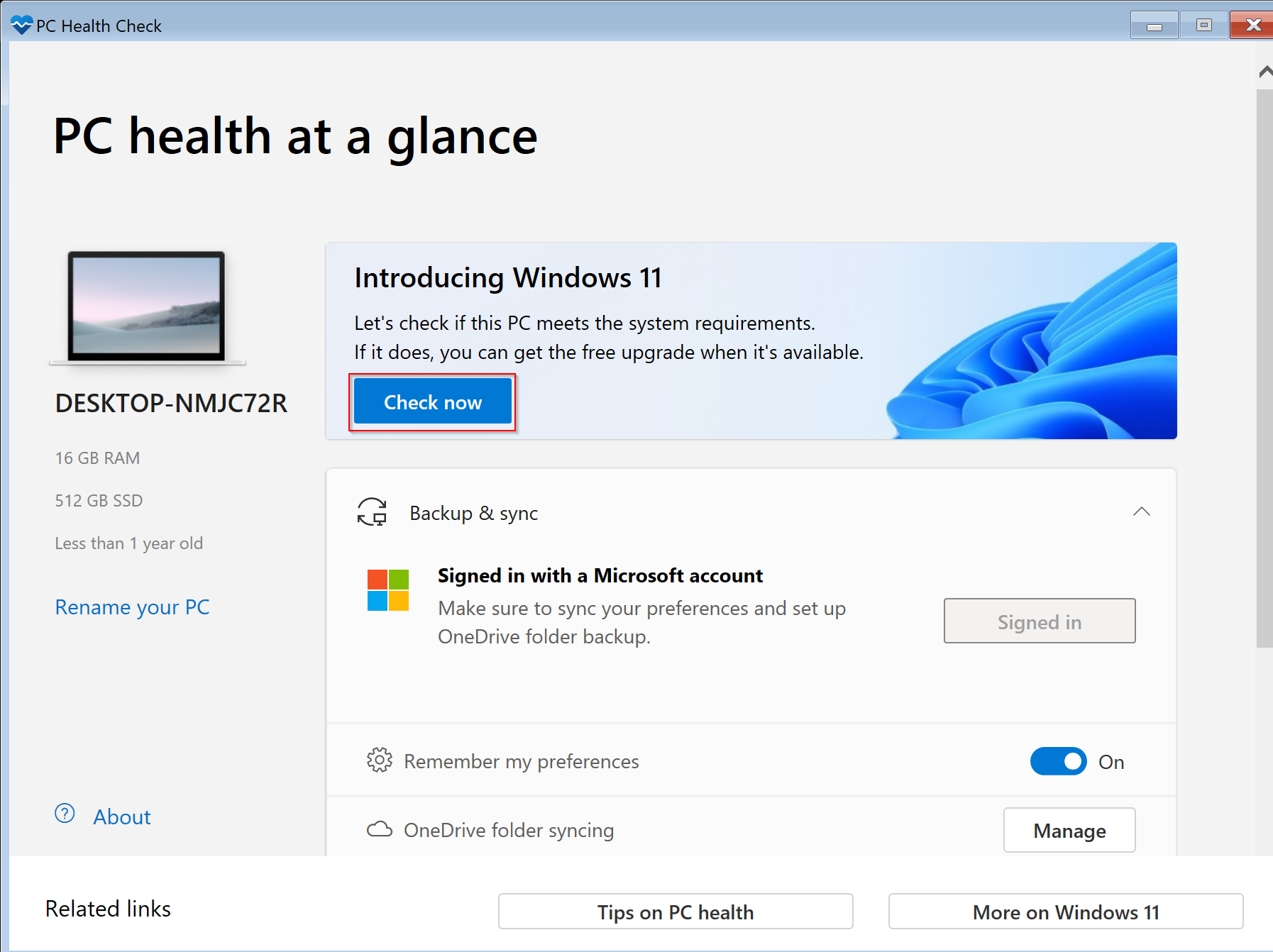
- After the check, return to the Windows 11 installation assistant interface, click the refresh button below, and then you can enter the Windows 11 installation interface. On the displayed interface, click Accept and install.

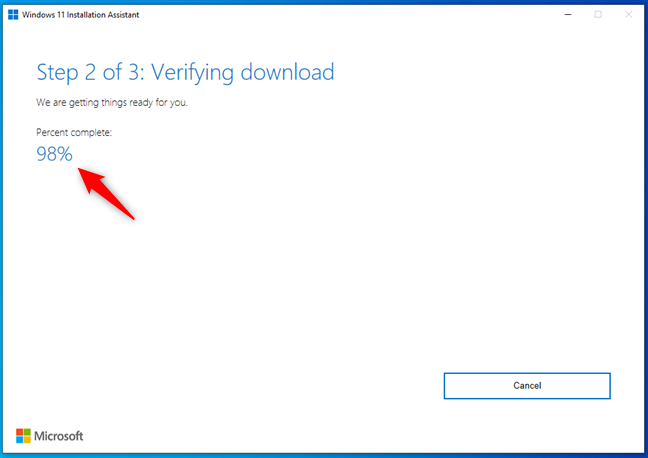
- The installation assistant will automatically download Windows 11. After the progress reaches 100%, you can manually click Restart now to start installing Windows 11.
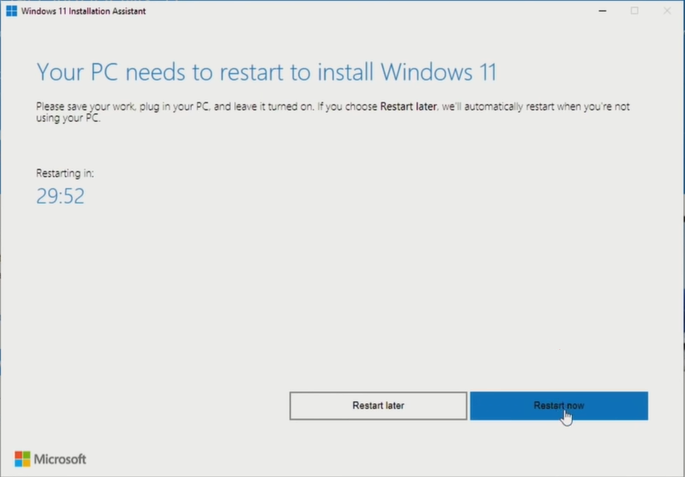
- After the computer restarts, install Windows 11 and follow the prompt to complete the installation.
微信扫描二维码分享文章
Thank you for helping us grow better!
Your response has been submitted successfully!


