



 More Products
 Compare










Unable to use fingerprints to unlock the screen after a fingerprint driver is installed
| Unable to use fingerprints to unlock the screen after a fingerprint driver is installed |
Problem:
After a fingerprint driver from an official source is installed, the user cannot use fingerprints to unlock the screen.
Solution:
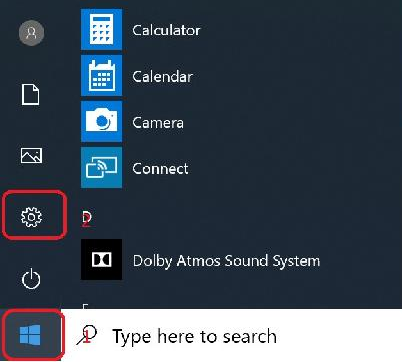
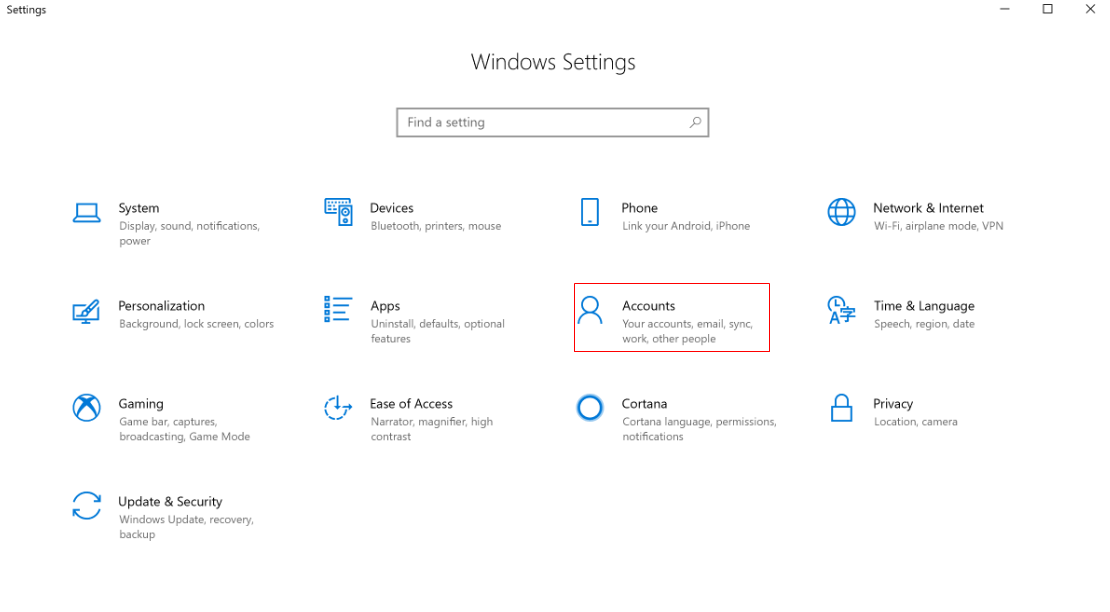
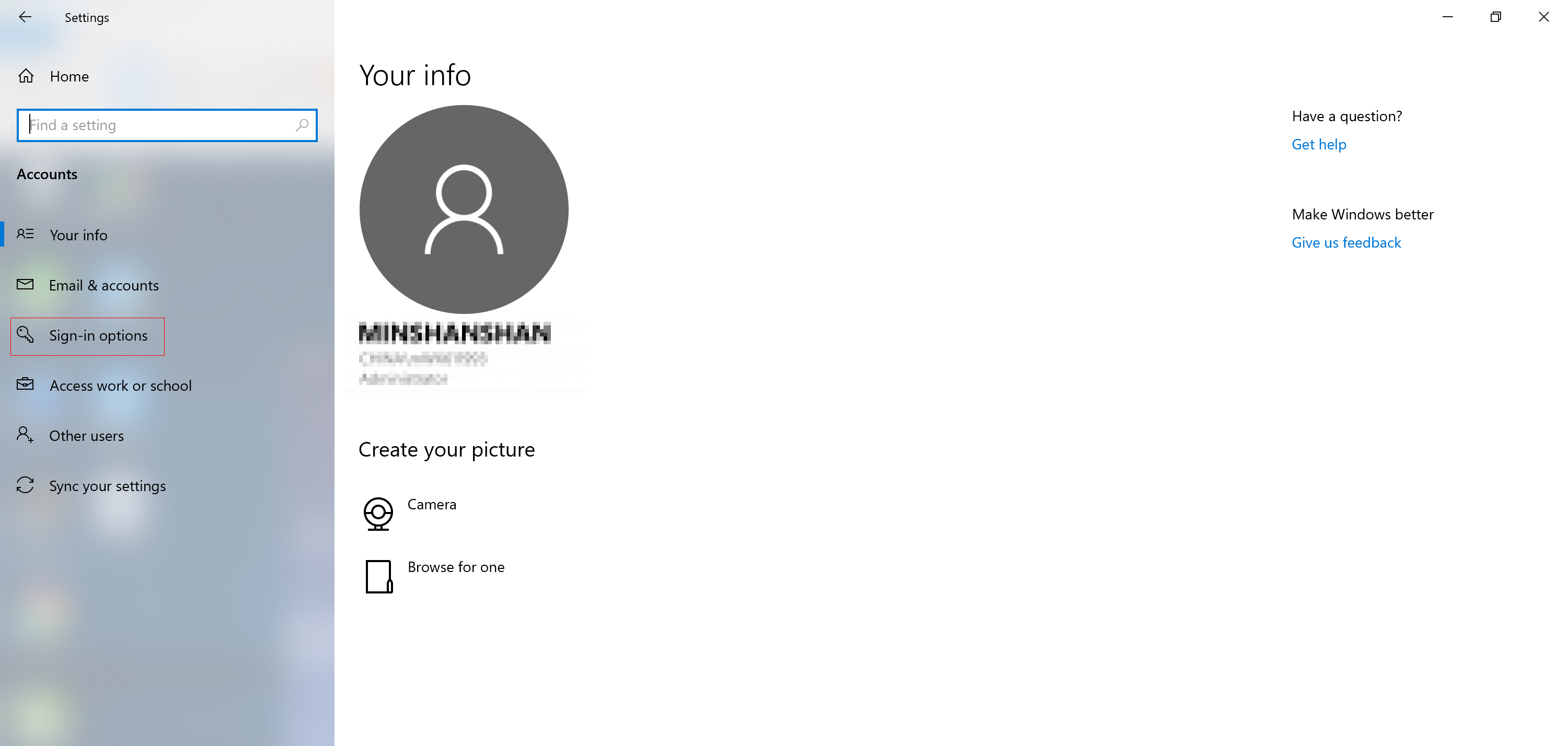
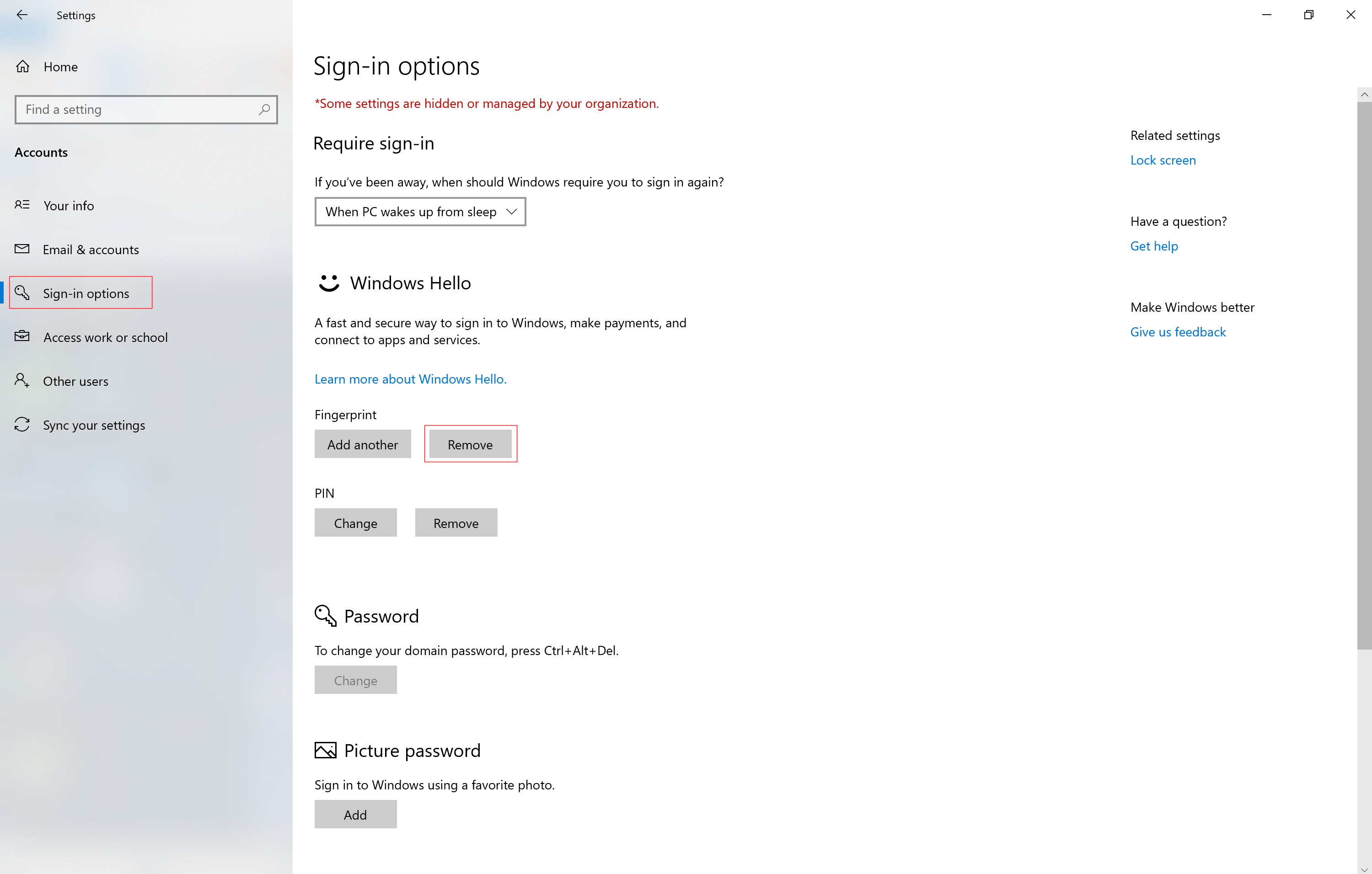
Click the Windows icon and then the Settings icon. Go to Accounts > Sign-in options, remove the existing fingerprint, then enroll a new one.
微信扫描二维码分享文章
Thank you for helping us grow better!
Your response has been submitted successfully!


