



 More Products
 Compare










Message icon on the Contacts screen doesn't respond
| Message icon on the Contacts screen doesn't respond |
Problem:
On the Contacts screen, the phone does not respond when touching the message icon.
Cause:
This issue can occur when a third-party messaging app is set as the default app.
Solution:
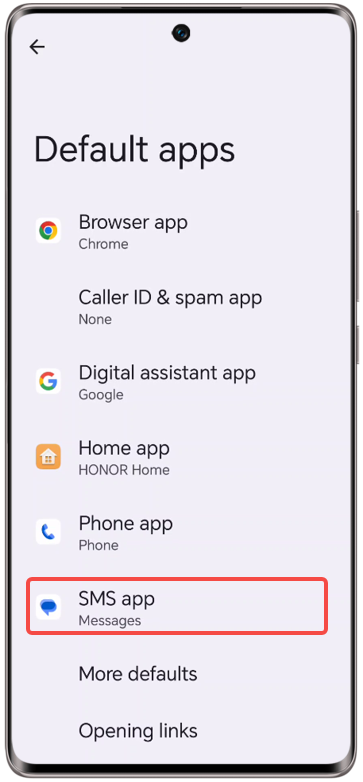
Open and search for Default app settings. Touch Messaging and set the preinstalled Messaging as the default app.
微信扫描二维码分享文章
Thank you for helping us grow better!
Your response has been submitted successfully!


