

 More Products
 Compare















我的荣耀 开启荣耀之旅



 Disagree Terms
 Log out




[Honor Content Crew][Smart Tip]- How To Enable Split Screen In ALL Apps?


 Last reply :
Do you ever have experience of using your android's split screen mode to carry miltitask however the app you wanted to split doesn't support it? (one of the example is pokemon go)
Here, I'm gonna share a way of how to make ALL applications in your honor/ Huawei phone able to go for split screen mode.

Before we go even further, let's talk about some basic things regarding split screen mode.
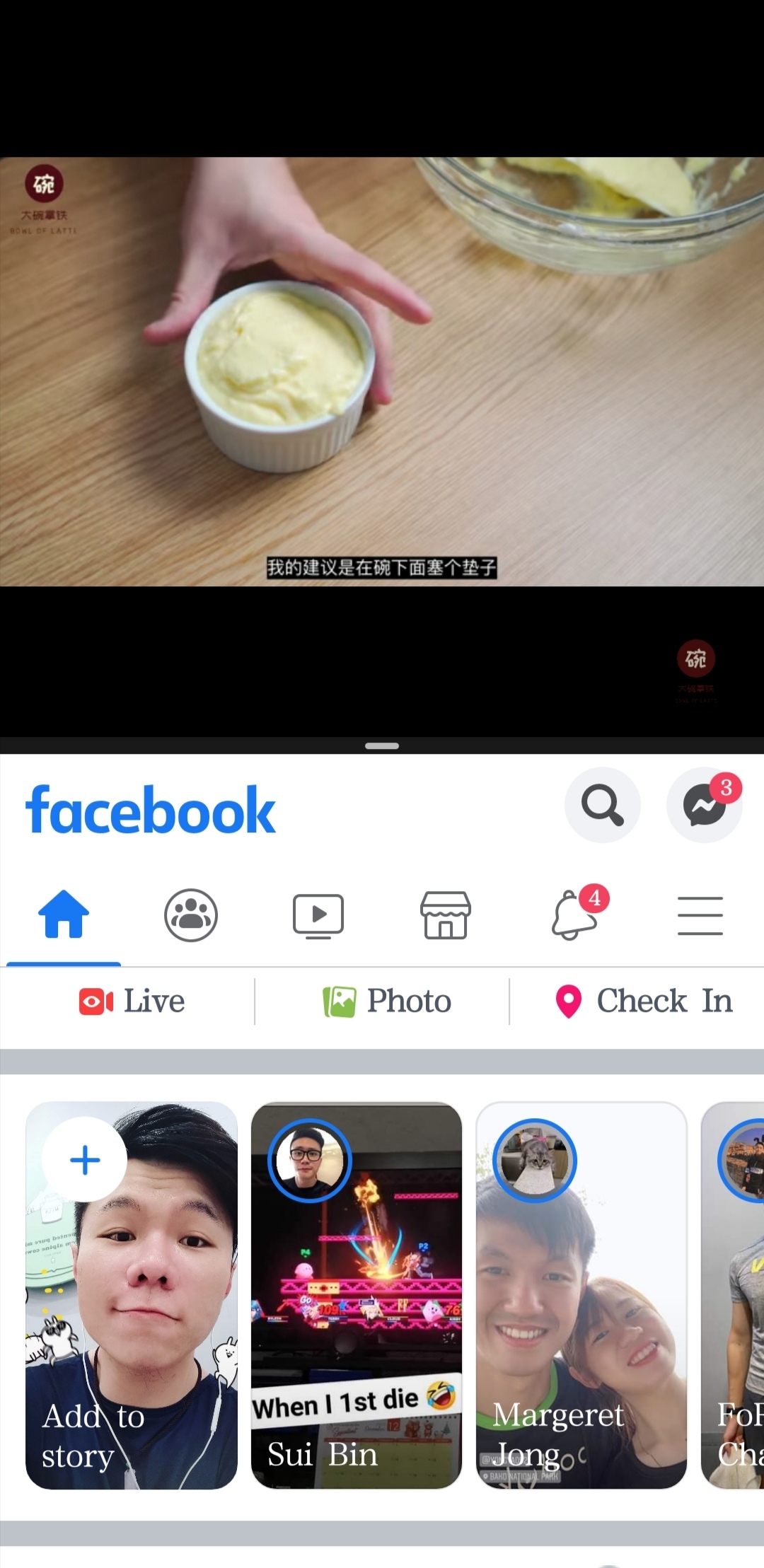
Split screen is a multiscreen mode which allows you to use multiple apps simultaneously.
The pic shown is one of the examples of split screen mode which allowed me to watch YouTube video while I was browsing Facebook at the same time.
There are few ways to enable split screen mode:
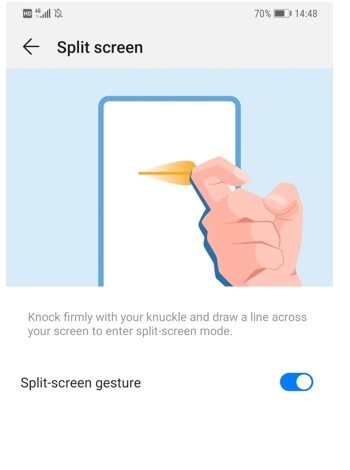
1. Use Knuckle to enable Split-screen mode
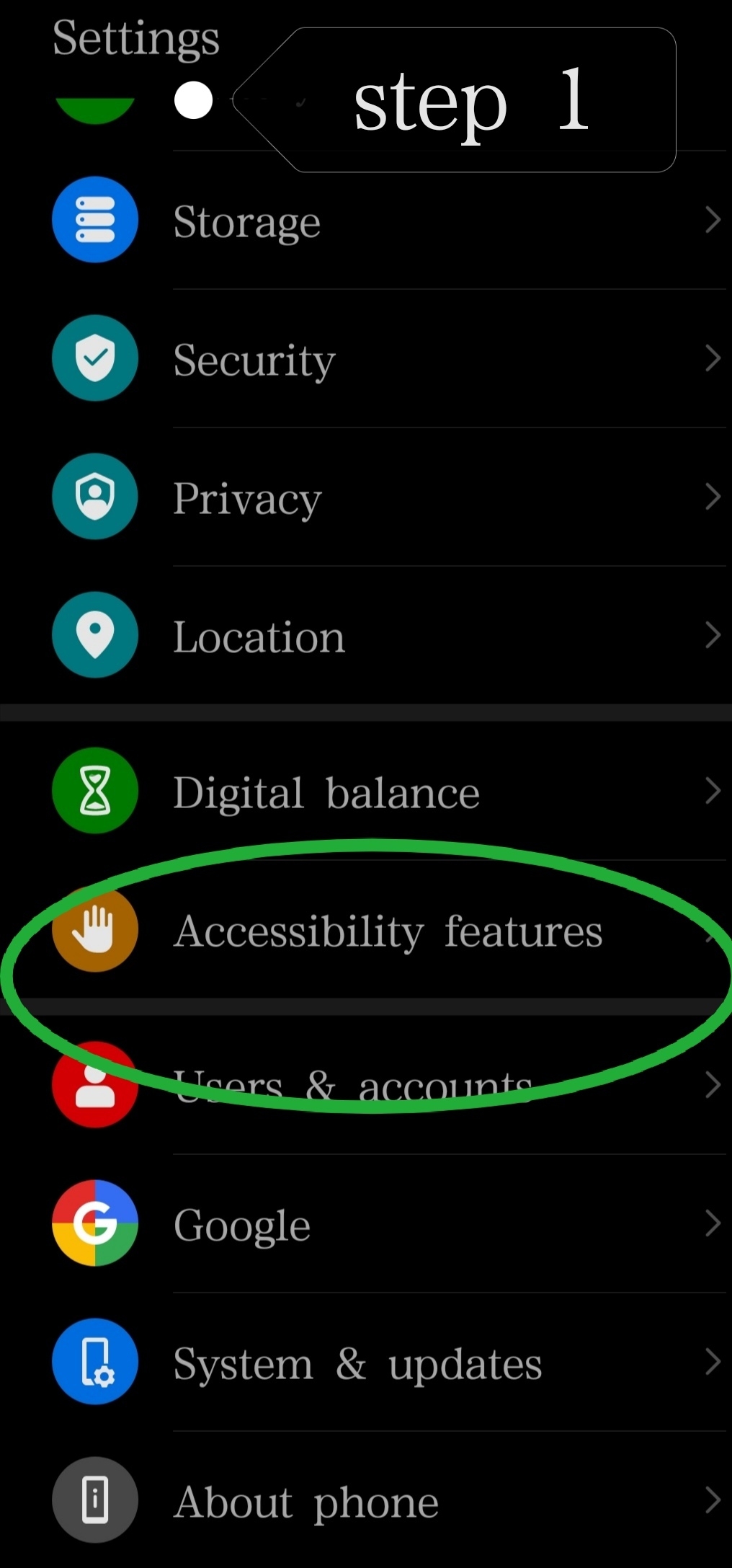
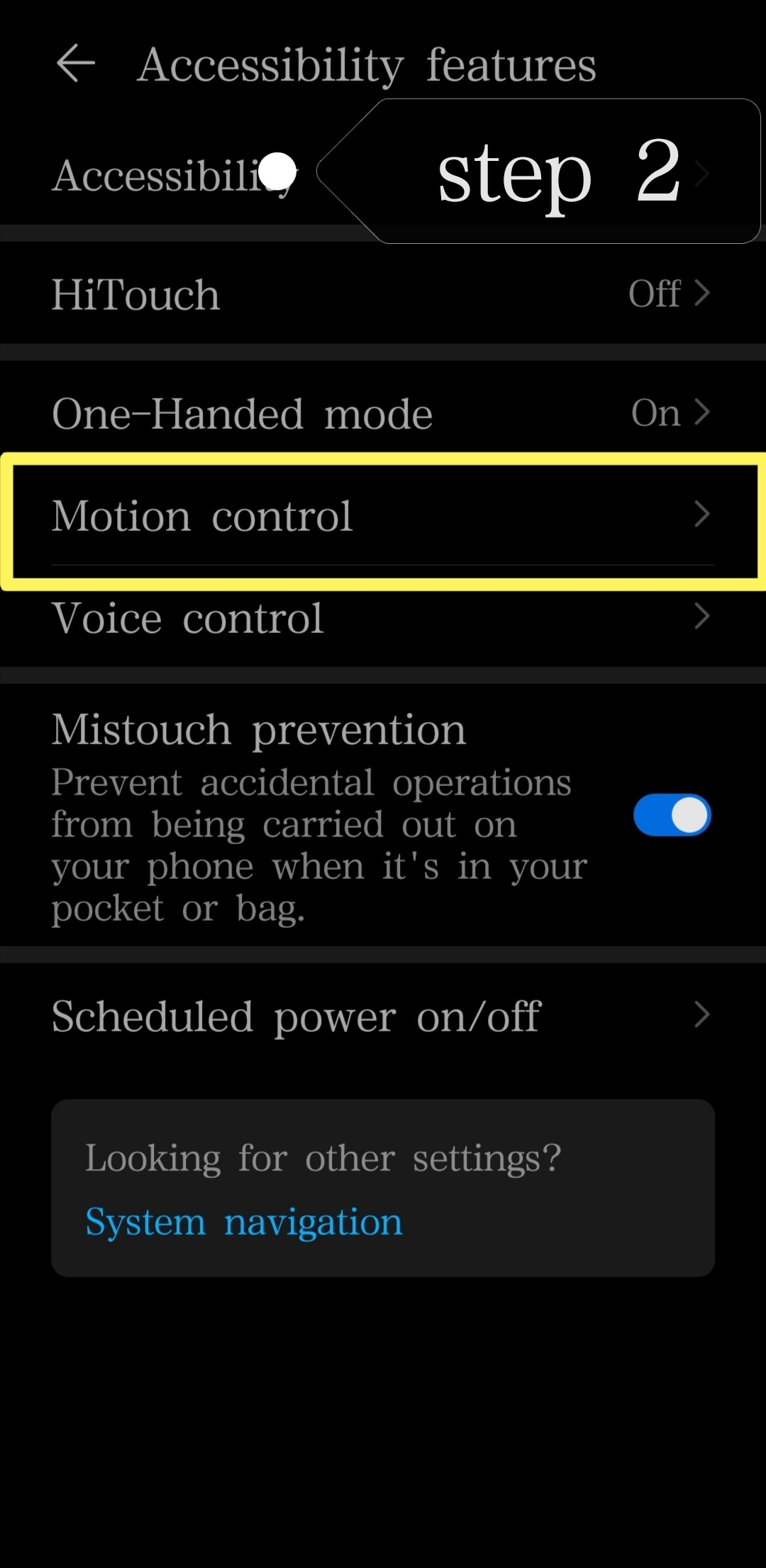
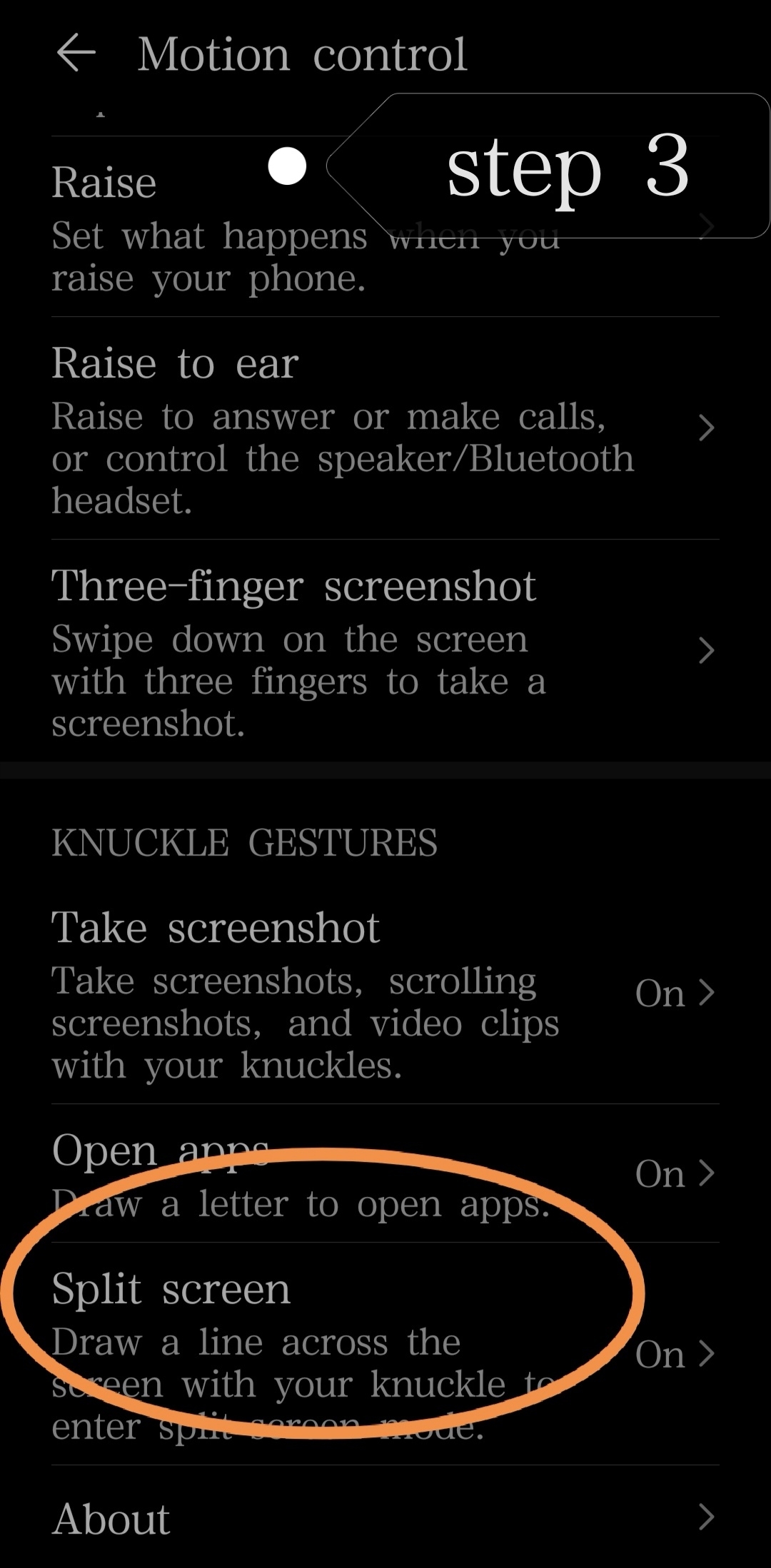
- in order to perform this, you should switch on split screen function via *setting-->assesibility features--> motion control--> split screen--> on
2. Use three fingers move-up from the bottom of screen.then the device screen will be subsequently split into two.
Now, let's proceed to the core of the topic: how to enable your phone to enter split screen mode for any apps?
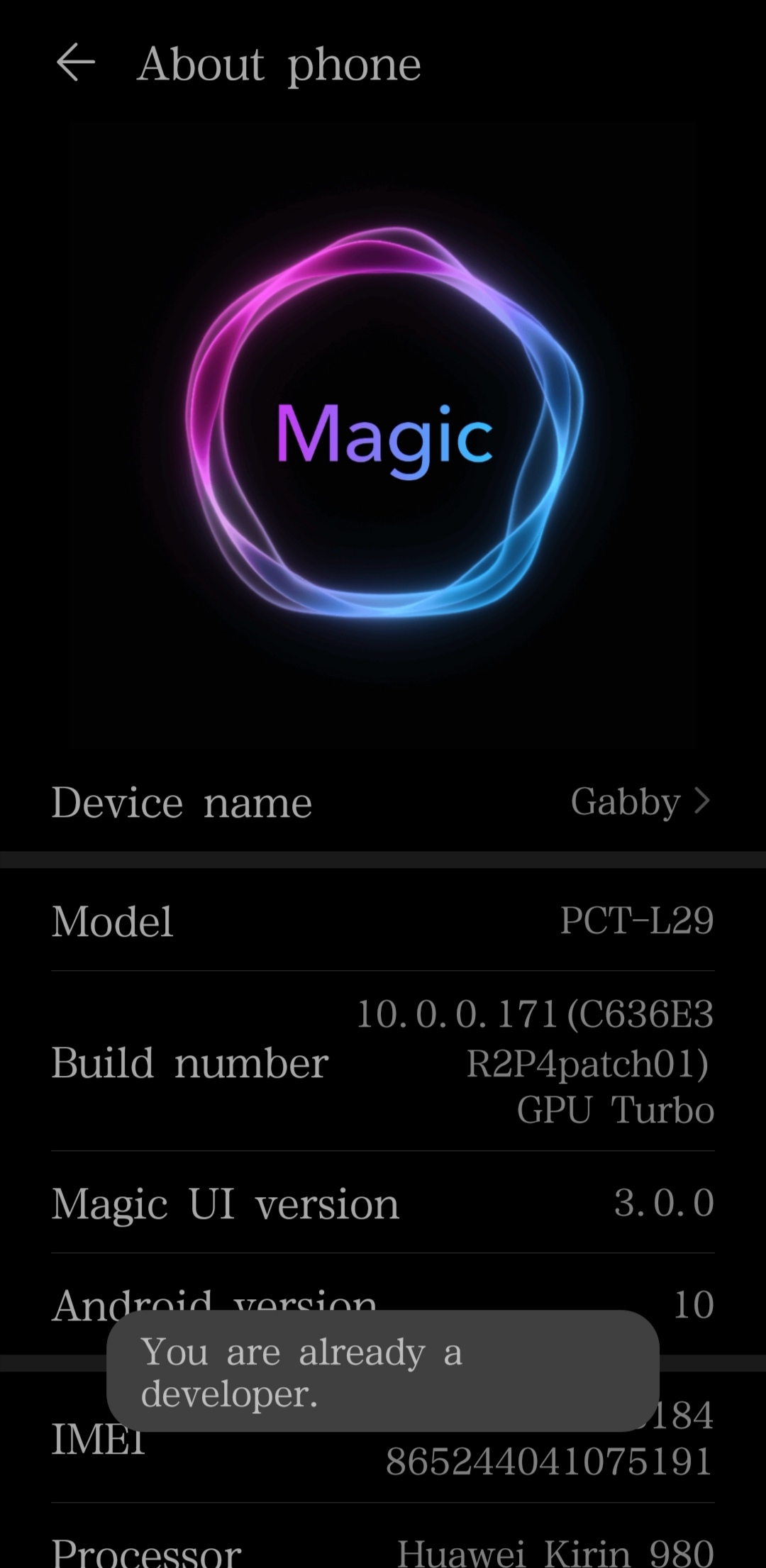
In order to do this, you need to enable "development options" in your phone by go to setting--> about phone--> then tap your build numbers for 7x.
After that you will be able to find "Developer Options" in your setting.
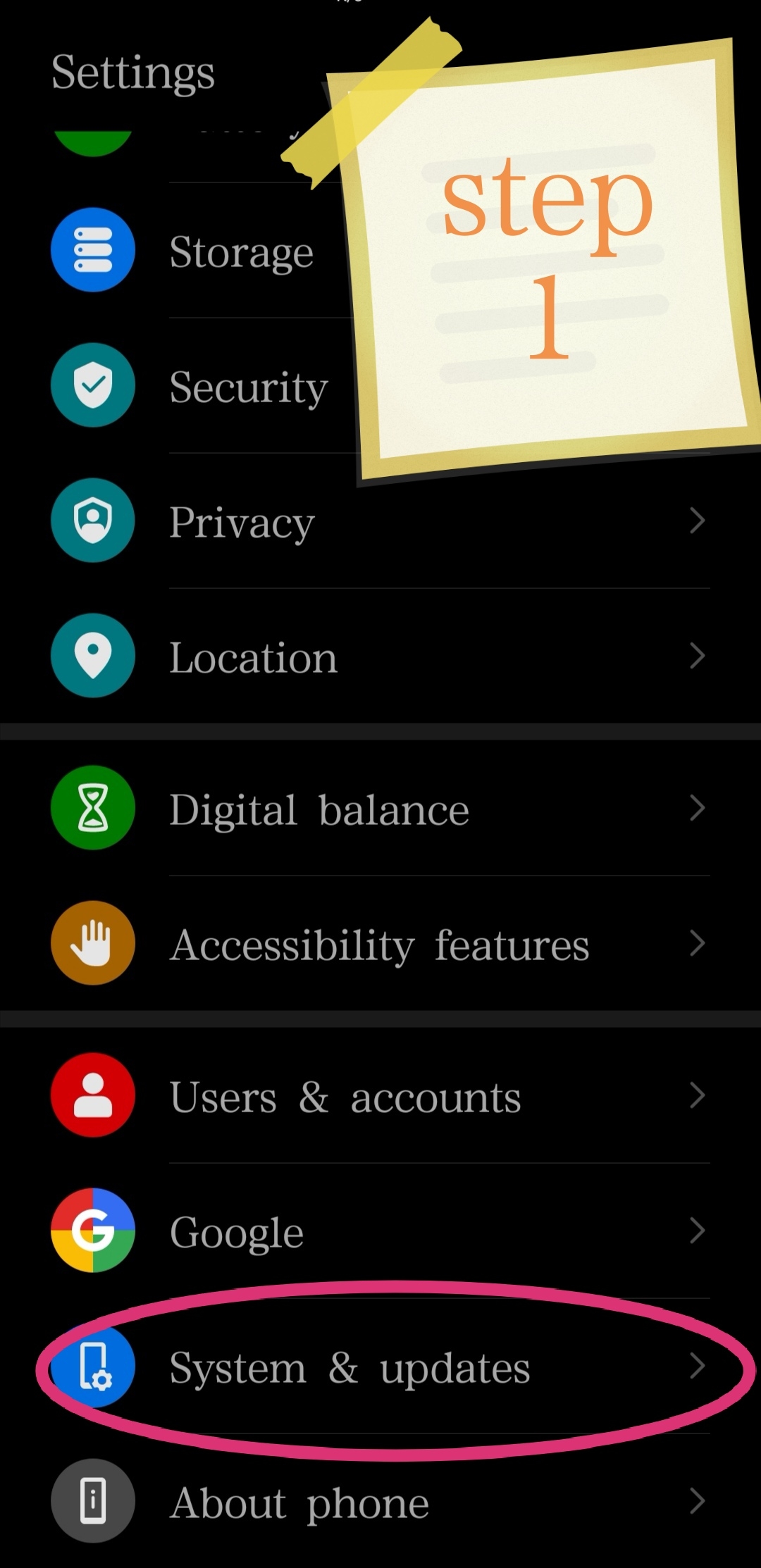
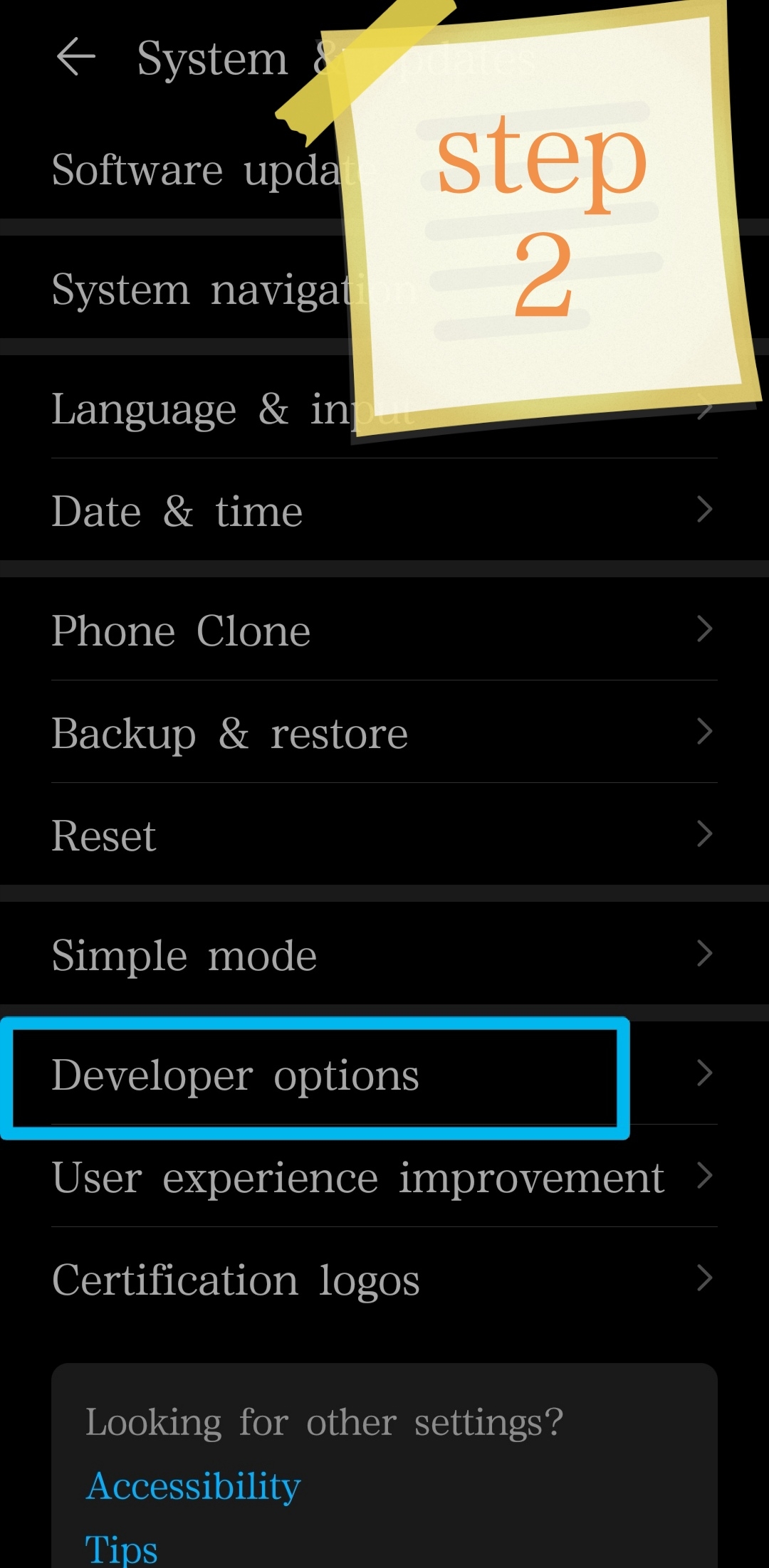
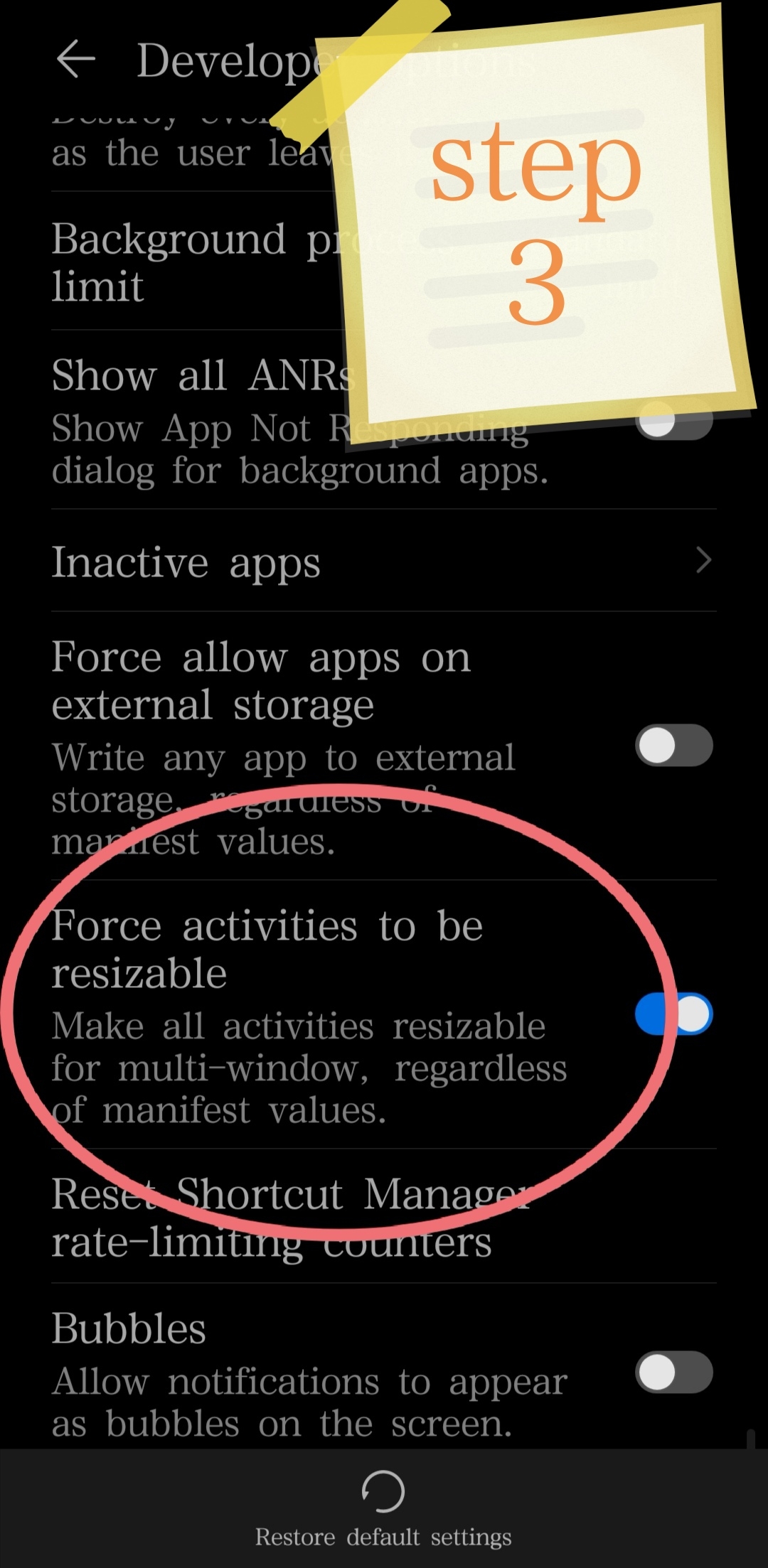
Go to setting--> system and update--> developer options--> switch on "force activities to be resizable"--> restart your phone.
Presto.... all your apps now can support split-screen mode.
* If you think that this post helps/ benefits you,truly appreciate if you able to drop a like or even share it out to your friends.


- Posts
- Following
- Followers
- Energy
-

 Dr Gabriel
Columnist
Dr Gabriel
Columnist
-
+ Follow

-
- 88 Posts
- 17 Following
- 93 Followers
- 4935 Energy


SUBSCRIPTION
I agree to receive the latest offers and information on HONOR products through email or IM (e.g. WhatsApp) provided below and advertisement on third-party platforms. I understand that I can unsubscribe anytime according to Chapter 5 of HONOR Platform Privacy Statement.
CONTACT

- Posts
- photo
- video

Do you ever have experience of using your android's split screen mode to carry miltitask however the app you wanted to split doesn't support it? (one of the example is pokemon go)
Here, I'm gonna share a way of how to make ALL applications in your honor/ Huawei phone able to go for split screen mode.
Before we go even further, let's talk about some basic things regarding split screen mode.
Split screen is a multiscreen mode which allows you to use multiple apps simultaneously.
The pic shown is one of the examples of split screen mode which allowed me to watch YouTube video while I was browsing Facebook at the same time.
There are few ways to enable split screen mode:
1. Use Knuckle to enable Split-screen mode
- in order to perform this, you should switch on split screen function via *setting-->assesibility features--> motion control--> split screen--> on
2. Use three fingers move-up from the bottom of screen.then the device screen will be subsequently split into two.
Now, let's proceed to the core of the topic: how to enable your phone to enter split screen mode for any apps?
In order to do this, you need to enable "development options" in your phone by go to setting--> about phone--> then tap your build numbers for 7x.
After that you will be able to find "Developer Options" in your setting.
Go to setting--> system and update--> developer options--> switch on "force activities to be resizable"--> restart your phone.
Presto.... all your apps now can support split-screen mode.
* If you think that this post helps/ benefits you,truly appreciate if you able to drop a like or even share it out to your friends.