
 More Products
 Compare
















我的荣耀 开启荣耀之旅
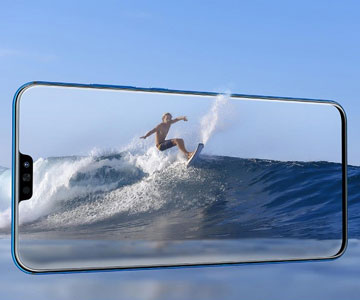
How to use the video recorder of HONOR 8X
The phone camera of the HONOR 8X is highly praised. Its pixel resolution and camera functions are both amazing whether you want to take a photo or take a video.
The HONOR 8X comes with a 20MP primary cam on the back, plus an extra 2MP module for depth detection. The main sensor sits behind an f/1.8 lens and has an equivalent focal length of 27mm. Focusing is aided by phase detection, and there's a single LED flash for extremely low-light shooting.
In terms of the video recorder, the HONOR 8X can record FHD+ Videos and It can record 1080P videos. It can record slow-motion videos as well. With super slow-motion, you can capture instantaneous motions. Short videos can be filmed at 16x slow-motion mode (480fps).
It’s very easy to shoot a normal video. Just go to  Camera>Video. Then touch
 to start recording a video. When you finish recording, just touch
  to stop recording.
The recorded video will be saved in Gallery > Albums > All videos. And you can adjust the video with the following operations.
Crop a video: Open Gallery, select the video you want to edit, and touch to enter the video editing screen. You can drag the slider in the crop area to select the segment you want to keep and touch
 to finish cropping the video.
Adjust the video resolution: As you drag the slider to select the video segment you want to keep, you can touch  to preview the cropped video. You can also touch the video resolution options on the editing screen to adjust the video resolution.
Note: The higher the resolution, the clearer the video, but also the greater the storage space required. Choose according to your needs.

And you can use slow motion recording to slow down important moments. So how to record slow motion videos? With the HONOR 8X, it is still easy to use.
Just go to Camera > More > Slow-mo, and then touch to start recording a video.
These recorded video will be saved in Gallery > Albums > All videos. During playback, you can drag the editing slider to select the segment you want to play in slow motion.
You can then touch and hold the video, touch , select how you want to share your transcript and follow the onscreen instructions to share your transcript.
Both automatic and manual modes are available. Shoot your slow-motion videos in well-lit environments for best results.

And if you want to adjust slow-motion video playback, it is still very simple.
Open  Gallery, select the recorded slow motion video, and touch to play. Touch the screen and drag the slider in the edit area to select the segment you want to play in slow motion.
To save the modified slow motion video as a new video, touch on the editing screen, and select Save slow-mo file.
Have you learned how to use the video recorder of HONOR 8X? Enjoy the fun of the video recorder!
Products Recommend

Latest Blogs


SUBSCRIPTION
I agree to receive the latest offers and information on HONOR products through email or IM (e.g. WhatsApp) provided below and advertisement on third-party platforms. I understand that I can unsubscribe anytime according to Chapter 5 of HONOR Platform Privacy Statement.
CONTACT
