



 More Products
 Compare


















































我的荣耀 开启荣耀之旅
打开
App 内打开



 Disagree Terms
 Log out




[Tips & Tricks] How to Manage Mobile Data Usage - Huawei Phone Manager
[Tips & Tricks] How to Manage Mobile Data Usage - Huawei Phone Manager


Add to Favorites
Create
Confirm

 Last reply :
Hello HONOR Fans'
I hope you all had a great Weekend!
Today am going to share an article on "How to Manage Mobile Data Usage - Huawei Phone Manager"
Let's check it on How to do it
Open Phone Manager App and tap on Data usage to view data usage statistics or enable Smart data saver.
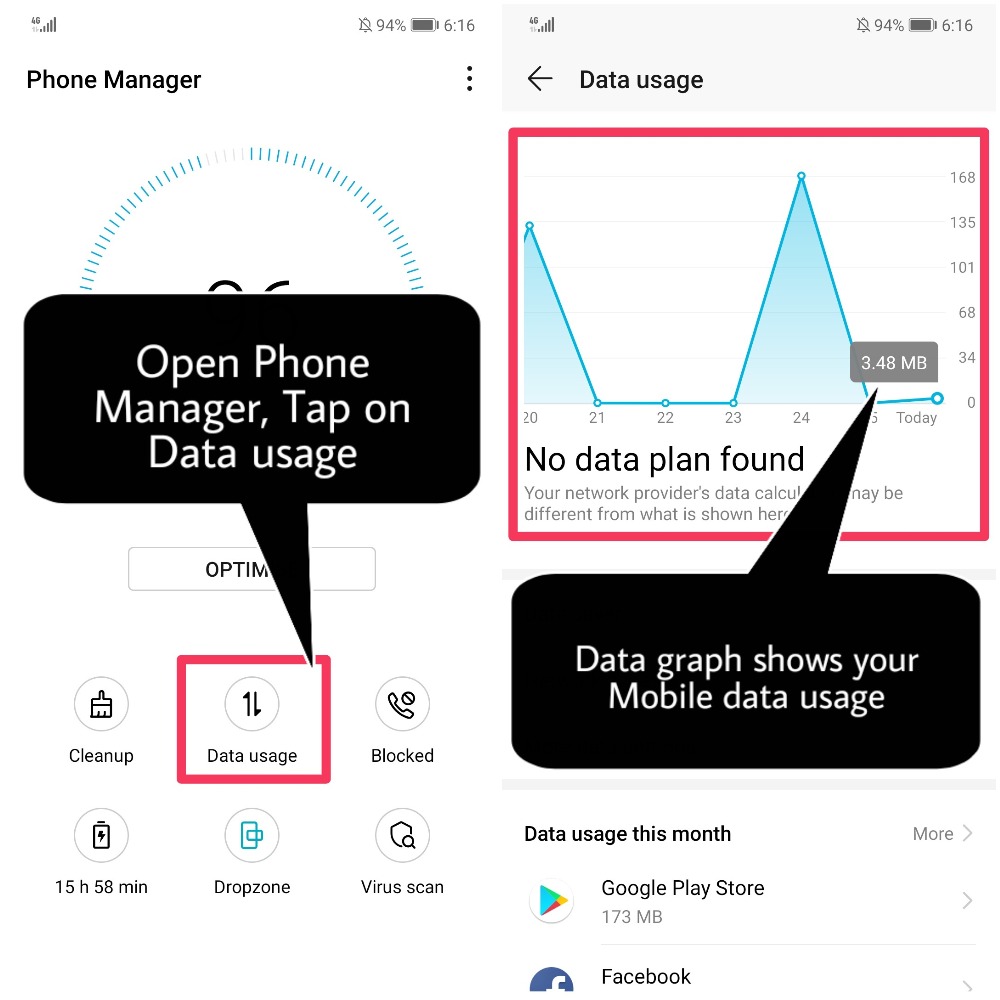
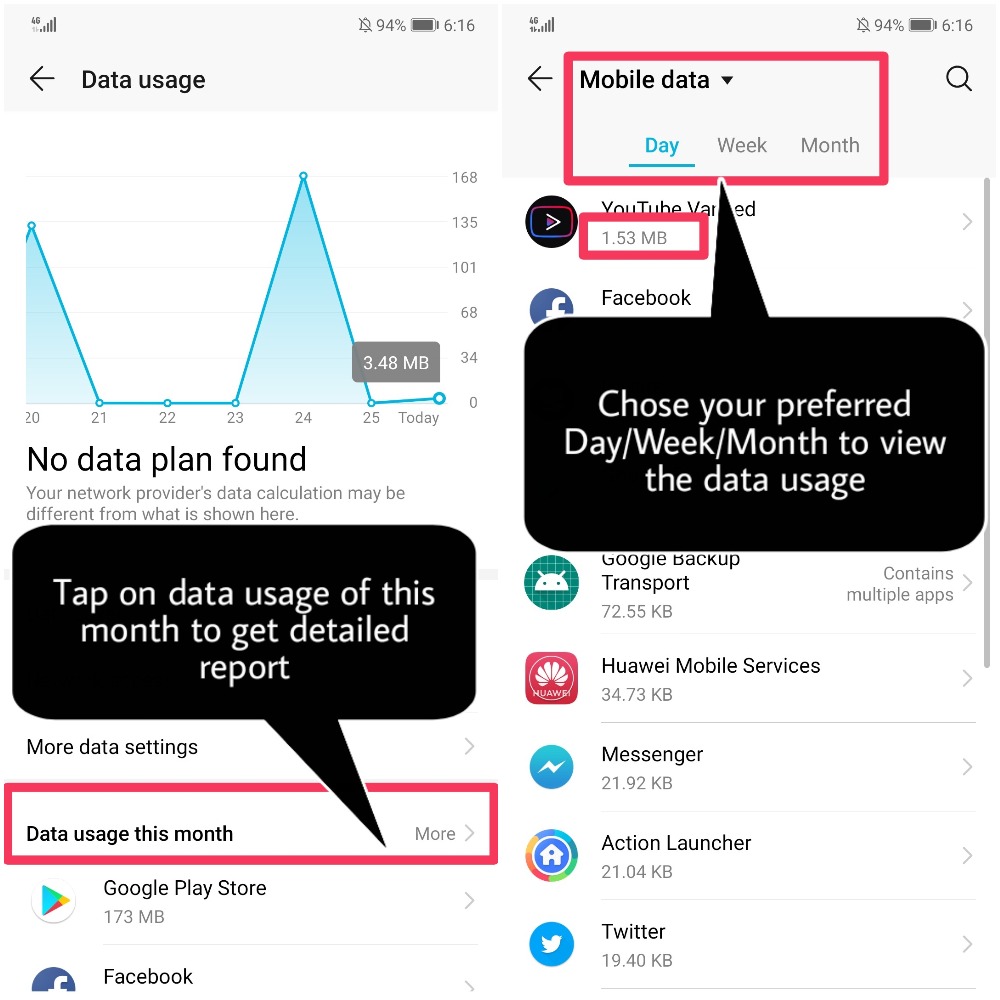
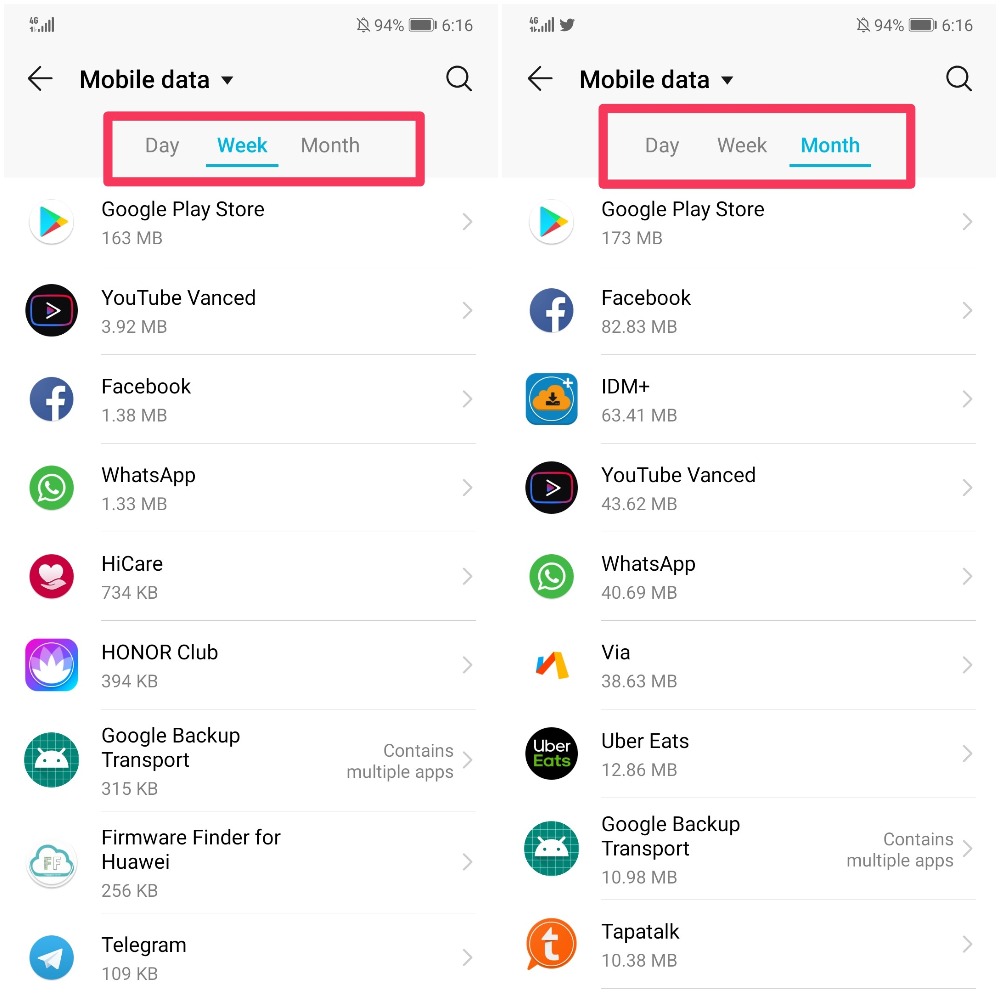
Data usage this month: Check the data usage ranking of apps.
Network access: Manage Internet access permissions for each app.

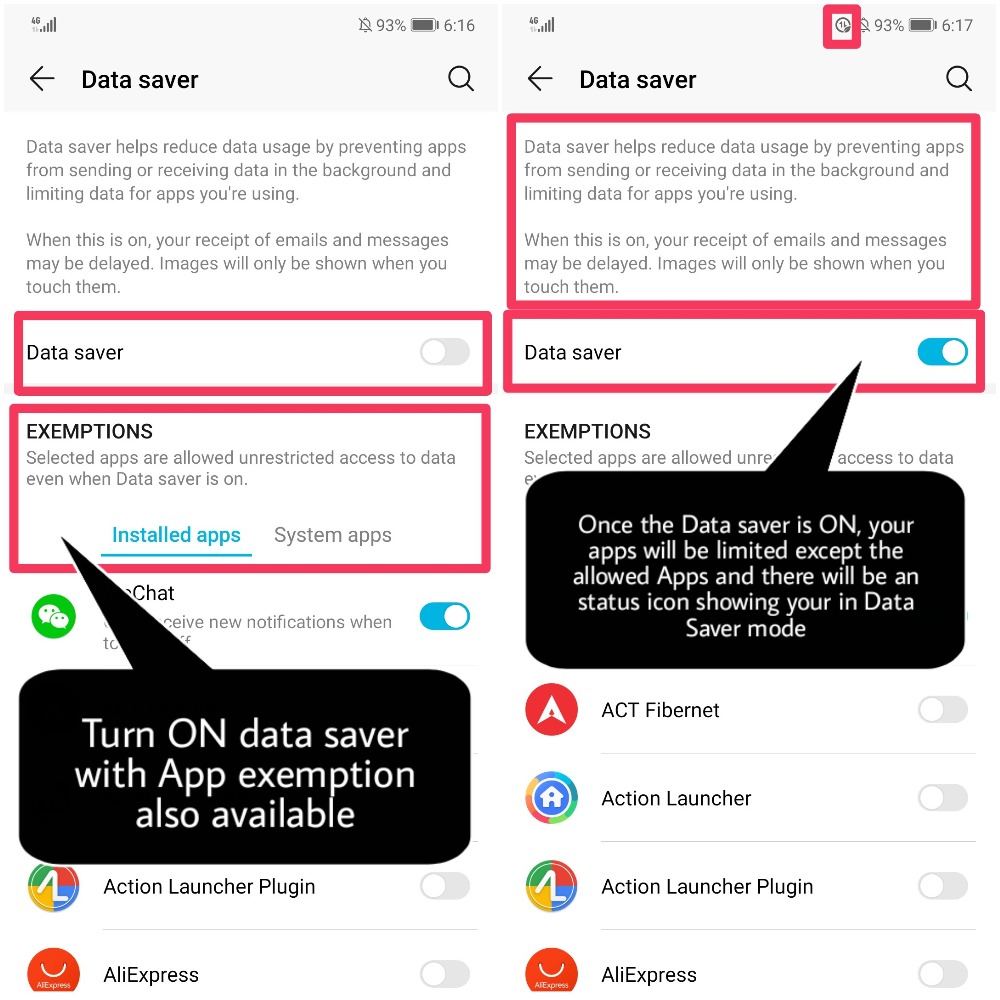
Smart data saver: Enable the data saver and select the apps that are allowed to use mobile data while running in the background.
That's it guys! Manage Mobile Data Usage to avoid incurring extra data loss or charges.
Hope you all find this post useful, Thank you for reading ;)


Energy
- Posts
- Following
- Followers
- Energy
Last visit time
Registered day
-
 Tamil G
Moderator Intern
Tamil G
Moderator Intern
-
+ Follow

-
- 542 Posts
- 49 Following
- 874 Followers
- 39761 Energy

-
 New Comer
-
 Followers reach 50
-
 Followers reach 100
-
 Followers reach 200
-
 7 Days Check-in
-
 30 Days Check-in
-
 100 Days Check-in
-
 Moderator
-
 Halloween 2020
-
 HONOR STAR 2020
-
 New Year 2021
-
 Animal Photography
-
 Plant Photography
-
 Red Photography
-
 Survey Medal!
-
 Water Photography
-
 World Cycling & Running Day
-
 Product Photography
-
 Sky Photography
-
 Activity Photography Medal
-
 Autumn Photography
-
 Rain Photography
-
 HONOR 50: Best Shot!
-
 Monthly Photo Sharing #1 Landscape
-
 HONOR Magic4 Pro
-
 Monthly Photo Sharing #2 People
-
 Monthly Photo Sharing #3 Spring
-
 Monthly Photo Sharing #4 Animal



- Posts
- photo
- video

Hello HONOR Fans'
I hope you all had a great Weekend!
Today am going to share an article on "How to Manage Mobile Data Usage - Huawei Phone Manager"
Let's check it on How to do it
Open Phone Manager App and tap on Data usage to view data usage statistics or enable Smart data saver.
Data usage this month: Check the data usage ranking of apps.
Network access: Manage Internet access permissions for each app.
Smart data saver: Enable the data saver and select the apps that are allowed to use mobile data while running in the background.
That's it guys! Manage Mobile Data Usage to avoid incurring extra data loss or charges.
Hope you all find this post useful, Thank you for reading ;)