



 More Products
 Compare











































我的荣耀 开启荣耀之旅



 Disagree Terms
 Log out




[Tips & Tricks] How to Customize Wallpaper on My HONOR Magic Watch 2?


 Last reply :
Dear HONOR Fans,
A phone can’t be customized is like a shirt bought 10 years ago. Every time when you wear it, the uncomfortableness, the out of fashion feeling hunt you. Luckily, nowadays we can customize not only phone but also watch face.
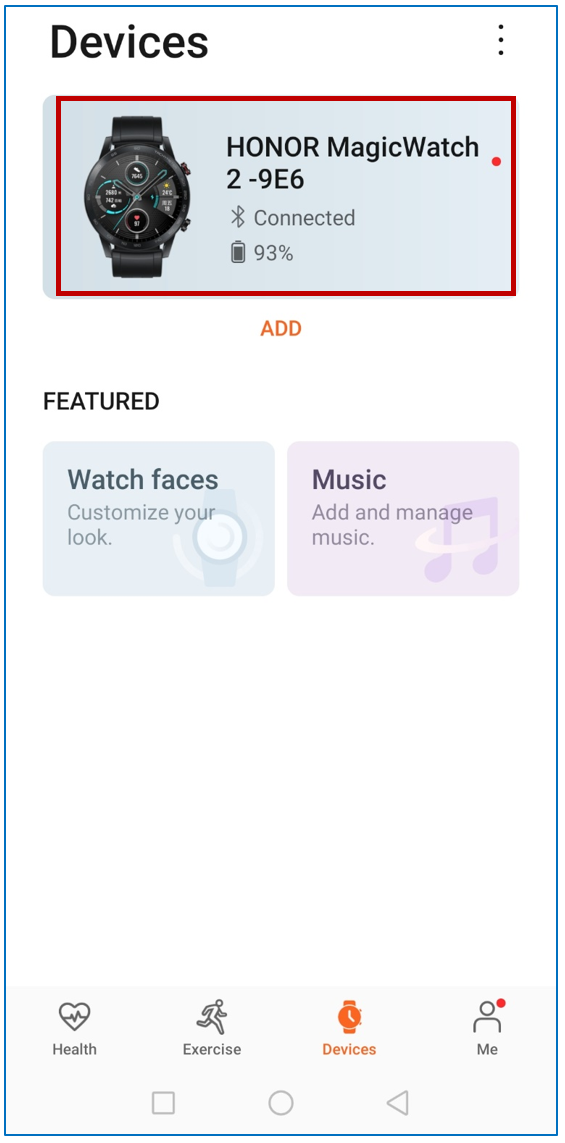
1. Make sure the watch 2 is connected to your phone. Then open HUAWEI health app and go to device. From there you need to find the Magic watch 2 that you want to change the watch face. Click that.
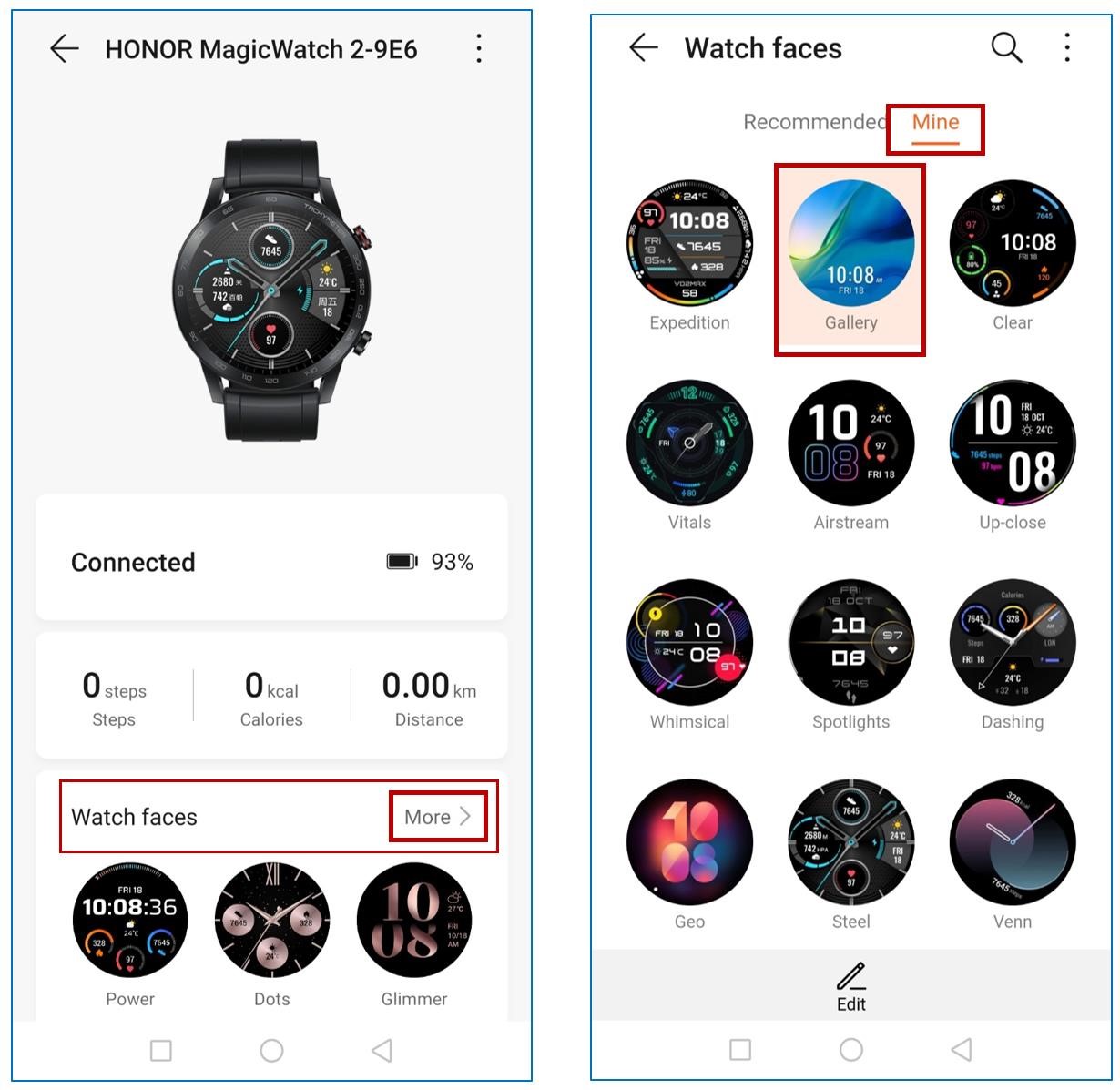
2. On next page, click more beside watch face section. Then click “Mine” and Gallery.
3. On next page, you can change the background. Simply click the “+” icon to select the images you want to apply from phone gallery. You can decide the style and layout as you want.
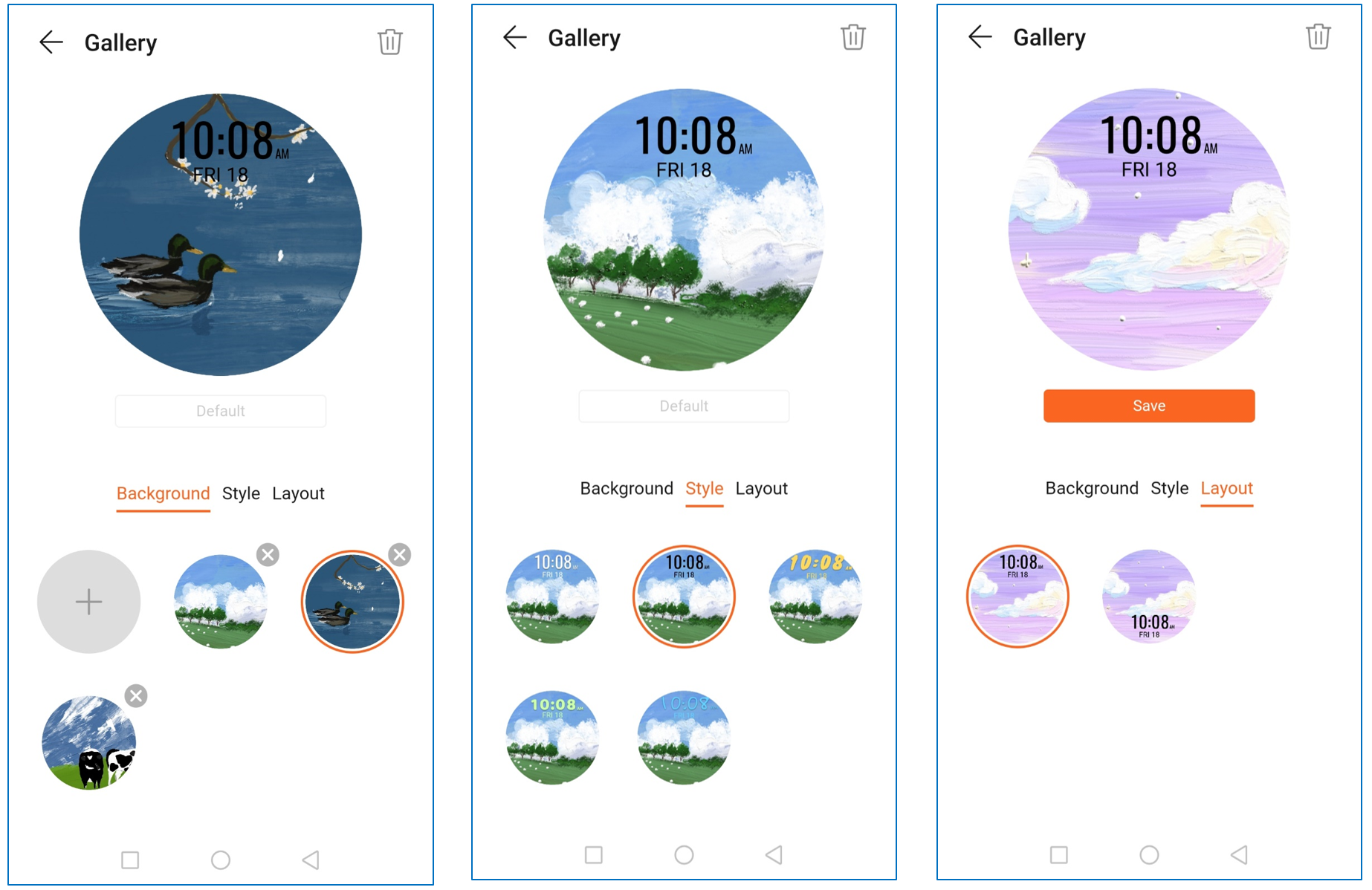
Note: if there are more than 1 watch wallpaper in gallery, then all of them take turn to appear on the screen.
Follow me if you want to get more creative watch/Band faces and wallpapers.


- Posts
- Following
- Followers
- Energy
-

 Akram Elsaiegh [1]
Designer
Akram Elsaiegh [1]
Designer
-
+ Follow

-
- 23 Posts
- 20 Following
- 47 Followers
- 3378 Energy








- Posts
- photo
- video

Dear HONOR Fans,
A phone can’t be customized is like a shirt bought 10 years ago. Every time when you wear it, the uncomfortableness, the out of fashion feeling hunt you. Luckily, nowadays we can customize not only phone but also watch face.
1. Make sure the watch 2 is connected to your phone. Then open HUAWEI health app and go to device. From there you need to find the Magic watch 2 that you want to change the watch face. Click that.
2. On next page, click more beside watch face section. Then click “Mine” and Gallery.
3. On next page, you can change the background. Simply click the “+” icon to select the images you want to apply from phone gallery. You can decide the style and layout as you want.
Note: if there are more than 1 watch wallpaper in gallery, then all of them take turn to appear on the screen.
Follow me if you want to get more creative watch/Band faces and wallpapers.