



 More Products
 Compare











































我的荣耀 开启荣耀之旅



 Disagree Terms
 Log out




[HONOR Watch ES] HONOR Watch ES FAQs frequently asked questions answered 2020!


 Last reply :
Dear HONOR Fans,
The HONOR Watch ES is a brand new smartwatch for fitness workout use from HONOR Huawei. It is released together with the HONOR Watch GS pro on 4th September 2020 at the IFA. Frequently asked questions about this smartwatch are answered in this article.
Though the HONOR Watch GS pro steals the limelight of the media, the HONOR Watch ES as a budget smartwatch with a stylish design suitable for youngsters is also a popular choice.
What's the dimension of the HONOR Watch ES?
Answer: The dimension of the HONOR Watch ES is 46×30×10.7mm. It weighs approximately 21g without the strap and comes with a 1.64'' AMOLED Touch Display. The thickness is only 10.7mm.
What's the display of the HONOR Watch ES like?
Answer: The HONOR Watch ES features a 1.64-inch AMOLED color screen, 456 x 280 pixels.
What's the price of the HONOR Watch ES and availability?
Answer: The HONOR Watch ES is priced at £ 99.99 and the sales start from 8th September 2020 at the hihonor store UK.
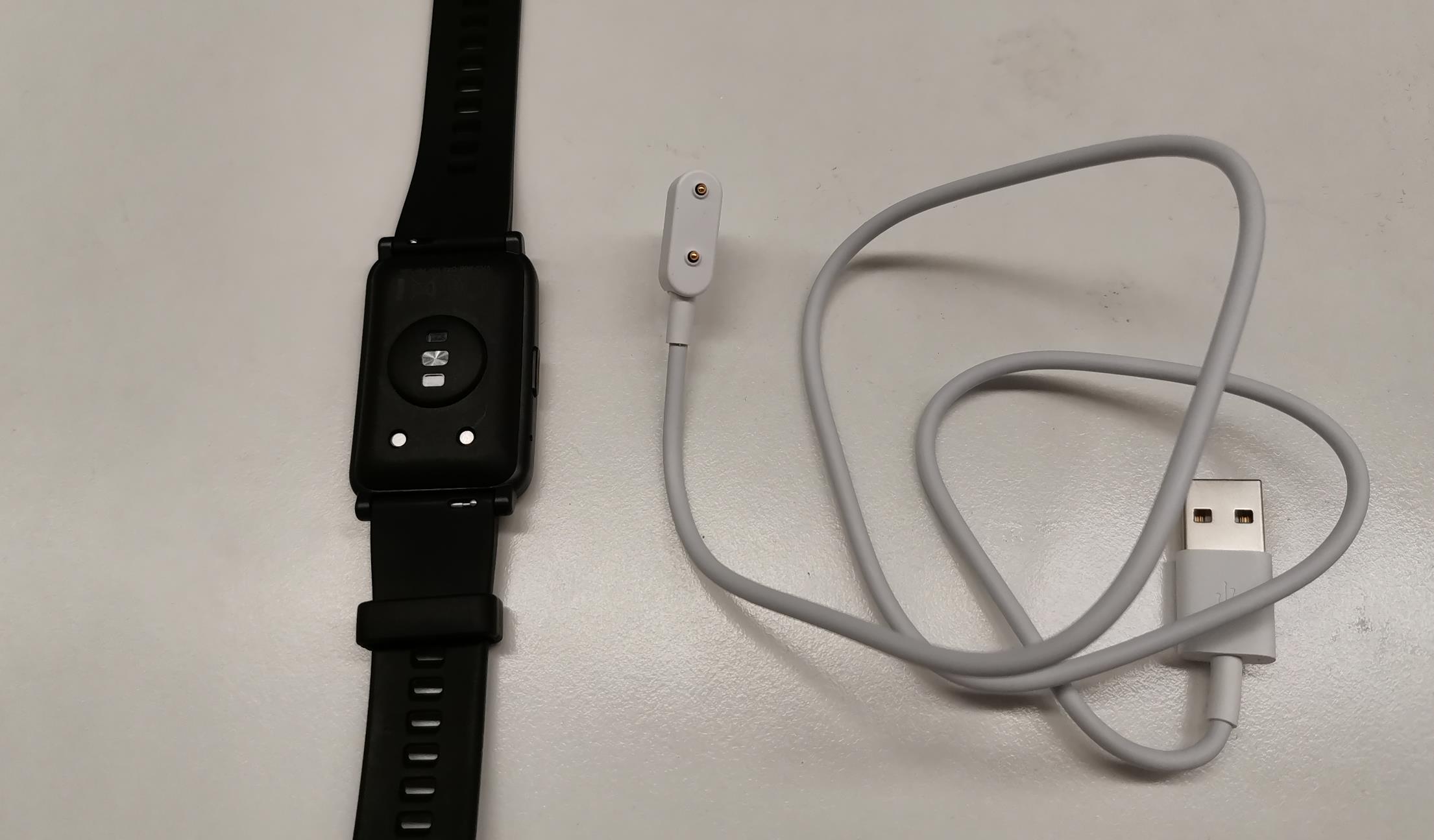
How to charge HONOR Watch ES?
Answer: A charging cable comes together with the HONOR Watch ES in the box. When you place the metal part of the charging cable near the charging port on the HONOR Watch ES, the cable will be connected to the smartwatch due to magnetic. You can then connect the cable to the adaptor and the adaptor to a power socket.
Could I replace the strap?
Answer: Yes, same as the former generations, the HONOR Magicwatch 2 and HONOR Watch Magic, you can replace the strap.
What's the battery capacity of the HONOR Watch ES?
Answer: The battery capacity of this smartwatch is 180mAh.
How long does it take to get fully charged?
Answer: It takes around 100 minutes to get the HONOR Watch ES fully charged. Fast charge is also available with 70% battery boost in 30 minutes.
How long does the battery last after a full charge?
Answer: The battery could last for up to 10 days after a full charge without continuous function enabled.
Is compass available on the HONOR Watch ES? How about the weather report?
Answer: No, the compass is not available. And this smartwatch supports a 5-day weather report.
What's in the box if I buy HONOR Watch ES?
Answer: Inside the box of the HONOR Watch ES, you can find the watch itself, charger with cable, the warranty card, and quick user guide.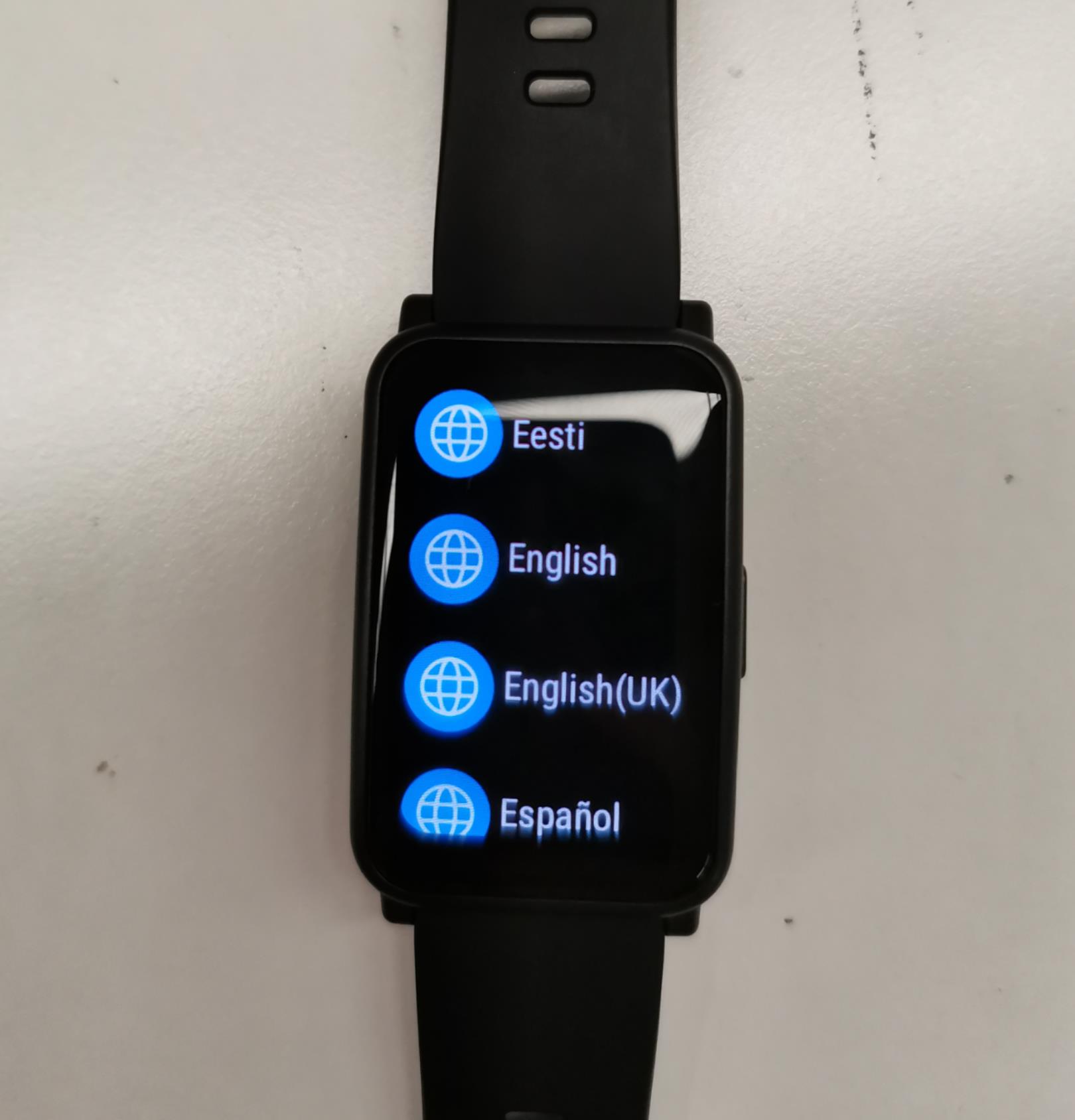
What are the languages supported on HONOR Watch ES?
Answer: Similar to the former generations, the HONOR Magicwatch 2 and HONOR Watch Magic, it uses the same language of the phone that pair with the smartwatch. So if your phone uses English, the same as the watch. And when you start the Watch ES, you can select the language as you want from the screen.
What's the app to get connected to my HONOR Watch ES?
Answer: Same with the HONOR Magic Watch 2, HONOR Watch ES connects with the phone using the Huawei health app, via Bluetooth connection. If you don't have the Huawei Health app installed on your phone, kindly search and install it from your Huawei AppGallery store. Or find it from the App Store if you use an iPhone.
Download the Huawei health app from play store: https://play.google.com/store/apps/details?id=com.huawei.health&hl=en_US
Download the Huawei Health App from the app store: https://apps.apple.com/us/app/huawei-health/id1325481372
What's the Bluetooth version and max Bluetooth connection distance of the HONOR Watch ES?
Answer: The Bluetooth Version of the HONOR Watch ES is 5.0 and the max Bluetooth connection distance of this smartwatch is 5 to 10 meters without obstacles in the way.
Is the HONOR Watch ES waterproof?
Answer: Yes, the HONOR Watch ES is waterproof. The standard is 5ATM, which means 50 meters water-resistant. Swimming or taking a shower with this smartwatch on your wrist is not a problem.
Does it come with GPS and NFC?
Answer: No, this smartwatch doesn't come with GPS or NFC.
Could I use HONOR Watch ES to shoot photos remotely?
Answer: Yes, it could control and take photos from your smartphone once it's connected to the phone.
Could I answer the phone with the HONOR Watch ES?
Answer: No, answering a call from the phone is not supported. However, you can expect a call reminder on your smartwatch.
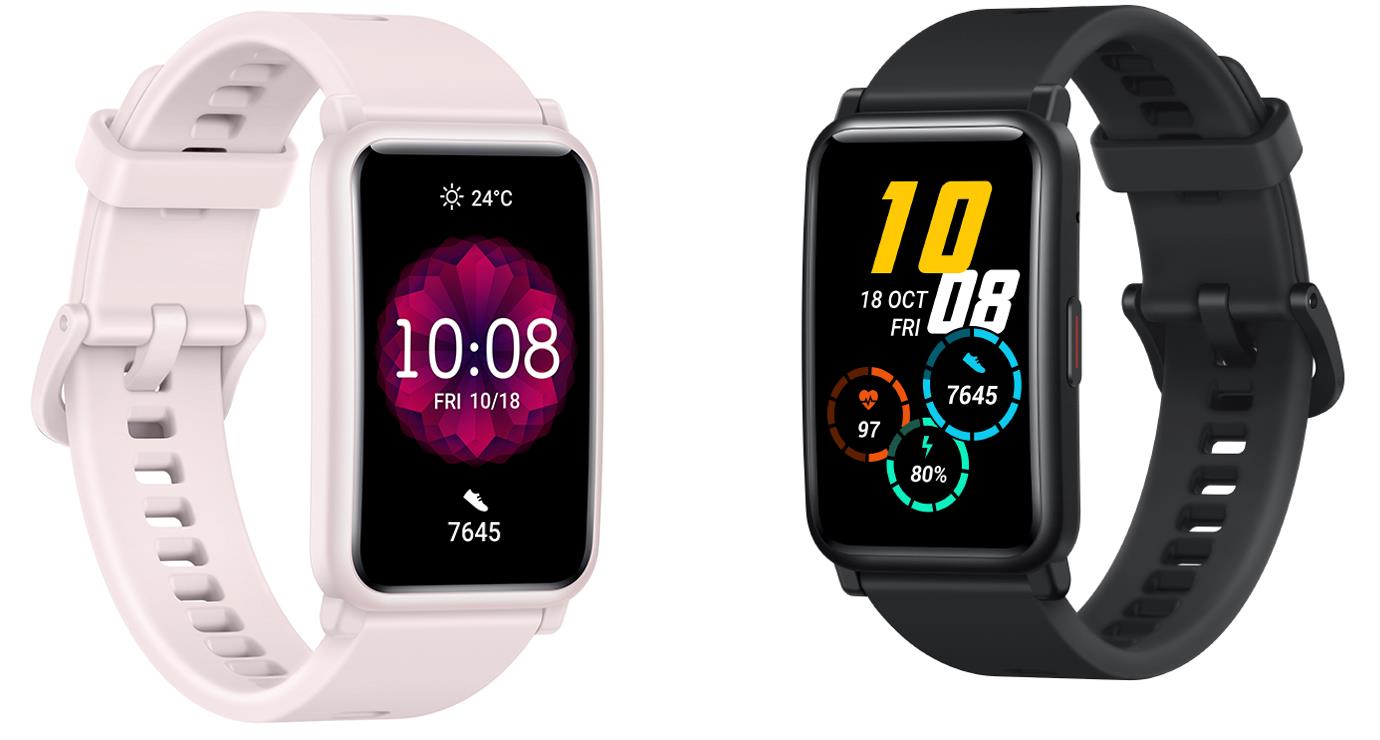
What colors and sizes are available for HONOR Watch ES?
Answer: The HONOR Watch ES comes in two different colors, Meteorite Black and Coral Pink.
Could I customize the watch face? How many watch faces are available?
Answer: Yes, you can personalize the watch faces as you want. Since you can select the photos stored in your phone to use as watch faces, unlimited different watch faces are available.
Is Always-on display available on the HONOR Watch ES?
Answer: Yes Always-on display is available.
Is the SpO2 monitor available?
Answer: Yes, SpO2 monitoring is available. What's more, it also supports 24/7 Heart Rate monitoring, sleep monitoring, stress monitoring, and Female Cycle Tracker.
Does it support the raise-to-wake function?
Answer: Yes, the raise-to-wake function is supported.
Could I set up an alarm on the HONOR Watch ES? If yes, how?
Answer: Yes, you can set up an alarm on HONOR Watch ES. Simply open the Huawei health app first and find the watch. Touch that to open it, then find alarm.
How many fitness workout modes are available for HONOR Watch ES?
Answer: The HONOR Watch ES support 95 workout modes including outdoor and indoor running, outdoor and indoor cycling, pool and open watch swimming, yoga, and many more to provide workout data in real-time.
Does it support continuous Heart Rate Tracking?
Answer: Yes, powered by HUAWEI TruSeen™ 4.5 with advanced AI algorithm to ensure accuracy, the HONOR Watch ES supports 24/7 Heart Rate monitoring. You can enable it on the Huawei Health app once your phone the smartwatch is connected.
Does it support find my phone function?
Answer: Yes, find my phone function is supported. Swipe the screen of the watch to find settings then reach "find my phone" from there. Touch that and your phone will respond. Notice that this works only when the phone is still connected to the watch via Bluetooth.
How to update the HONOR Watch ES?
Answer: Make sure HONOR Watch ES and the phone is connected. Then open the Huawei health app and touch devices find HONOR Watch ES there. Choose firmware update, then you can follow the instructions on the screen to update it. You can also enable auto-update over wifi. Then when a new update is available, a reminder will pop up at the screen of the watch.
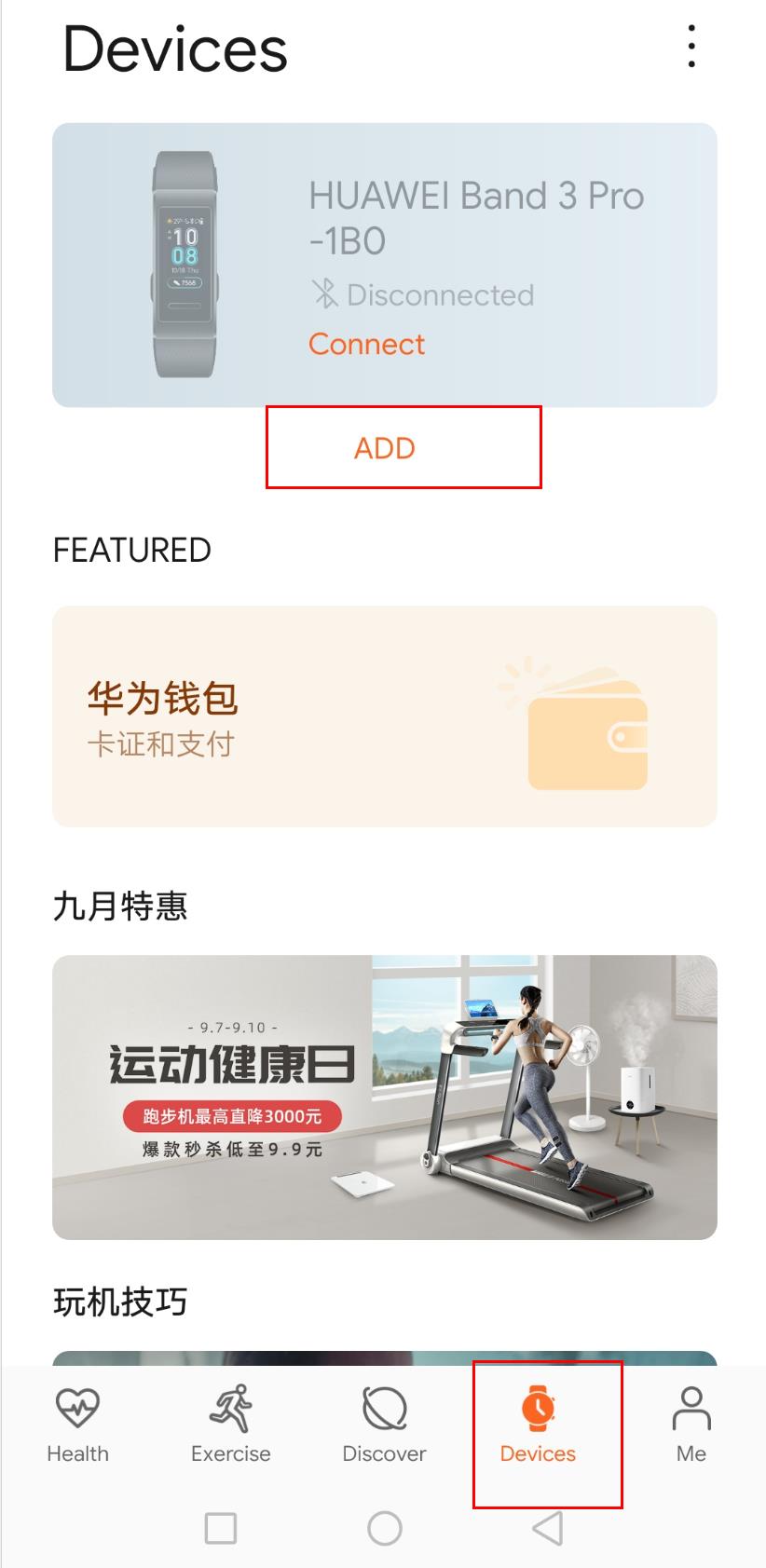
How to pair the HONOR Watch ES with the phone?
Answer: Download and install the Huawei health app from Huawei AppGallery or Apple app store if you use the iPhone. Then open the app and go to Devices>+>SmartWatch. Then touch the model that you want to pair with your phone. Touch pair and the app will automatically search for the nearby available Bluetooth device. Once your watch is found, tough its name to start pairing.
Does HONOR Watch ES work with my iPhone?
Answer: Yes. If you use an iPhone, download the Huawei health app from the app store first. Then you can open the app and pair the iPhone with the HONOR Watch ES.
Are your questions about the HONOR Watch ES answered? If you have more questions that are not covered, kindly drop it in the comment section.
HONOR Watch ES the ultimate User Guide


- Posts
- Following
- Followers
- Energy
-

 SAM_HONOR_UK
Community Team
SAM_HONOR_UK
Community Team
-
+ Follow

-
- 281 Posts
- 0 Following
- 721 Followers
- 10641 Energy








- Posts
- photo
- video

Dear HONOR Fans,
The HONOR Watch ES is a brand new smartwatch for fitness workout use from HONOR Huawei. It is released together with the HONOR Watch GS pro on 4th September 2020 at the IFA. Frequently asked questions about this smartwatch are answered in this article.
Though the HONOR Watch GS pro steals the limelight of the media, the HONOR Watch ES as a budget smartwatch with a stylish design suitable for youngsters is also a popular choice.
What's the dimension of the HONOR Watch ES?
Answer: The dimension of the HONOR Watch ES is 46×30×10.7mm. It weighs approximately 21g without the strap and comes with a 1.64'' AMOLED Touch Display. The thickness is only 10.7mm.
What's the display of the HONOR Watch ES like?
Answer: The HONOR Watch ES features a 1.64-inch AMOLED color screen, 456 x 280 pixels.
What's the price of the HONOR Watch ES and availability?
Answer: The HONOR Watch ES is priced at £ 99.99 and the sales start from 8th September 2020 at the hihonor store UK.
How to charge HONOR Watch ES?
Answer: A charging cable comes together with the HONOR Watch ES in the box. When you place the metal part of the charging cable near the charging port on the HONOR Watch ES, the cable will be connected to the smartwatch due to magnetic. You can then connect the cable to the adaptor and the adaptor to a power socket.
Could I replace the strap?
Answer: Yes, same as the former generations, the HONOR Magicwatch 2 and HONOR Watch Magic, you can replace the strap.
What's the battery capacity of the HONOR Watch ES?
Answer: The battery capacity of this smartwatch is 180mAh.
How long does it take to get fully charged?
Answer: It takes around 100 minutes to get the HONOR Watch ES fully charged. Fast charge is also available with 70% battery boost in 30 minutes.
How long does the battery last after a full charge?
Answer: The battery could last for up to 10 days after a full charge without continuous function enabled.
Is compass available on the HONOR Watch ES? How about the weather report?
Answer: No, the compass is not available. And this smartwatch supports a 5-day weather report.
What's in the box if I buy HONOR Watch ES?

Answer: Inside the box of the HONOR Watch ES, you can find the watch itself, charger with cable, the warranty card, and quick user guide.
What are the languages supported on HONOR Watch ES?
Answer: Similar to the former generations, the HONOR Magicwatch 2 and HONOR Watch Magic, it uses the same language of the phone that pair with the smartwatch. So if your phone uses English, the same as the watch. And when you start the Watch ES, you can select the language as you want from the screen.
What's the app to get connected to my HONOR Watch ES?
Answer: Same with the HONOR Magic Watch 2, HONOR Watch ES connects with the phone using the Huawei health app, via Bluetooth connection. If you don't have the Huawei Health app installed on your phone, kindly search and install it from your Huawei AppGallery store. Or find it from the App Store if you use an iPhone.
Download the Huawei health app from play store: https://play.google.com/store/apps/details?id=com.huawei.health&hl=en_US
Download the Huawei Health App from the app store: https://apps.apple.com/us/app/huawei-health/id1325481372
What's the Bluetooth version and max Bluetooth connection distance of the HONOR Watch ES?
Answer: The Bluetooth Version of the HONOR Watch ES is 5.0 and the max Bluetooth connection distance of this smartwatch is 5 to 10 meters without obstacles in the way.
Is the HONOR Watch ES waterproof?
Answer: Yes, the HONOR Watch ES is waterproof. The standard is 5ATM, which means 50 meters water-resistant. Swimming or taking a shower with this smartwatch on your wrist is not a problem.
Does it come with GPS and NFC?
Answer: No, this smartwatch doesn't come with GPS or NFC.
Could I use HONOR Watch ES to shoot photos remotely?
Answer: Yes, it could control and take photos from your smartphone once it's connected to the phone.
Could I answer the phone with the HONOR Watch ES?
Answer: No, answering a call from the phone is not supported. However, you can expect a call reminder on your smartwatch.
What colors and sizes are available for HONOR Watch ES?
Answer: The HONOR Watch ES comes in two different colors, Meteorite Black and Coral Pink.
Could I customize the watch face? How many watch faces are available?
Answer: Yes, you can personalize the watch faces as you want. Since you can select the photos stored in your phone to use as watch faces, unlimited different watch faces are available.
Is Always-on display available on the HONOR Watch ES?
Answer: Yes Always-on display is available.
Is the SpO2 monitor available?
Answer: Yes, SpO2 monitoring is available. What's more, it also supports 24/7 Heart Rate monitoring, sleep monitoring, stress monitoring, and Female Cycle Tracker.
Does it support the raise-to-wake function?
Answer: Yes, the raise-to-wake function is supported.
Could I set up an alarm on the HONOR Watch ES? If yes, how?
Answer: Yes, you can set up an alarm on HONOR Watch ES. Simply open the Huawei health app first and find the watch. Touch that to open it, then find alarm.
How many fitness workout modes are available for HONOR Watch ES?
Answer: The HONOR Watch ES support 95 workout modes including outdoor and indoor running, outdoor and indoor cycling, pool and open watch swimming, yoga, and many more to provide workout data in real-time.
Does it support continuous Heart Rate Tracking?
Answer: Yes, powered by HUAWEI TruSeen™ 4.5 with advanced AI algorithm to ensure accuracy, the HONOR Watch ES supports 24/7 Heart Rate monitoring. You can enable it on the Huawei Health app once your phone the smartwatch is connected.
Does it support find my phone function?
Answer: Yes, find my phone function is supported. Swipe the screen of the watch to find settings then reach "find my phone" from there. Touch that and your phone will respond. Notice that this works only when the phone is still connected to the watch via Bluetooth.
How to update the HONOR Watch ES?
Answer: Make sure HONOR Watch ES and the phone is connected. Then open the Huawei health app and touch devices find HONOR Watch ES there. Choose firmware update, then you can follow the instructions on the screen to update it. You can also enable auto-update over wifi. Then when a new update is available, a reminder will pop up at the screen of the watch.
How to pair the HONOR Watch ES with the phone?
Answer: Download and install the Huawei health app from Huawei AppGallery or Apple app store if you use the iPhone. Then open the app and go to Devices>+>SmartWatch. Then touch the model that you want to pair with your phone. Touch pair and the app will automatically search for the nearby available Bluetooth device. Once your watch is found, tough its name to start pairing.
Does HONOR Watch ES work with my iPhone?
Answer: Yes. If you use an iPhone, download the Huawei health app from the app store first. Then you can open the app and pair the iPhone with the HONOR Watch ES.
Are your questions about the HONOR Watch ES answered? If you have more questions that are not covered, kindly drop it in the comment section.
The HONOR Watch GS pro FAQ
HONOR Watch GS Pro User Guide
HONOR Smartwatch FAQ
HONOR Watch ES specifications
HONOR Watch ES the ultimate User Guide