



 More Products
 Compare















































我的荣耀 开启荣耀之旅



 Disagree Terms
 Log out




HONOR MagicWatch 2: Two Week Battery Challenge (First Seven Days)


 Last reply :
I was surprised and delighted when I got the message on being selected for the Two Week Battery Challenge for the new HONOR MagicWatch 2. I received the watch late on Friday night, which was a good opportunity to charge and scan through the UI before starting the test on Saturday. Charging to 100% took less than 2 hours, which is impressive; the charging cradle is magnetic in such way that you cannot incorrectly position the smartwatch.
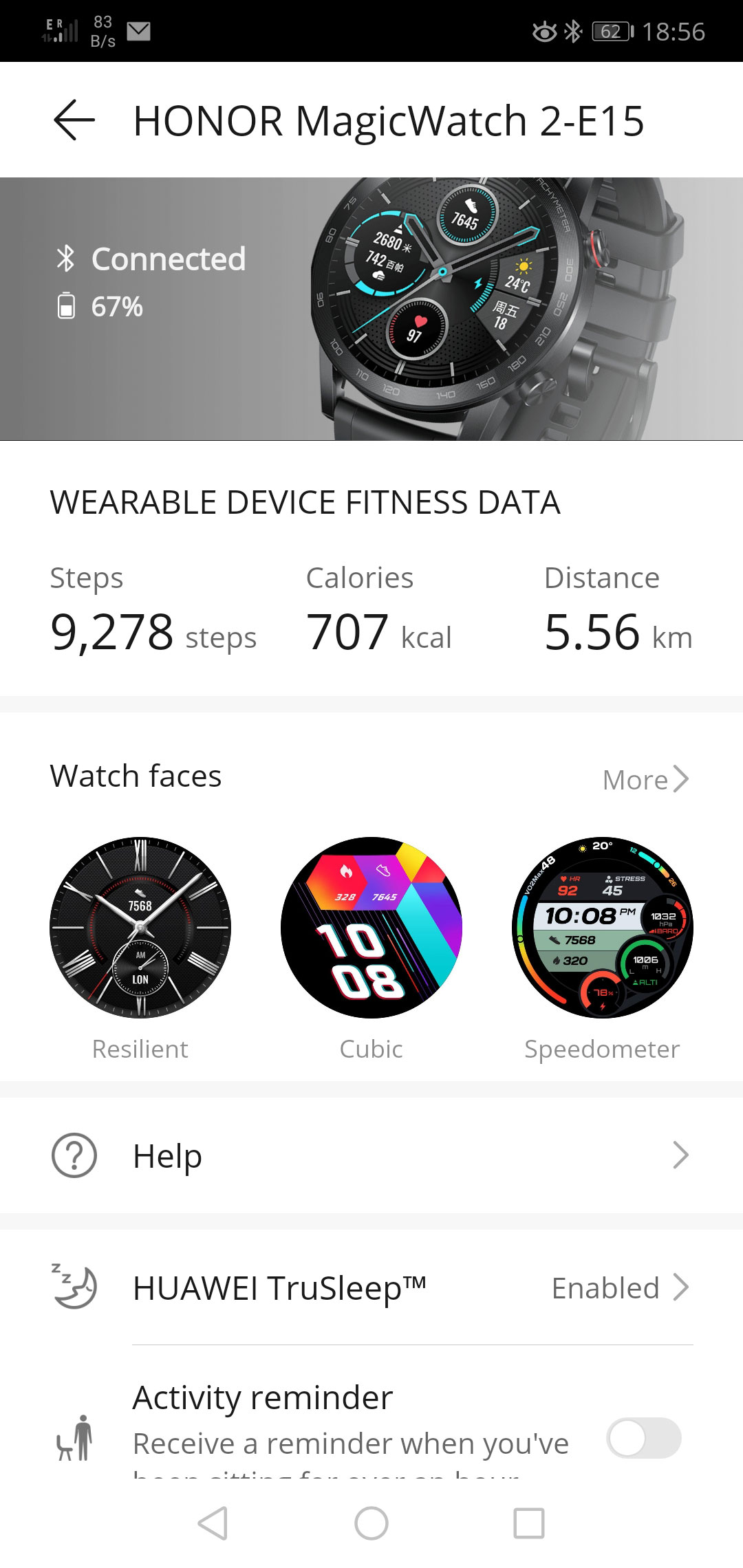
Pairing the MagicWatch 2 to my HONOR 10 was quick and straightforward the Huawei Health App via Bluetooth. I have used the Health App in the past for exercise, so finding the Exercise records and the smartwatch’s settings was not an issue. It is worth noting that the majority of the key features are set up exclusively via the Health rather than the MagicWatch 2 itself. I started my test with all the following settings enabled: HUAWEI TruSleep, Activity reminder, Continuous heart rate monitoring, Automatic stress test, Notifications, Weather reports, Bluetooth disconnection reminder and Raise wrist to wake screen.
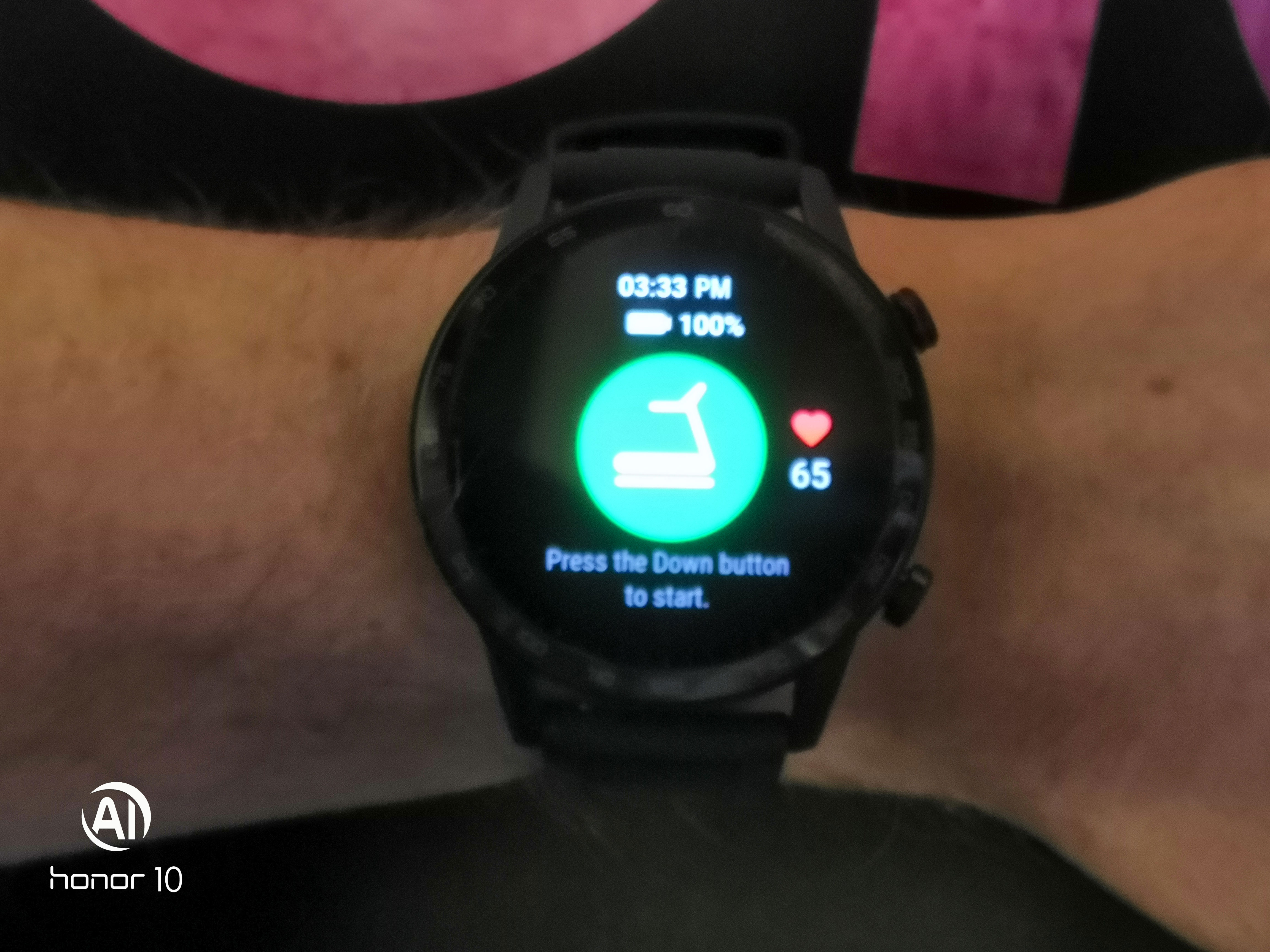
To start the challenge I completed an indoor run along with an indoor cycle. Setting up a workout is as simple as short pressing the bottom button (customisable) and selecting a workout type. Selecting an outdoor activity will result in the MagicWatch 2 doing a GPS position search, these searches were quite rapid getting a pinpoint on my location within about 15 seconds on a cloudy day (which is every day here!). At the end of the treadmill run the smartwatch gave a selection of estimated distances to choose from, all were quite close to the distance measured by the treadmill. There was plenty of information from both workouts visible from the smartwatch’s workout records, but syncing up with the Health app on the phone I would recommend for expanded charts and performance indicators like aerobic and anaerobic training effects. I followed the smartwatch’s recommendation to rest on the second day and the battery was down to 81%. Notifications from emails and SMS messages along with some phone calls taken on the smartwatch took their toll, added to all the settings I had left enabled. I kept the HONOR 10 close by in general apart from two disconnection warnings.
The third day I decided to do a short enough hike through the hills up to a nearby wind farm to do as many of the inbuilt workout abilities as possible. As expected, the MagicWatch 2 recorded all the elevation changes, cadence, pace etc. the GPS positioning/route was also spot on. At the end of the day, the battery was down to 67%.
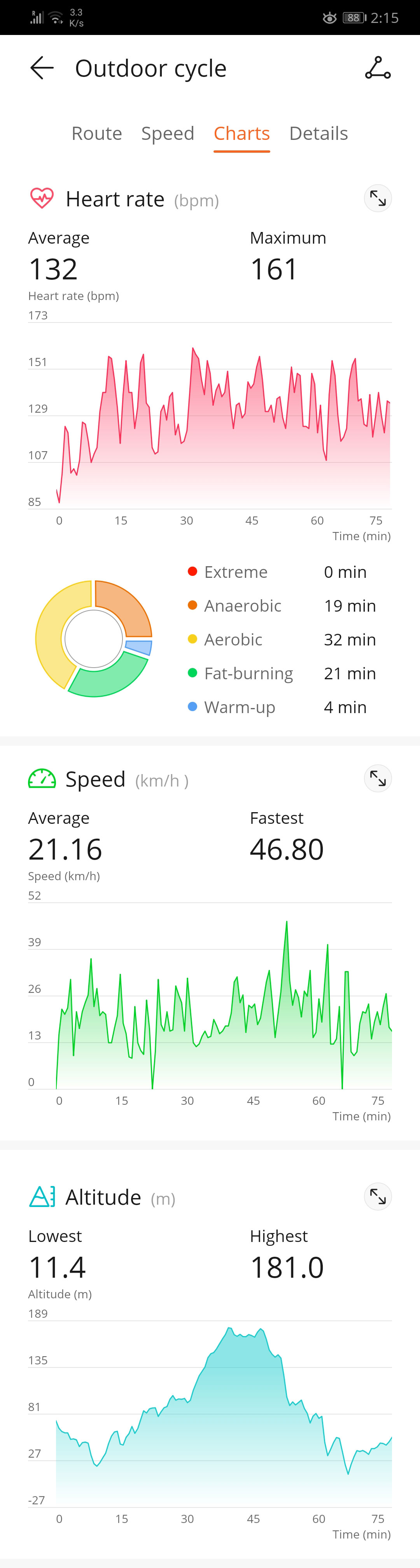
The fourth day being Christmas Eve, decided to go on a family outdoor cycle, as it was unusually mild for the region! Managed to get a good 27.26 Km cycle in. The call outs on distance checkpoints and any excessive heart warnings are definitely loud enough to hear while on the bike or in windy conditions. The calls outs could prove to be a bit invasive in a crowded workout environment like a gym or the pool! The battery was sitting at 49% at the end; I should note that I did not have my phone with me for the duration of the cycle. I decided to turn off the Automatic stress testing at this point, as I assumed it was using up some valuable battery percentage points, and even with the holiday season I didn't see my stress levels rising much 
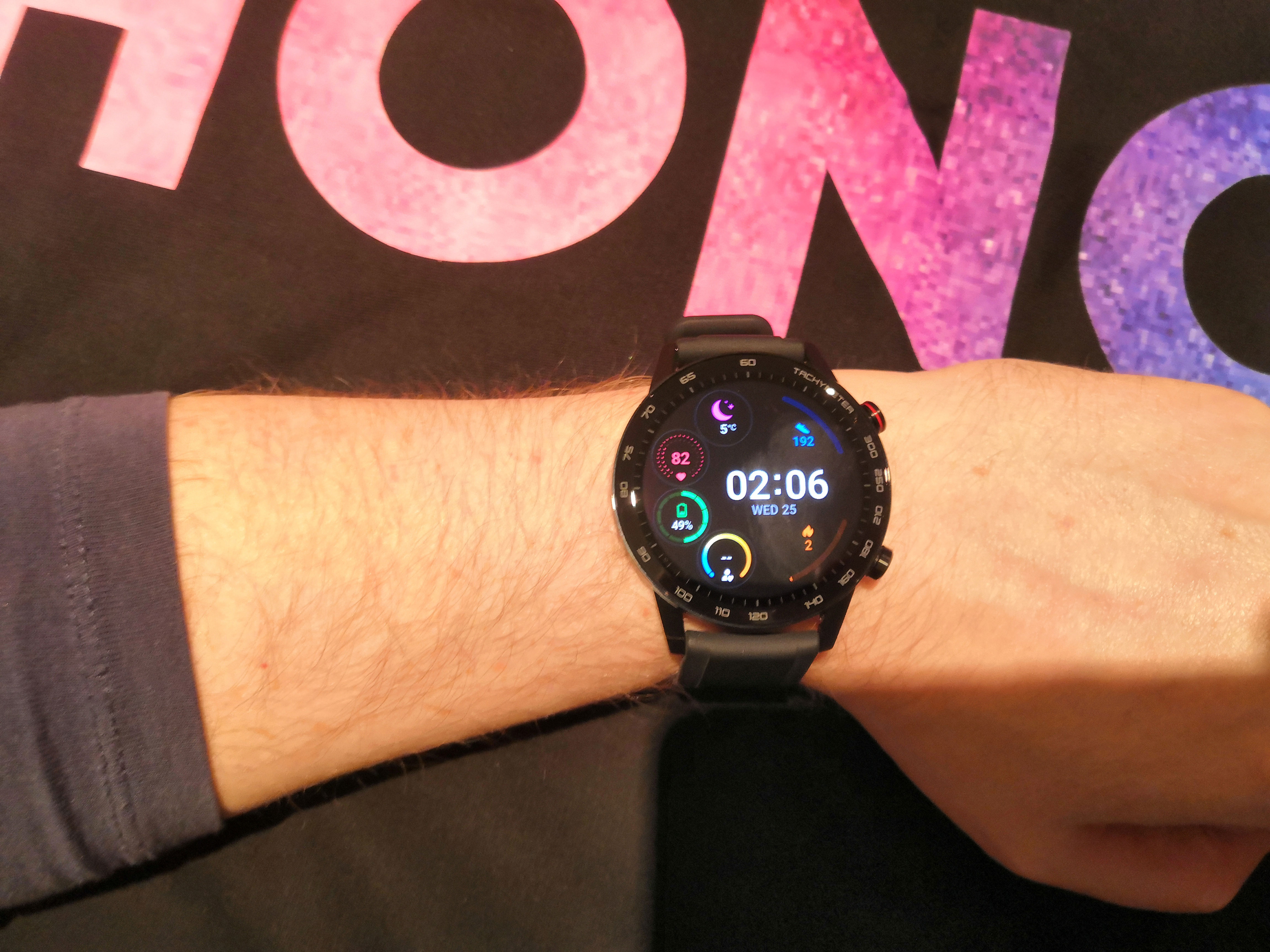
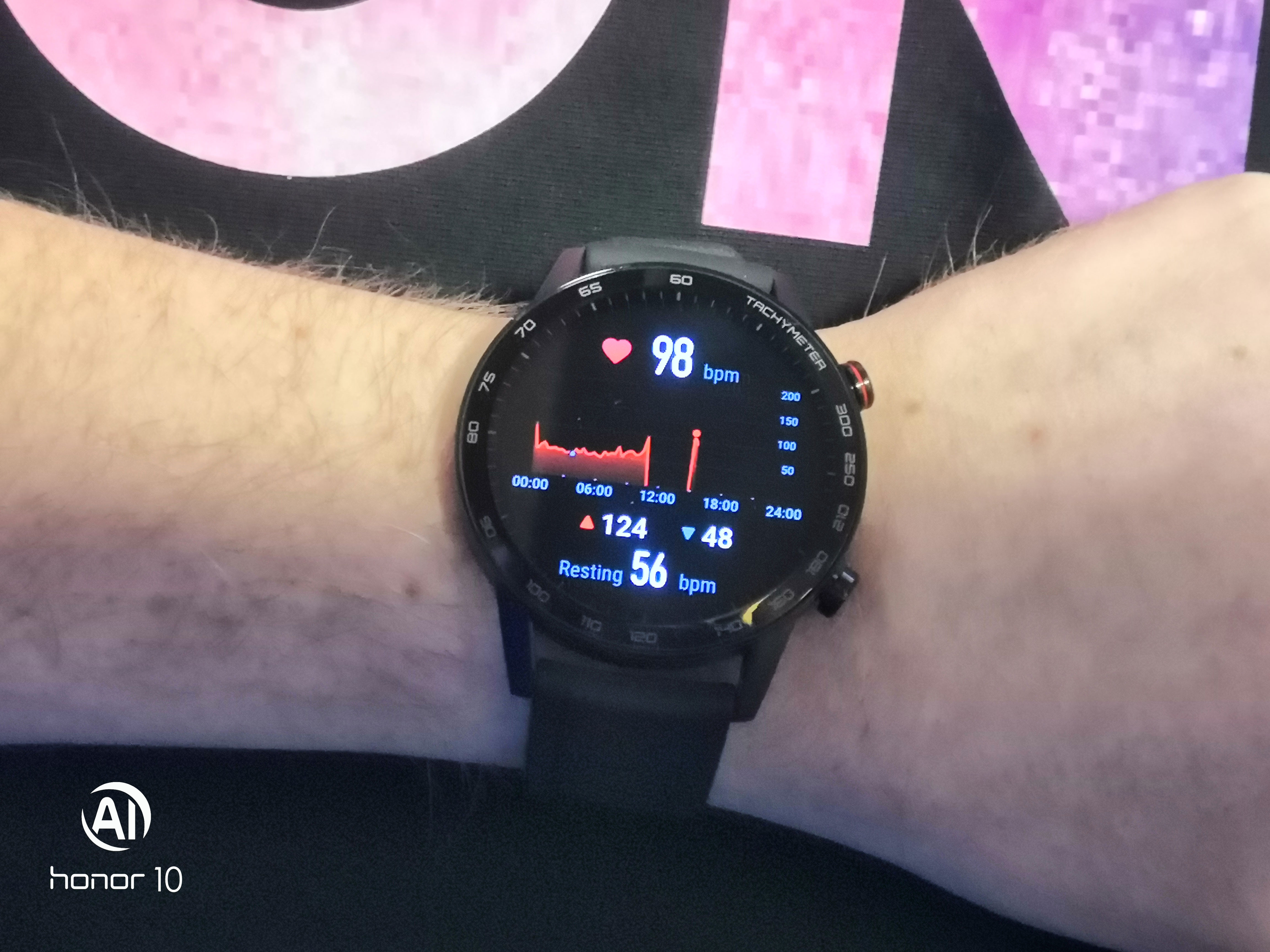
It is at this point that I should point out perhaps if I had been more used to having the Continuous heart rate monitoring to glance at I might have been aware of my slightly elevated heart rate due to a fairly horrid cold/flu. Once the fever set in there was a significant 20-bpm jump! In the future when I have a good sample rate of my resting and exercise elevated heart rate I may be able to have some forewarning on an impending cold or illness. The fifth day was Christmas Day so was spend eating and trying to battle the cold, leaving the battery drain at a 10% dip from the previous day at 39%.

The sixth day consisted of another hike up to and beyond the nearby wind farm, with the end of day tally on the battery being 30%. I decided to turn off some of the functions at this point to see how it would affect the battery drainage, aiming for functions I believed were probably large factors in battery use: Continuous heart rate monitoring.
The seventh day was also a rest day following the smartwatch’s recommendation with the battery level sitting at 23%. At this stage, I felt turning off Bluetooth disconnection reminder and Raise wrist to wake screen would help maximize the remaining battery. I have also turned off Bluetooth on my phone so they are not connected until I initiate a sync of the smartwatch’s workout sessions and to update the weather widget. I also felt that calls being answered via the smartwatch were eating into its remaining time, so having Bluetooth off by default would help. I really, really like the Raise wrist to wake screen though, and outside of the battery challenge will definitely keep that on. Sleep tracking via HUAWEI TruSleep has been on the whole time and continues to be enabled. We’ll see how long the smartwatch lasts with some of those battery hogging functions disabled for the time being!
Some reviews for the MagicWatch 2 seem to have mentioned issues changing the watch faces, but I have had no problem choosing between them via the Health app.
Part Two of the Challenge is available here. Also please note that any of the pictures taken with the HONOR 10 have been further compressed for web usage!


- Posts
- Following
- Followers
- Energy
-
 Sasco
Techie
Sasco
Techie
-
+ Follow

-
- 131 Posts
- 60 Following
- 368 Followers
- 22105 Energy












- Posts
- photo
- video

I was surprised and delighted when I got the message on being selected for the Two Week Battery Challenge for the new HONOR MagicWatch 2. I received the watch late on Friday night, which was a good opportunity to charge and scan through the UI before starting the test on Saturday. Charging to 100% took less than 2 hours, which is impressive; the charging cradle is magnetic in such way that you cannot incorrectly position the smartwatch.
Pairing the MagicWatch 2 to my HONOR 10 was quick and straightforward the Huawei Health App via Bluetooth. I have used the Health App in the past for exercise, so finding the Exercise records and the smartwatch’s settings was not an issue. It is worth noting that the majority of the key features are set up exclusively via the Health rather than the MagicWatch 2 itself. I started my test with all the following settings enabled: HUAWEI TruSleep, Activity reminder, Continuous heart rate monitoring, Automatic stress test, Notifications, Weather reports, Bluetooth disconnection reminder and Raise wrist to wake screen.
To start the challenge I completed an indoor run along with an indoor cycle. Setting up a workout is as simple as short pressing the bottom button (customisable) and selecting a workout type. Selecting an outdoor activity will result in the MagicWatch 2 doing a GPS position search, these searches were quite rapid getting a pinpoint on my location within about 15 seconds on a cloudy day (which is every day here!). At the end of the treadmill run the smartwatch gave a selection of estimated distances to choose from, all were quite close to the distance measured by the treadmill. There was plenty of information from both workouts visible from the smartwatch’s workout records, but syncing up with the Health app on the phone I would recommend for expanded charts and performance indicators like aerobic and anaerobic training effects. I followed the smartwatch’s recommendation to rest on the second day and the battery was down to 81%. Notifications from emails and SMS messages along with some phone calls taken on the smartwatch took their toll, added to all the settings I had left enabled. I kept the HONOR 10 close by in general apart from two disconnection warnings.
The third day I decided to do a short enough hike through the hills up to a nearby wind farm to do as many of the inbuilt workout abilities as possible. As expected, the MagicWatch 2 recorded all the elevation changes, cadence, pace etc. the GPS positioning/route was also spot on. At the end of the day, the battery was down to 67%.
The fourth day being Christmas Eve, decided to go on a family outdoor cycle, as it was unusually mild for the region! Managed to get a good 27.26 Km cycle in. The call outs on distance checkpoints and any excessive heart warnings are definitely loud enough to hear while on the bike or in windy conditions. The calls outs could prove to be a bit invasive in a crowded workout environment like a gym or the pool! The battery was sitting at 49% at the end; I should note that I did not have my phone with me for the duration of the cycle. I decided to turn off the Automatic stress testing at this point, as I assumed it was using up some valuable battery percentage points, and even with the holiday season I didn't see my stress levels rising much
It is at this point that I should point out perhaps if I had been more used to having the Continuous heart rate monitoring to glance at I might have been aware of my slightly elevated heart rate due to a fairly horrid cold/flu. Once the fever set in there was a significant 20-bpm jump! In the future when I have a good sample rate of my resting and exercise elevated heart rate I may be able to have some forewarning on an impending cold or illness. The fifth day was Christmas Day so was spend eating and trying to battle the cold, leaving the battery drain at a 10% dip from the previous day at 39%.
The sixth day consisted of another hike up to and beyond the nearby wind farm, with the end of day tally on the battery being 30%. I decided to turn off some of the functions at this point to see how it would affect the battery drainage, aiming for functions I believed were probably large factors in battery use: Continuous heart rate monitoring.
The seventh day was also a rest day following the smartwatch’s recommendation with the battery level sitting at 23%. At this stage, I felt turning off Bluetooth disconnection reminder and Raise wrist to wake screen would help maximize the remaining battery. I have also turned off Bluetooth on my phone so they are not connected until I initiate a sync of the smartwatch’s workout sessions and to update the weather widget. I also felt that calls being answered via the smartwatch were eating into its remaining time, so having Bluetooth off by default would help. I really, really like the Raise wrist to wake screen though, and outside of the battery challenge will definitely keep that on. Sleep tracking via HUAWEI TruSleep has been on the whole time and continues to be enabled. We’ll see how long the smartwatch lasts with some of those battery hogging functions disabled for the time being!
Some reviews for the MagicWatch 2 seem to have mentioned issues changing the watch faces, but I have had no problem choosing between them via the Health app.
Part Two of the Challenge is available here. Also please note that any of the pictures taken with the HONOR 10 have been further compressed for web usage!