



 More Products
 Compare










































我的荣耀 开启荣耀之旅



 Disagree Terms
 Log out




HONOR 9A NFC Feature fully Explained, updated in 2020


 Last reply :
With all our new products, we get many questions about NFC functionality. NFC has become a standard feature of mid and high-end smartphones, though at times it may still sometimes feel like a novelty. The more you learn about NFC, the more you find how useful it can be. As you read on, you will learn about NFC in general, the NFC function of your HONOR 9A, and how to activate it in the settings of the HONOR 9A.
What is NFC technology?
NFC, or Near Field Communication, is a wireless communication / connectivity technology that works over distances of less than 10 cm. It is basically a way for your phone to talk with something nearby, for example, another phone. The origins of NFC date back to 2003 and since its launch has been available on most smartphones. This allows two-way communication, with both devices capable of being sent and receiving information. This NFC connection doesn't rely on Wi-Fi, 3G, LTE or anything else, and best of all, it's free!
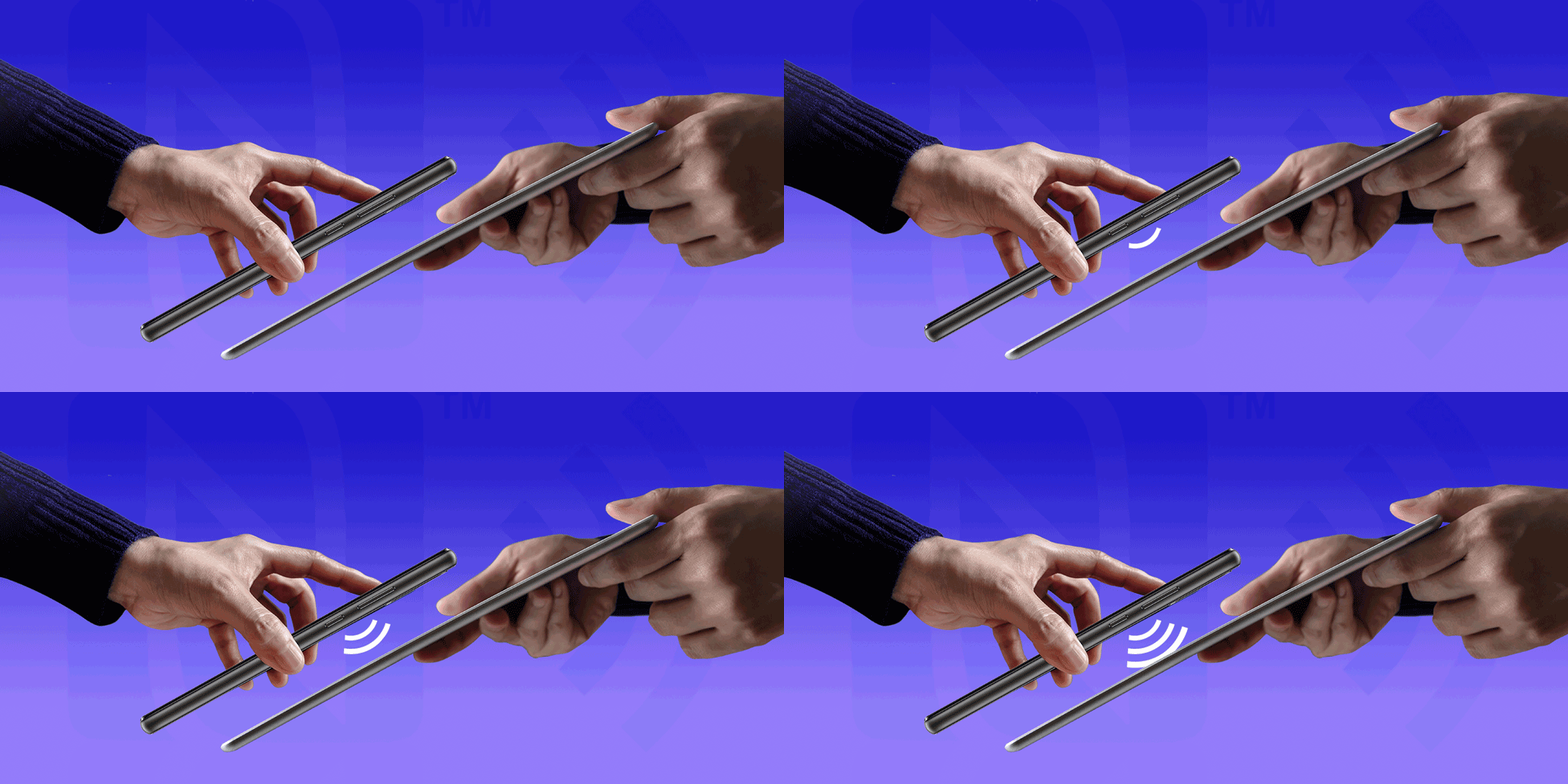
What is the use of NFC?
You have probably used NFC without realizing it for many years. For example, when you make a contactless payment when you go out, that payment is made via NFC!
If you have a phone that supports the NFC function, such as the HONOR 9A, you can use it to share your files, phone number, photos, location or even your favorite app on your friend's phone, also provided with NFC. Convenient, isn't it? Contactless payments are becoming increasingly popular, particularly these days when contact with new people is to be avoided as much as possible, so its helpful to know how to activate it.
On which phones is the NFC functionality found? Is it available on HONOR smartphones?
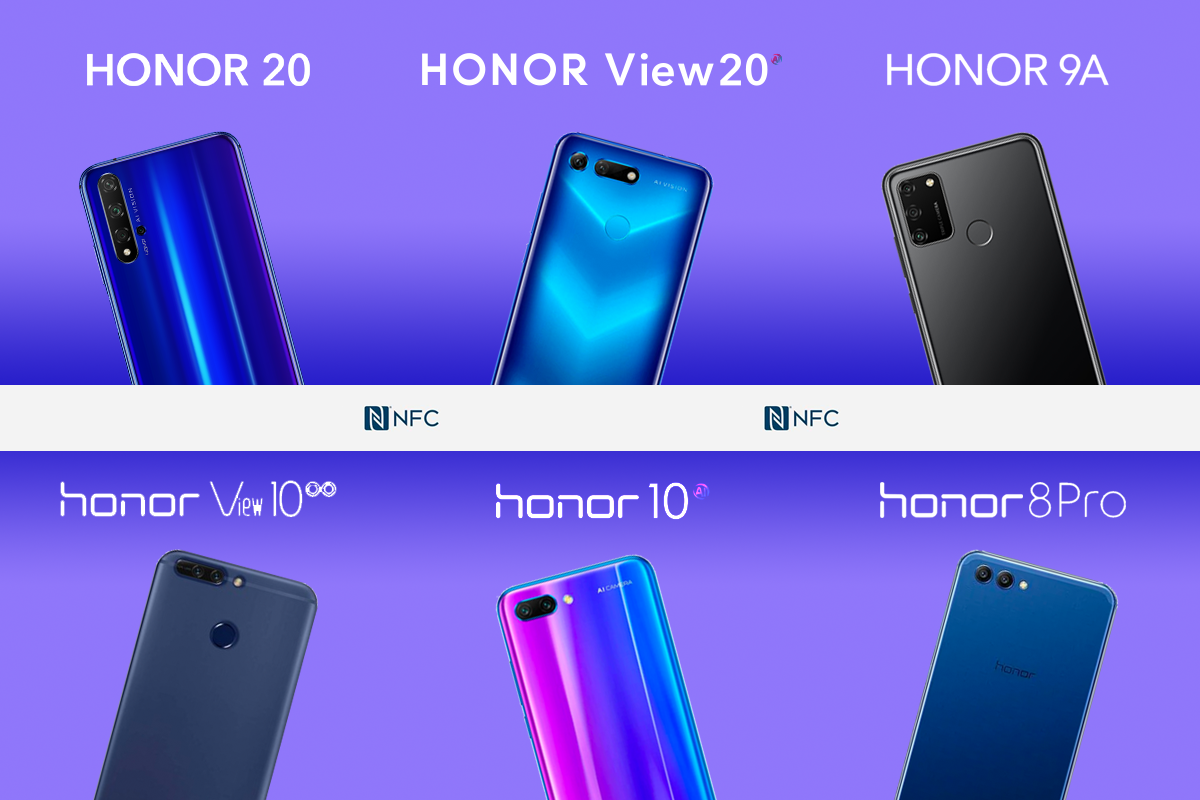
NFC is available on most mid and high-end smartphones. HONOR has launched a series of top-of-the-line models - the Honor 20 / Honor 10 and View 20 / View 10 series, all of which offer NFC. But what is particularly remarkable is that the brand's entry-level model, the famous HONOR 9A is also equipped with NFC!
Other mid-range HONOR phones use the NFC functionality also, such as the powerfully charged HONOR 8 Pro, the large-screened HONOR View 10 known for its large screen, the HONOR 10 and its dual-lens camera, and the HONOR Play adored by gamers.
How to activate the NFC of your HONOR 9A?
In order to be able to use the NFC on your Honor 9A, it is essential that this setting is enabled on the smartphone. To activate the NFC on your Honor 9A, it's easy. Go to the SETTINGS menu of Honor 9A. Then click on MORE or ADVANCED SETTINGS and finally click on NFC. You can then activate or deactivate the NFC of your Honor 9A. Easy! For easier access, you can find the NFC icon in the shortcuts of your 9A. To do this, all you have to do is swipe down by touching the top of your screen. You will see 5 icons, but if you swipe down again this shortcut menu expands and you will find the NFC icon.
How to exchange files via NFC on your HONOR 9A?
If you want to exchange files between your Honor 9A and another smartphone, you can use the NFC. You will need to activate the NFC and Android Beam. To do this, go to Settings> More> NFC> Android Beam. When this is done, all you have to do is bring the 2 smartphones together and choose NFC as an option to share your file.
Hopefully this has been helpful for some of you who are still getting to grips with NFC!
You can find out more about the HONOR 9A here.
How often do you use NFC? What do you use it for? Let us know in the comments below :)
HONOR 9A FAQsHow to install Apps on the HONOR 9A
HONOR 9A everything you need to know
How to install google play on HONOR 9A?
HONOR 9A review-A budget phone under £130


- Posts
- Following
- Followers
- Energy
-

 Matt HONOR
Community Team
Matt HONOR
Community Team
-
+ Follow

-
- 565 Posts
- 67 Following
- 2403 Followers
- 50284 Energy



- Posts
- photo
- video

With all our new products, we get many questions about NFC functionality. NFC has become a standard feature of mid and high-end smartphones, though at times it may still sometimes feel like a novelty. The more you learn about NFC, the more you find how useful it can be. As you read on, you will learn about NFC in general, the NFC function of your HONOR 9A, and how to activate it in the settings of the HONOR 9A.
What is NFC technology?
NFC, or Near Field Communication, is a wireless communication / connectivity technology that works over distances of less than 10 cm. It is basically a way for your phone to talk with something nearby, for example, another phone. The origins of NFC date back to 2003 and since its launch has been available on most smartphones. This allows two-way communication, with both devices capable of being sent and receiving information. This NFC connection doesn't rely on Wi-Fi, 3G, LTE or anything else, and best of all, it's free!
What is the use of NFC?
You have probably used NFC without realizing it for many years. For example, when you make a contactless payment when you go out, that payment is made via NFC!
If you have a phone that supports the NFC function, such as the HONOR 9A, you can use it to share your files, phone number, photos, location or even your favorite app on your friend's phone, also provided with NFC. Convenient, isn't it? Contactless payments are becoming increasingly popular, particularly these days when contact with new people is to be avoided as much as possible, so its helpful to know how to activate it.
On which phones is the NFC functionality found? Is it available on HONOR smartphones?
NFC is available on most mid and high-end smartphones. HONOR has launched a series of top-of-the-line models - the Honor 20 / Honor 10 and View 20 / View 10 series, all of which offer NFC. But what is particularly remarkable is that the brand's entry-level model, the famous HONOR 9A is also equipped with NFC!
Other mid-range HONOR phones use the NFC functionality also, such as the powerfully charged HONOR 8 Pro, the large-screened HONOR View 10 known for its large screen, the HONOR 10 and its dual-lens camera, and the HONOR Play adored by gamers.
How to activate the NFC of your HONOR 9A?
In order to be able to use the NFC on your Honor 9A, it is essential that this setting is enabled on the smartphone. To activate the NFC on your Honor 9A, it's easy. Go to the SETTINGS menu of Honor 9A. Then click on MORE or ADVANCED SETTINGS and finally click on NFC. You can then activate or deactivate the NFC of your Honor 9A. Easy! For easier access, you can find the NFC icon in the shortcuts of your 9A. To do this, all you have to do is swipe down by touching the top of your screen. You will see 5 icons, but if you swipe down again this shortcut menu expands and you will find the NFC icon.
How to exchange files via NFC on your HONOR 9A?
If you want to exchange files between your Honor 9A and another smartphone, you can use the NFC. You will need to activate the NFC and Android Beam. To do this, go to Settings> More> NFC> Android Beam. When this is done, all you have to do is bring the 2 smartphones together and choose NFC as an option to share your file.
Hopefully this has been helpful for some of you who are still getting to grips with NFC!
You can find out more about the HONOR 9A here.
How often do you use NFC? What do you use it for? Let us know in the comments below :)
HONOR 9A FAQsHow to install Apps on the HONOR 9A
HONOR 9A everything you need to know
How to install google play on HONOR 9A?
HONOR 9A review-A budget phone under £130
HONOR 9A tips and tricks