

 More Products
 Compare







我的荣耀 开启荣耀之旅



 Disagree Terms
 Log out




[USER GUIDE] How to Set your Display Picture On LockScreen And Notification Panel??


 Last reply :
Hi and good day HONORianss,
we all known theres tons of hidden features of EMUI barely unknown or not realise where it licated or how to use it .Today going to share a source info from AmarN which i feel its very usefull and mostly user want to experience it on their device.
How to set your display picture on LockScreen & Notification Panel??
Just simple steps,follow this guidence :-
*Kindly use Browser view for this articles since its not fully loaded via club app*
Step 1
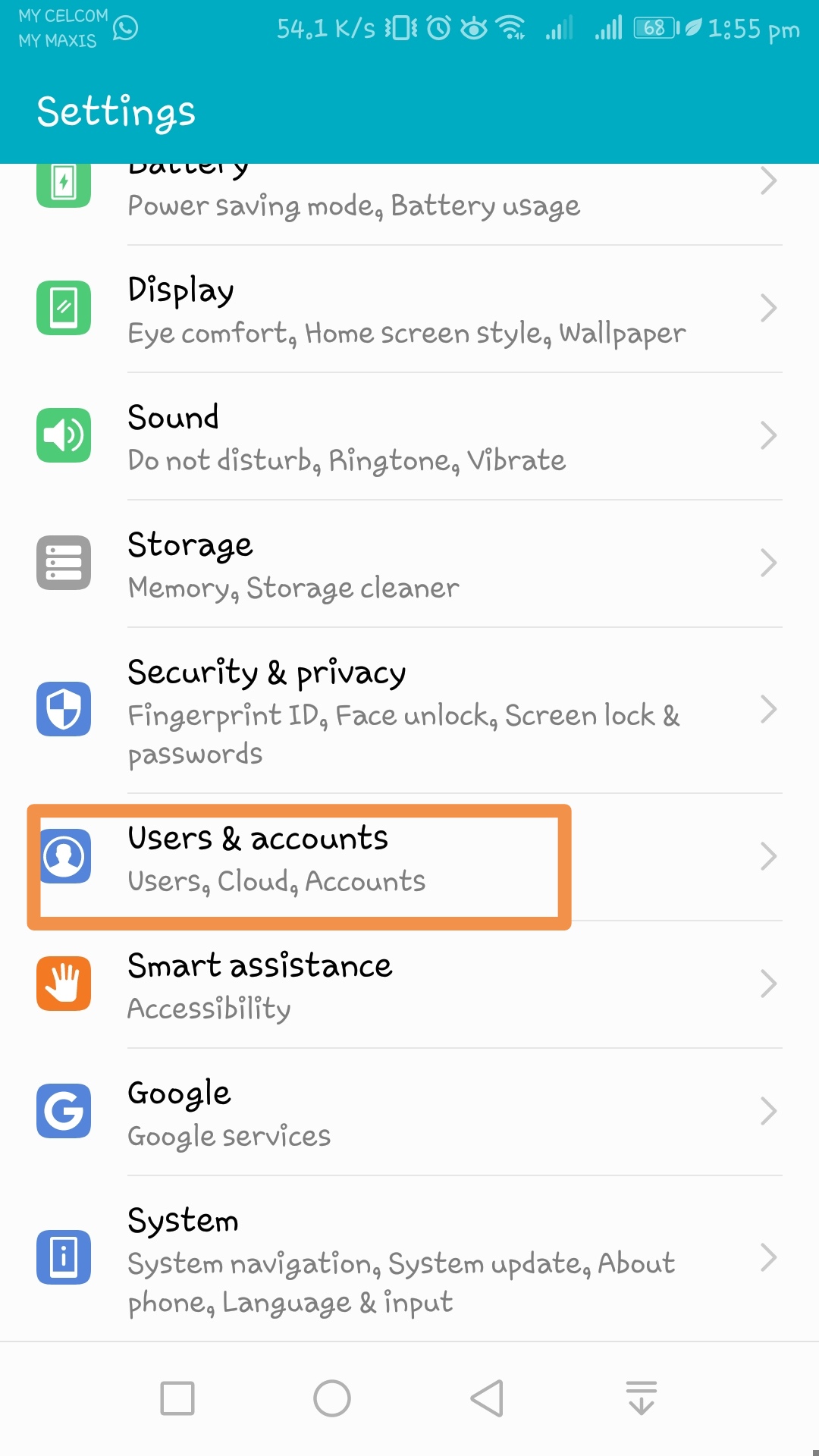
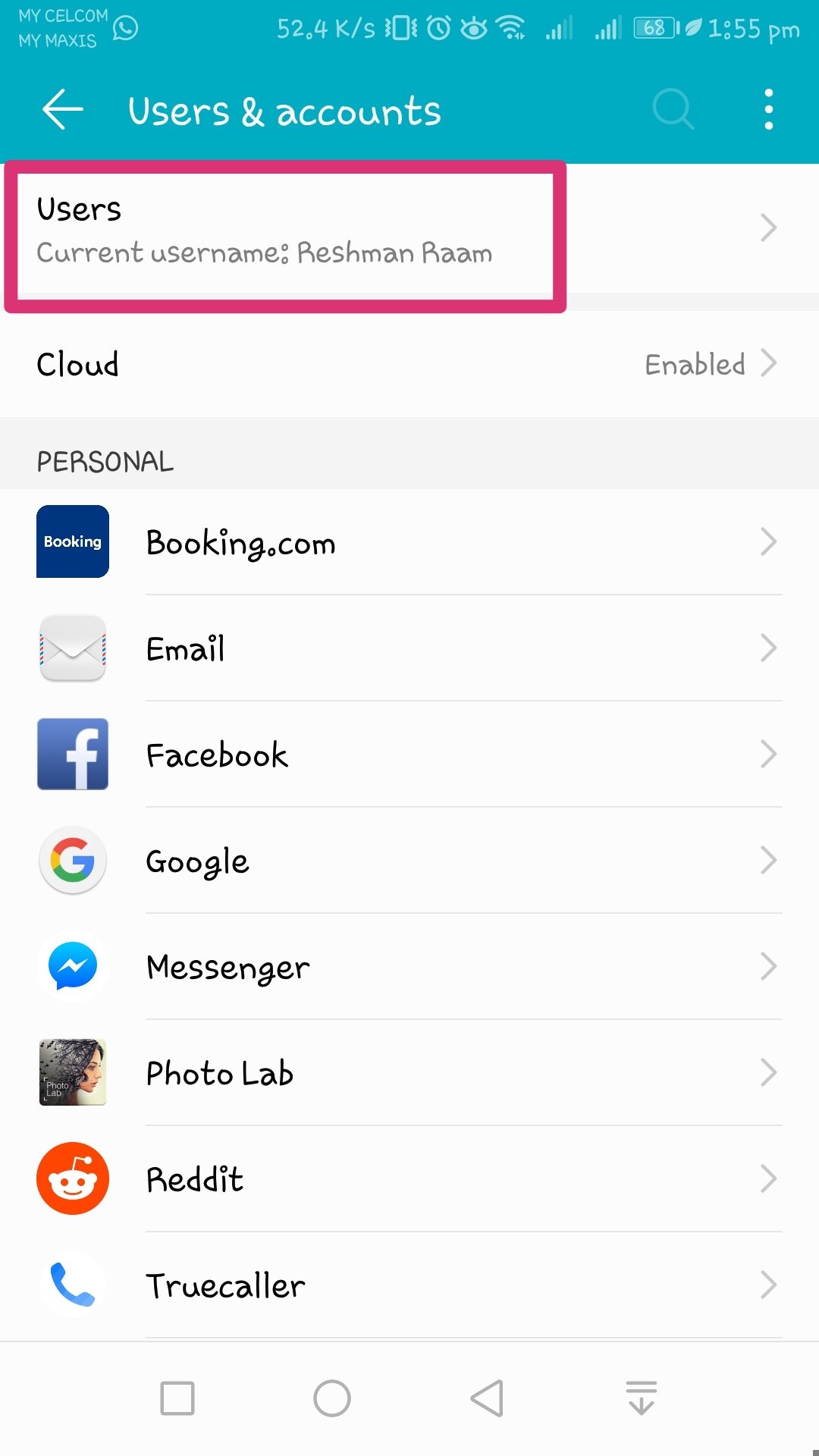
Go to Setting > Users & Accounts > Users
Step 2:
Tap Add Guest then Add , wait few seconds.
Step 3:
It will ask for Switch to new guest user account, but you dont need to switch, simply tap Cancel.
Video Guide :-
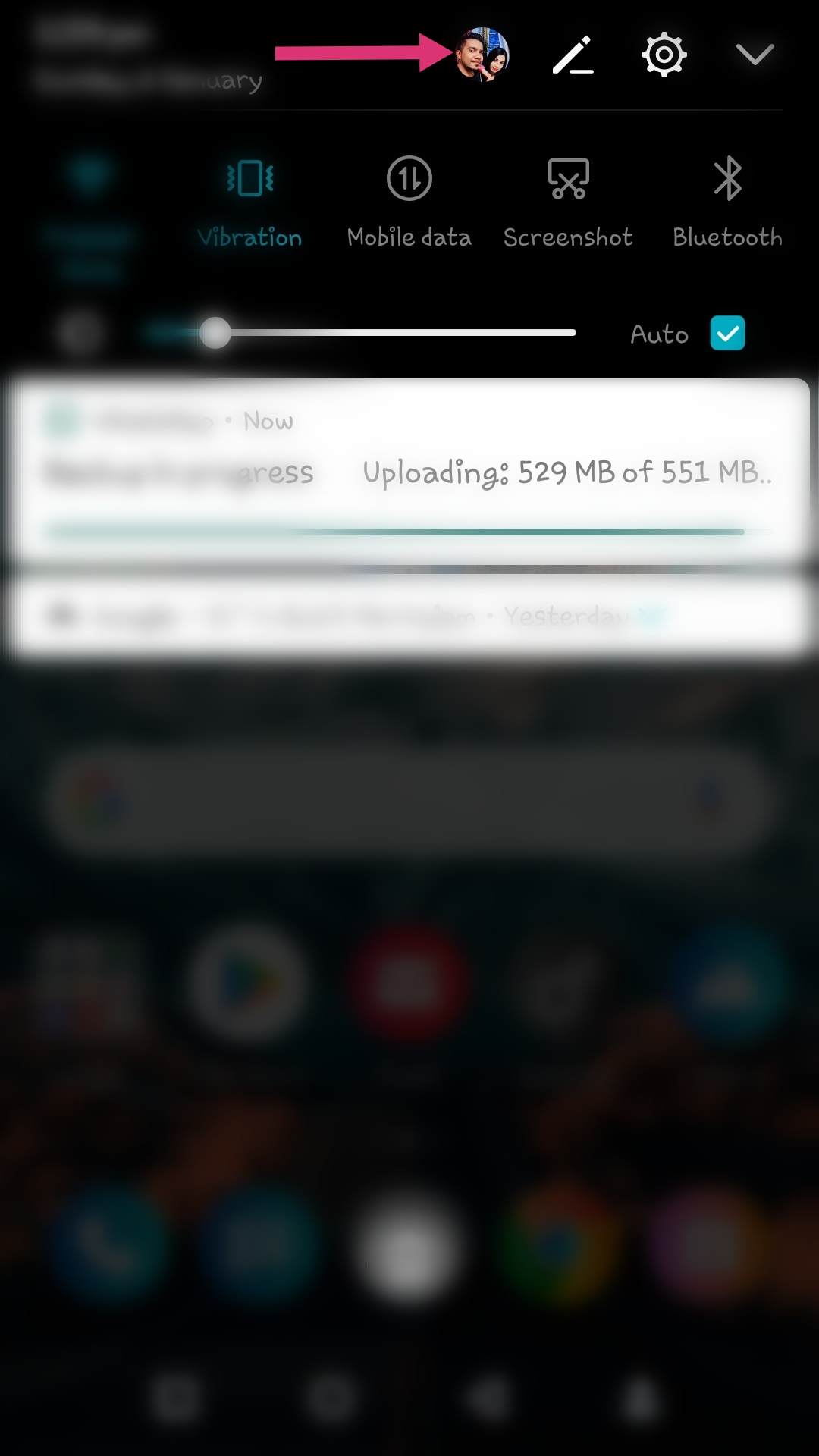
Great,thats all ,youre successfully added your display picture to your Notification Panel or Lock Screen !!
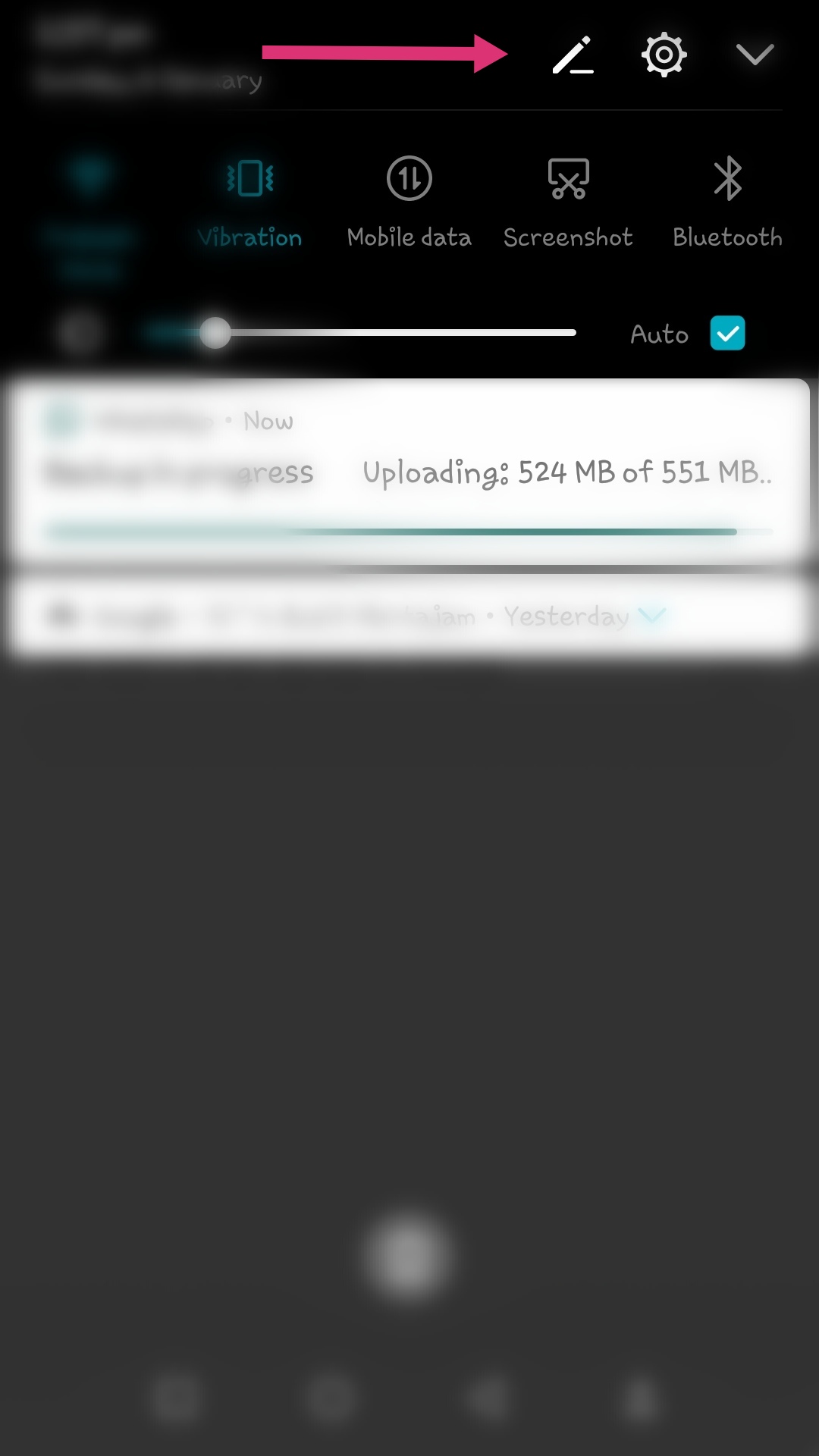
Before :
After
Tadaa.... !! Do you like this feature info and think it usefull?? Like and comment with your Notification panel screenshot here !!
Source thanks to AmarN..


- Posts
- Following
- Followers
- Energy
-
 PeaceHunter
Community Team
PeaceHunter
Community Team
-
+ Follow

-
- 494 Posts
- 180 Following
- 2925 Followers
- 108578 Energy


SUBSCRIPTION
I agree to receive the latest offers and information on HONOR products through email or IM (e.g. WhatsApp) provided below and advertisement on third-party platforms. I understand that I can unsubscribe anytime according to Chapter 5 of HONOR Platform Privacy Statement.
CONTACT

- Posts
- photo
- video

Hi and good day HONORianss,
we all known theres tons of hidden features of EMUI barely unknown or not realise where it licated or how to use it .Today going to share a source info from AmarN which i feel its very usefull and mostly user want to experience it on their device.
How to set your display picture on LockScreen & Notification Panel??
Just simple steps,follow this guidence :-
*Kindly use Browser view for this articles since its not fully loaded via club app*
Step 1
Go to Setting > Users & Accounts > Users
Step 2:
Tap Add Guest then Add , wait few seconds.
Step 3:
It will ask for Switch to new guest user account, but you dont need to switch, simply tap Cancel.
Video Guide :-
Great,thats all ,youre successfully added your display picture to your Notification Panel or Lock Screen !!
Before :
After
Tadaa.... !! Do you like this feature info and think it usefull?? Like and comment with your Notification panel screenshot here !!
Source thanks to AmarN..