

 More Products
 Compare

































我的荣耀 开启荣耀之旅


 Disagree Terms
 Log out




[Tutorial] Motion Control Feature In Honor 7A (EMUI 8.0)


 Last reply :
The Emotion UI is an Android-based user interface that reinforces Huawei's user-centric design philosophy, "Design with Empathy". Emotion UI improves usability and provides a much simpler navigational experience for users. EMUI has some Motion Control features which lets you control your device using simple gestures. They're very useful, save our time and easy to use. Let's see how to use this Motion Control features.
Motion Control
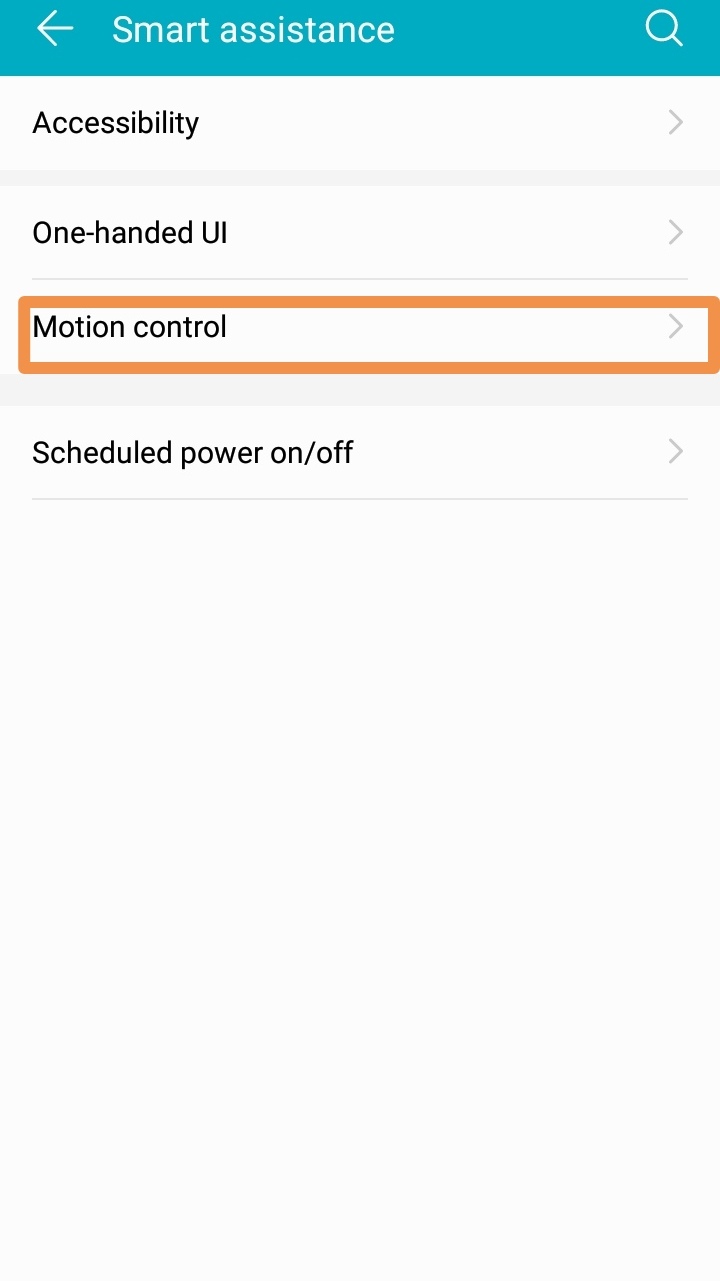
1. Go to the Settings and Click on Smart Assistance.
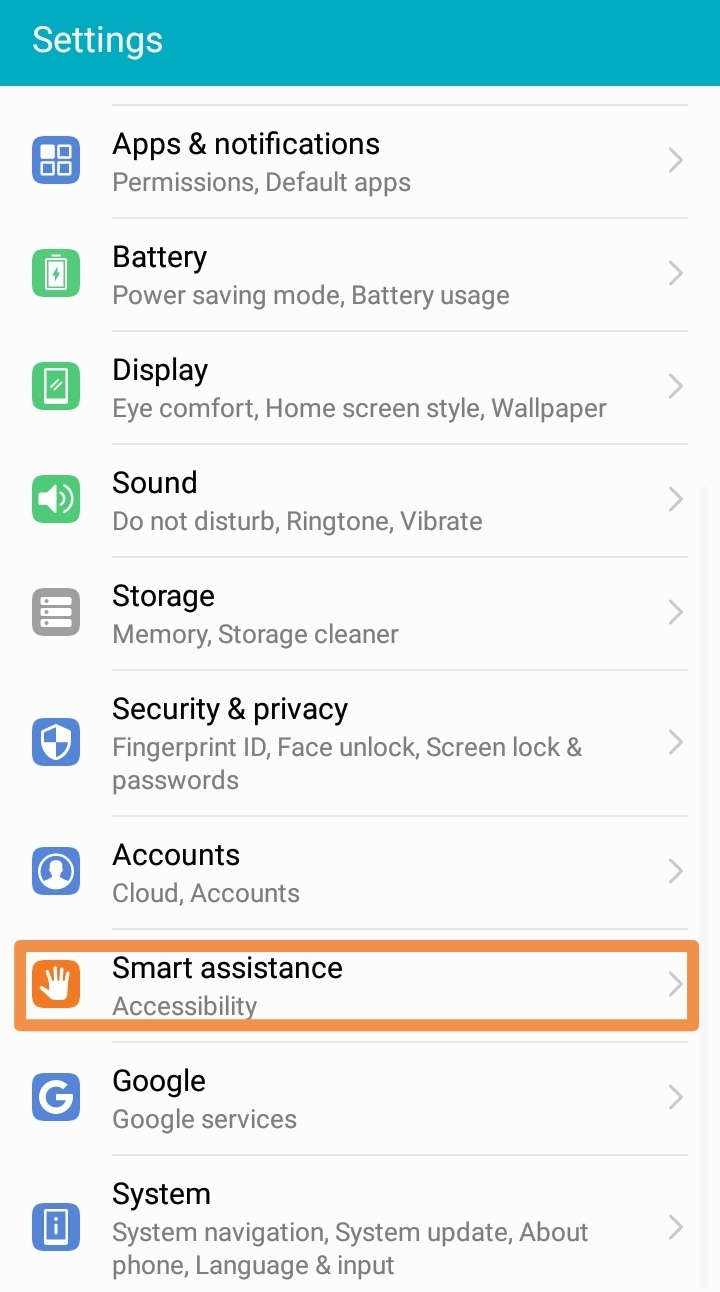
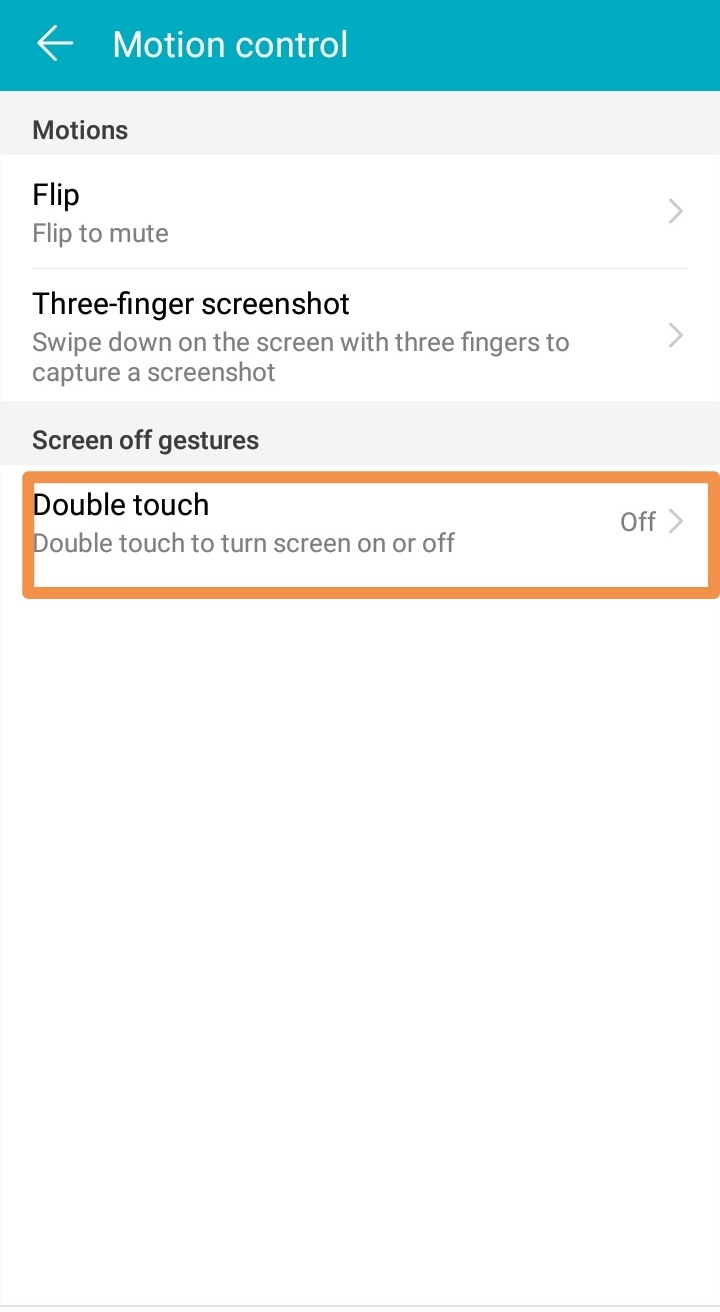
2. Then Click on the Motion Control option.
Flip (Flip to Mute)
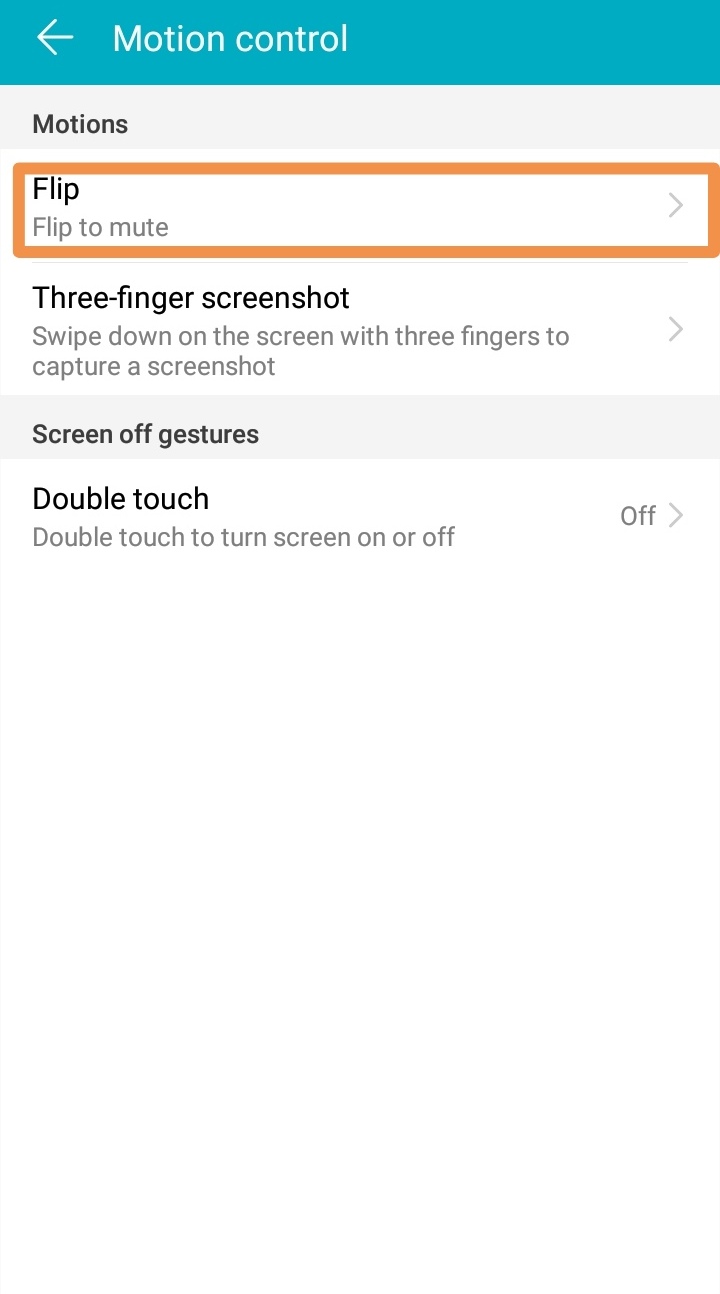
This feature allows you to Mute your incoming calls, timer and alarms just by *** your mobile. To use it follow the instructions below.
1. From Motion Control option, Click on Flip you'll find two options : Mute Incoming Calls and Mute Times and Alarms. You can select which one you want to mute.
Three Finger Screenshot
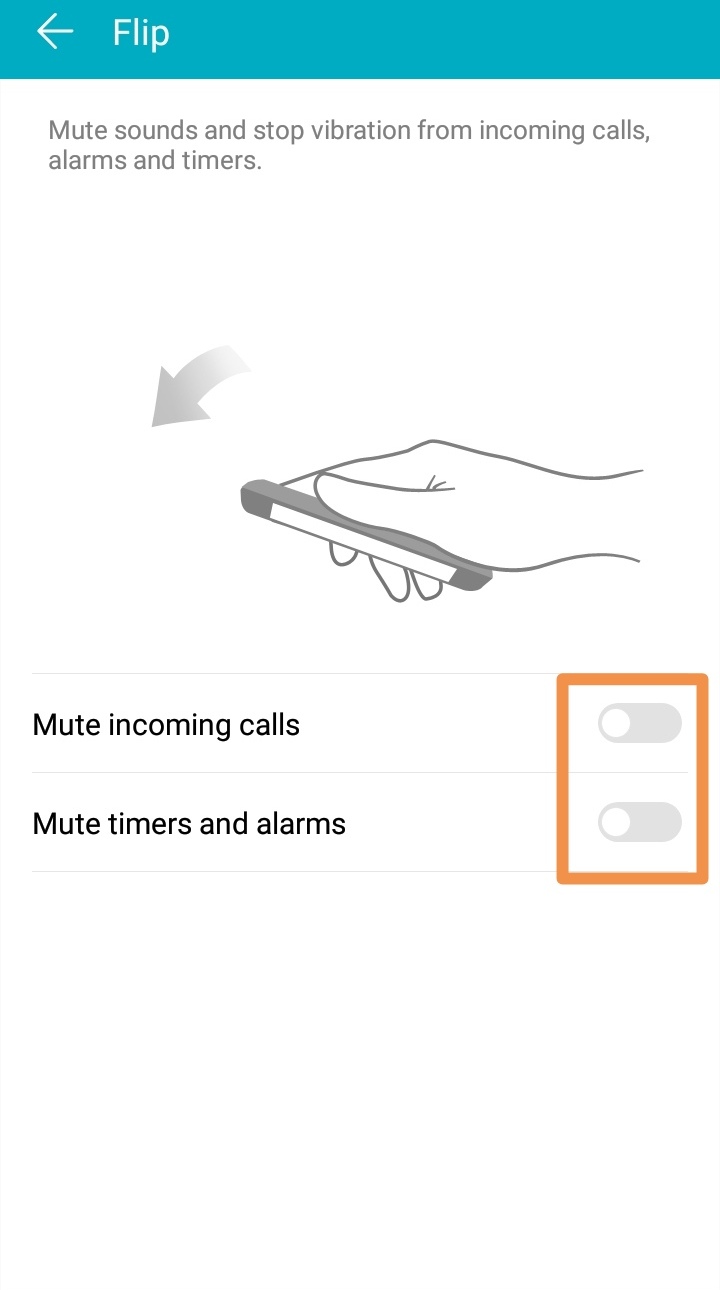
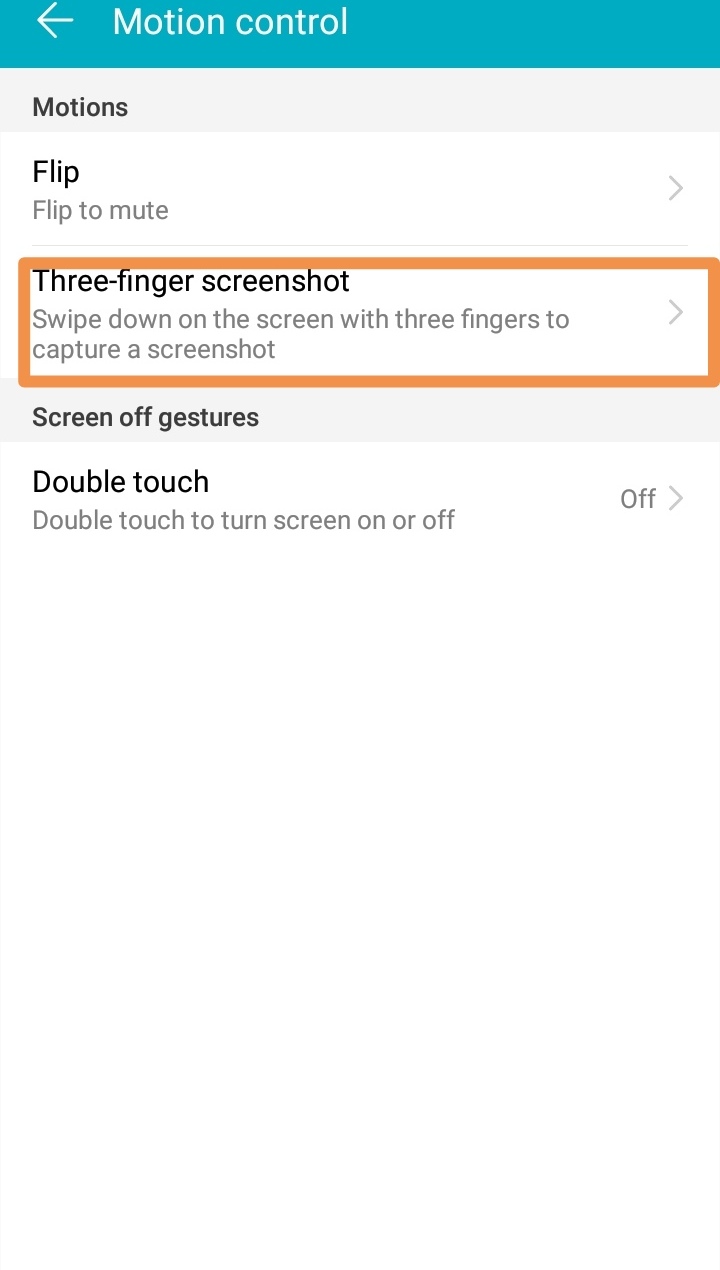
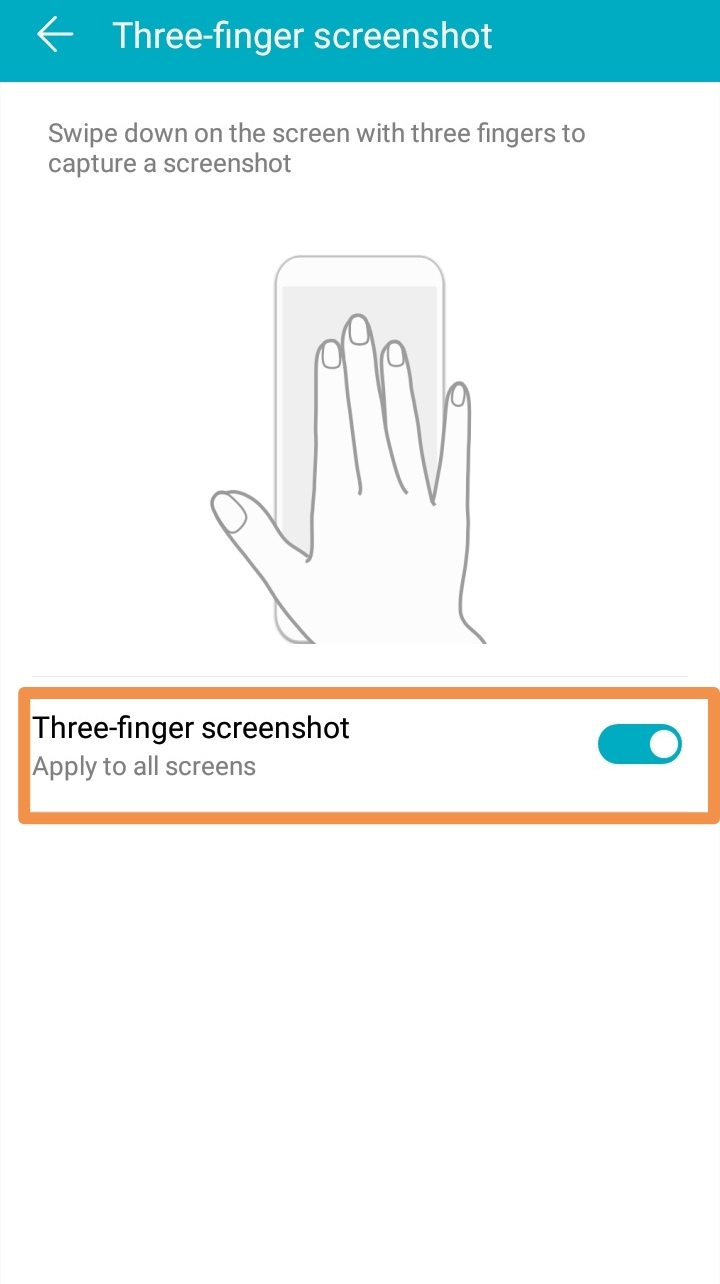
This is very useful feature and you can take screenshot just by swiping your 3 Fingers on the screen. To use it follow the instructions below.
1. From Motion Control option, Click on 3 Finger Screenshot and press the toggle button to enable it.
Double Touch
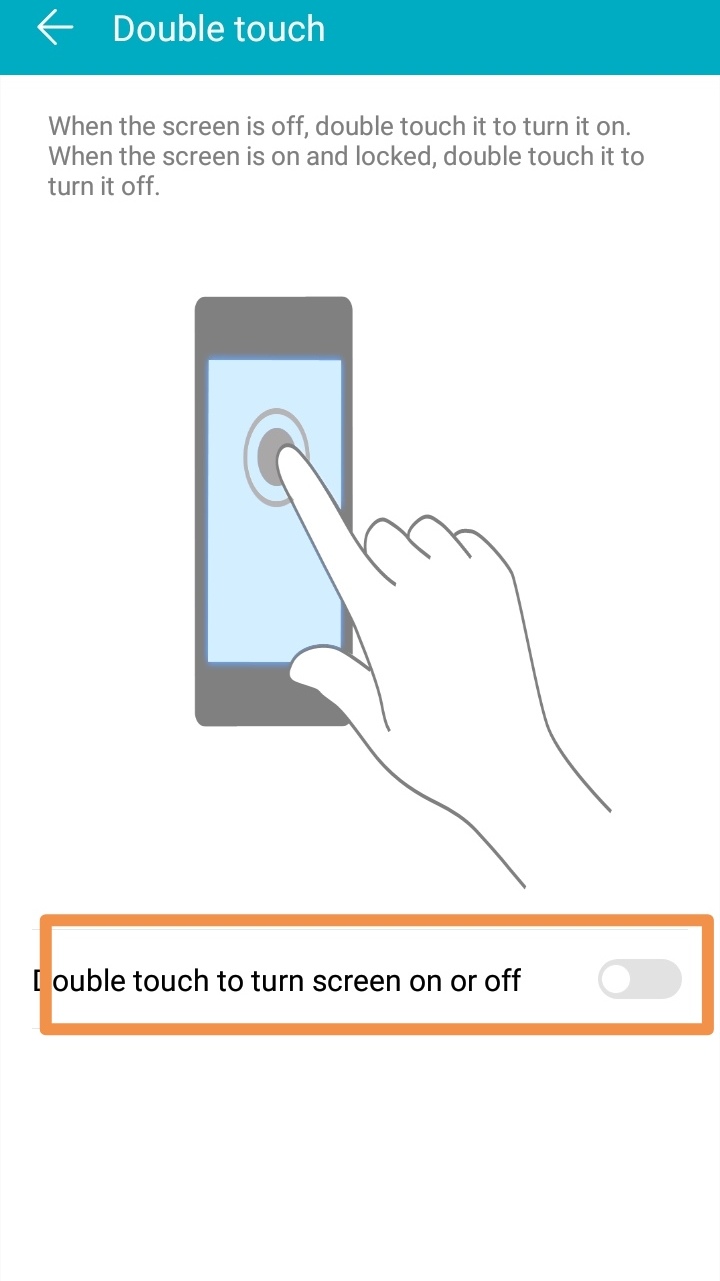
You can turn your Screen on/off just by touching your phone twice. To enable this option follow the Steps Below.
1. From Motion Control Option Click the Double Touch option and then you can enable this option.


- Posts
- Following
- Followers
- Energy
-

Rene
-
+ Follow

-
- 4 Posts
- 0 Following
- 2 Followers
- 101 Energy


SUBSCRIPTION
I agree to receive the latest offers and information on HONOR products through email or IM (e.g. WhatsApp) provided below and advertisement on third-party platforms. I understand that I can unsubscribe anytime according to Chapter 5 of HONOR Platform Privacy Statement.
CONTACT

- Posts
- photo
- video

The Emotion UI is an Android-based user interface that reinforces Huawei's user-centric design philosophy, "Design with Empathy". Emotion UI improves usability and provides a much simpler navigational experience for users. EMUI has some Motion Control features which lets you control your device using simple gestures. They're very useful, save our time and easy to use. Let's see how to use this Motion Control features.
Motion Control
1. Go to the Settings and Click on Smart Assistance.
2. Then Click on the Motion Control option.
Flip (Flip to Mute)
This feature allows you to Mute your incoming calls, timer and alarms just by *** your mobile. To use it follow the instructions below.
1. From Motion Control option, Click on Flip you'll find two options : Mute Incoming Calls and Mute Times and Alarms. You can select which one you want to mute.
Three Finger Screenshot
This is very useful feature and you can take screenshot just by swiping your 3 Fingers on the screen. To use it follow the instructions below.
1. From Motion Control option, Click on 3 Finger Screenshot and press the toggle button to enable it.
Double Touch
You can turn your Screen on/off just by touching your phone twice. To enable this option follow the Steps Below.
1. From Motion Control Option Click the Double Touch option and then you can enable this option.