

 More Products
 Compare










我的荣耀 开启荣耀之旅



 Disagree Terms
 Log out




[Tutorial] Lost Your Device? No Worries! Find My Device Is Here!


 Last reply :

Hey Guys,
Many users were frequently asking
What to do after the device gets stolen or lost??
Or
How should i find my device??
Or
How to erase my data from lost device??
Here i got a solution... Install FIND MY DEVICE in your phone so whenever your phone gets lost you will be able to Detect, Ring, Lock or Erase your Phone.
This application works with the Internet connectivity and location access.
Can I install Find My Device on my phone?
Before i show you how to get started installing and setting up Find My Device, it's important to know whether your phone will work with it. If you're running a device running Android 4.0 Ice Cream Sandwich or later, you'll be able to install Find My Device.
How to install Find My Device
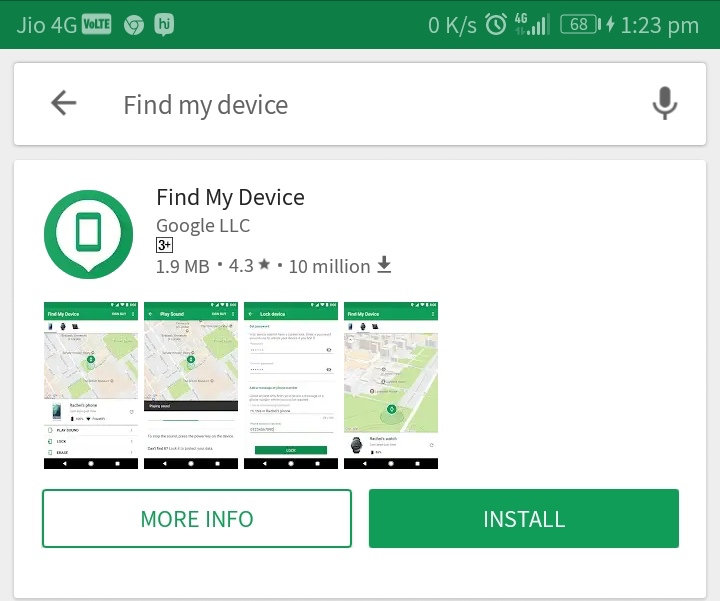
Find my device is available on Google Play Store. So you can go there and download it easily from there.
How to sign in to Find My Device
After installation, you'll need to sign in to Find My Device from your Google account. If you're signed into more than one account on your phone, you get a drop-down menu from which you can select the account you want to associate with the phone.
1) Open Find Device from your home screen or app drawer.
2) Select the Google account you want to use the service with.
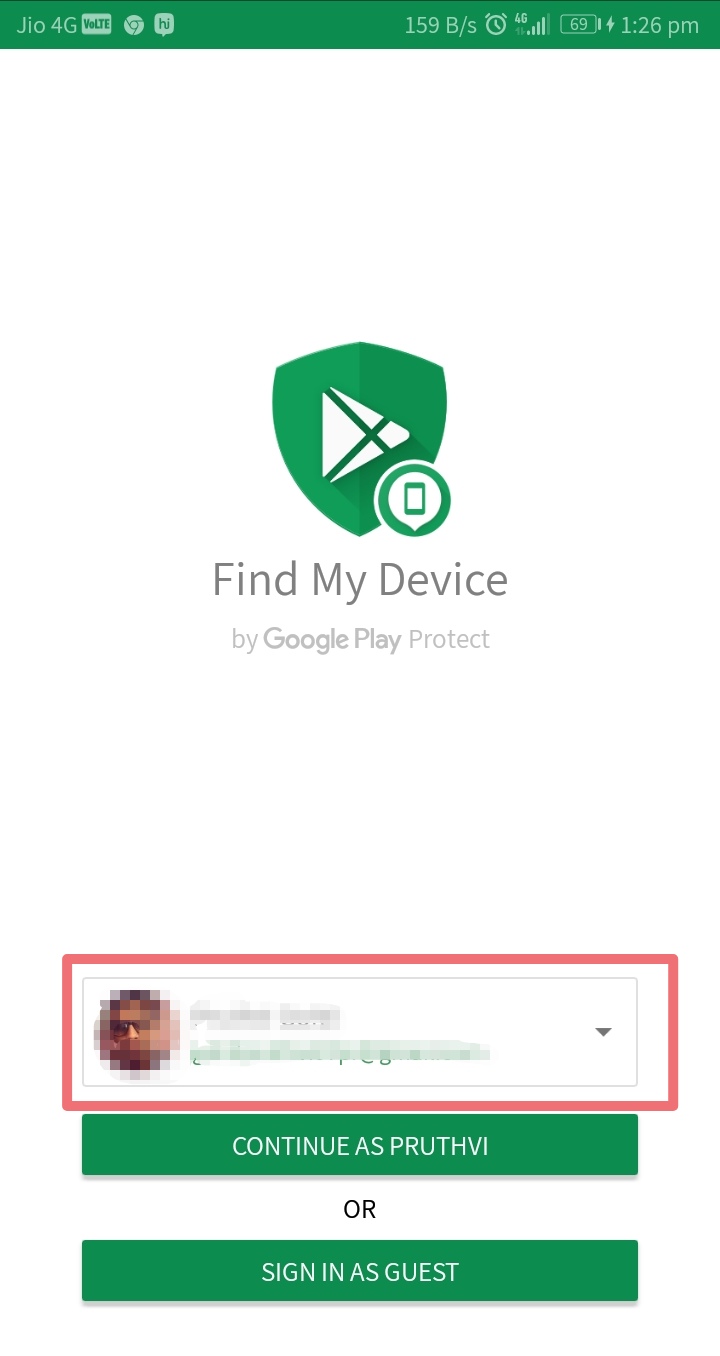
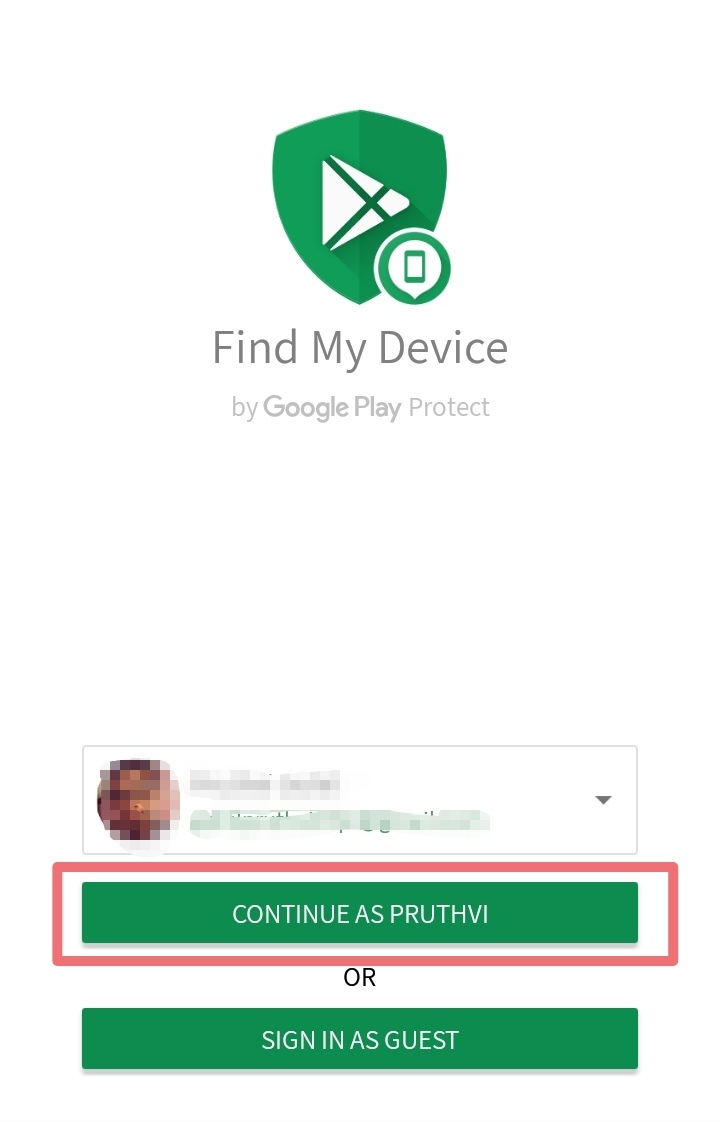
3) Hit the Continue as button.
4) Enter your Google account Password.
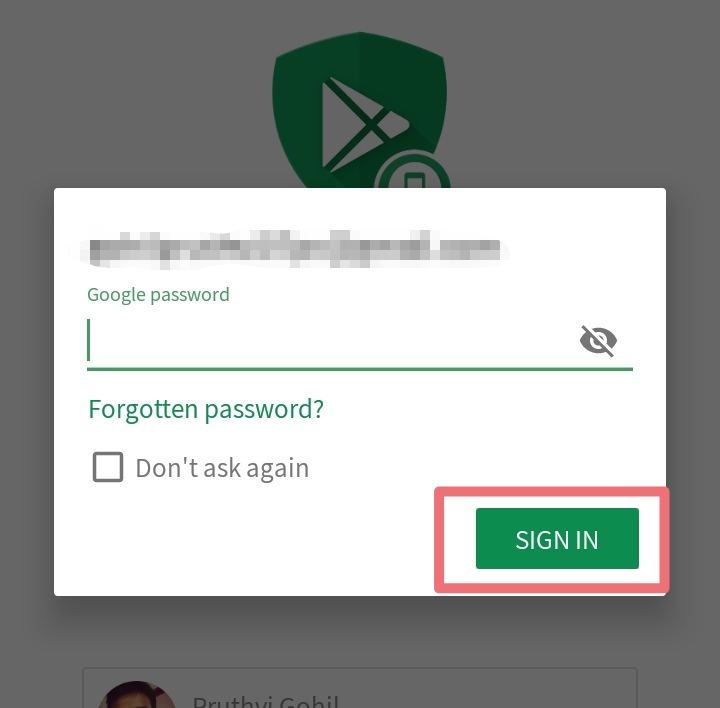
5) Tap Sign in.
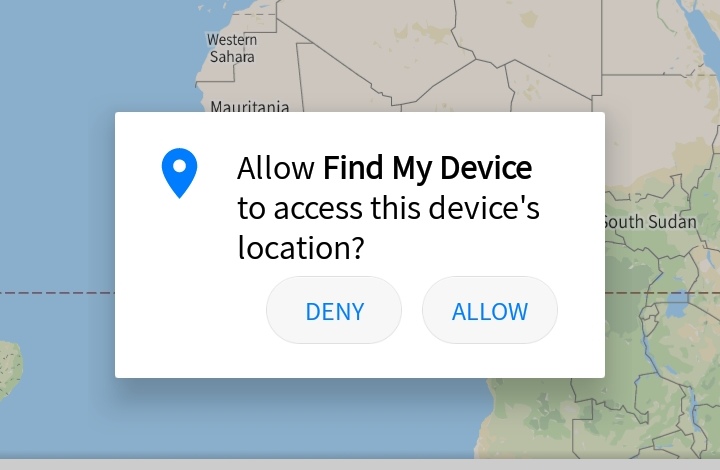
6) Give location access to the service.
How to see if your phone is discoverable with Find My Device
Once you're signed in to Find My Device, you'll see a map with your current location as well as the make and model of your phone, and two options — Play Sound, and Enable Lock & Erase. Hitting the latter option will allow you to start using the Lock and Erase functions. If you've signed into more than one phone, you can select a particular device by browsing the list at the top of the screen.
1) Head to the Find My Device website.
2) Sign in to your Google account.
3) Check if your device is visible.
How to ring your phone with Find My Device
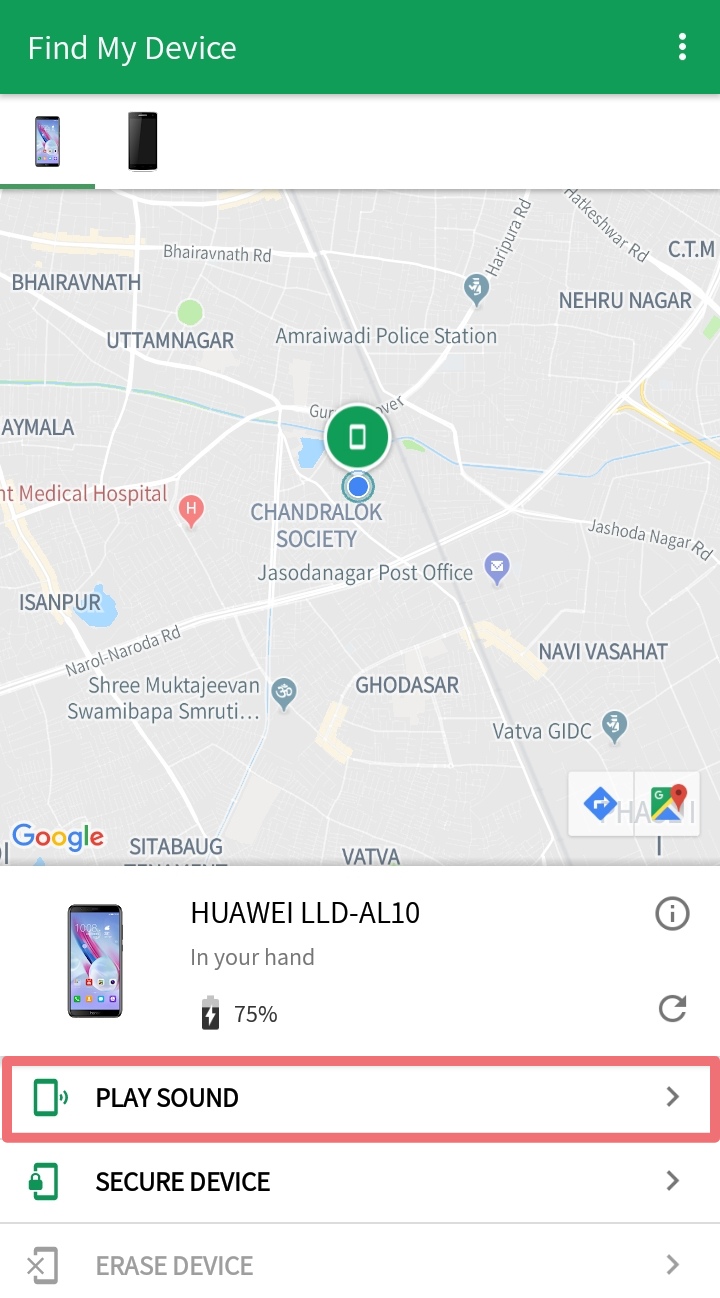
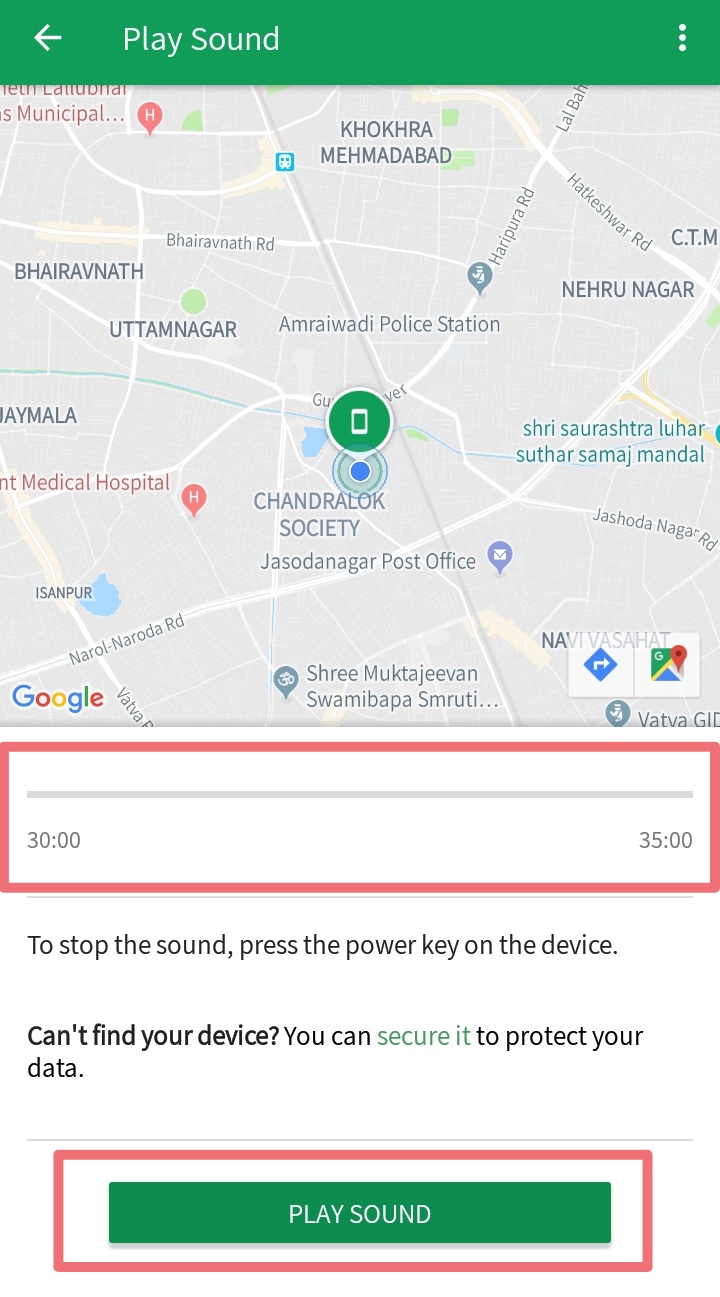
The best part about Find My Device is that it is easily accessible. If you need to locate your phone, just head to the website or log in to the service from another phone. Once you sign in to Find My Device and locate your device, you can use the Play Sound option, which plays a loud tone on your phone continuously at full volume for five minutes even if you turned the ringer off. Once you find your phone, you can hit the power button to stop the ringing.
1) Locate your phone on Find My Device.
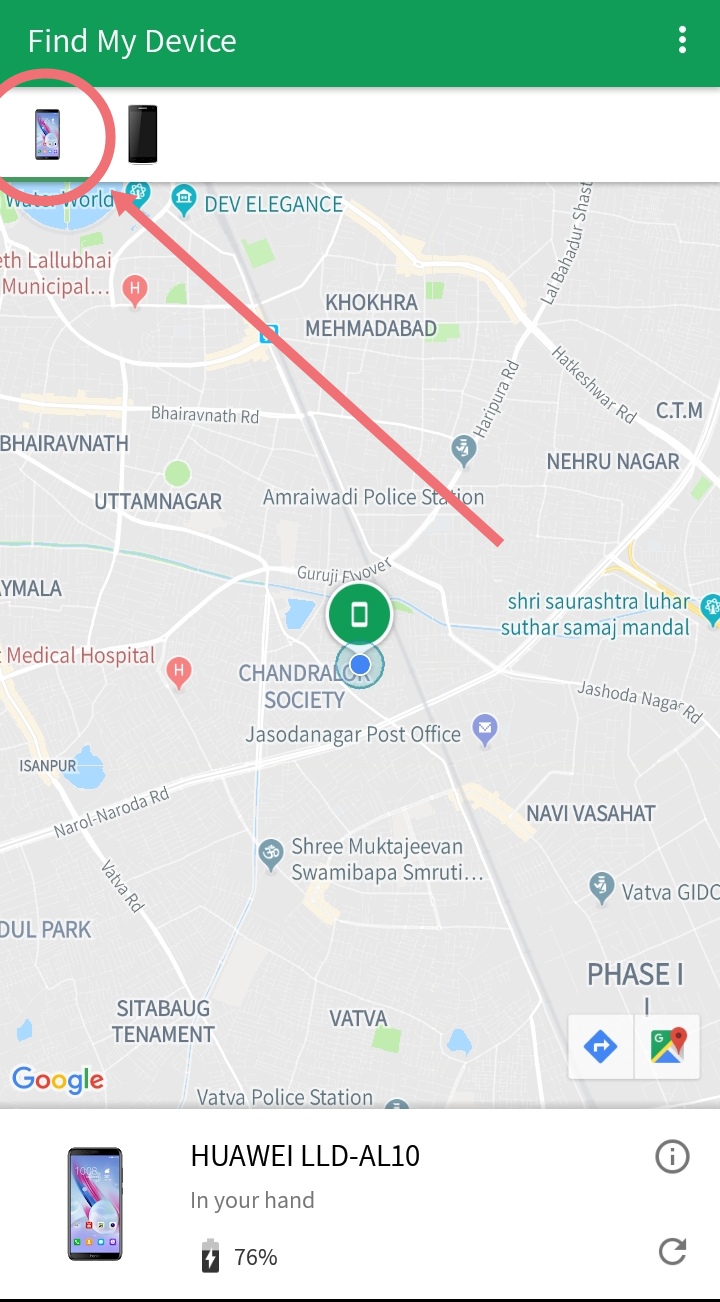
2) Tap Play Sound.
3) Your device will start ringing. You can hit the power button to stop the sound.
How to lock your phone with Find My Device
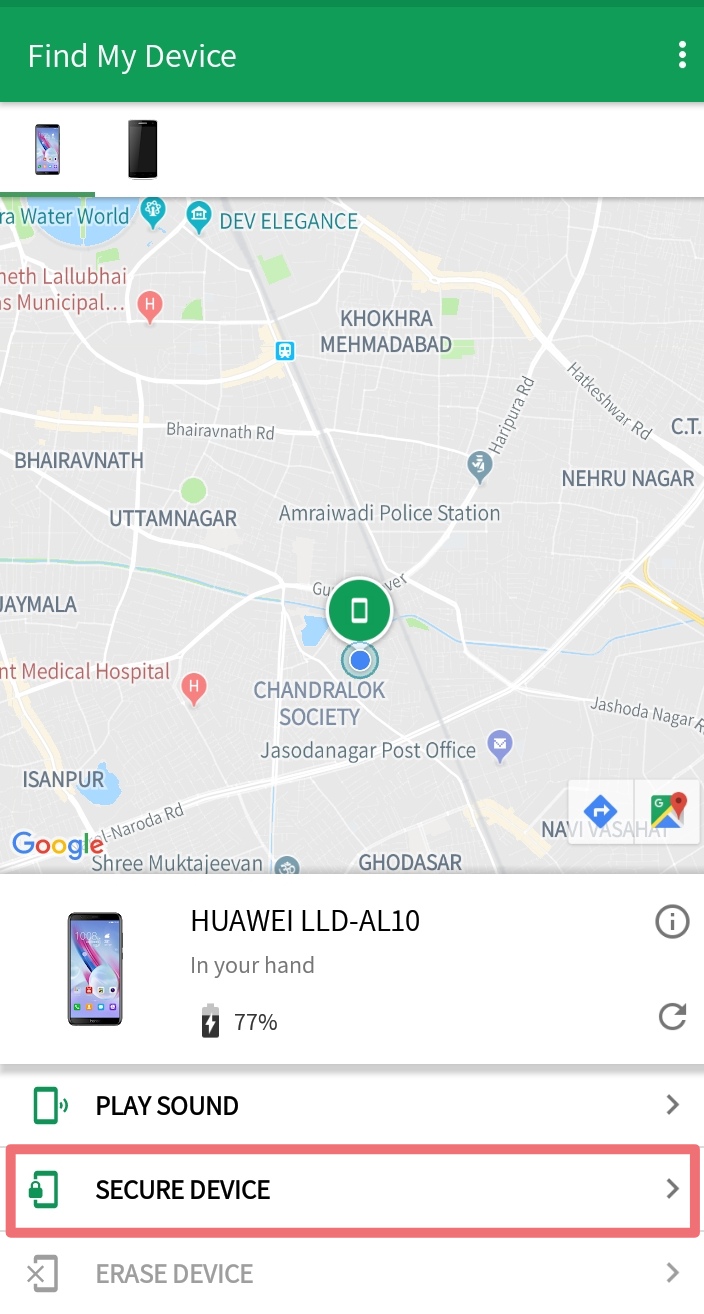
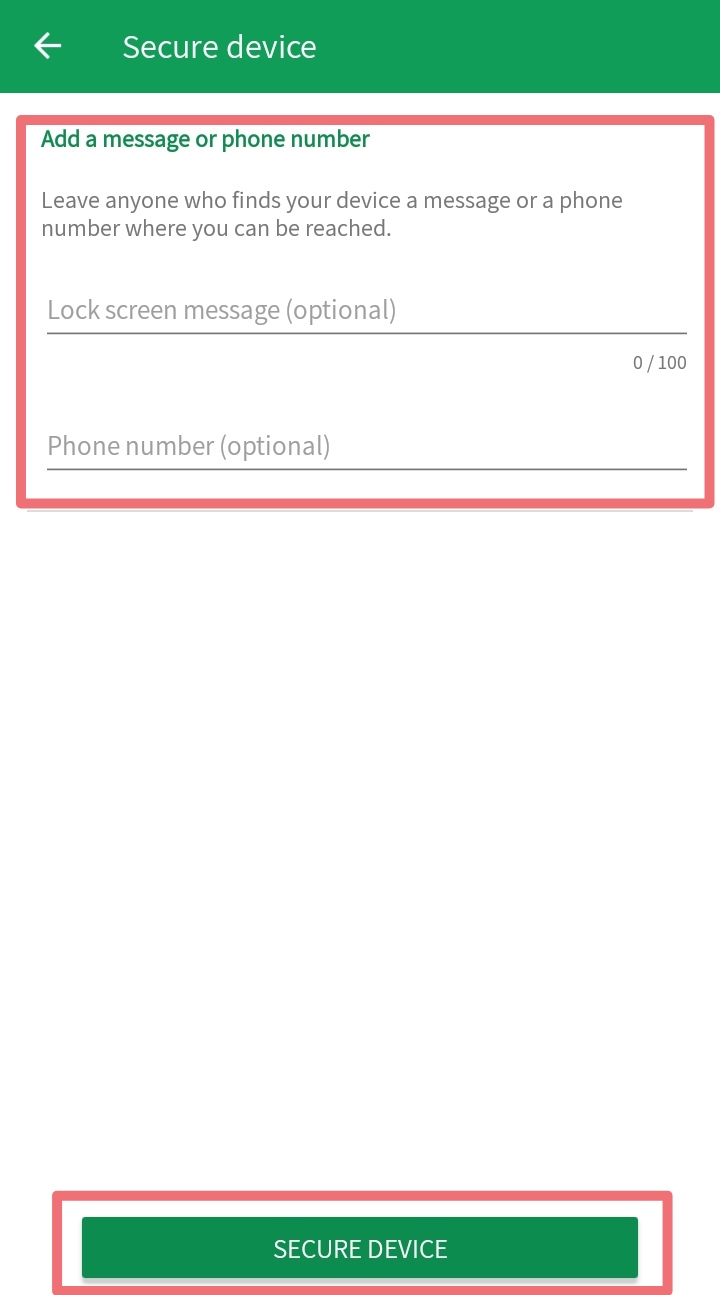
There's also a Lock option that lets you set a new password to unlock the phone. You can also display a message over the lock screen and add a button to call back your number so that anyone that comes across your phone can easily get in touch with you.
1) Locate your phone on Find My Device.
2) Tap Secure Device.
3) Enter a Message and Phone number to display on the lock screen and Tap Lock.
How to erase your lost phone's data remotely
If you're certain that you're not going to see your phone again, there is the nuclear option of erasing the data remotely. Selecting the Erase option deletes all the data on your phone. The service also deletes data from a connected SD card, but there is a chance that it may not be able to, based on the manufacturer and Android platform version. Even if your phone is switched off when you send the Erase command, the factory reset process will be initiated as soon as it goes online.
1) Locate your phone on Find My Device.
2) Tap Erase Device.
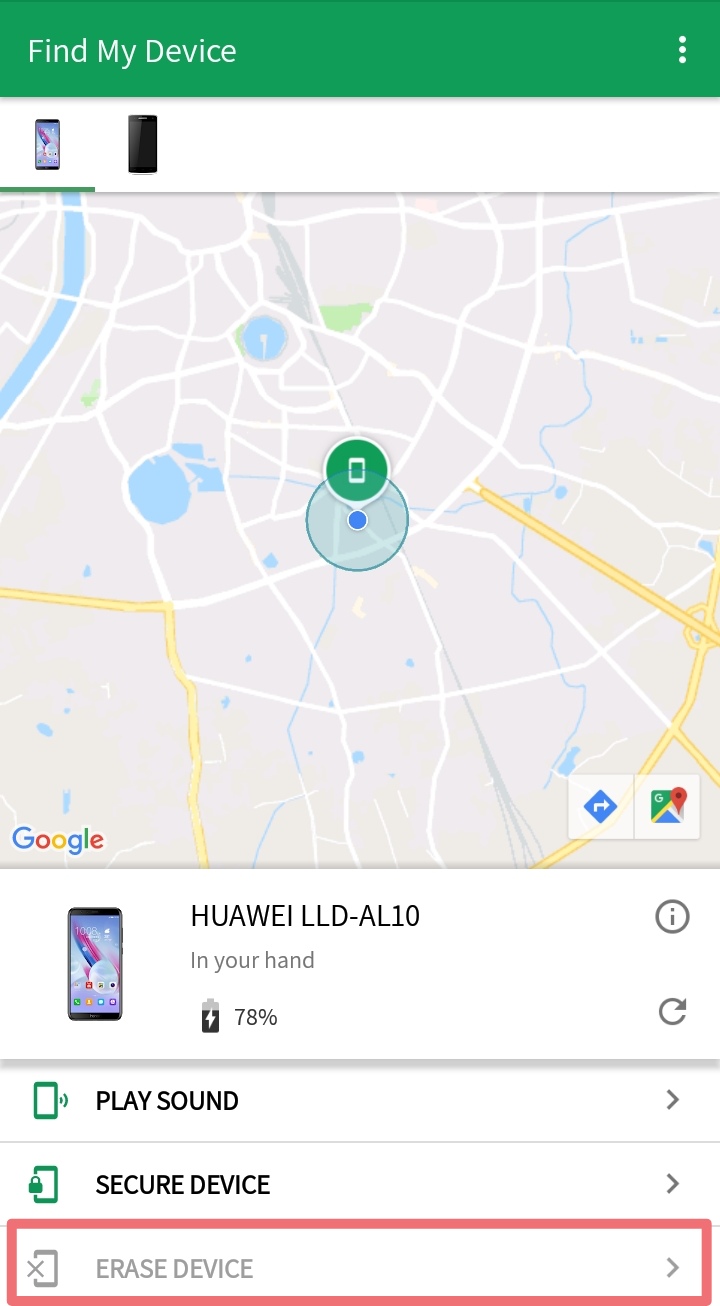
3) Confirm deletion of data by hitting the Erase Button.


- Posts
- Following
- Followers
- Energy
-

York_Captain
-
+ Follow

-
- 14 Posts
- 0 Following
- 17 Followers
- 342 Energy


SUBSCRIPTION
I agree to receive the latest offers and information on HONOR products through email or IM (e.g. WhatsApp) provided below and advertisement on third-party platforms. I understand that I can unsubscribe anytime according to Chapter 5 of HONOR Platform Privacy Statement.
CONTACT

- Posts
- photo
- video

Hey Guys,
Many users were frequently asking
What to do after the device gets stolen or lost??
Or
How should i find my device??
Or
How to erase my data from lost device??
Here i got a solution... Install FIND MY DEVICE in your phone so whenever your phone gets lost you will be able to Detect, Ring, Lock or Erase your Phone.
This application works with the Internet connectivity and location access.
Can I install Find My Device on my phone?
Before i show you how to get started installing and setting up Find My Device, it's important to know whether your phone will work with it. If you're running a device running Android 4.0 Ice Cream Sandwich or later, you'll be able to install Find My Device.
How to install Find My Device
Find my device is available on Google Play Store. So you can go there and download it easily from there.
How to sign in to Find My Device
After installation, you'll need to sign in to Find My Device from your Google account. If you're signed into more than one account on your phone, you get a drop-down menu from which you can select the account you want to associate with the phone.
1) Open Find Device from your home screen or app drawer.
2) Select the Google account you want to use the service with.
3) Hit the Continue as button.
4) Enter your Google account Password.
5) Tap Sign in.
6) Give location access to the service.
How to see if your phone is discoverable with Find My Device
Once you're signed in to Find My Device, you'll see a map with your current location as well as the make and model of your phone, and two options — Play Sound, and Enable Lock & Erase. Hitting the latter option will allow you to start using the Lock and Erase functions. If you've signed into more than one phone, you can select a particular device by browsing the list at the top of the screen.
1) Head to the Find My Device website.
2) Sign in to your Google account.
3) Check if your device is visible.
How to ring your phone with Find My Device
The best part about Find My Device is that it is easily accessible. If you need to locate your phone, just head to the website or log in to the service from another phone. Once you sign in to Find My Device and locate your device, you can use the Play Sound option, which plays a loud tone on your phone continuously at full volume for five minutes even if you turned the ringer off. Once you find your phone, you can hit the power button to stop the ringing.
1) Locate your phone on Find My Device.
2) Tap Play Sound.
3) Your device will start ringing. You can hit the power button to stop the sound.
How to lock your phone with Find My Device
There's also a Lock option that lets you set a new password to unlock the phone. You can also display a message over the lock screen and add a button to call back your number so that anyone that comes across your phone can easily get in touch with you.
1) Locate your phone on Find My Device.
2) Tap Secure Device.
3) Enter a Message and Phone number to display on the lock screen and Tap Lock.
How to erase your lost phone's data remotely
If you're certain that you're not going to see your phone again, there is the nuclear option of erasing the data remotely. Selecting the Erase option deletes all the data on your phone. The service also deletes data from a connected SD card, but there is a chance that it may not be able to, based on the manufacturer and Android platform version. Even if your phone is switched off when you send the Erase command, the factory reset process will be initiated as soon as it goes online.
1) Locate your phone on Find My Device.
2) Tap Erase Device.
3) Confirm deletion of data by hitting the Erase Button.