

 More Products
 Compare













我的荣耀 开启荣耀之旅



 Disagree Terms
 Log out




[TUTORIAL] How To Take Macro Shots Without Macro Lens


 Last reply :
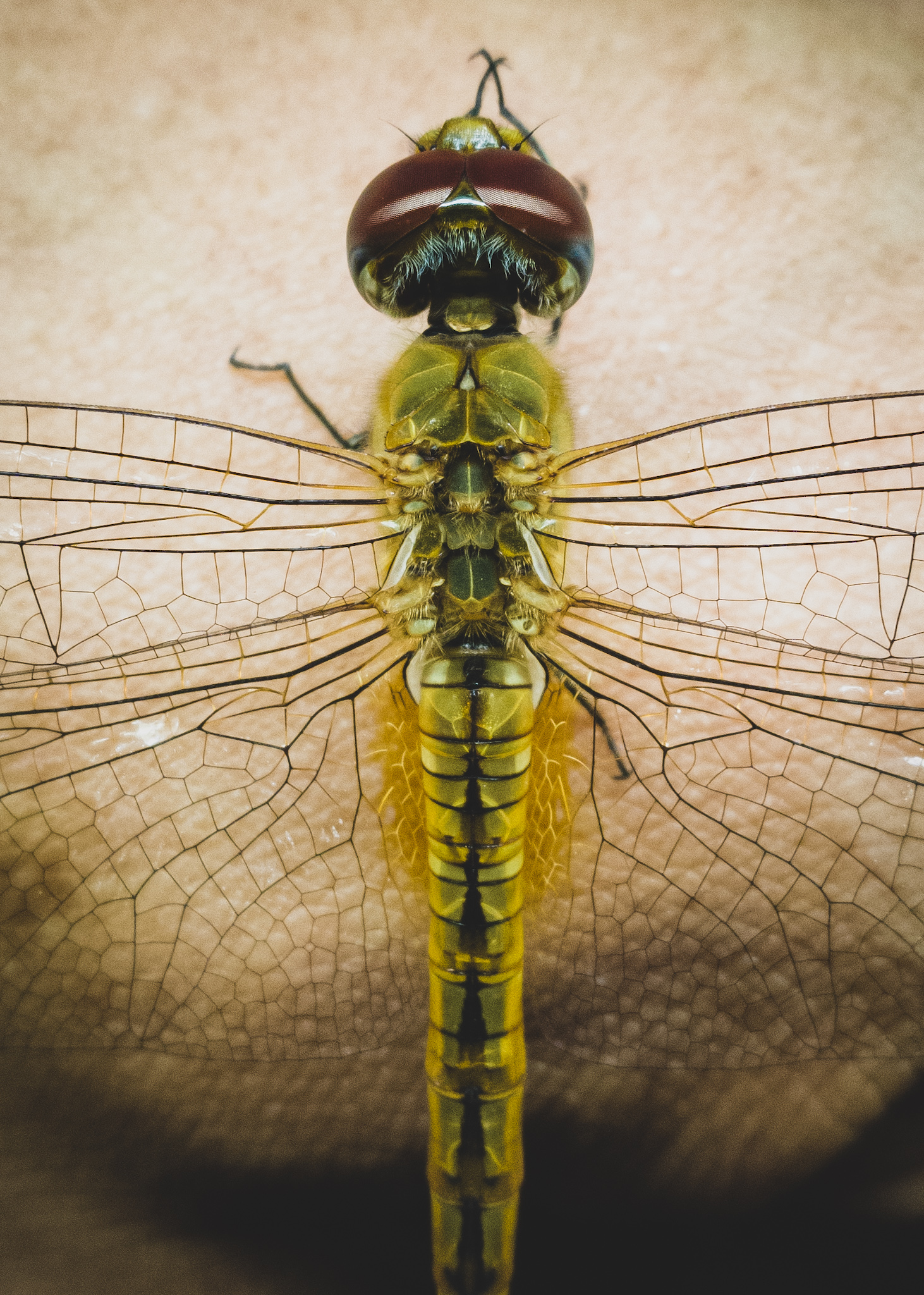
Some people have been asking me how to take macro shots on my Honor mobile phone. Did I use any macro lens? Was it easy?
Well, for me, I didn't use macro lens. Although it's quite challenging, but it could fun and satisfying when you get the results you wanted. You just have to know some important tips before you get your shots. Here's some tips I would like to share.
1. Know your camera settings.
Nowadays, most Honor phone has came with better cameras function, known as 'Pro Photo' mode. Even if you're not expert in photography, you still can take stunning photos with the auto settings. However for macro shots, of course you will need some adjustments.
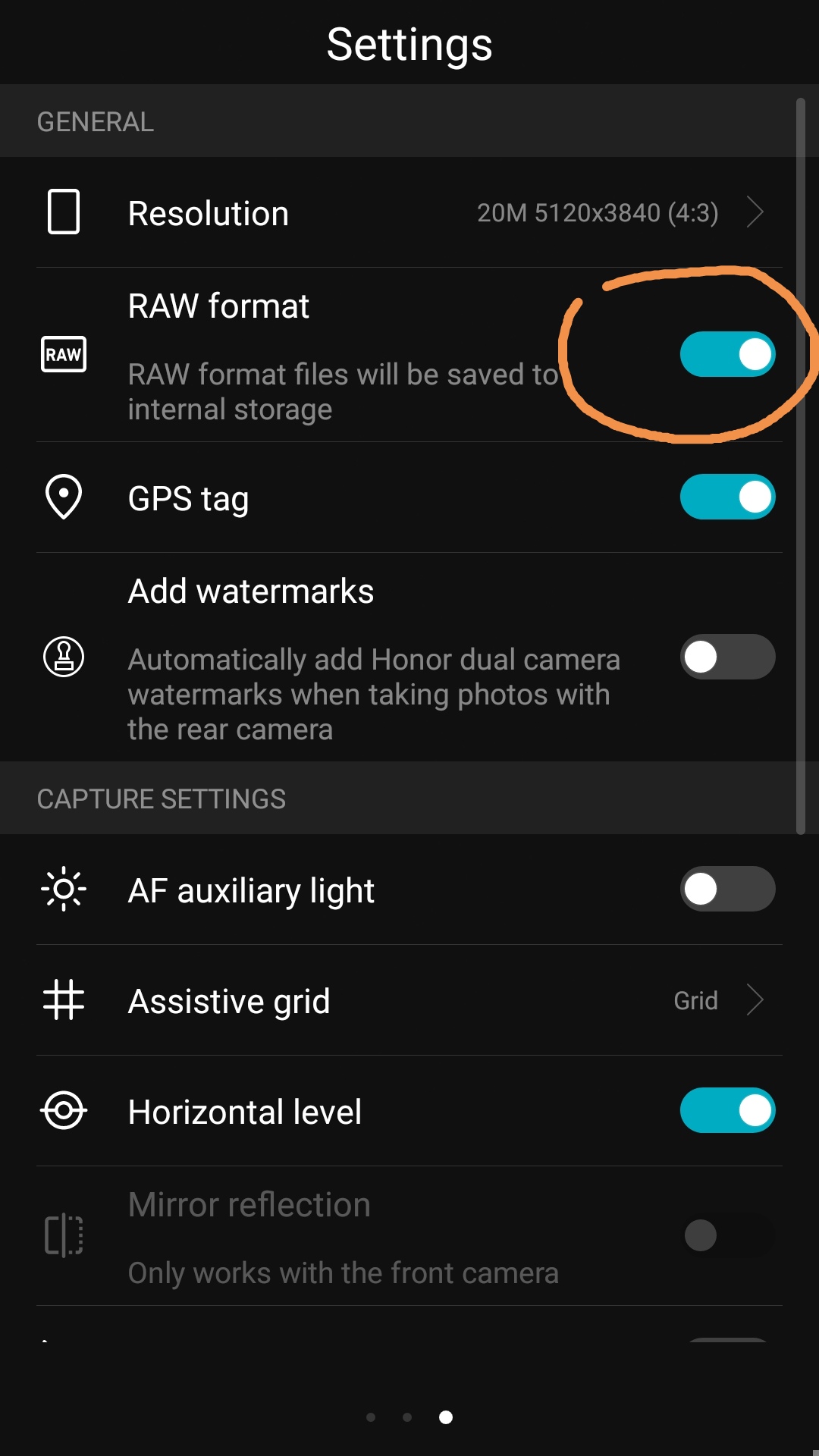
If possible, is best that you enable the RAW format before you take macro shots. This is because, RAW file could sustain better image quality compared to normal Jpeg file after cropping the photo.
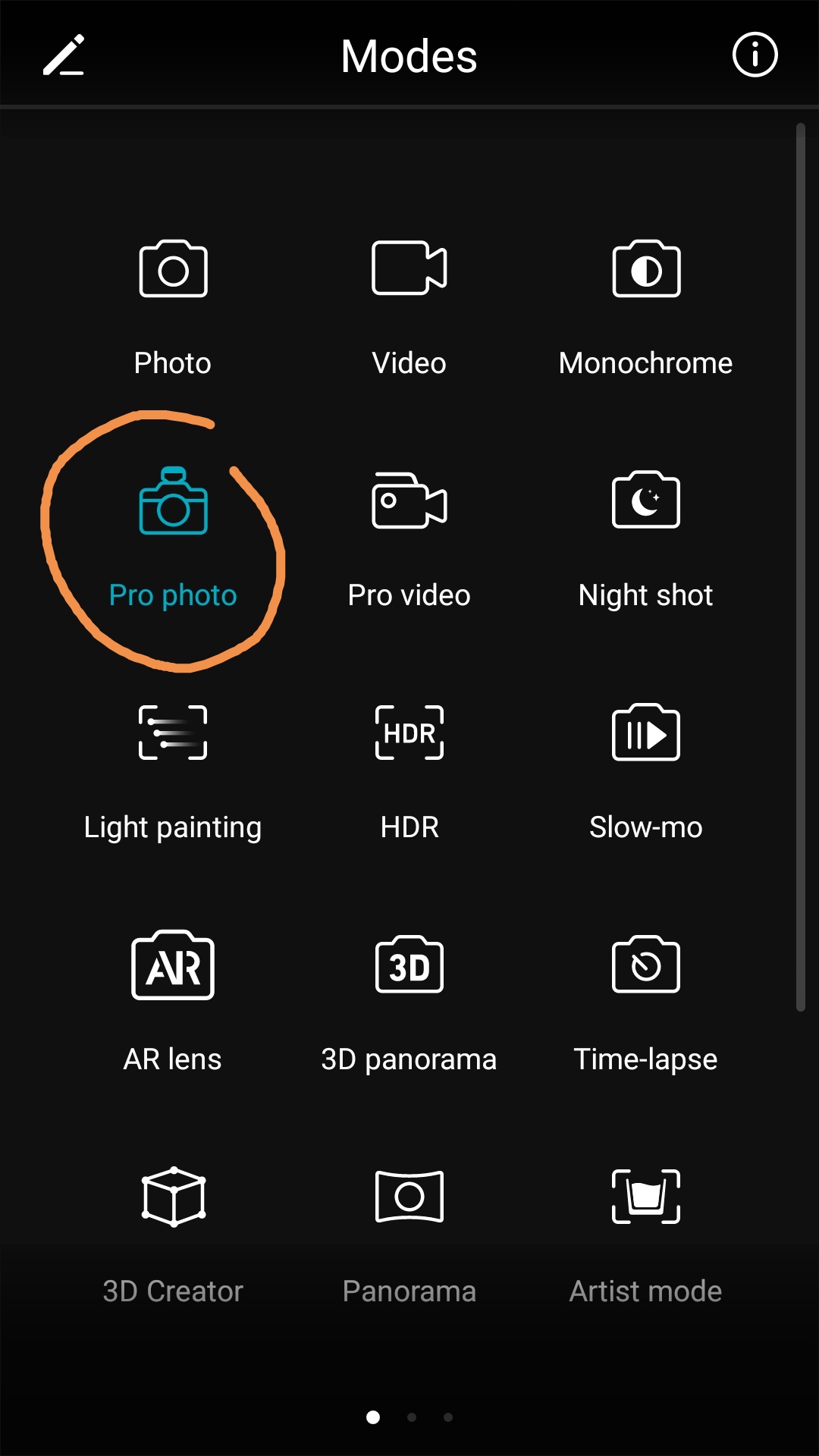
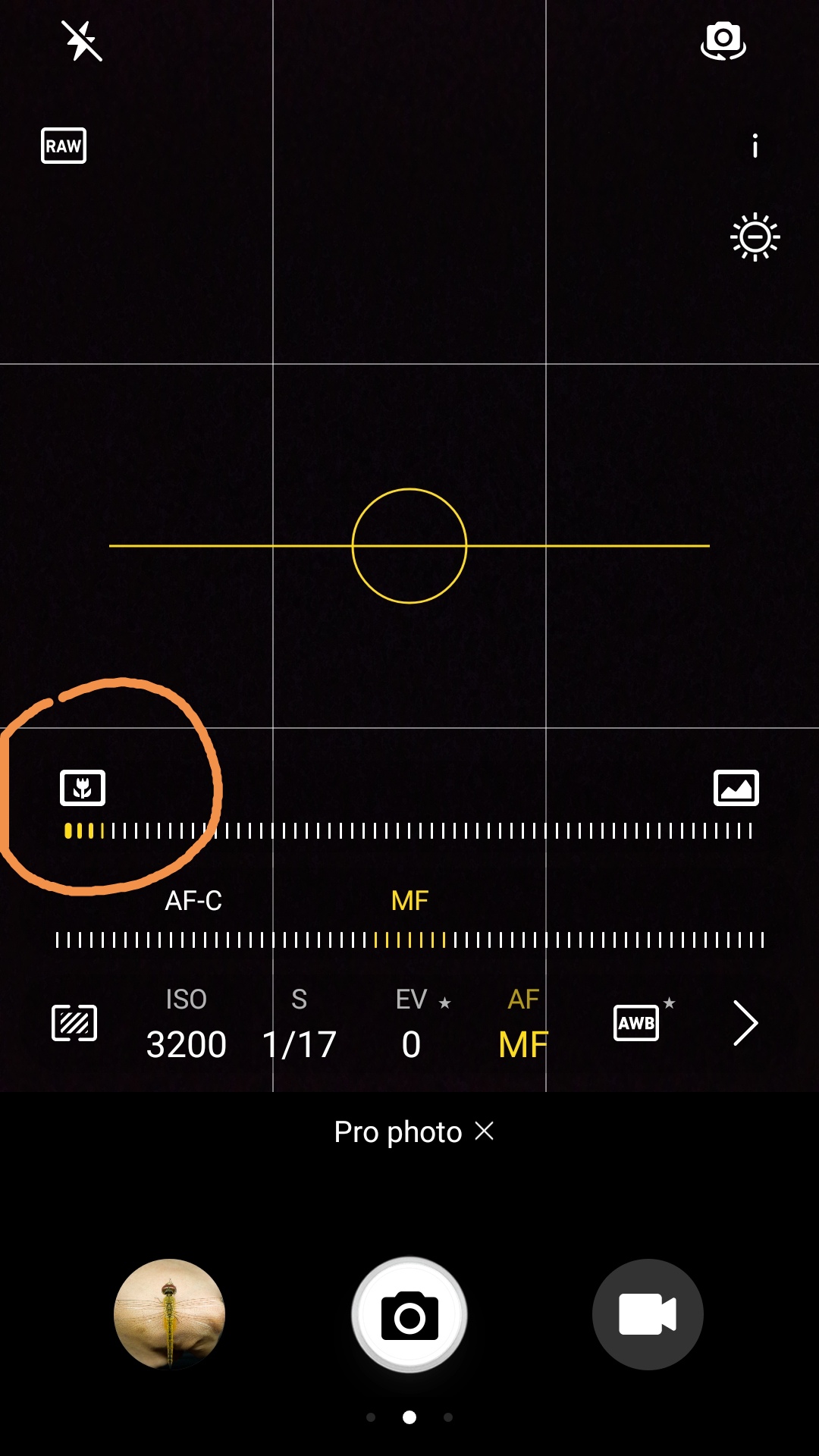
Then, go to the Modes function and select Pro Photo. From there, you could see some settings for adjustments below. As you can see the at the yellow wordings at my screenshot here, choose MF, which means Manual Focus, and slide the bar to the most left, it will give you the macro shot function.
2. Lighting
In mobile phone photography, remember that is important to have better lighting in order to take a clearer photo. Dark scene could produce too much noise, which results blurry or less sharp pictures (unless you use Night Shot mode). So, shot your macro shots under good sun or at least, get an artificial lighting such as LED lights.
3. Focusing
Here's the challenging part. Any minor movements would become your enemy! Even slight movement while shooting will result in blurriness. You will need to remain very still, and do everything you can to keep your subject from moving.
Try to find a position that's comfortable, and focus on your subject by moving your body forward or backward until you get the best focus. If your space are limited, try holding your phone as steady as possible with your two hands.
4. Shutter Clicks
Basically, macro shots it's not as easy as taking normal landscape or architecture photos. To take macro shots, you have to patiently wait for the right moment to press the shutter button, especially when taking insects photos, so have some patience..
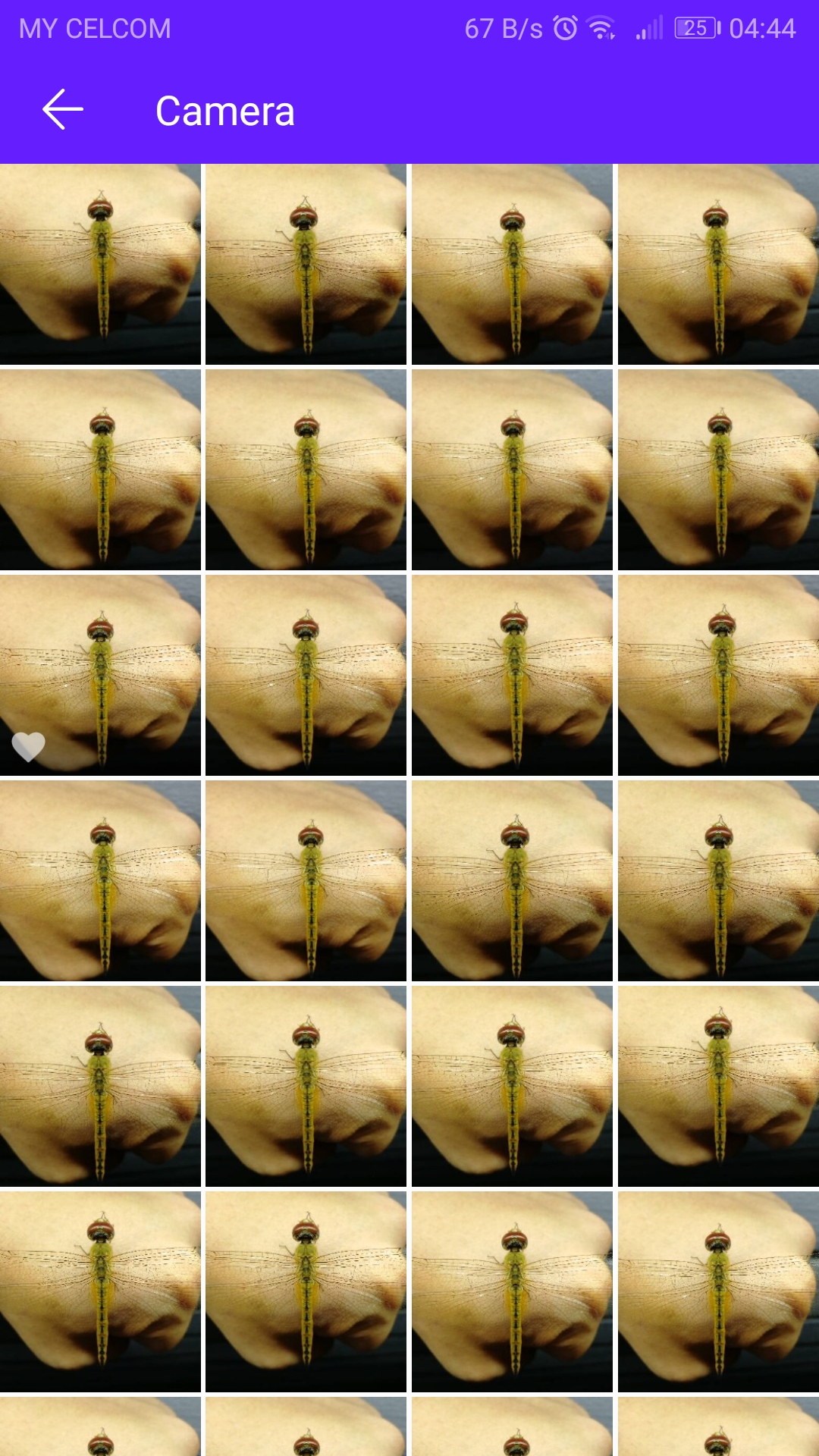
Also, burst shots! Try to take many shots of the subject while staying as still as possible, because you might not want to miss out the clear shot and regret later. This is how I get my macro photos, patience and taking many shots. You can delete away the blurry photos later.
5. Editing
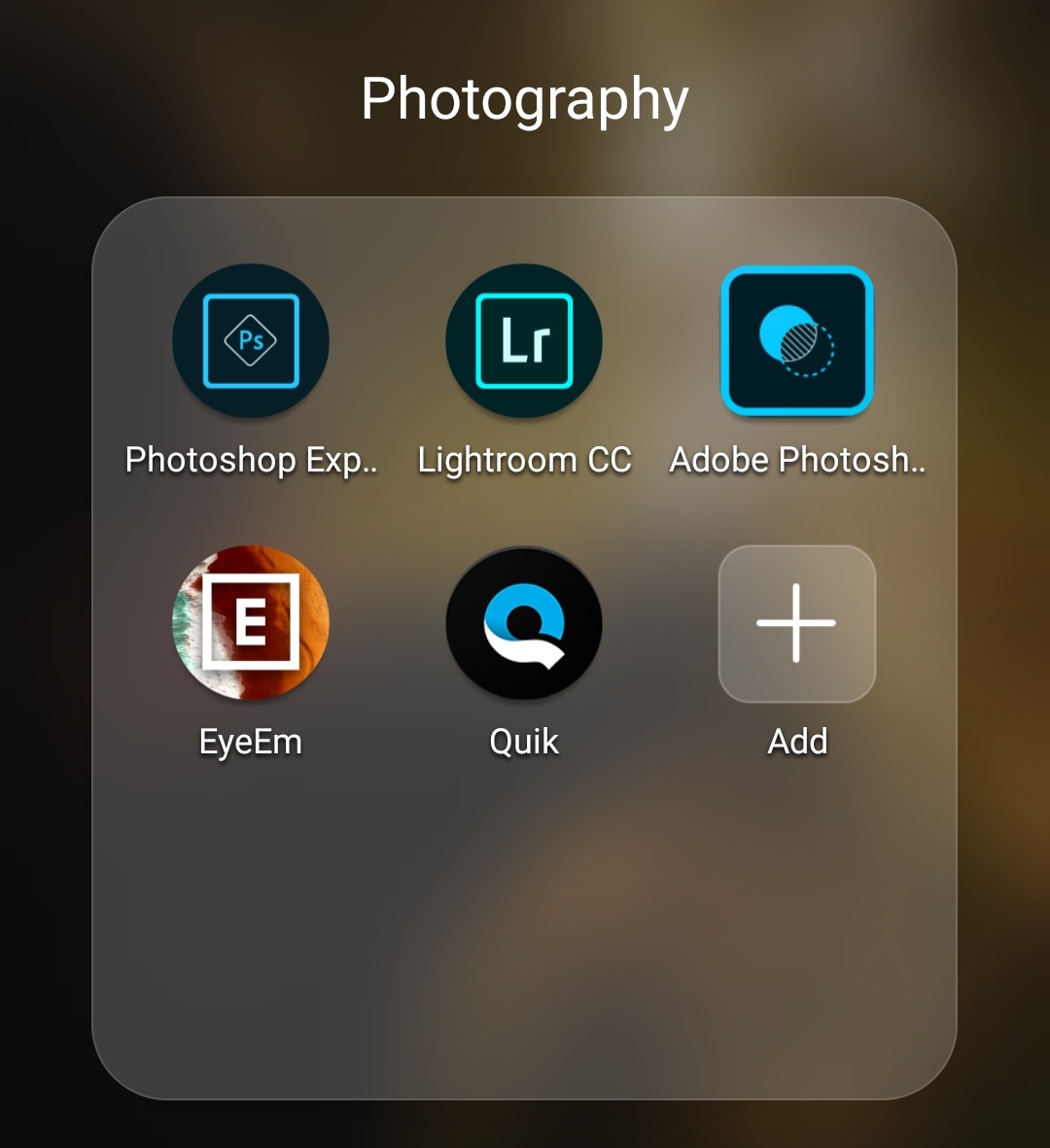
Once I learned that, it's best to edit photos even just a little. Adjusting color or warmth slightly can make your photos look more appealing. Since I've enable the RAW format, normally I would use the RAW file for editing. Choose your preferred editing apps, do the editing, sharpening, cropping and position your subject. This can lead to surprisingly beautiful photos which you might not expect to get from just your mobile phone.
So, this is what I do to take my macro shots. I'm not any expert in photography, but learning and practising would help you to take better pictures.
Thank you and happy photography-ing. Get those shutter clicking.


- Posts
- Following
- Followers
- Energy
-
william_vl
-
+ Follow

-
- 51 Posts
- 13 Following
- 280 Followers
- 14674 Energy


SUBSCRIPTION
I agree to receive the latest offers and information on HONOR products through email or IM (e.g. WhatsApp) provided below and advertisement on third-party platforms. I understand that I can unsubscribe anytime according to Chapter 5 of HONOR Platform Privacy Statement.
CONTACT

- Posts
- photo
- video

Some people have been asking me how to take macro shots on my Honor mobile phone. Did I use any macro lens? Was it easy?
Well, for me, I didn't use macro lens. Although it's quite challenging, but it could fun and satisfying when you get the results you wanted. You just have to know some important tips before you get your shots. Here's some tips I would like to share.
1. Know your camera settings.
Nowadays, most Honor phone has came with better cameras function, known as 'Pro Photo' mode. Even if you're not expert in photography, you still can take stunning photos with the auto settings. However for macro shots, of course you will need some adjustments.
If possible, is best that you enable the RAW format before you take macro shots. This is because, RAW file could sustain better image quality compared to normal Jpeg file after cropping the photo.
Then, go to the Modes function and select Pro Photo. From there, you could see some settings for adjustments below. As you can see the at the yellow wordings at my screenshot here, choose MF, which means Manual Focus, and slide the bar to the most left, it will give you the macro shot function.
2. Lighting
In mobile phone photography, remember that is important to have better lighting in order to take a clearer photo. Dark scene could produce too much noise, which results blurry or less sharp pictures (unless you use Night Shot mode). So, shot your macro shots under good sun or at least, get an artificial lighting such as LED lights.
3. Focusing
Here's the challenging part. Any minor movements would become your enemy! Even slight movement while shooting will result in blurriness. You will need to remain very still, and do everything you can to keep your subject from moving.
Try to find a position that's comfortable, and focus on your subject by moving your body forward or backward until you get the best focus. If your space are limited, try holding your phone as steady as possible with your two hands.
4. Shutter Clicks
Basically, macro shots it's not as easy as taking normal landscape or architecture photos. To take macro shots, you have to patiently wait for the right moment to press the shutter button, especially when taking insects photos, so have some patience..
Also, burst shots! Try to take many shots of the subject while staying as still as possible, because you might not want to miss out the clear shot and regret later. This is how I get my macro photos, patience and taking many shots. You can delete away the blurry photos later.
5. Editing
Once I learned that, it's best to edit photos even just a little. Adjusting color or warmth slightly can make your photos look more appealing. Since I've enable the RAW format, normally I would use the RAW file for editing. Choose your preferred editing apps, do the editing, sharpening, cropping and position your subject. This can lead to surprisingly beautiful photos which you might not expect to get from just your mobile phone.
So, this is what I do to take my macro shots. I'm not any expert in photography, but learning and practising would help you to take better pictures.
Thank you and happy photography-ing. Get those shutter clicking.