

 More Products
 Compare










我的荣耀 开启荣耀之旅



 Disagree Terms
 Log out




[Tips] What is Digital Balance and its Functions??


 Last reply :
Hello and good day HONORianss,
I am not sure how many of you noticed theres "DIGITAL BALANCE" options in EMUI 9.0 / Magic UI. What is Digital Balance?? Its created for users who feel or worrying on their addiction for gaming,apps usage nor kids usage of their phone.They can Monitor,Manage and set timing limitation for those usage. This not only good in monitoring kids access on our phones,but its good for adults to control their habits or addiction of certain apps usage such as whatsapp,wechat,youtube etc..
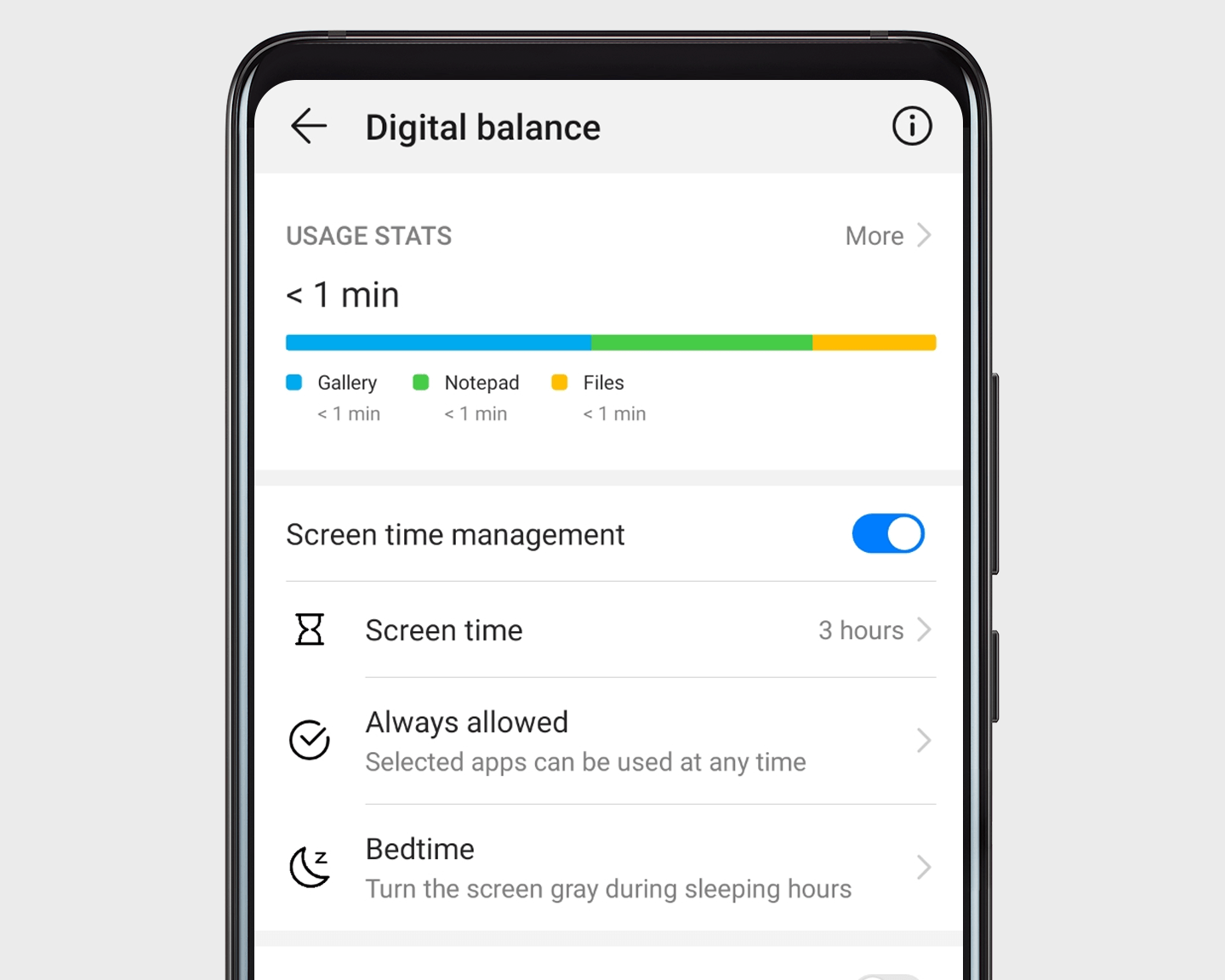
Understand your habits: Open Settings, and go to to check out your usage stats for the day and the last week.
Manage your time: Enable Screen time management to plan how to use your time.
Get plenty of sleep: In Screen time management, go to Bedtime to manage display settings for the wee hours.
Source Huawei.

The Main Of the apps look like this.(i have setted my screen limit,so the result shown as above)
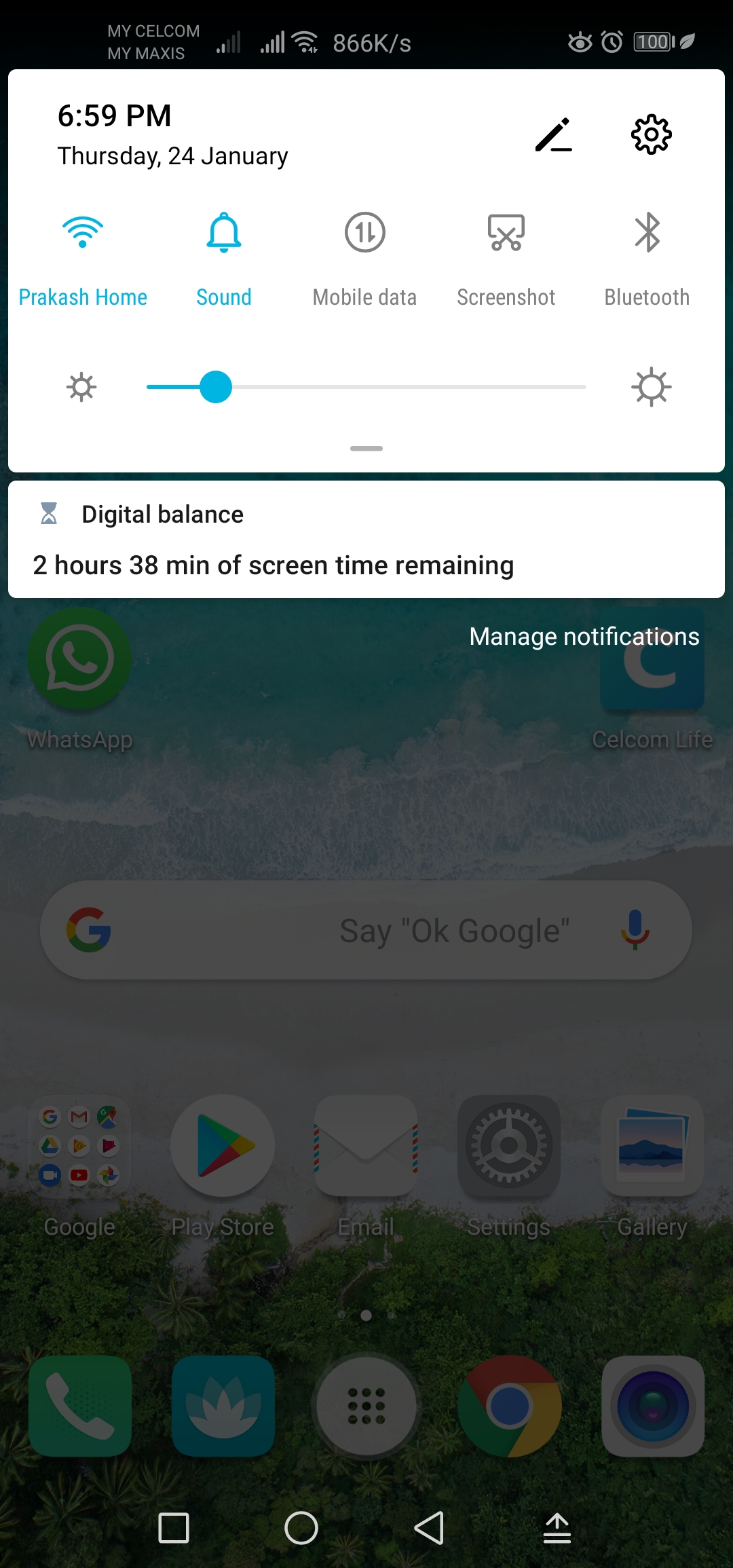
Balance of Digital Balance will shown on your Notification bar when you scroll down.
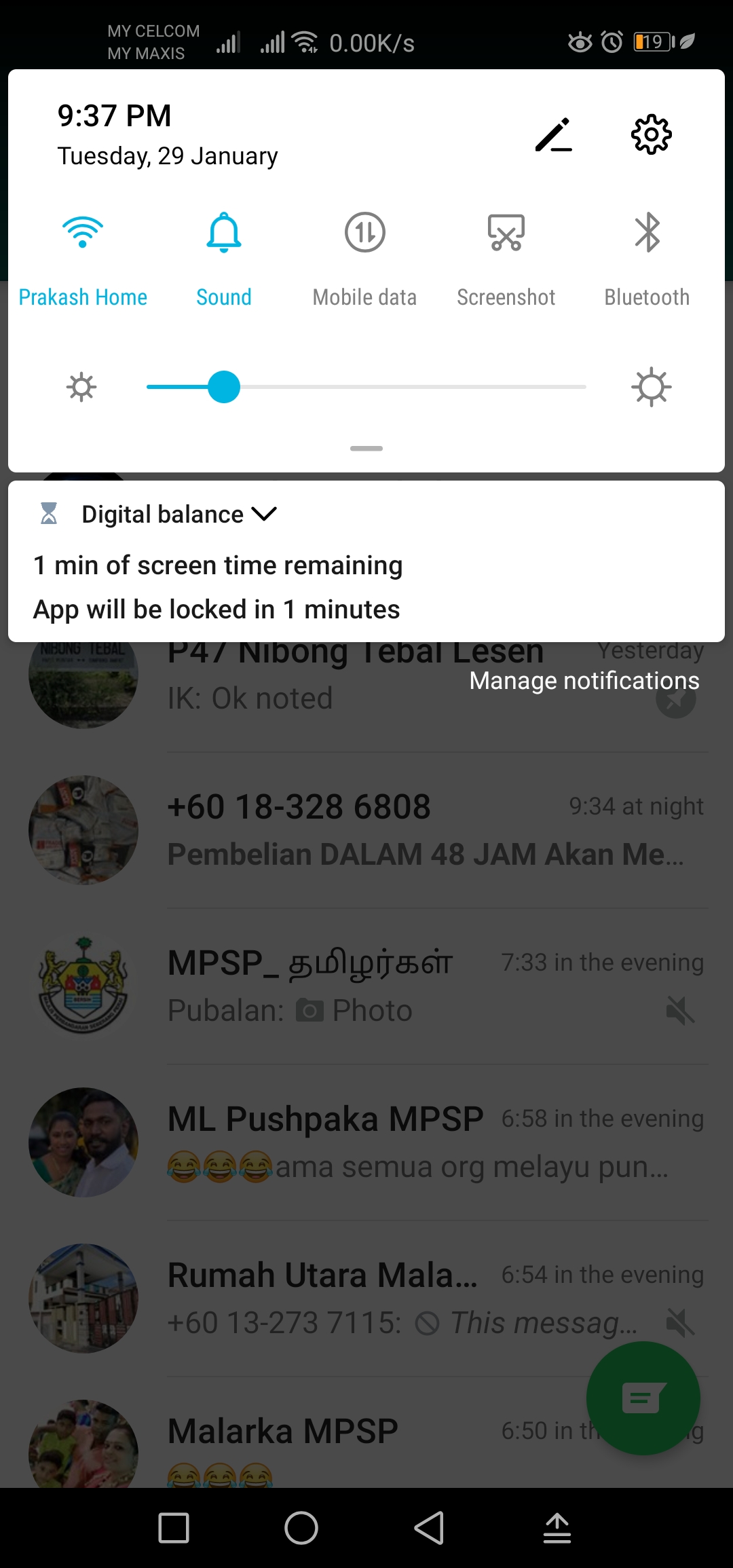
There will be Reminder before Digital Balance lock timing setted apps as your preferences.
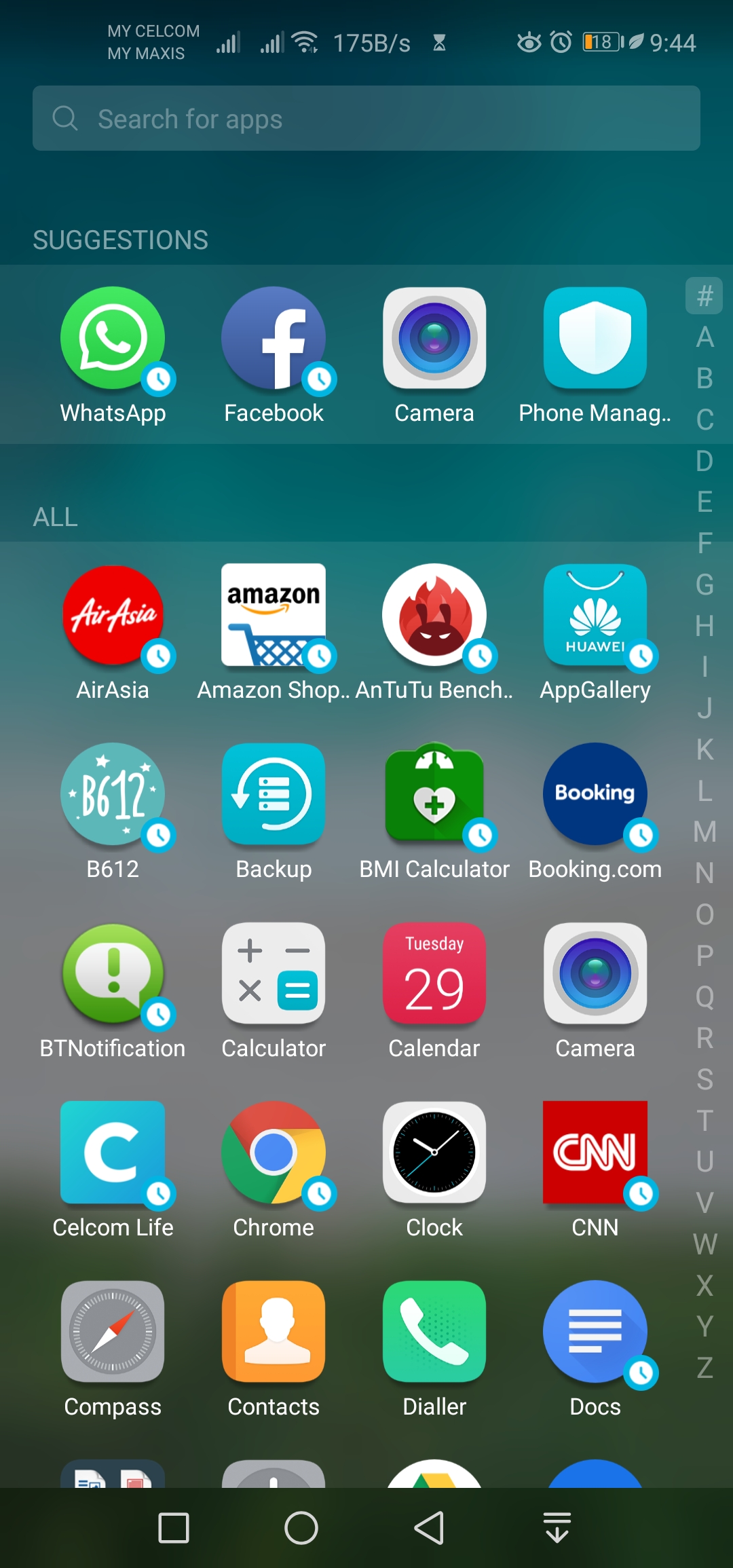
Here how it shown once the Time of Digital Balance ended and apps locked.
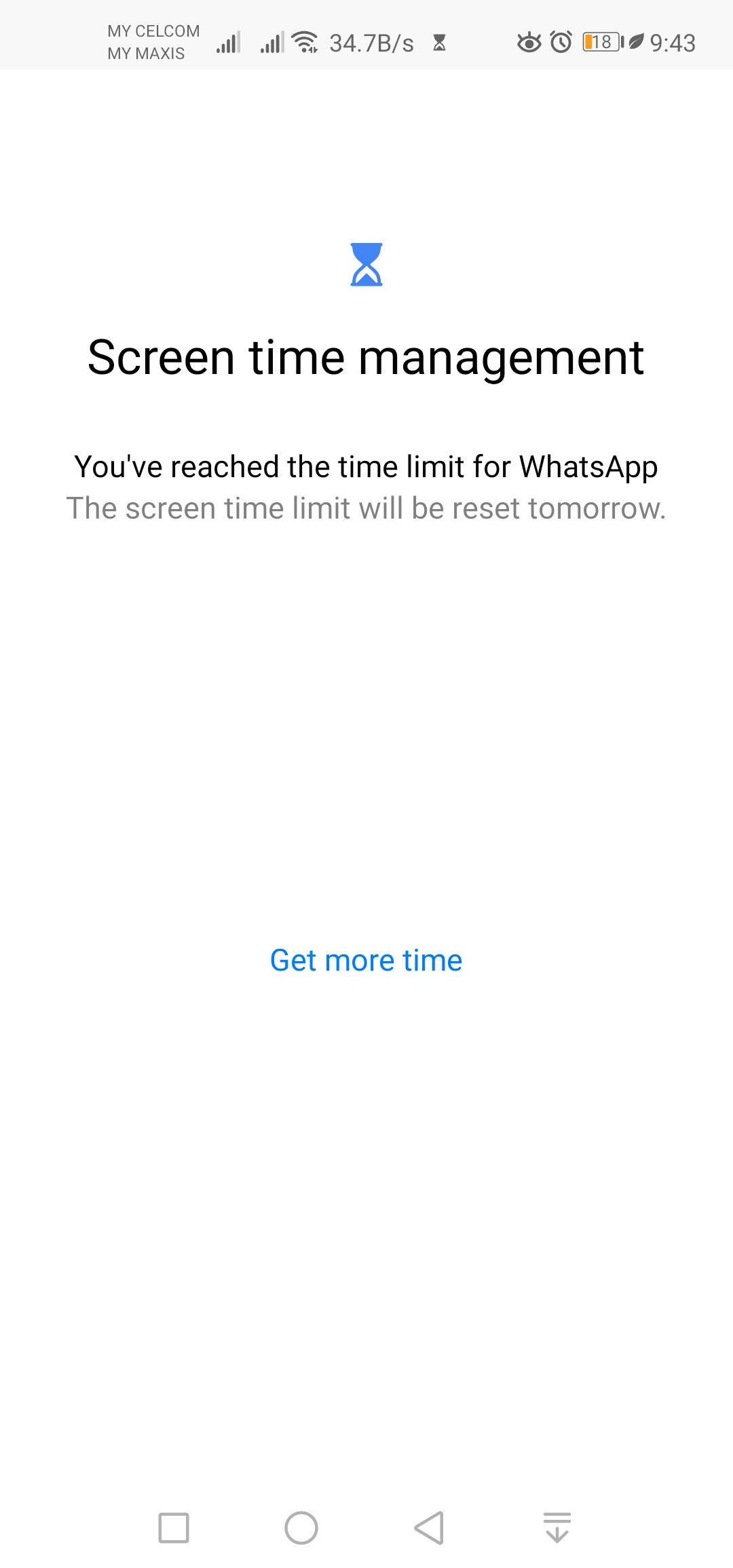
So when you're trying to re-open the locked apps,it'll appear as above.
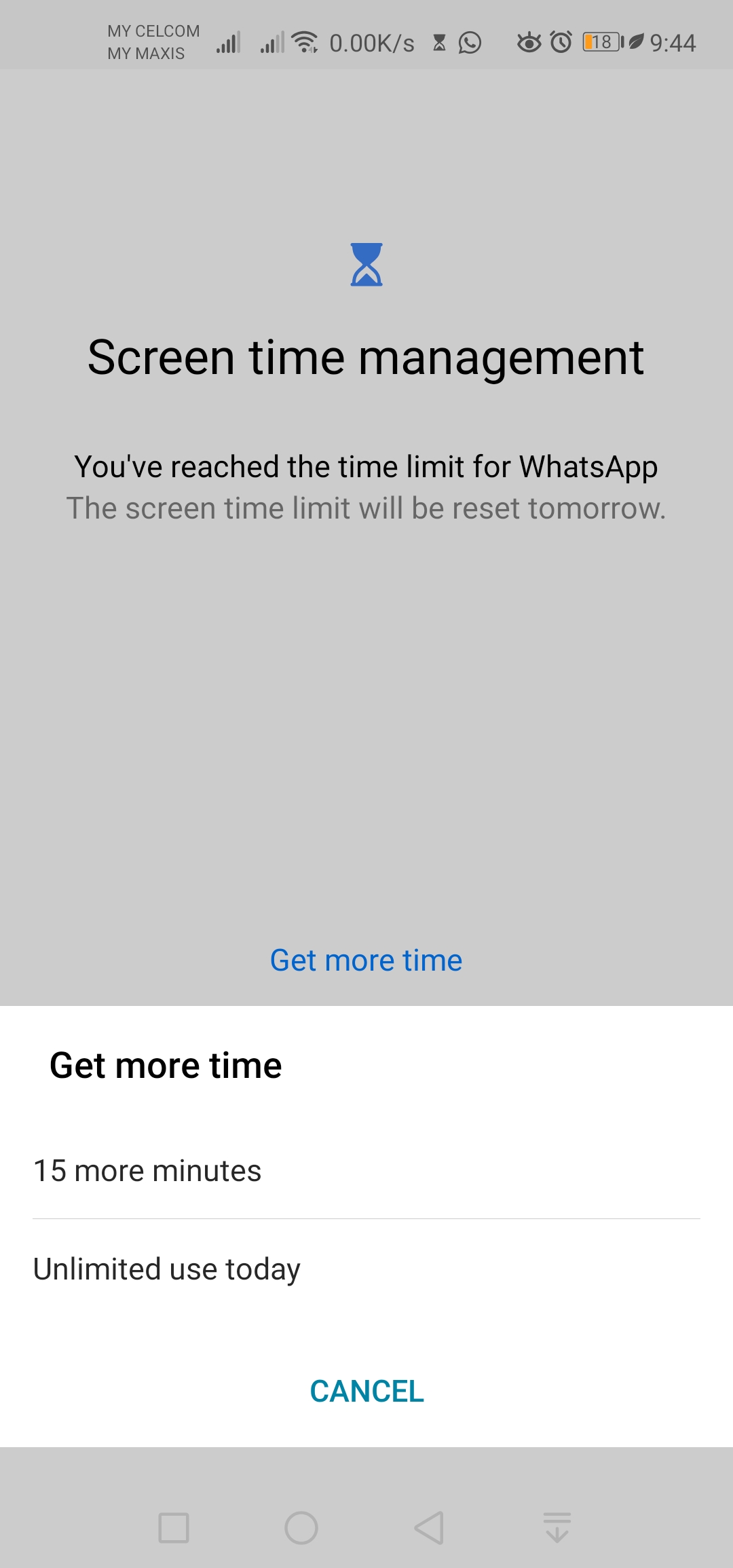
If you need more usage of certain apps,you can click on it and choose available 2 options : 15minutes or unlimited re-usage for the day.
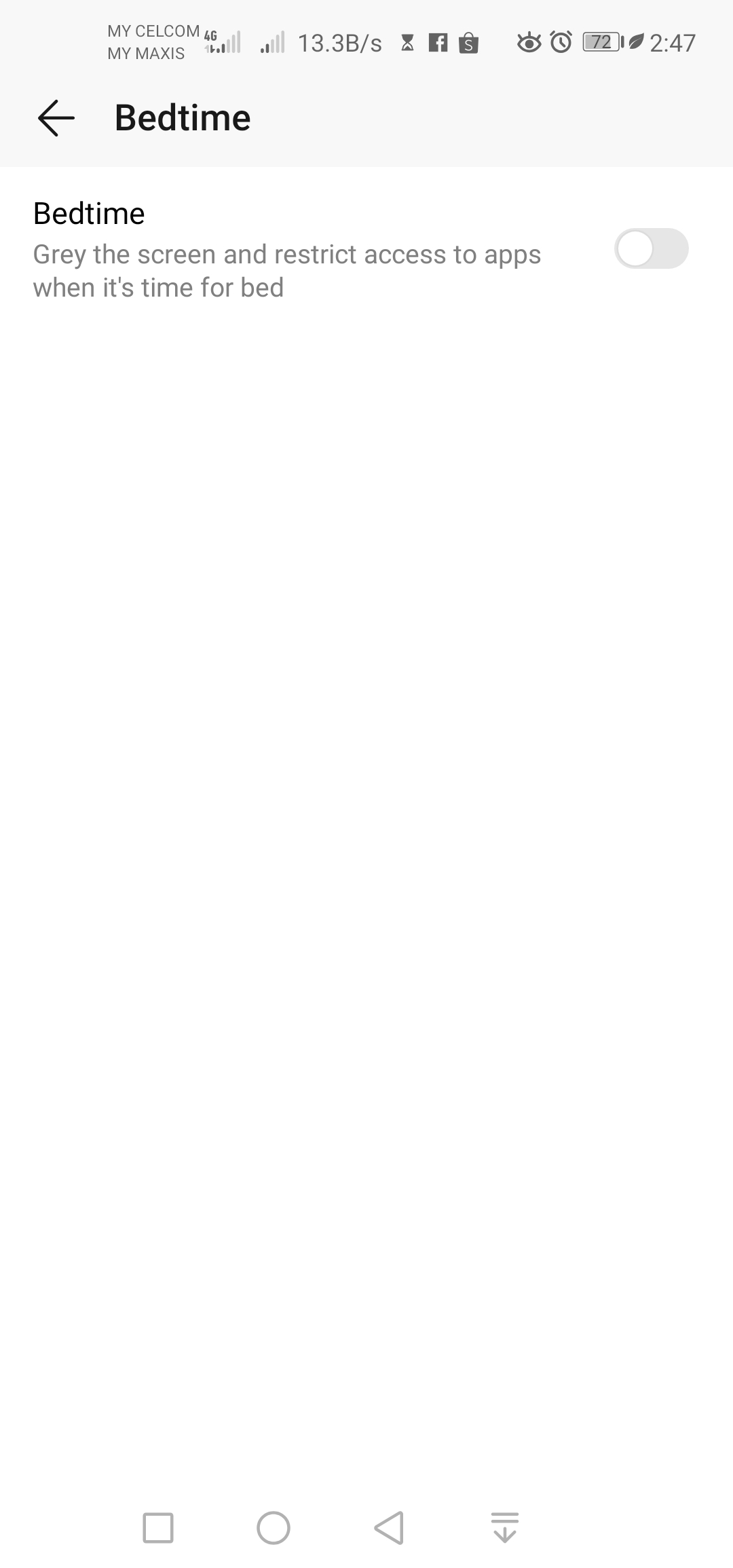
Grey the screen when bed time is arrive.
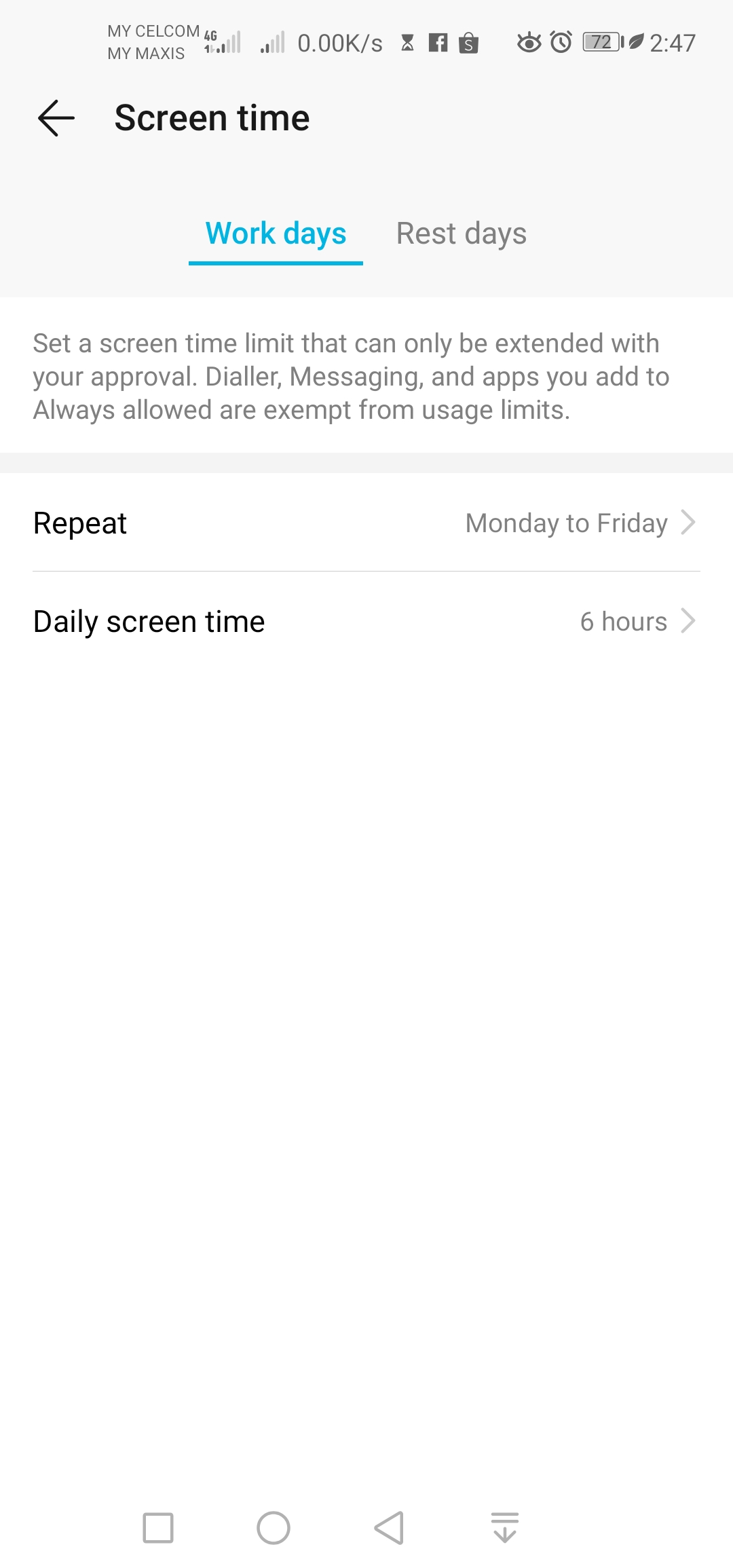
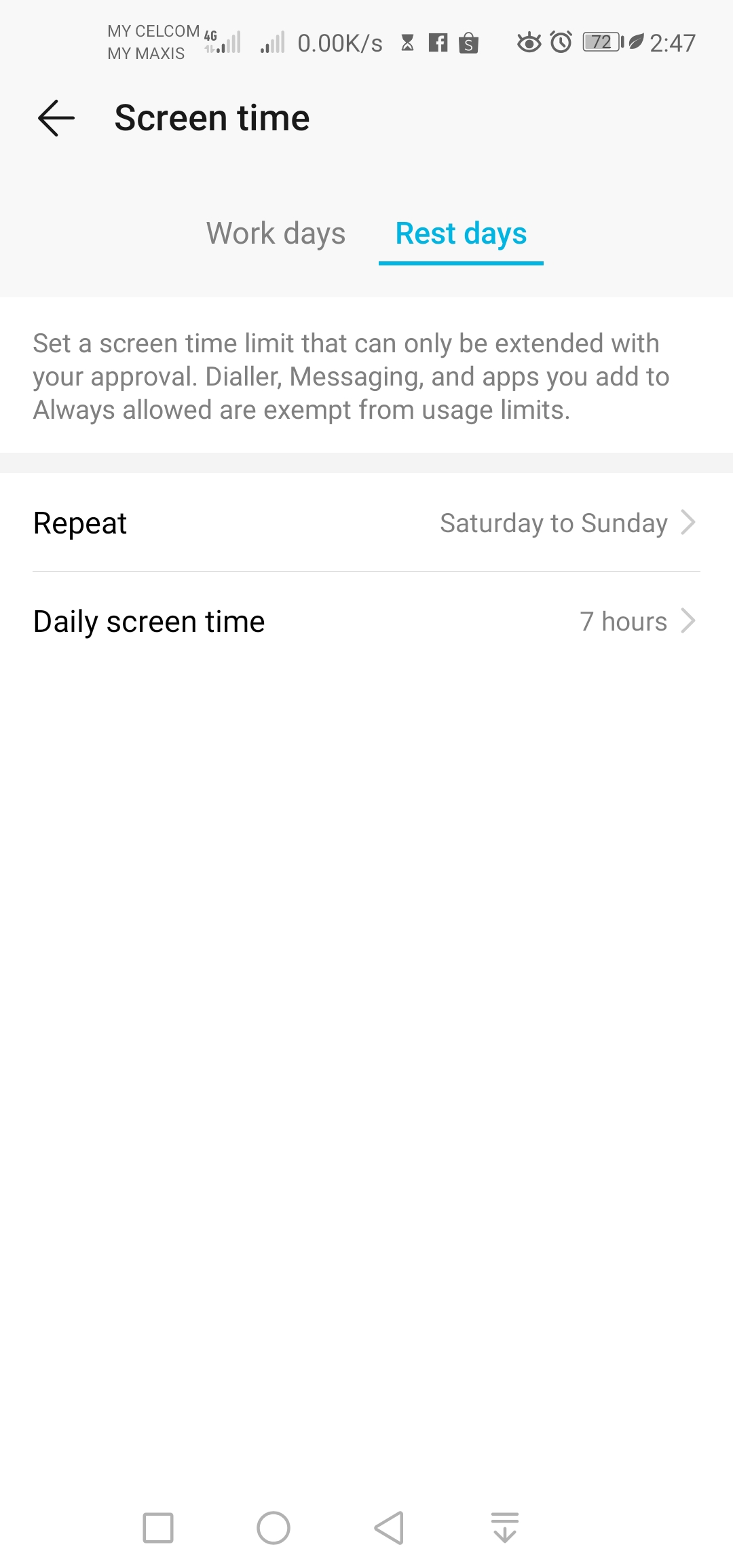
Above is my usage setting time for weekdays and weekends..

Thank You
Conclusion : Frankly i feel this is realy good for kids or adults to restrict their time on social apps usage and spend more time with loved ones which mostly caused seperation among relations.
So HONORians,are you using the digital balance and feel its good and needed?? kindly leave you comments and screen shot of your Digital Balance limitation hour .


- Posts
- Following
- Followers
- Energy
-

 PeaceHunter
Community Team
PeaceHunter
Community Team
-
+ Follow

-
- 494 Posts
- 180 Following
- 2950 Followers
- 108691 Energy


SUBSCRIPTION
I agree to receive the latest offers and information on HONOR products through email or IM (e.g. WhatsApp) provided below and advertisement on third-party platforms. I understand that I can unsubscribe anytime according to Chapter 5 of HONOR Platform Privacy Statement.
CONTACT

- Posts
- photo
- video

Hello and good day HONORianss,
I am not sure how many of you noticed theres "DIGITAL BALANCE" options in EMUI 9.0 / Magic UI. What is Digital Balance?? Its created for users who feel or worrying on their addiction for gaming,apps usage nor kids usage of their phone.They can Monitor,Manage and set timing limitation for those usage. This not only good in monitoring kids access on our phones,but its good for adults to control their habits or addiction of certain apps usage such as whatsapp,wechat,youtube etc..
Understand your habits: Open Settings, and go to Digital balance > More to check out your usage stats for the day and the last week.
Manage your time: Enable Screen time management to plan how to use your time.
Get plenty of sleep: In Screen time management, go to Bedtime to manage display settings for the wee hours.
Source Huawei.
The Main Of the apps look like this.(i have setted my screen limit,so the result shown as above)
Balance of Digital Balance will shown on your Notification bar when you scroll down.
There will be Reminder before Digital Balance lock timing setted apps as your preferences.
Here how it shown once the Time of Digital Balance ended and apps locked.
So when you're trying to re-open the locked apps,it'll appear as above.
If you need more usage of certain apps,you can click on it and choose available 2 options : 15minutes or unlimited re-usage for the day.
Grey the screen when bed time is arrive.
Above is my usage setting time for weekdays and weekends..
Thank You
Conclusion : Frankly i feel this is realy good for kids or adults to restrict their time on social apps usage and spend more time with loved ones which mostly caused seperation among relations.
So HONORians,are you using the digital balance and feel its good and needed?? kindly leave you comments and screen shot of your Digital Balance limitation hour .