

 More Products
 Compare













我的荣耀 开启荣耀之旅



 Disagree Terms
 Log out




[Tips & Tricks] Simple and Convenient Operation on Magic UI 2.1


 Last reply :
Hey HONOR Fans!
In the new episode of Magic UI Focus column I’m going to introduce some simple and convenient operations on Magic UI 2.1. let’s focus it.
Lightning Fast Charging
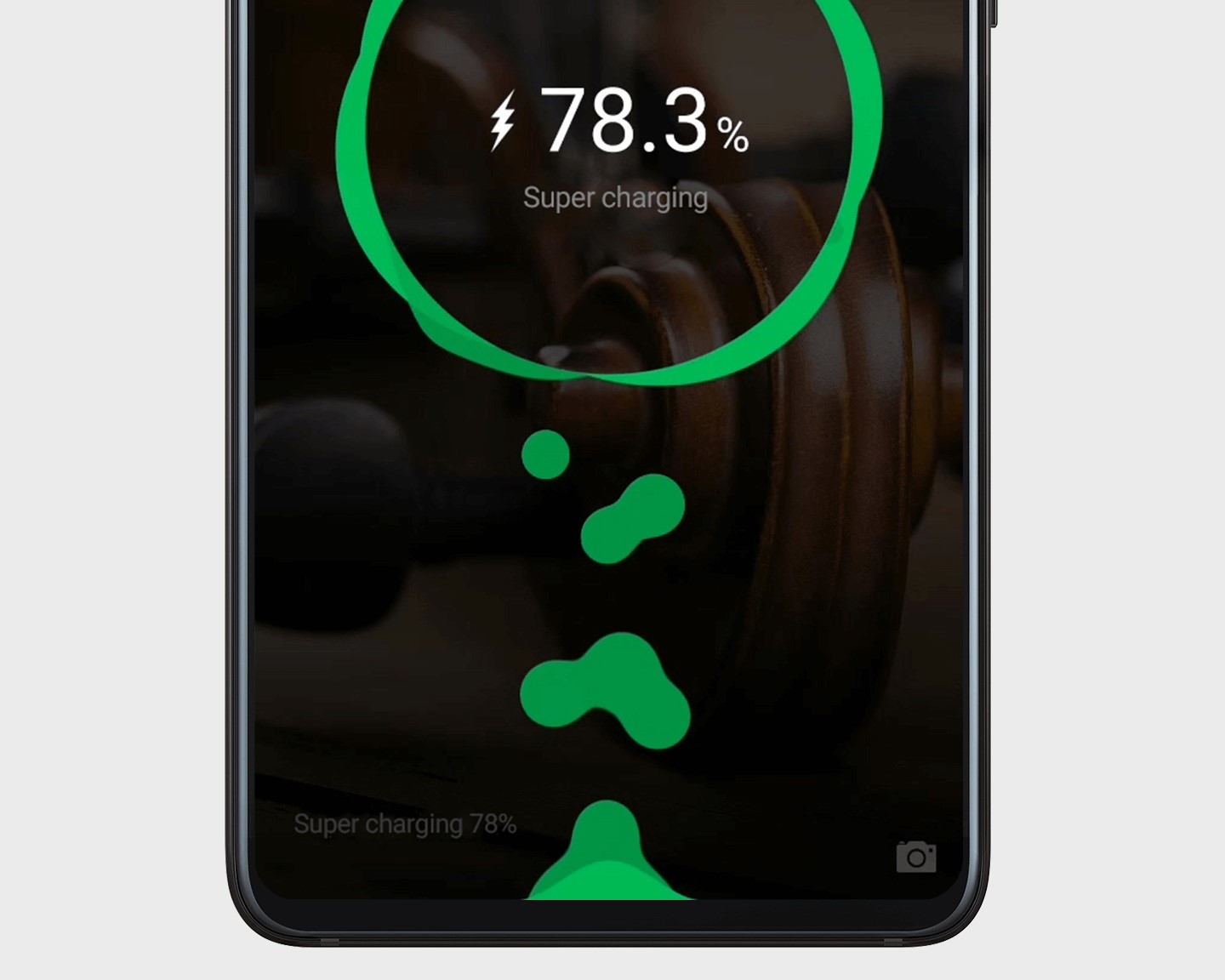
Check the lightning bolt on the status bar to see how your phone is being charged,
: Super Charge
: Standard Charge
Note: If SuperCharge isn’t working with your HUAWEI charger/cable, make sure they aren’t damaged.
Slide to Customize
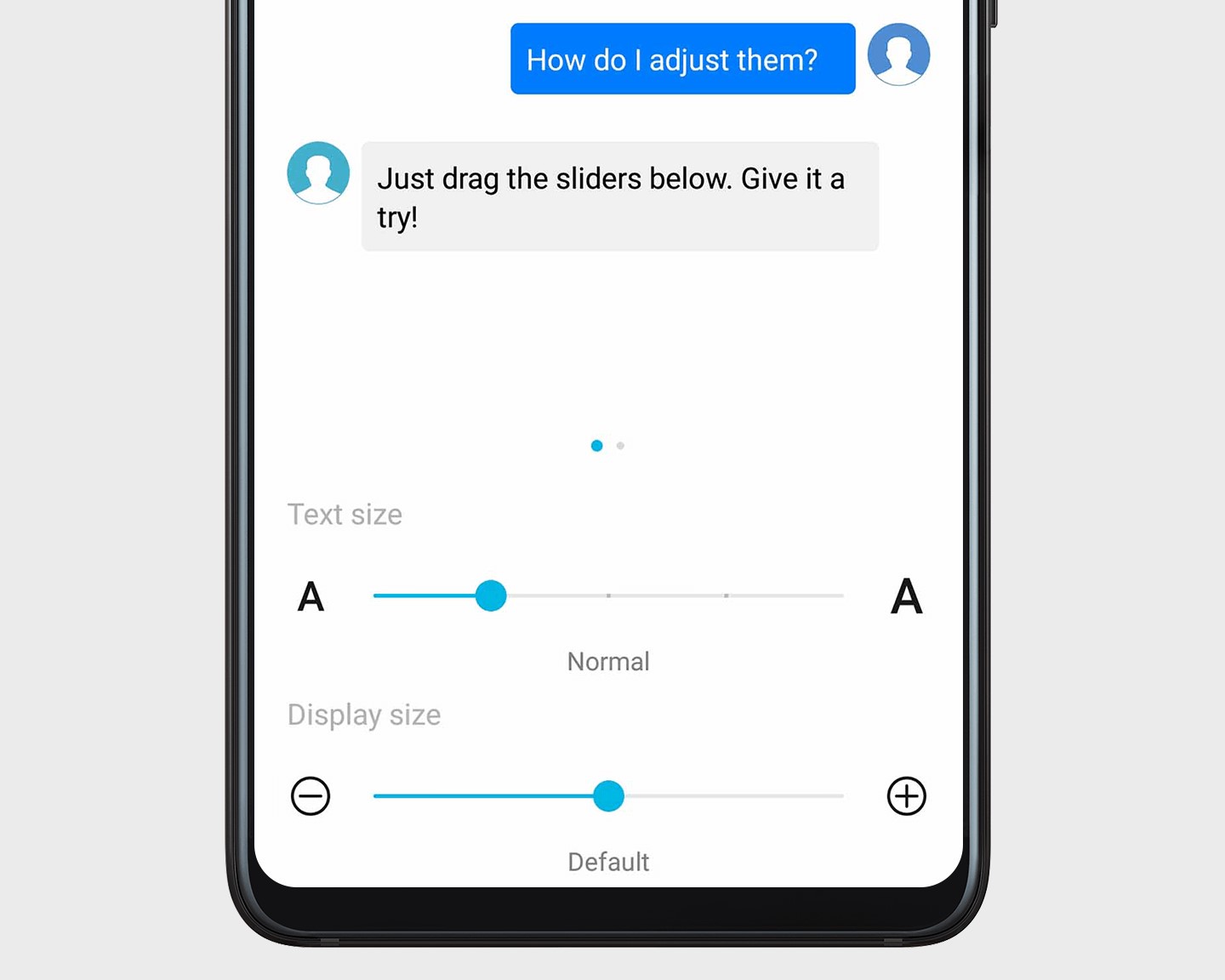
Open Settings, go to Display > Text and display size, and drag the sliders to adjust.
Text size: Only controls the size of text on the screen.
Display size: Controls the size of all interface elements, including text and images.
Share Your Wi-Fi, Not Your Password
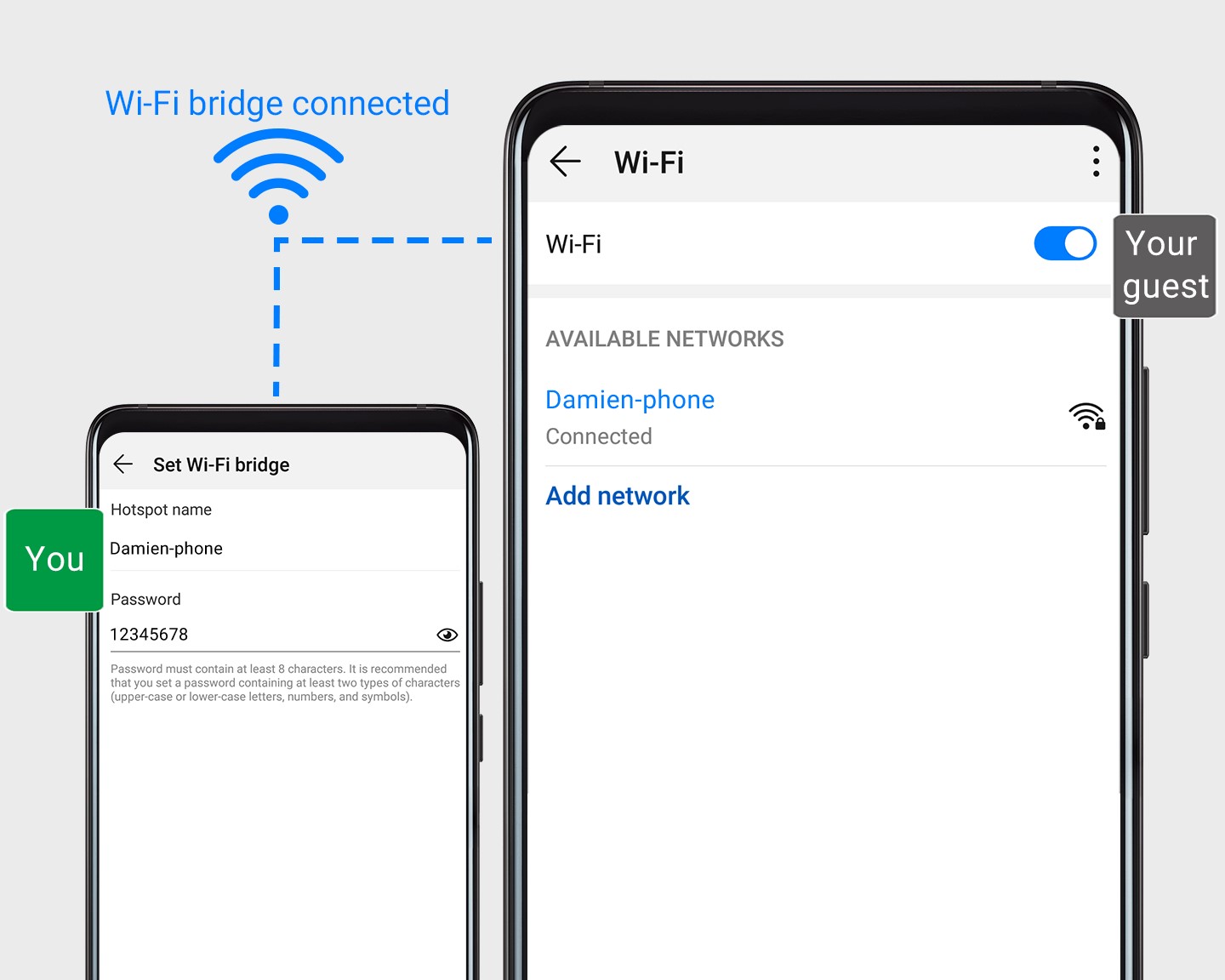
When you have people over, use Wi-Fi bridge to bring them into your home Wi-Fi network without revealing the password.
1. Open Settings, go to Wireless & networks > Personal hotspot > More, and enable Wi-Fi bridge.
2. Touch Set Wi-Fi bridge to set up the name and password for your Wi-Fi bridge.
3. Give your friends the Wi-Fi bridge name and password info, and they’ll be able to connect until you turn this feature off.
Change Phones, Keep Everything
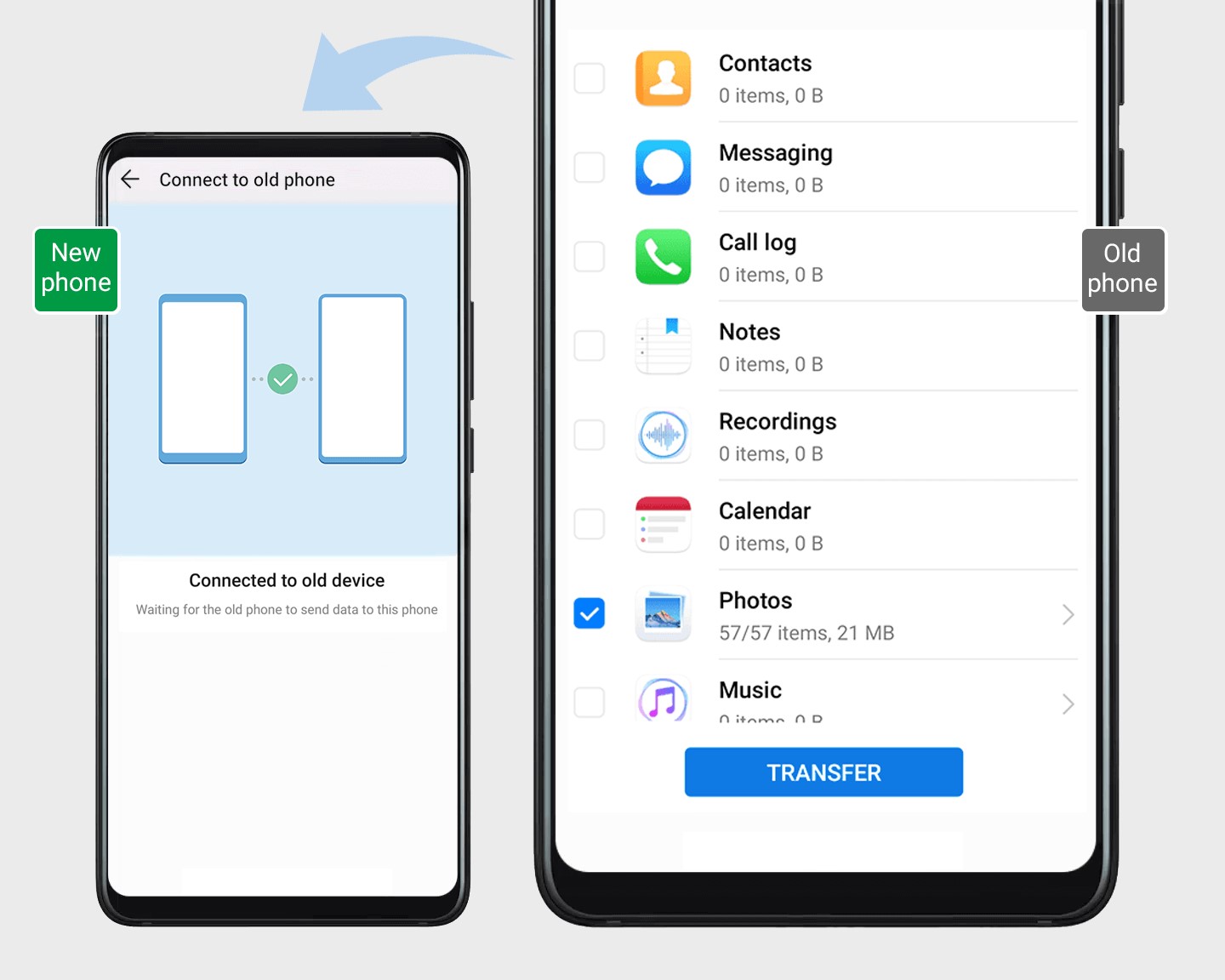
Got a new phone? Phone Clone’s got you covered. Transfer all your contacts, messages, apps, files and more at a rate of up to 1 GB per minute.
1. On your new phone, open Settings and go to System > Phone Clone.
2. Follow the onscreen instructions to connect your new phone to the old one. Select the data you wish to transfer and touch Transfer.
Note: Data transfer rate may vary with phone model.
Thanks for reading! Comment below to let us know your opinions.


- Posts
- Following
- Followers
- Energy
-

Leon Jia Yee
-
+ Follow

-
- 200 Posts
- 15 Following
- 264 Followers
- 15570 Energy


SUBSCRIPTION
I agree to receive the latest offers and information on HONOR products through email or IM (e.g. WhatsApp) provided below and advertisement on third-party platforms. I understand that I can unsubscribe anytime according to Chapter 5 of HONOR Platform Privacy Statement.
CONTACT

- Posts
- photo
- video

Hey HONOR Fans!
In the new episode of Magic UI Focus column I’m going to introduce some simple and convenient operations on Magic UI 2.1. let’s focus it.
Lightning Fast Charging
Check the lightning bolt on the status bar to see how your phone is being charged,
: Super Charge
: Standard Charge
Note: If SuperCharge isn’t working with your HUAWEI charger/cable, make sure they aren’t damaged.
Slide to Customize
Open Settings, go to Display > Text and display size, and drag the sliders to adjust.
Text size: Only controls the size of text on the screen.
Display size: Controls the size of all interface elements, including text and images.
Share Your Wi-Fi, Not Your Password
When you have people over, use Wi-Fi bridge to bring them into your home Wi-Fi network without revealing the password.
1. Open Settings, go to Wireless & networks > Personal hotspot > More, and enable Wi-Fi bridge.
2. Touch Set Wi-Fi bridge to set up the name and password for your Wi-Fi bridge.
3. Give your friends the Wi-Fi bridge name and password info, and they’ll be able to connect until you turn this feature off.
Change Phones, Keep Everything
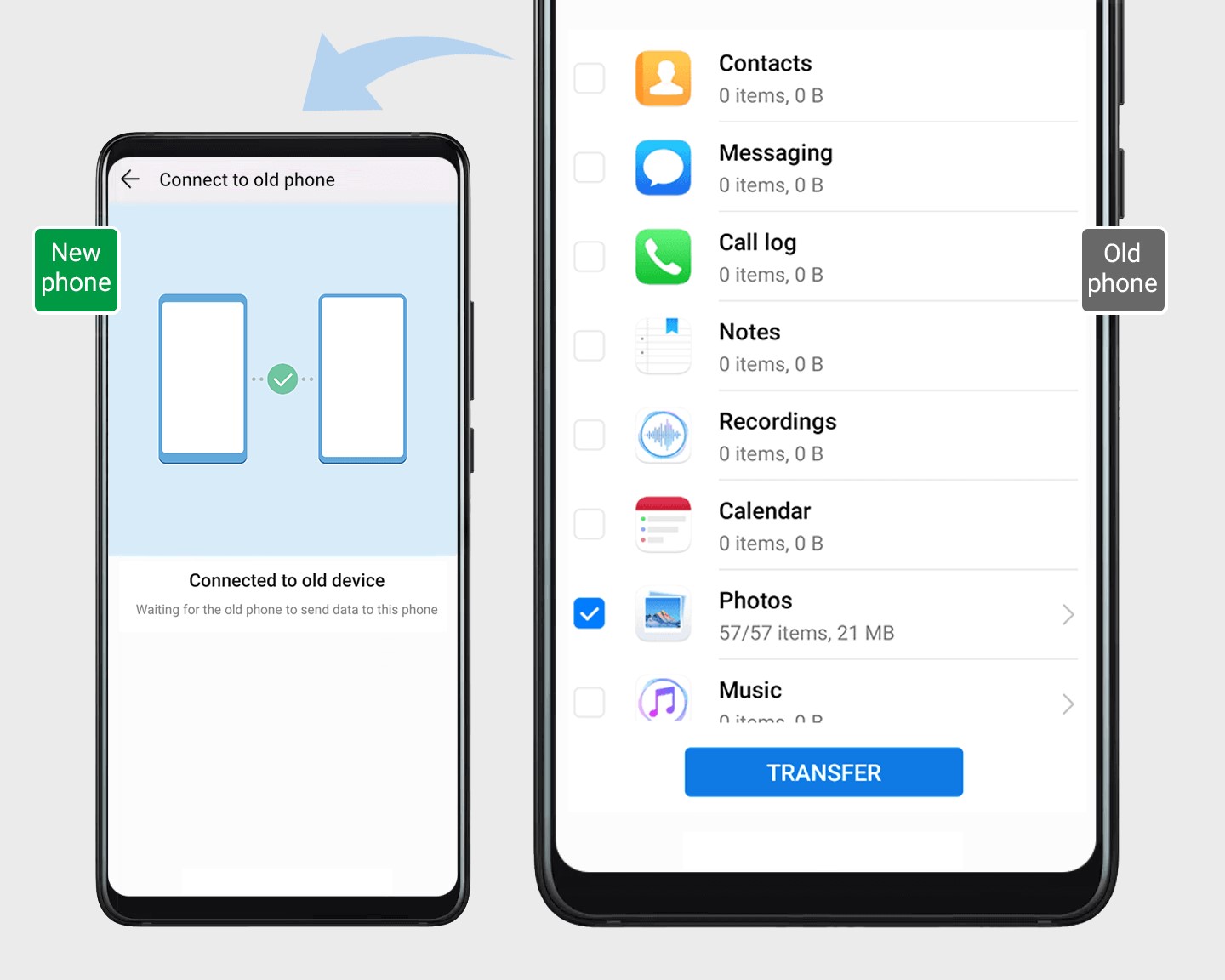
Got a new phone? Phone Clone’s got you covered. Transfer all your contacts, messages, apps, files and more at a rate of up to 1 GB per minute.
1. On your new phone, open Settings and go to System > Phone Clone.
2. Follow the onscreen instructions to connect your new phone to the old one. Select the data you wish to transfer and touch Transfer.
Note: Data transfer rate may vary with phone model.
Thanks for reading! Comment below to let us know your opinions.