

 More Products
 Compare










我的荣耀 开启荣耀之旅



 Disagree Terms
 Log out




[Tips & Tricks] How to Make Your Photo Alive with HONOR Phones


 Last reply :

#Lesson 2 Portrait Mode-How To Make you photo alive?
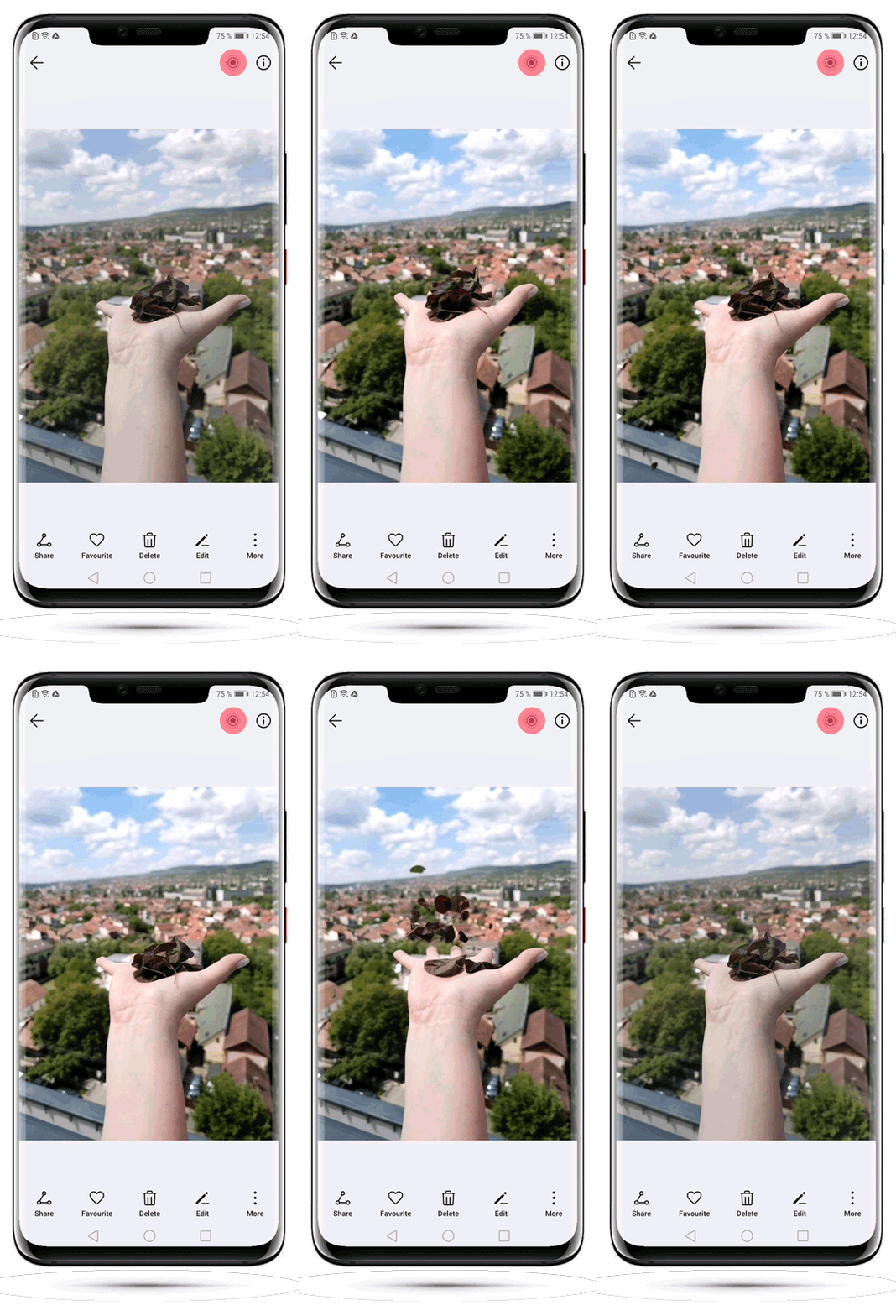
Do you want to know how to take such fun pictures? Actually without any exception APP or complicated tutorials, one simple button will realize it! Sounds cool, right? Now let’s check out this interesting function.
1. Enable Moving picture mode
With Moving picture mode, you can capture images one second before and after the shutter is pressed, finally merging them into one dynamic picture.
Open Camera and point it towards the moving object you want to shoot. Then tap on the small circle icon on the top of the screen to enable the moving picture mode.
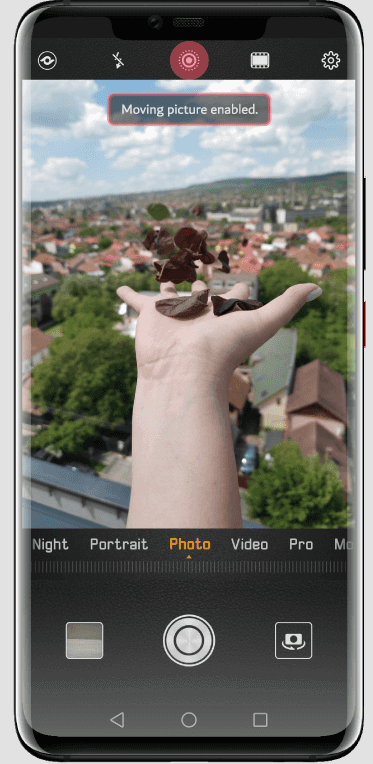
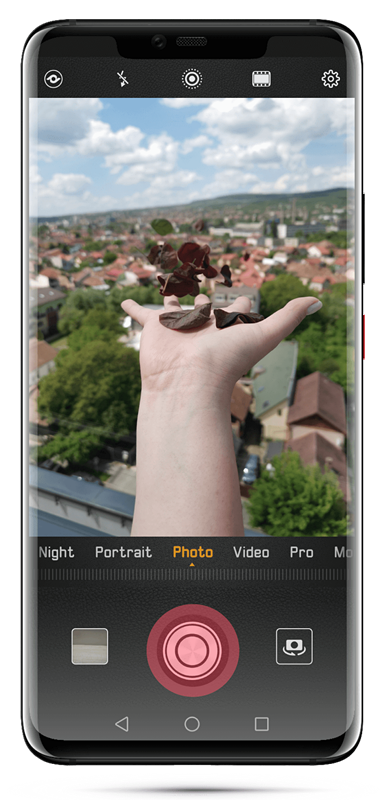
2. Take moving pictures: Press the shutter
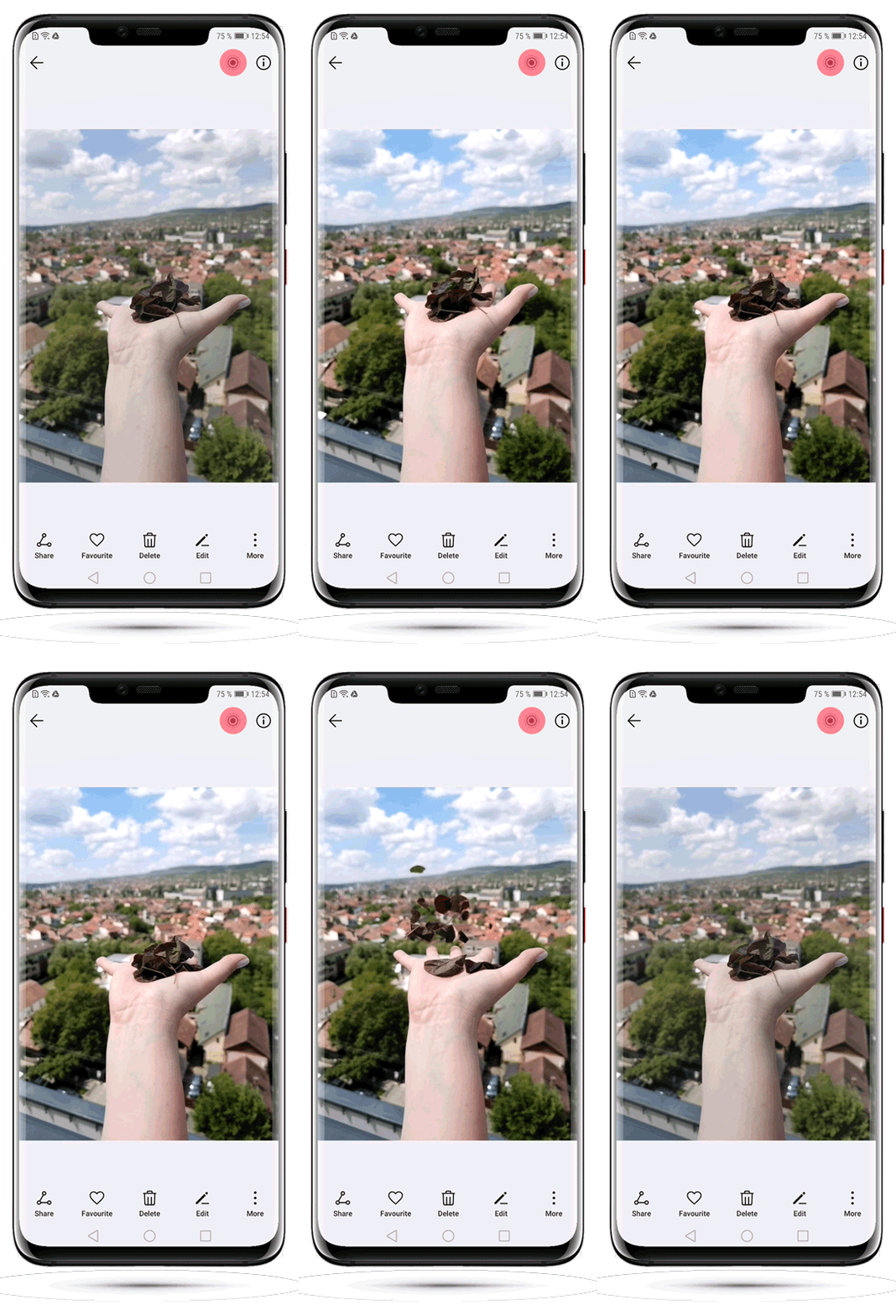
3. View moving pictures: Go to Gallery > Albums > Camera
Select the pictures and remember to touch the icon on the top, You will view the dynamic effect!
*Moving pictures will be saved to Gallery in JPG format.
Tips:
In order to play the dynamic effect, the receiving device must be HONOR or others that support moving pictures, otherwise the moving pictures will be displayed as static images.
Okay, this is Moving Picture. Welcome to share the pictures you take with it! If you have any advice for this class, please leave it in the comment zone and we will followJ!


- Posts
- Following
- Followers
- Energy
-

Leon Jia Yee
-
+ Follow

-
- 200 Posts
- 15 Following
- 264 Followers
- 15570 Energy


SUBSCRIPTION
I agree to receive the latest offers and information on HONOR products through email or IM (e.g. WhatsApp) provided below and advertisement on third-party platforms. I understand that I can unsubscribe anytime according to Chapter 5 of HONOR Platform Privacy Statement.
CONTACT

- Posts
- photo
- video

#Lesson 2 Portrait Mode-How To Make you photo alive?
Do you want to know how to take such fun pictures? Actually without any exception APP or complicated tutorials, one simple button will realize it! Sounds cool, right? Now let’s check out this interesting function.
1. Enable Moving picture mode
With Moving picture mode, you can capture images one second before and after the shutter is pressed, finally merging them into one dynamic picture.
Open Camera and point it towards the moving object you want to shoot. Then tap on the small circle icon on the top of the screen to enable the moving picture mode.
2. Take moving pictures: Press the shutter
3. View moving pictures: Go to Gallery > Albums > Camera
Select the pictures and remember to touch the icon on the top, You will view the dynamic effect!
*Moving pictures will be saved to Gallery in JPG format.
Tips:
In order to play the dynamic effect, the receiving device must be HONOR or others that support moving pictures, otherwise the moving pictures will be displayed as static images.
Okay, this is Moving Picture. Welcome to share the pictures you take with it! If you have any advice for this class, please leave it in the comment zone and we will followJ!