

 More Products
 Compare










我的荣耀 开启荣耀之旅


 Disagree Terms
 Log out




[Tips] How to Share Contacts Using Electronic Business Cards on HONOR 8X


 Last reply :
Share your business card: Open  Contacts and touch Me to set your profile picture and enter your name, work address, telephone number, and other information. Then touch
 and your device will automatically generate your QR code business card. You can share your business card directly using the QR code. Alternatively, touch
 , select a sharing method, and follow the onscreen instructions to share.
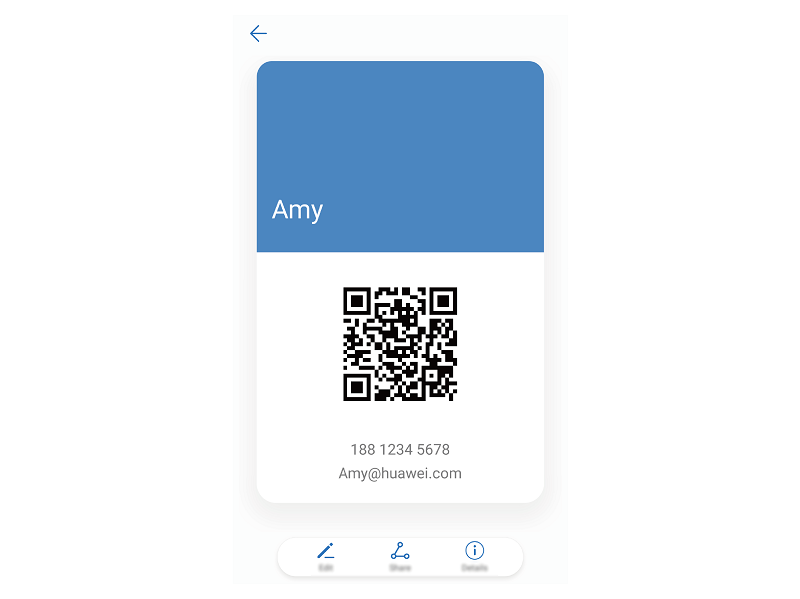
Share contacts: Open  Contacts, select the contact you want to share, and touch the QR code icon in the upper right corner to share the contact using the QR code. You can also touch Share, select a sharing method, and follow the onscreen instructions to complete the sharing process.
If the other party’s device supports QR code analysis, they can directly take pictures of or scan QR codes to add contacts.


- Posts
- Following
- Followers
- Energy
-

Honorfans16477
-
+ Follow

-
- 33 Posts
- 0 Following
- 0 Followers
- 182 Energy


SUBSCRIPTION
I agree to receive the latest offers and information on HONOR products through email or IM (e.g. WhatsApp) provided below and advertisement on third-party platforms. I understand that I can unsubscribe anytime according to Chapter 5 of HONOR Platform Privacy Statement.
CONTACT

- Posts
- photo
- video

Share your business card: Open Contacts and touch Me to set your profile picture and enter your name, work address, telephone number, and other information. Then touch
 and your device will automatically generate your QR code business card. You can share your business card directly using the QR code. Alternatively, touch
 , select a sharing method, and follow the onscreen instructions to share.
Share contacts: Open Contacts, select the contact you want to share, and touch the QR code icon in the upper right corner to share the contact using the QR code. You can also touch Share, select a sharing method, and follow the onscreen instructions to complete the sharing process.
If the other party’s device supports QR code analysis, they can directly take pictures of or scan QR codes to add contacts.