

 More Products
 Compare













我的荣耀 开启荣耀之旅



 Disagree Terms
 Log out




[Tips] How to Manage Your Home Screen Widgets on HONOR 8X


 Last reply :
Want to quickly manage widgets on your home screen? You can add, move or delete home screen widgets to tidy up your home screen and make it easier to use.
Add widgets: Touch and hold an empty area on the home screen to enter home screen editing mode. Touch Widgets, touch and hold a widget and drag it to an empty area on the home screen, or touch the widget you want.
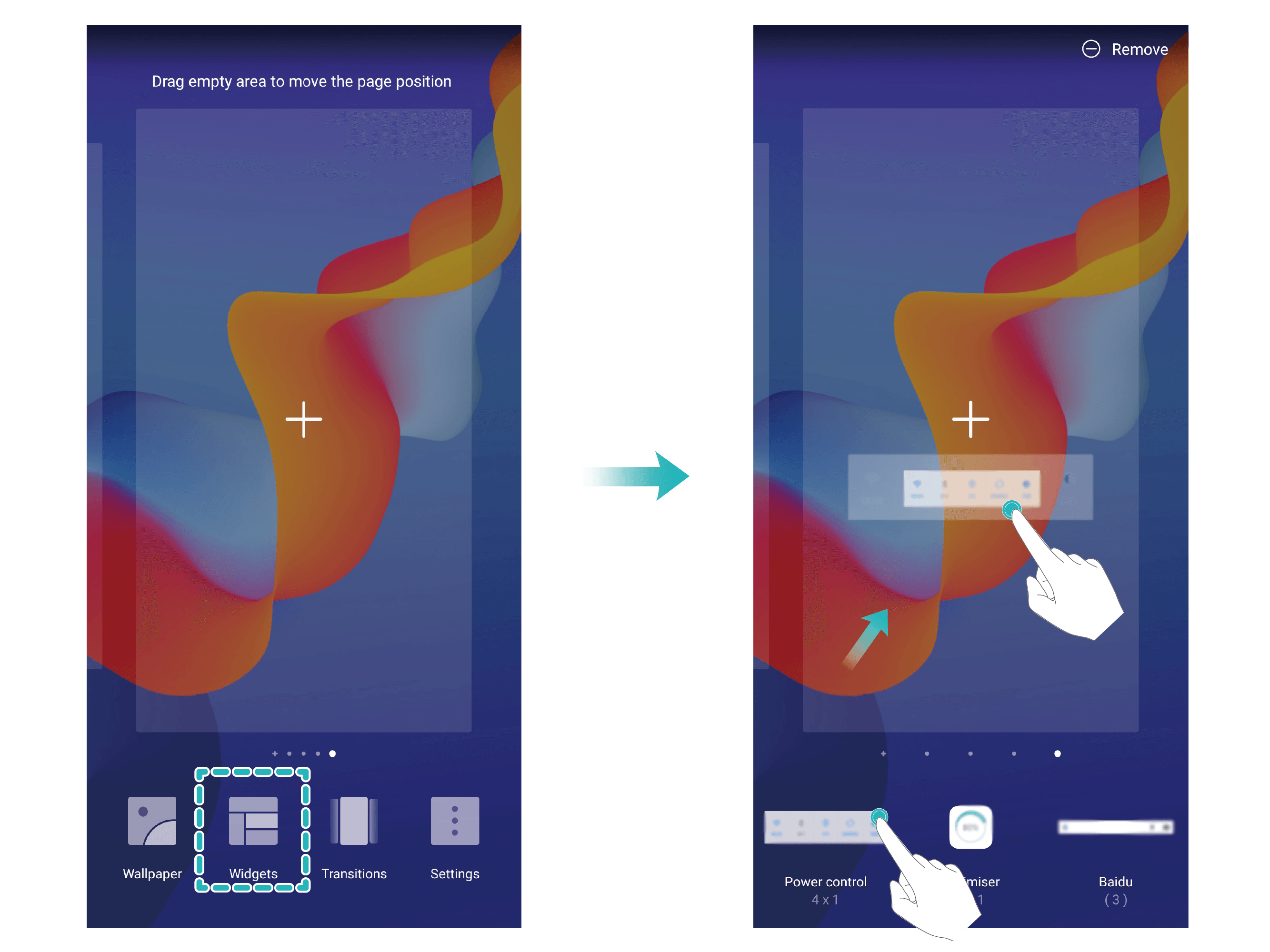
Note: Check that there are enough empty spaces on the home screen for the widget. If there is not enough space, add an empty screen page or free up some space on the current home screen page.
Delete widgets: Touch and hold a widget on the home screen until your phone vibrates. Drag the widget to Remove at the top of the screen.
Move widgets: Touch and hold a widget on the home screen until your phone vibrates. Drag the widget to any position on the screen.
This is the tip on how to manage your home screen widgets on HONOR 8X. Hope this helps!


- Posts
- Following
- Followers
- Energy
-

gloryKing
-
+ Follow

-
- 111 Posts
- 0 Following
- 23 Followers
- 527 Energy


SUBSCRIPTION
I agree to receive the latest offers and information on HONOR products through email or IM (e.g. WhatsApp) provided below and advertisement on third-party platforms. I understand that I can unsubscribe anytime according to Chapter 5 of HONOR Platform Privacy Statement.
CONTACT

- Posts
- photo
- video

Want to quickly manage widgets on your home screen? You can add, move or delete home screen widgets to tidy up your home screen and make it easier to use.
Add widgets: Touch and hold an empty area on the home screen to enter home screen editing mode. Touch Widgets, touch and hold a widget and drag it to an empty area on the home screen, or touch the widget you want.
Note: Check that there are enough empty spaces on the home screen for the widget. If there is not enough space, add an empty screen page or free up some space on the current home screen page.
Delete widgets: Touch and hold a widget on the home screen until your phone vibrates. Drag the widget to Remove at the top of the screen.
Move widgets: Touch and hold a widget on the home screen until your phone vibrates. Drag the widget to any position on the screen.
This is the tip on how to manage your home screen widgets on HONOR 8X. Hope this helps!