

 More Products
 Compare




































我的荣耀 开启荣耀之旅



 Disagree Terms
 Log out




[Tips] How to get "Watch Faces Store" for HONOR Band 5 & HONOR MAGIC Watch


 Last reply :
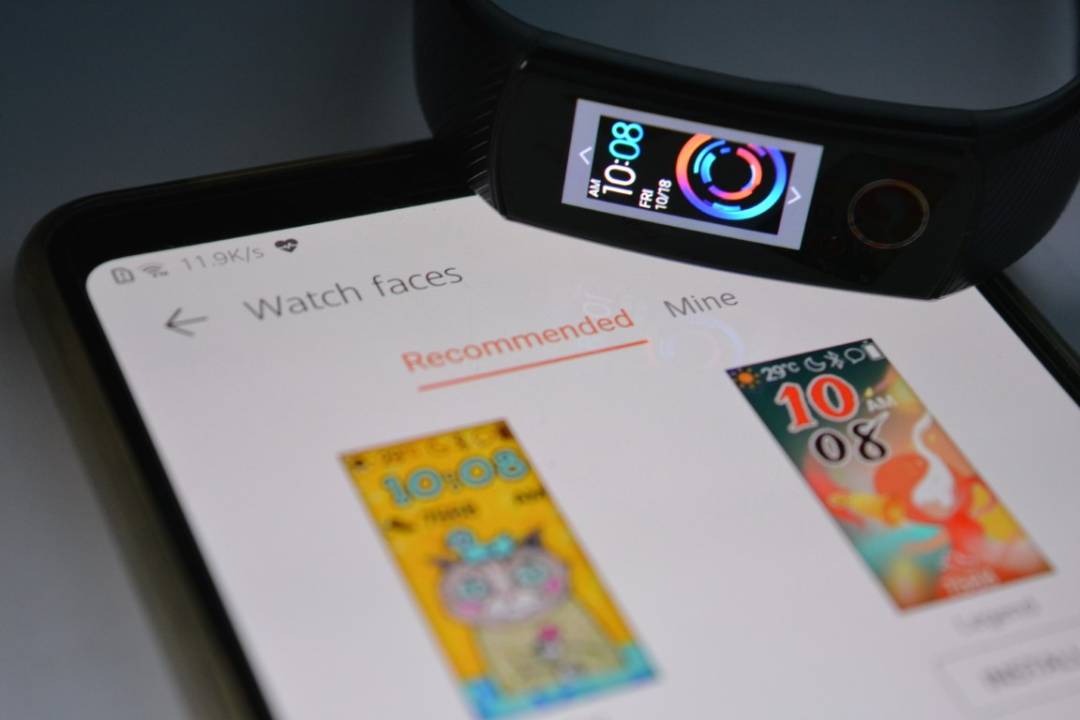
HONOR released its Band 5 recently in India, and it is selling like a hot cake, and one of the most exciting thing about HONOR Band 5 is "WATCH FACES Store" , however, it is yet to launch in India, however, if you own a HONOR BAND 5 and want to have all faces available, Go through below steps to get it right now :) Watch Faces store comes under your Huawei Health App, no seperated App available. I did all steps one by one and below is what i get under Health App
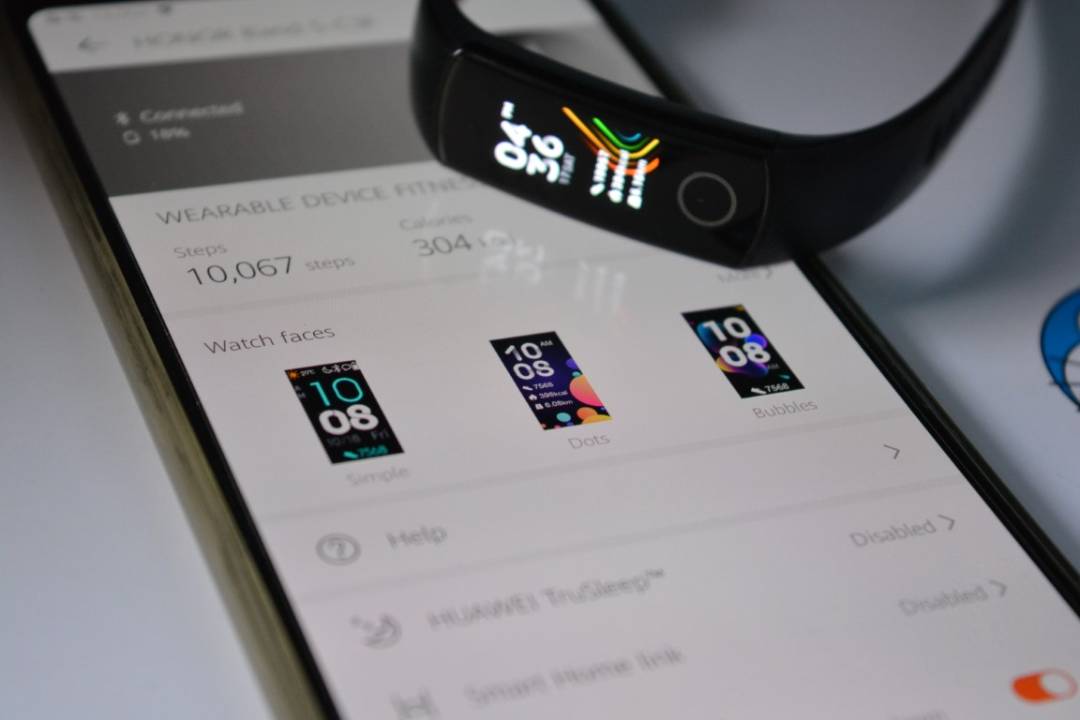
Step 1 : Uninstall Health App Or if you haven't installed it yet, Install it (but don't open it)

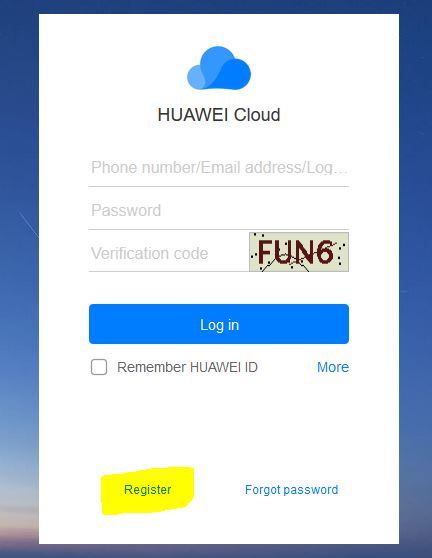
Step 2 : https://cloud.huawei.com/ and Click on Register
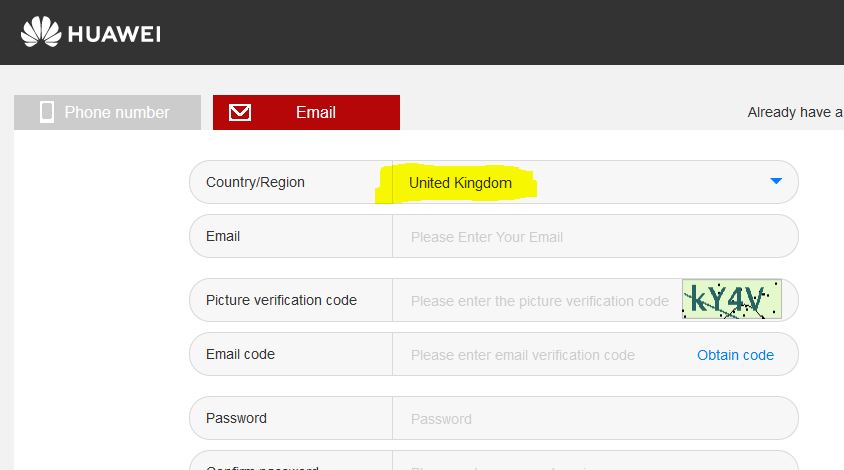
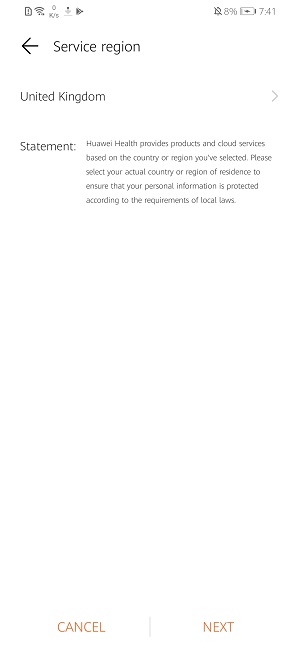
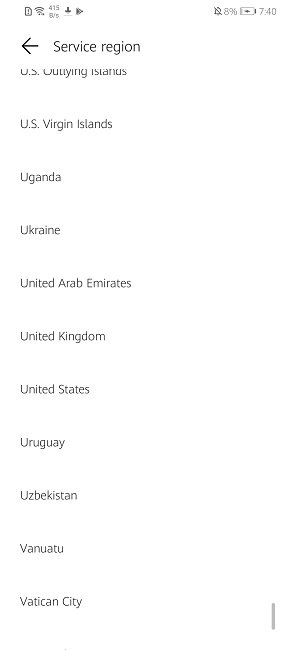
Step 3: Select Country/Region as "United Kingdom" Or "China" Region and enter your details (UK ID doesn't need Phone number)
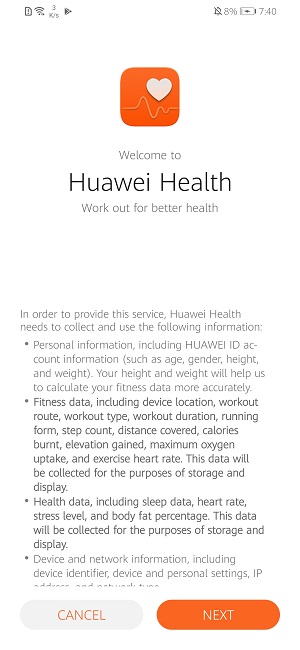
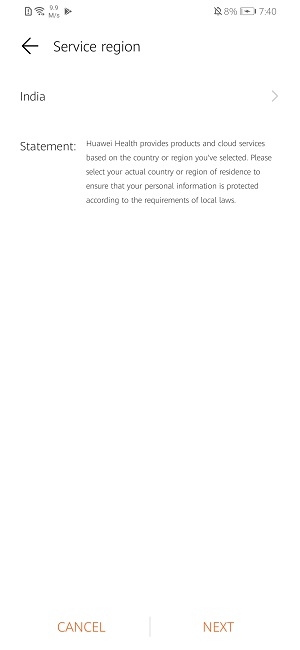
Step 4 :After your ID Successfully created and verified on email, Logout from your Huawei Account on your device (Setting -> Top option for Huawei account -> Logout) Step 5 :Login with UK or China ID, which you created (temporary login) Step 6 :Open HUAWEI HEALTH APP (which you recently install Or If uninstalled, install it again from Playstore) Step 7 (IMPORTANT STEP) :Once you open Health App, it will ask for "Country/Region" Selection, Make sure you select SAME region which you used in Registering your ID in Step 3 (Update : Screenshots attached , tried on HONOR 20i)
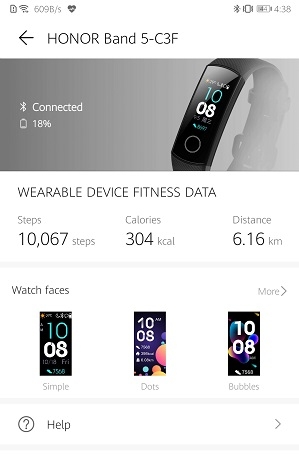
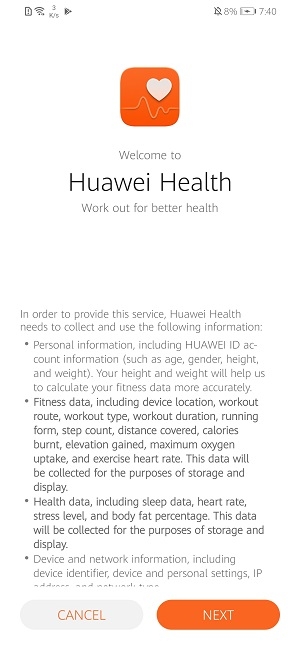
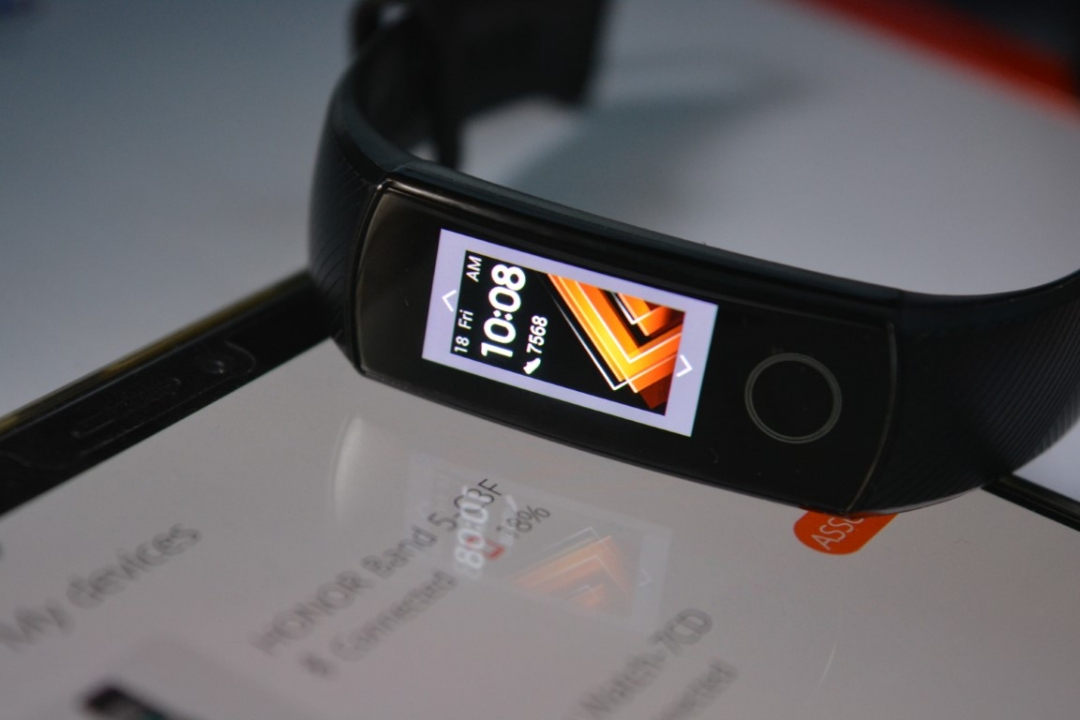
Step 8 : Click on "+" sign on right top corner on your Health App to Add YOUR HONOR BAND 5 or HONOR Magic Watch THATS IT!! It will reconnect after 5 seconds and voila, you have Watch Faces Store available on your Health App. Below are AMAZING Watch faces for HONOR Band 5 You can Install a lot of Watch faces Or Remove as well "Under MINE" Section Once you are done with installing Watch faces, you can revert back to your ID (however, it will remove faces store), but it will keep all Watch faces on your Watch or Band 5. Try above method and share in comment, if you receive the same store OR not. It works perfectly on HONOR MAGIC Watch too :) Special Thanks to Shreyansh (our HONOR community Moderator) for this method and Watch faces :) Share your favorite watch faces on comment below Or if you have any query. Disclaimer : I have tested this on my Band 5 and HONOR Watch (using my HONOR Note 10 device & Honor 20i), i f it doesn't work on your device, there might be some restrictions Or other reason , Also, it doesn't work on HONOR BAND 4 Source:https://iforum-sg.c.hihonor.com/in/topic/442173/detail.htm


- Posts
- Following
- Followers
- Energy
-
 Hasif
HONOR Content Crew
Hasif
HONOR Content Crew
-
+ Follow

-
- 159 Posts
- 33 Following
- 460 Followers
- 11825 Energy


SUBSCRIPTION
I agree to receive the latest offers and information on HONOR products through email or IM (e.g. WhatsApp) provided below and advertisement on third-party platforms. I understand that I can unsubscribe anytime according to Chapter 5 of HONOR Platform Privacy Statement.
CONTACT

- Posts
- photo
- video

HONOR released its Band 5 recently in India, and it is selling like a hot cake, and one of the most exciting thing about HONOR Band 5 is "WATCH FACES Store" , however, it is yet to launch in India, however, if you own a HONOR BAND 5 and want to have all faces available, Go through below steps to get it right now :) Watch Faces store comes under your Huawei Health App, no seperated App available. I did all steps one by one and below is what i get under Health App
Step 1 : Uninstall Health App Or if you haven't installed it yet, Install it (but don't open it)
Step 2 : https://cloud.huawei.com/ and Click on Register
Step 3: Select Country/Region as "United Kingdom" Or "China" Region and enter your details (UK ID doesn't need Phone number)
Step 4 :After your ID Successfully created and verified on email, Logout from your Huawei Account on your device (Setting -> Top option for Huawei account -> Logout) Step 5 :Login with UK or China ID, which you created (temporary login) Step 6 :Open HUAWEI HEALTH APP (which you recently install Or If uninstalled, install it again from Playstore) Step 7 (IMPORTANT STEP) :Once you open Health App, it will ask for "Country/Region" Selection, Make sure you select SAME region which you used in Registering your ID in Step 3 (Update : Screenshots attached , tried on HONOR 20i)
Step 8 : Click on "+" sign on right top corner on your Health App to Add YOUR HONOR BAND 5 or HONOR Magic Watch THATS IT!! It will reconnect after 5 seconds and voila, you have Watch Faces Store available on your Health App. Below are AMAZING Watch faces for HONOR Band 5 You can Install a lot of Watch faces Or Remove as well "Under MINE" Section Once you are done with installing Watch faces, you can revert back to your ID (however, it will remove faces store), but it will keep all Watch faces on your Watch or Band 5. Try above method and share in comment, if you receive the same store OR not. It works perfectly on HONOR MAGIC Watch too :) Special Thanks to Shreyansh (our HONOR community Moderator) for this method and Watch faces :) Share your favorite watch faces on comment below Or if you have any query. Disclaimer : I have tested this on my Band 5 and HONOR Watch (using my HONOR Note 10 device & Honor 20i), i f it doesn't work on your device, there might be some restrictions Or other reason , Also, it doesn't work on HONOR BAND 4 Source:https://iforum-sg.c.hihonor.com/in/topic/442173/detail.htm