

 More Products
 Compare













我的荣耀 开启荣耀之旅



 Disagree Terms
 Log out




[Tips] File Transfer Using Wi-Fi Direct on Honor 8X


 Last reply :
Wi-Fi Direct allows you to rapidly transfer data between Huawei/ HONOR devices. Wi-Fi Direct is faster than Bluetooth and does not require devices to be paired. It is better suited to transferring large files over short distances.
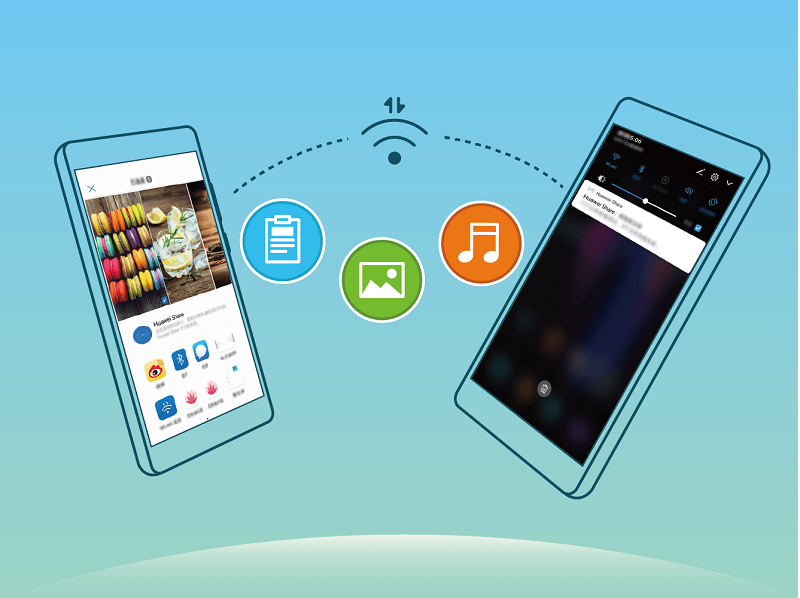
Send files with Wi-Fi Direct: Open  Files, touch and hold a file you want to send, and go to Share > Wi-Fi Direct. When another device is detected, touch its name to establish the connection and begin file transfer.
Receive files with Wi-Fi direct: Enable Wi-Fi. In the Wi-Fi settings screen, touch to enable detection. When you receive an incoming file prompt, touch Accept to begin the transfer. The received file will be saved under Files in the Wi-Fi Direct folder by default.


- Posts
- Following
- Followers
- Energy
-

gloryKing
-
+ Follow

-
- 111 Posts
- 0 Following
- 23 Followers
- 527 Energy


SUBSCRIPTION
I agree to receive the latest offers and information on HONOR products through email or IM (e.g. WhatsApp) provided below and advertisement on third-party platforms. I understand that I can unsubscribe anytime according to Chapter 5 of HONOR Platform Privacy Statement.
CONTACT

- Posts
- photo
- video

Wi-Fi Direct allows you to rapidly transfer data between Huawei/ HONOR devices. Wi-Fi Direct is faster than Bluetooth and does not require devices to be paired. It is better suited to transferring large files over short distances.
Send files with Wi-Fi Direct: Open Files, touch and hold a file you want to send, and go to Share > Wi-Fi Direct. When another device is detected, touch its name to establish the connection and begin file transfer.
Receive files with Wi-Fi direct: Enable Wi-Fi. In the Wi-Fi settings screen, touch to enable detection. When you receive an incoming file prompt, touch Accept to begin the transfer. The received file will be saved under Files in the Wi-Fi Direct folder by default.