

 More Products
 Compare
















我的荣耀 开启荣耀之旅



 Disagree Terms
 Log out




How to Use Google Meet (Hangout) on HONOR 9XPro and HMS devise


 Last reply :
How to Use Google Meet (Hangout) on HONOR 9XPro and HMS devise
As you all know Google Meet are very commen those days School and Work also needed to use on online class room and online meeting. without GMS the Google Meet app can't work. so this post i'm gonna teach you how to use google Meet on none GMS phone.
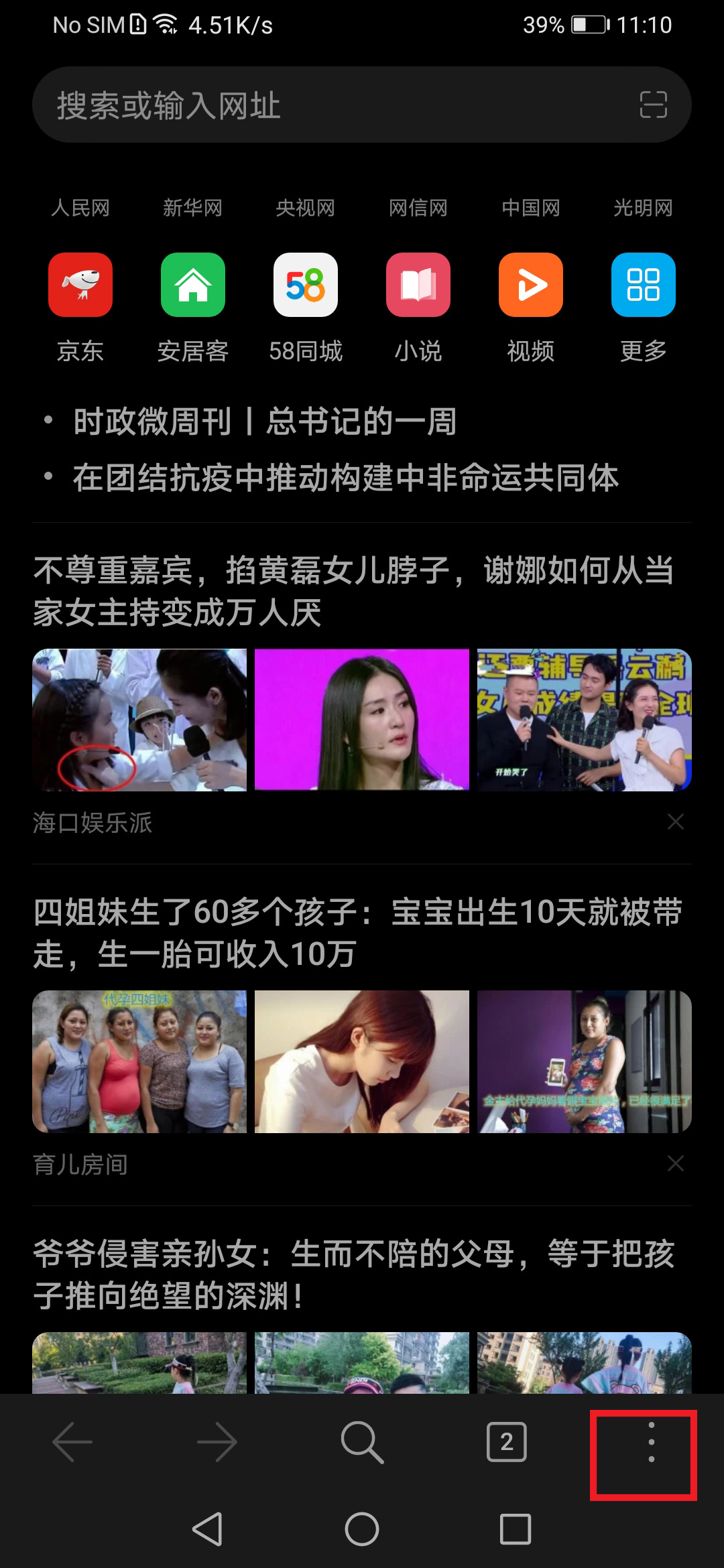
1)first open your Huawei broswer and click the 3 dots at the bottom right

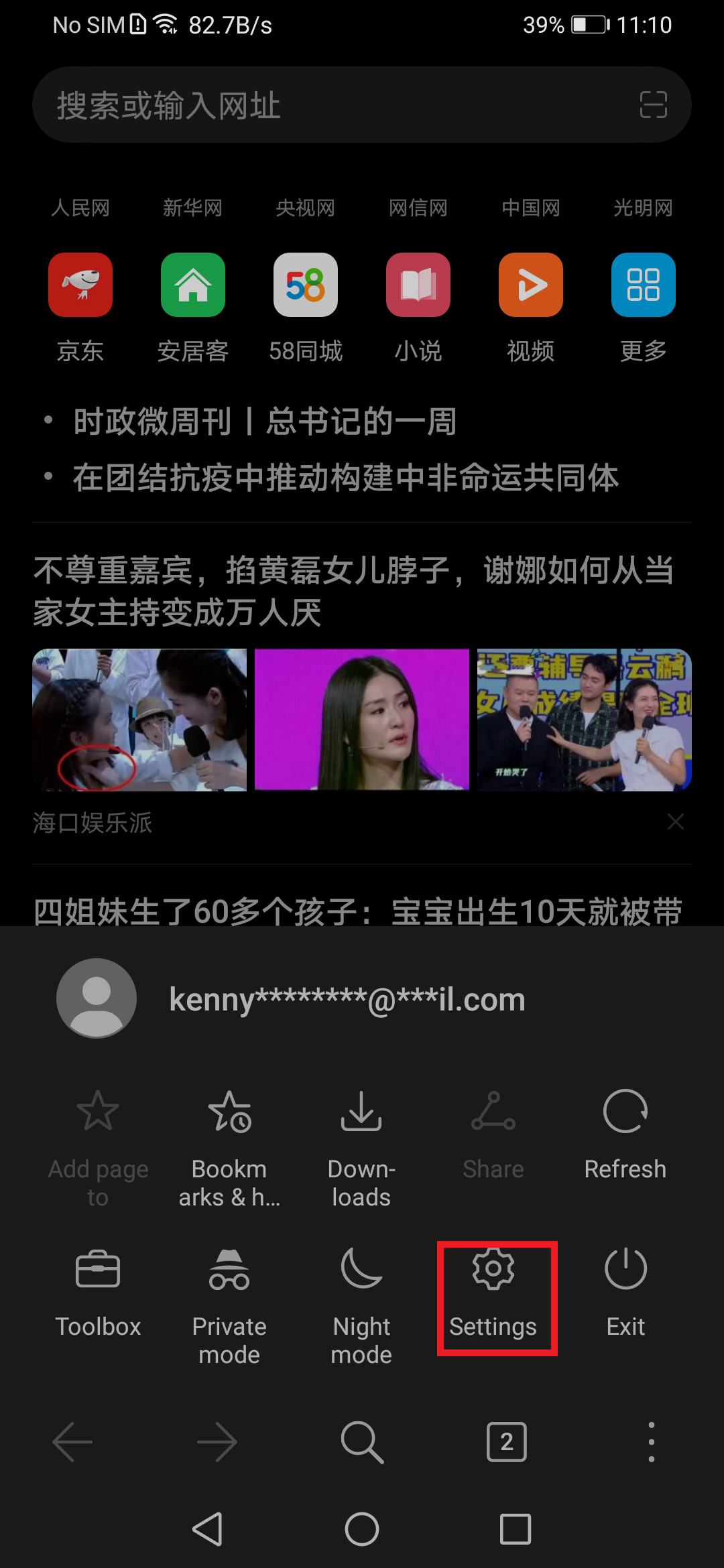
2) Then goto setting
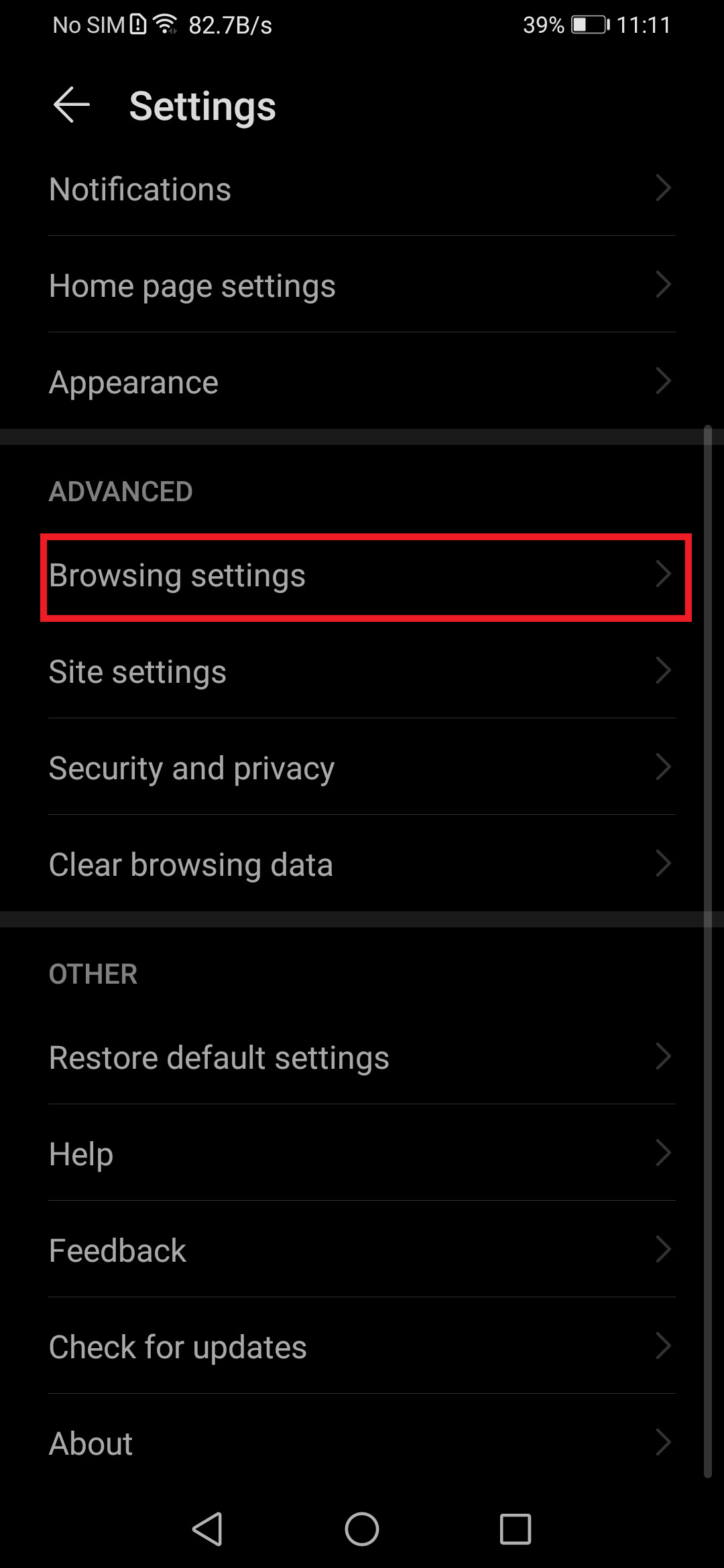
3) Then Advance>Choose Brosweing settings
4) In the Broswing Seetings Choose Browser UA
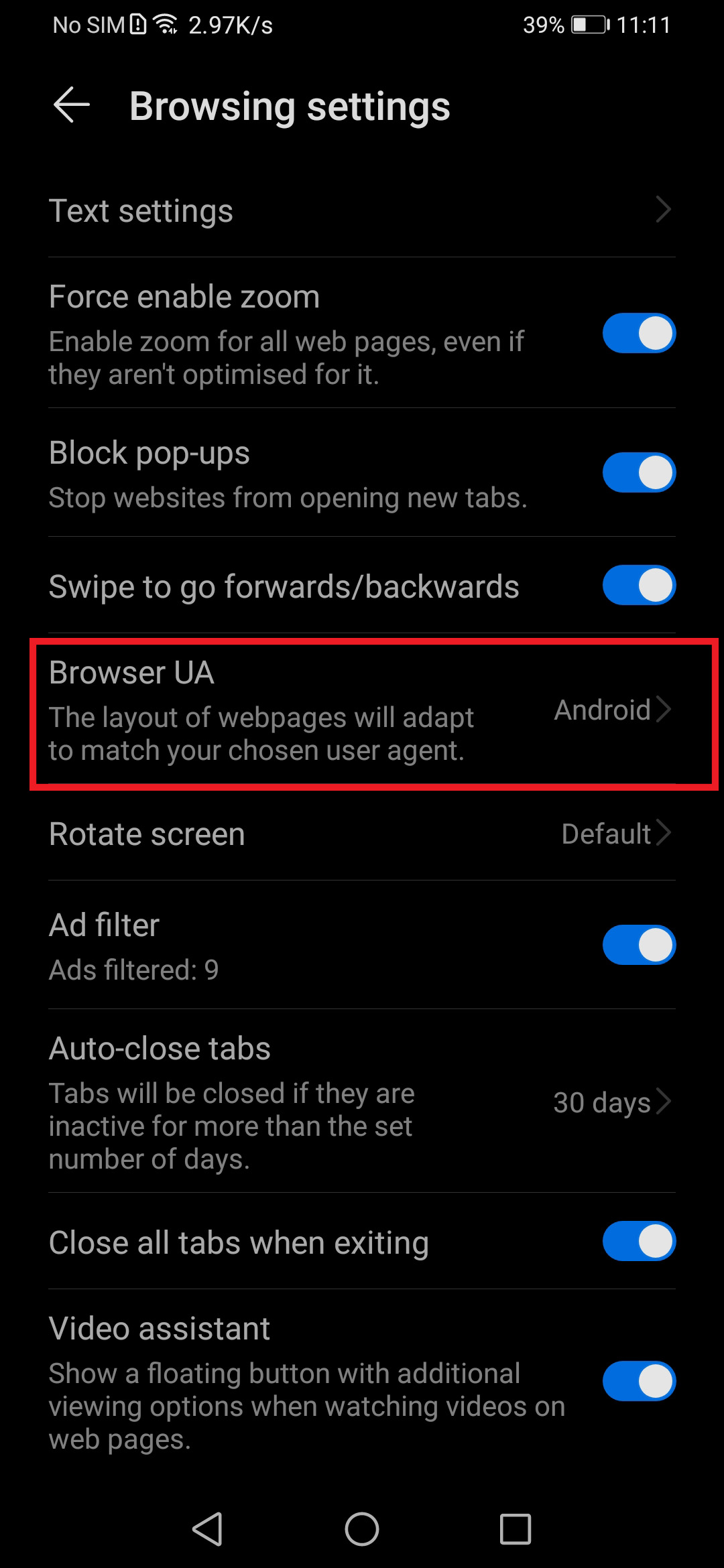
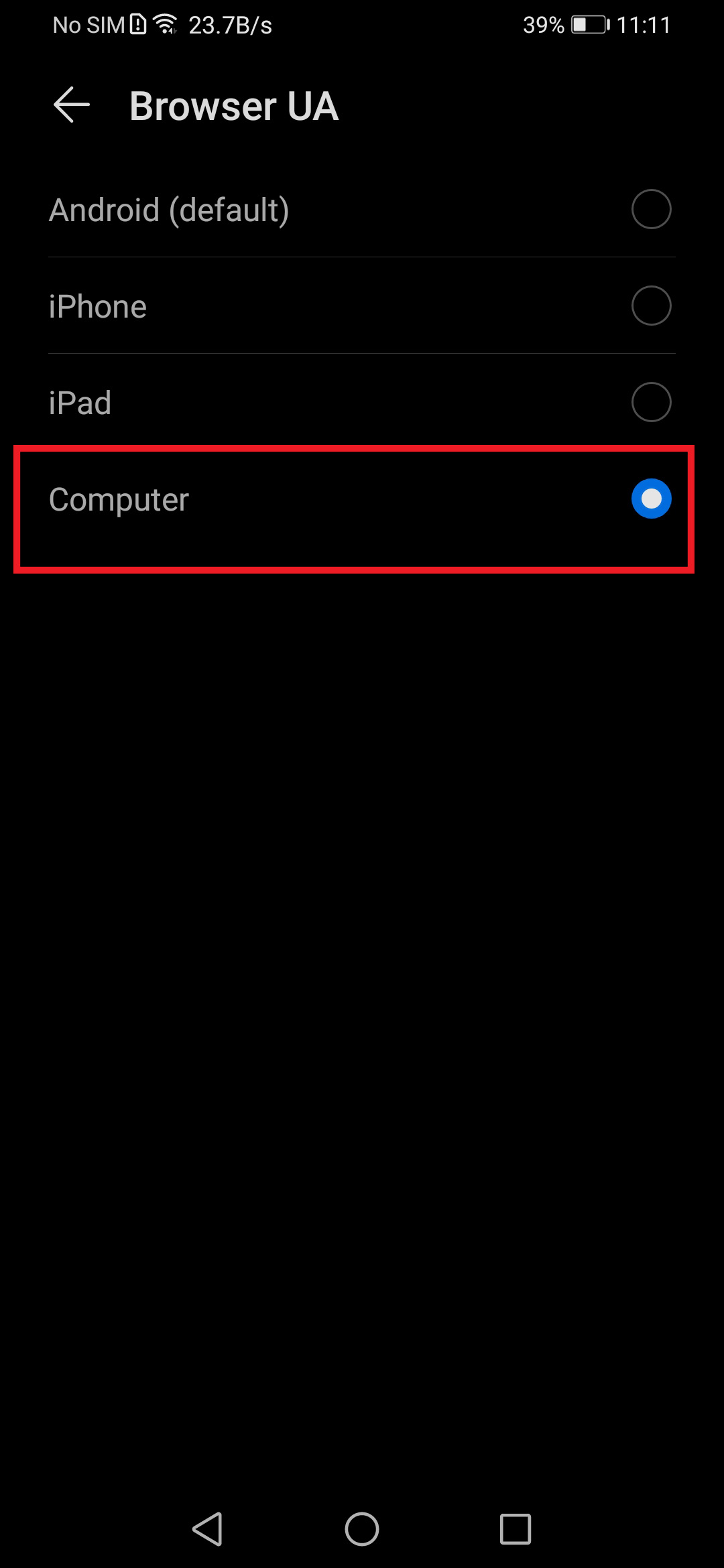
5) In the Browsing UA choose Computer
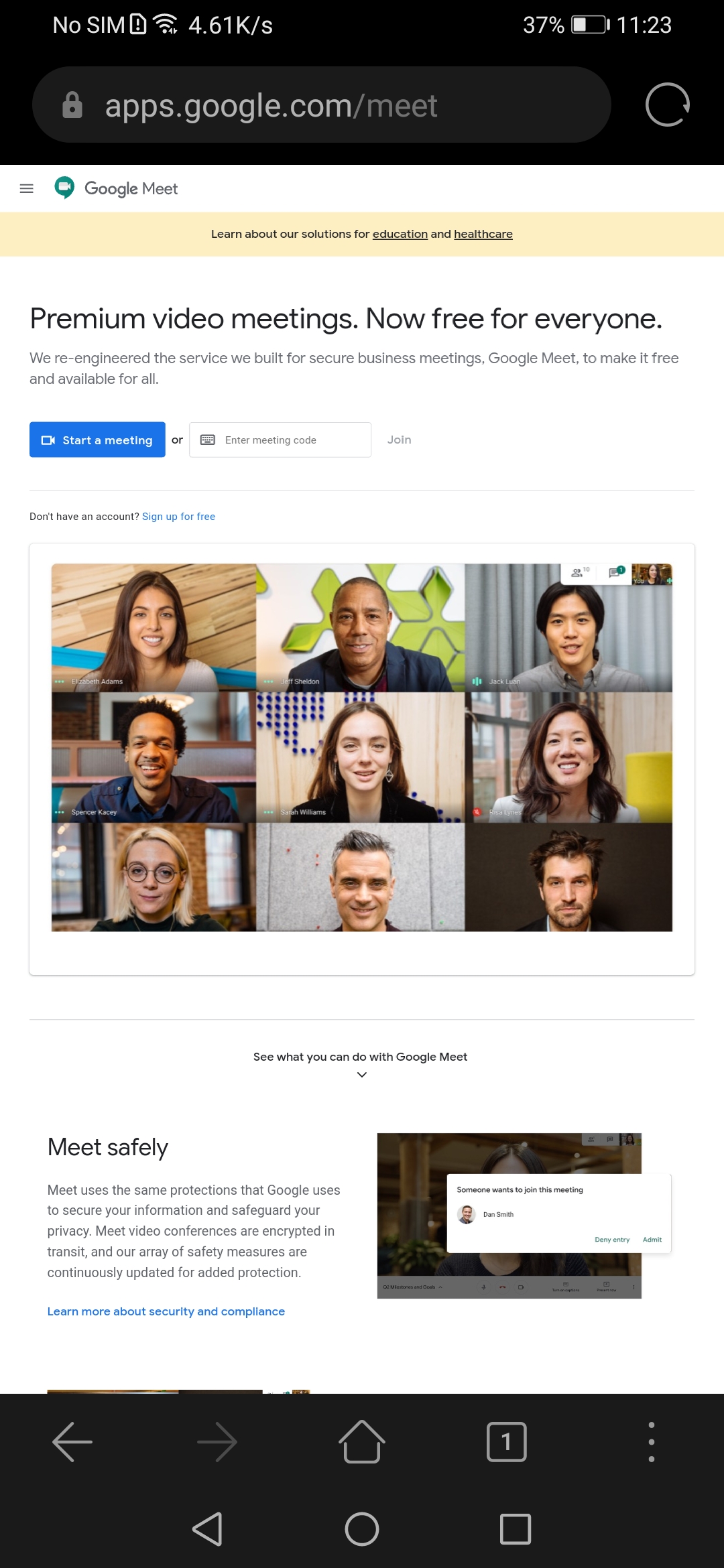
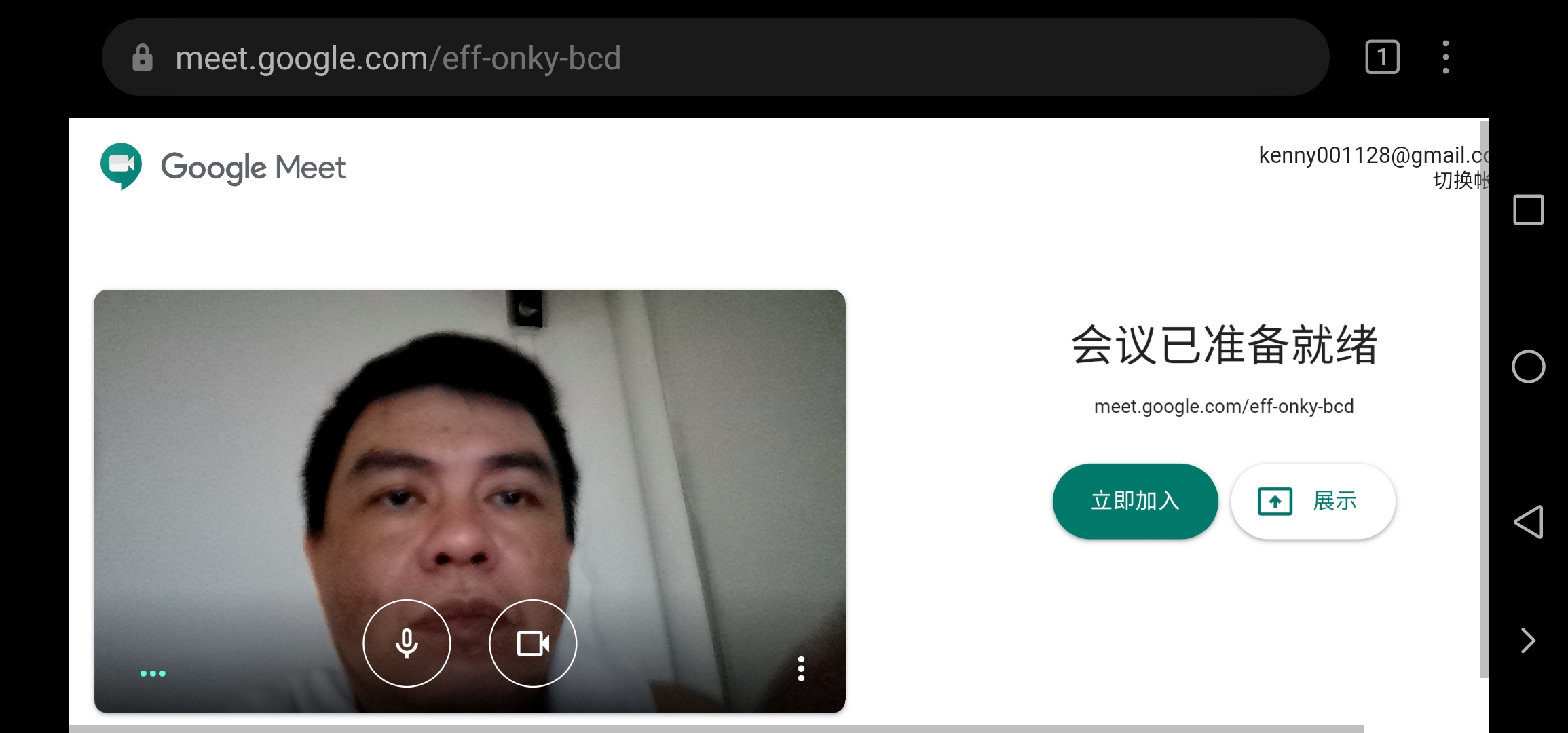
6) Then Go back to the broswer home page key in this web site meet.google.com then you will see this page
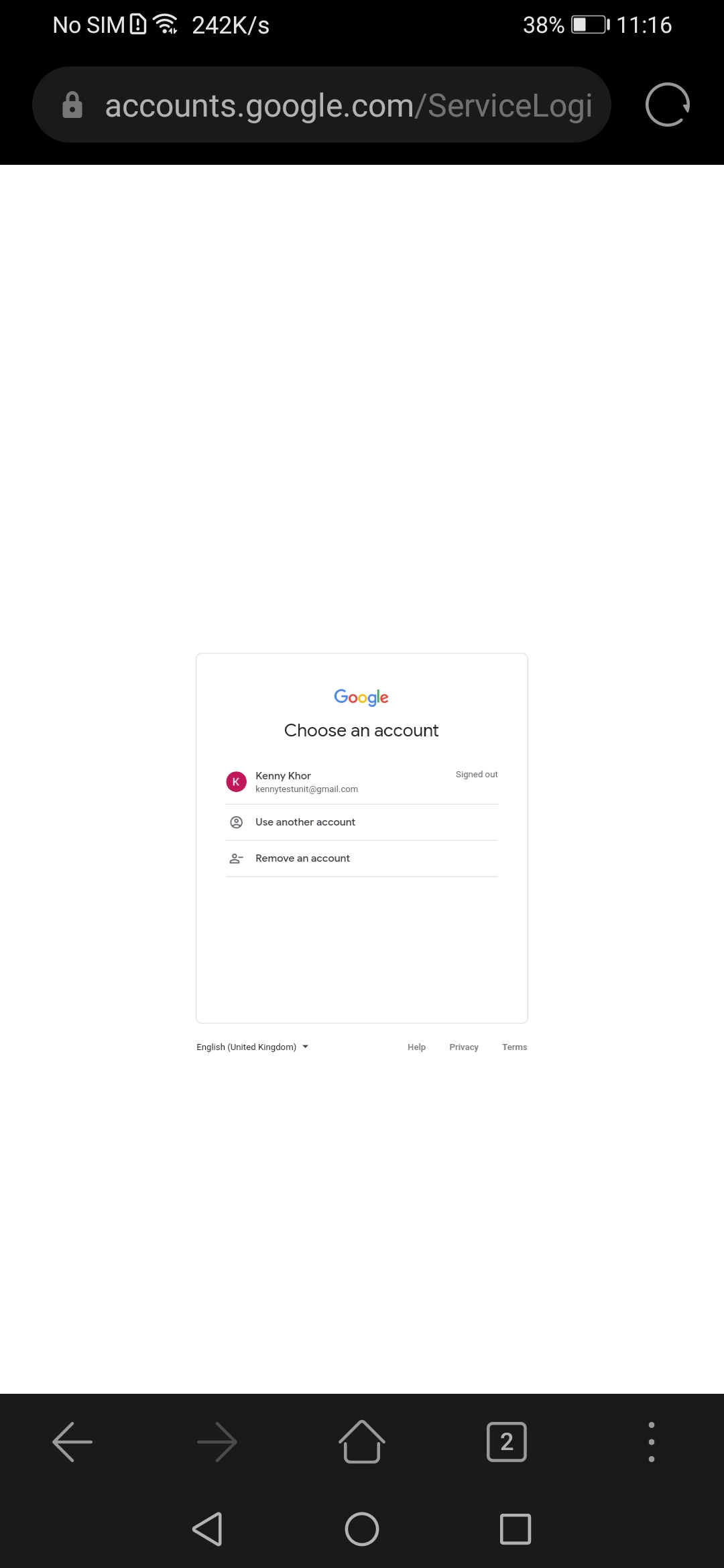
7) click on the Start Meeting or keyin your meeting code it will jump in the login page select your account to login
8) Now you can start any video meeting or class room


- Posts
- Following
- Followers
- Energy
-

 Kenny Khor
HONOR Content Crew
Kenny Khor
HONOR Content Crew
-
+ Follow

-
- 288 Posts
- 14 Following
- 985 Followers
- 32592 Energy


SUBSCRIPTION
I agree to receive the latest offers and information on HONOR products through email or IM (e.g. WhatsApp) provided below and advertisement on third-party platforms. I understand that I can unsubscribe anytime according to Chapter 5 of HONOR Platform Privacy Statement.
CONTACT

- Posts
- photo
- video

How to Use Google Meet (Hangout) on HONOR 9XPro and HMS devise
As you all know Google Meet are very commen those days School and Work also needed to use on online class room and online meeting. without GMS the Google Meet app can't work. so this post i'm gonna teach you how to use google Meet on none GMS phone.
1)first open your Huawei broswer and click the 3 dots at the bottom right
2) Then goto setting
3) Then Advance>Choose Brosweing settings
4) In the Broswing Seetings Choose Browser UA
5) In the Browsing UA choose Computer
6) Then Go back to the broswer home page key in this web site meet.google.com then you will see this page
7) click on the Start Meeting or keyin your meeting code it will jump in the login page select your account to login
8) Now you can start any video meeting or class room