

 More Products
 Compare













我的荣耀 开启荣耀之旅


 Disagree Terms
 Log out




How to Take 3D Panorama on Android Phone Honor 10


 Last reply :
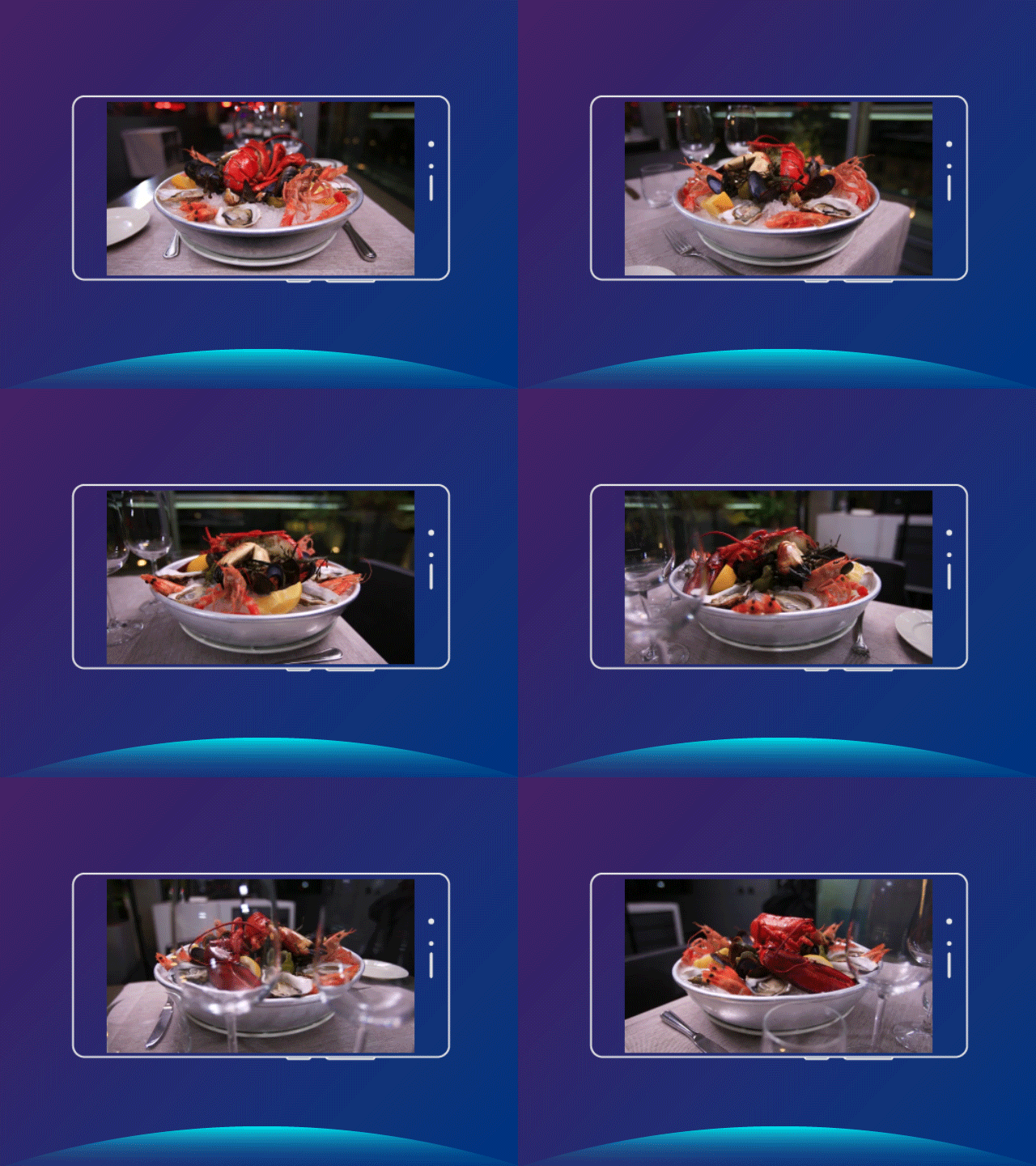
Want to record the beauty of a scene or object from multiple angles? Enable 3D panorama and take a panoramic photo to make the photo more lifelike.
Go on reading and we will show you how to take 3D panorama on Android phone HONOR 10.
Go to  . Touch and hold
  to start shooting. Follow the onscreen prompts to move the Phone slowly around your subject in one direction. Release
  to stop shooting. After shooting, touch the camera thumbnail, and then touch
  near the top of the photo. The Phone will automatically generate a 3D panoramic photo.
After shooting is complete, open Gallery, touch the 3D panoramic photo with a  tag, and then touch
  . Then, tilt the Phone or drag the photo to view the 3D effect.


- Posts
- Following
- Followers
- Energy
-

Rane
-
+ Follow

-
- 42 Posts
- 0 Following
- 1 Followers
- 192 Energy


SUBSCRIPTION
I agree to receive the latest offers and information on HONOR products through email or IM (e.g. WhatsApp) provided below and advertisement on third-party platforms. I understand that I can unsubscribe anytime according to Chapter 5 of HONOR Platform Privacy Statement.
CONTACT

- Posts
- photo
- video

Want to record the beauty of a scene or object from multiple angles? Enable 3D panorama and take a panoramic photo to make the photo more lifelike.
Go on reading and we will show you how to take 3D panorama on Android phone HONOR 10.
Go to Camera > More > 3D panorama. Touch and hold
  to start shooting. Follow the onscreen prompts to move the Phone slowly around your subject in one direction. Release
  to stop shooting. After shooting, touch the camera thumbnail, and then touch
  near the top of the photo. The Phone will automatically generate a 3D panoramic photo.
After shooting is complete, open Gallery, touch the 3D panoramic photo with a tag, and then touch
  . Then, tilt the Phone or drag the photo to view the 3D effect.