

 More Products
 Compare













我的荣耀 开启荣耀之旅



 Disagree Terms
 Log out




Honor 8X Long-Term Review (Part 4 - EMUI 9 for 8X)


 Last reply :
The Honor X series still uses EMUI as its operating system and not the rebranded Magic UI 2.0; a next generation AI-powered system, with stylish interface, AI capabilities and evolving smart assistance already found running on the Honor Magic 2 plus Honor View 20
EMUI 9 on the Honor 8X is exactly similar to other Honor devices running EMUI 9 like the Honor Play with the immediate noticeable changes being “Digital balance” in Settings. Others such as HiTouch (visual shopping) are hidden behind menus and isn’t that obvious
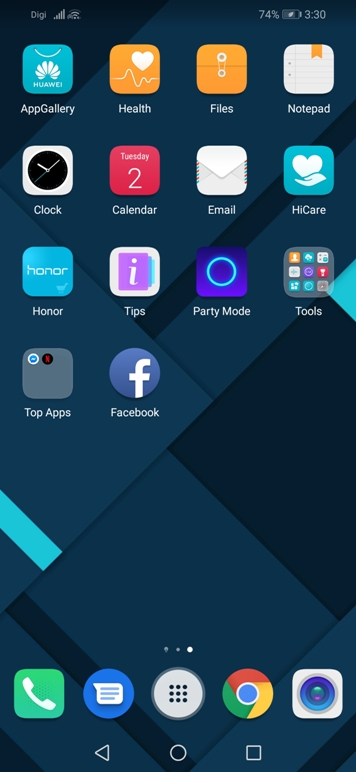 Home screen
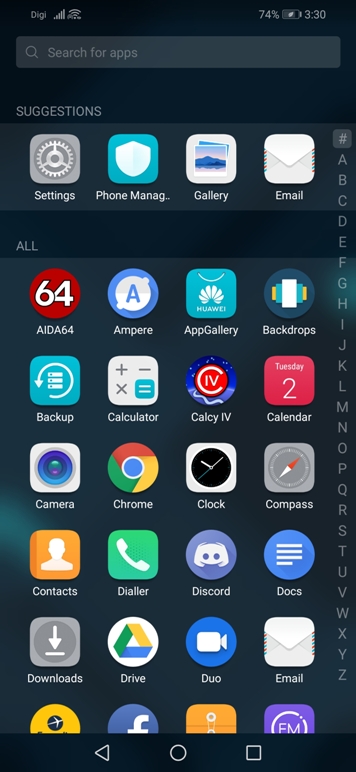 App drawer
There’s a search bar at the top to search for apps only if you have selected drawer as your home screen style. Swiping down on the top of the screen brings out the notification panel where activated switches having an azure blue highlight to their respective icons
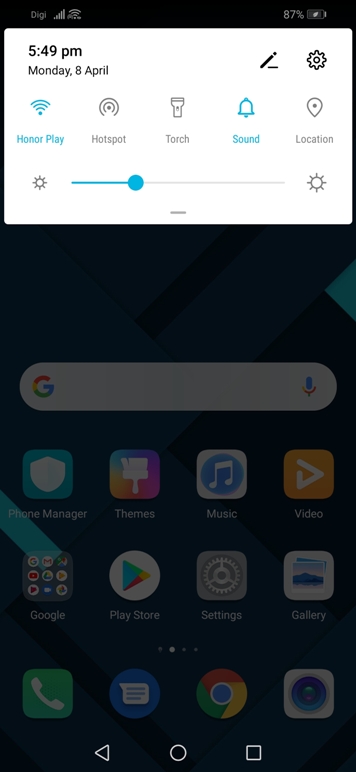 Notification panel
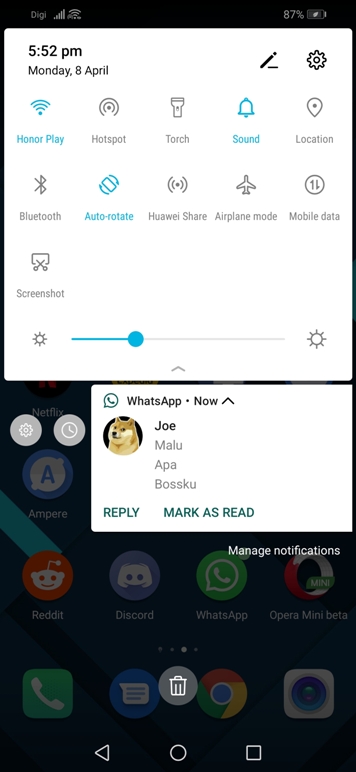 Notification settings
Notifications can be dismissed by swiping it all the way either to the left or right. Swiping it half-way either side gives you the option to delay it (mute) or access its notifications settings. There’s also a drop-down where you can expand the notification for more gist
 Notification icons
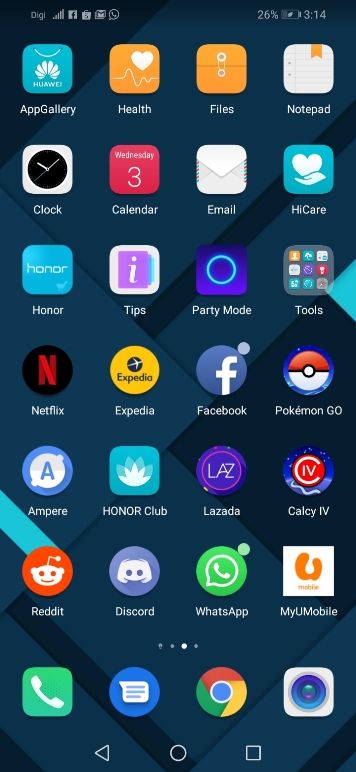
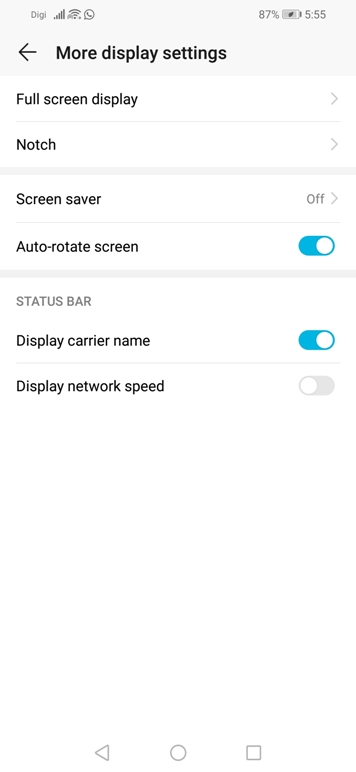
The status bar area to the left of the notch houses up to 4 notification icons besides the carrier name, mobile signal strength and data connection. A dot appears on the upper-right of the app icon to signify new notifications or unread messages changeable via settings
 Status bar settings
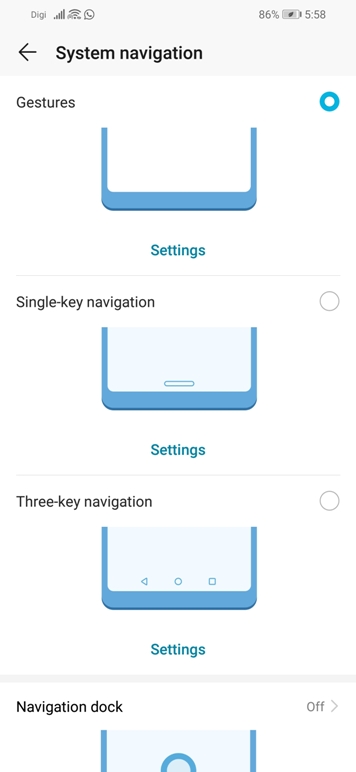
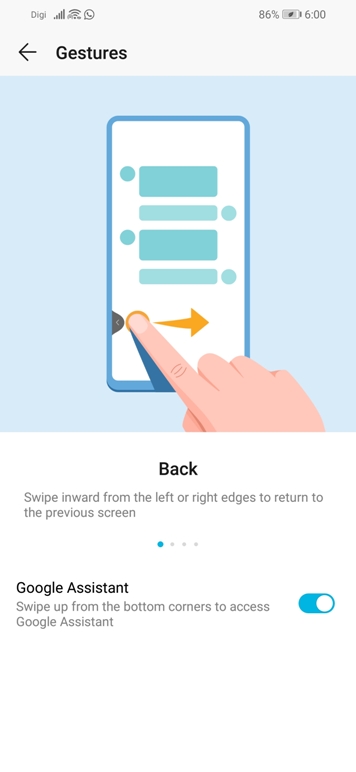
There are 4 system navigation style to choose from with the most intuitive being gestures. Gestures such as swiping inwards from the left or right edges to return to the previous screen makes it way easier than reaching all the way to the top in hitting the back button
 System navigation
 Gestures explained
Take note that quick switching to the previously used app isn’t available when the gesture navigation style is selected. You’ll have to revert back to the sweet old three-key navigation style and double tap on the recent button in order to perform the quick switching
UPDATES
Software update on the Honor 8X is frequent and the latest major update bring EMUI 9 along with Android 9 Pie. Meanwhile, Android security patch is on the February ‘19 level in-line with the 90 days update cycle for Android Enterprise Recommended devices
---> Honor 8X Long-Term Review (Part 5 - Performance, Battery, Camera, Improvements)
<--- Honor 8X Long-Term Review (Part 3 - EMUI Explained)


- Posts
- Following
- Followers
- Energy
-

 eleazar.j
HONOR Content Crew
eleazar.j
HONOR Content Crew
-
+ Follow

-
- 32 Posts
- 15 Following
- 84 Followers
- 5750 Energy


SUBSCRIPTION
I agree to receive the latest offers and information on HONOR products through email or IM (e.g. WhatsApp) provided below and advertisement on third-party platforms. I understand that I can unsubscribe anytime according to Chapter 5 of HONOR Platform Privacy Statement.
CONTACT

- Posts
- photo
- video

The Honor X series still uses EMUI as its operating system and not the rebranded Magic UI 2.0; a next generation AI-powered system, with stylish interface, AI capabilities and evolving smart assistance already found running on the Honor Magic 2 plus Honor View 20
EMUI 9 on the Honor 8X is exactly similar to other Honor devices running EMUI 9 like the Honor Play with the immediate noticeable changes being “Digital balance” in Settings. Others such as HiTouch (visual shopping) are hidden behind menus and isn’t that obvious
There’s a search bar at the top to search for apps only if you have selected drawer as your home screen style. Swiping down on the top of the screen brings out the notification panel where activated switches having an azure blue highlight to their respective icons
Notifications can be dismissed by swiping it all the way either to the left or right. Swiping it half-way either side gives you the option to delay it (mute) or access its notifications settings. There’s also a drop-down where you can expand the notification for more gist
The status bar area to the left of the notch houses up to 4 notification icons besides the carrier name, mobile signal strength and data connection. A dot appears on the upper-right of the app icon to signify new notifications or unread messages changeable via settings
There are 4 system navigation style to choose from with the most intuitive being gestures. Gestures such as swiping inwards from the left or right edges to return to the previous screen makes it way easier than reaching all the way to the top in hitting the back button
Take note that quick switching to the previously used app isn’t available when the gesture navigation style is selected. You’ll have to revert back to the sweet old three-key navigation style and double tap on the recent button in order to perform the quick switching
UPDATES
Software update on the Honor 8X is frequent and the latest major update bring EMUI 9 along with Android 9 Pie. Meanwhile, Android security patch is on the February ‘19 level in-line with the 90 days update cycle for Android Enterprise Recommended devices
---> Honor 8X Long-Term Review (Part 5 - Performance, Battery, Camera, Improvements)
<--- Honor 8X Long-Term Review (Part 3 - EMUI Explained)