

 More Products
 Compare













我的荣耀 开启荣耀之旅



 Disagree Terms
 Log out




EMUI: All the tricks you'll need for your Huawei or Honor phone


 Last reply :
EMUI: All the tricks you'll need for your Huawei or Honor phone
How to customize the interface
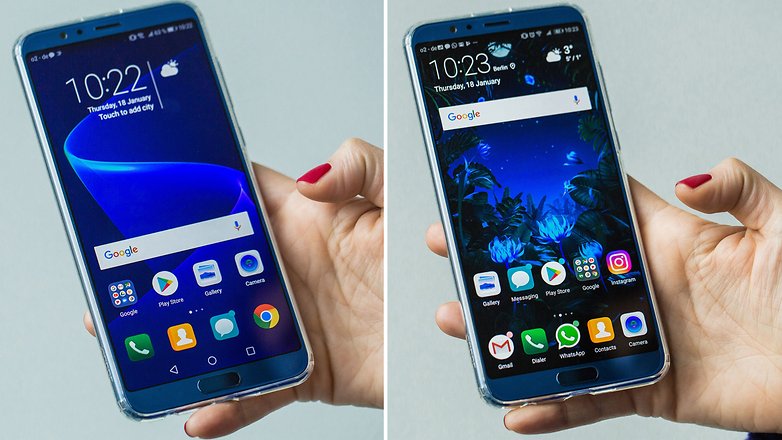
One of the advantages of EMUI is undoubtedly its level of customization. Set up your own photo as a background, collect the apps in the dedicated drawer, navigate using the physical or virtual keys, rearrange the apps on the screens, it takes just a few steps to make the interface fit your tastes and your needs.
- Change the background: Settings>Display>Wallpaper>Set wallpaper>Gallery/Other.
- Activate the app drawer: Settings>Display>Home screen style>Drawer.
- Choose how to navigate the system: Settings>Smart assistant>System navigation; here you can tell your device how to activate the single Navigation Key to access the home screen, the back screen and recent activities, whether to activate the Virtual Navigation Bar (by customizing the key combination) or opt for the Quick Menu.
- Modify Quick settings: lower the drop down menu and click on the pencil icon.
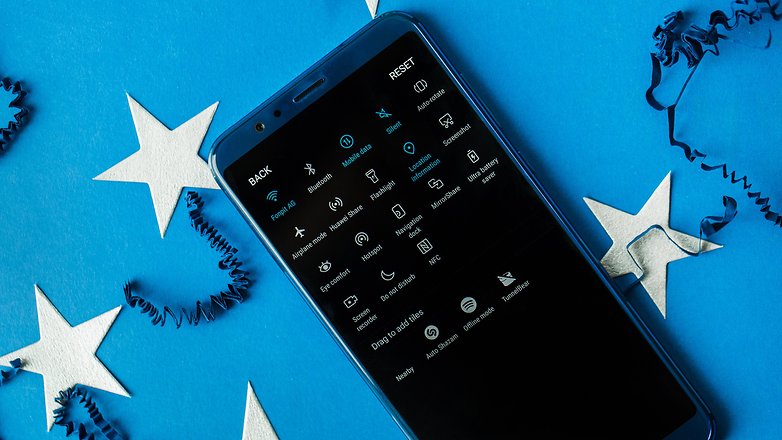
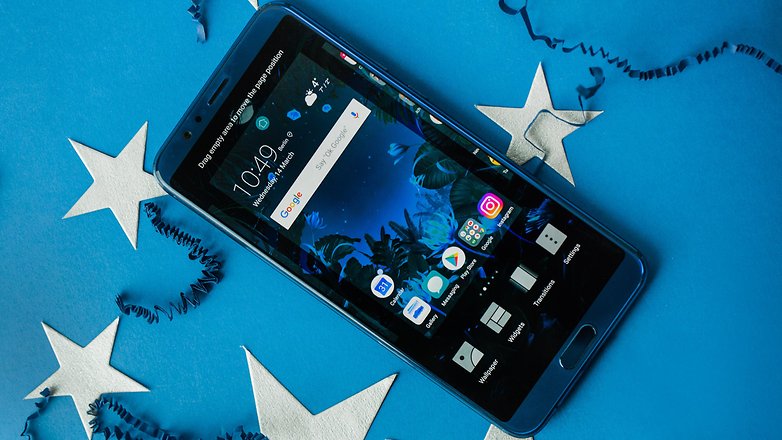
- Change layouts and rearrange apps: Press and hold on the home screen and click on Settings. In this section you can reorganize your apps, even by shaking your smartphone to realign them.
- Display the percentage of battery left: Settings>Apps and notifications>Notifications and status bar>Battery percentage: Do not show/Next to battery icon/Inside battery icon.
- Add contact info on the lock screen: Settings>Security and privacy>Screen lock & passwords>Lock screen signature.
- Deactivate the step count on the lock screen: Settings>Security and privacy>Screen lock & passwords>Show step count on lock screen.
Immerse yourself in the display menu
We often underestimate the importance of the display and the settings associated with it. I am not only talking about the level of brightness but also about the option of modifying the color rendering of the displayed contents, as well as customizing the font size.
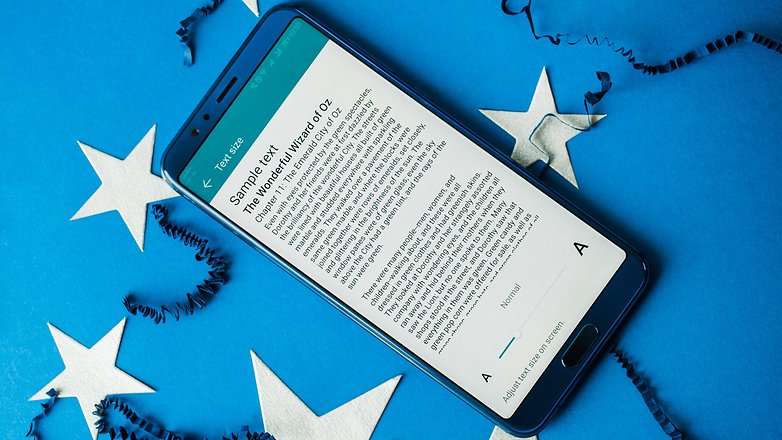
- Font size: Settings>Display>Text size.
- Change the size of interface elements: Settings>Display>View mode.
- Display resolution: Settings>Display>Screen Resolution.
- Display brightness: Settings>Display>Brightness.
- Color temperature: Settings>Display>Color temperature>Default/Warm/Cold.
- Color mode: Settings>Display>Color mode>Normal/Vivid.
- Filter the blue light on the screen: Settings>Display>Eye comfort.
- Turn off the screen: Settings>Display>Sleep>30 seconds is a good way to limit consumption.
- View an app in full screen mode: Settings>Display>Full-screen display.
- Screen rotation: Settings>Display>Auto-rotate screen/Smart rotate.
- Increase the sensitivity of the touchscreen during winter: Settings>Smart assistance>Gloves mode.
- Display photos on the lock screen while charging: Settings/Display/Screen saver.
Speed up interactions with your device
Not all the options offered by a device are useful. On EMUI there are some functions that I recommend you activate because they will allow you to optimize the interaction with your smartphone by making you navigate with fewer gestures or steps.
- Find files in no time: swipe down from the home screen and you will see the search bar appear.
- Activate voice commands: Settings>Smart Assistance>Voice control to answer or reject calls with your voice.
- Call a contact from the off screen: Press and hold the volume key and say the name of the contact after the beep.
- Wake up Google Assistant: hold down the home button and use the voice command (remember to activate it first from the Google app).
- Open apps by drawing the initial on the display: Settings>Smart assistance>Motion Control>Draw.
- Divide the screen in two with your knuckle: Settings>Smart assistance>Motion control>Split-screen gesture.
- Activate the quick launcher: From the unlock screen, swipe up and down to access the recorder, flashlight, calculator, timer and camera.

- Use two WhatsApp/Facebook accounts: Settings>Apps and Notifications>App twin.
- Activate the unlock with face recognition: Settings>Security and privacy>Face unlock.
- Activate one-handed operation:Settings>Smart Assistance>One-handed UI>Mini screen view.
- Take a screenshot: instead of the classic combination of Low Volume + Power button, knock a few times on the screen with your knuckle.
Security
Locking your device with a PIN, password, sequence, fingerprint reader or face recognition will help you protect your data. And if you want to keep secrets from curious eyes, you'll be happy to find four features that are designed for you!
- Set one or more fingerprints: Settings>Security and privacy>Fingerprint ID.
- Create a private space on your smartphone by activating private space: Settings>Security and Privacy>PrivateSpace.
- Encrypt photos, audio, video, and other files: Settings>Security and privacy>File safe>Enable.
- Block access to some apps: Settings>Security and Privacy>App Lock.
Become a master with the camera
This is one of the components users use most and it is full of surprises, especially now that artificial intelligence is taking over smartphones. Introduced on the Mate 10 Pro and View 10 with the Kirin 970 NPU, AI helps to optimize the photographic experience when you choose the best settings and modes, depending on your needs.
- Activate Pro mode: Open the camera app. Make a swipe from left to right and click on Pro photo or Pro video.
- Take a picture from the off screen: Double-click on the Lower Volume.
- Browse through photos in the gallery quickly: open a photo in the Gallery, pinch to zoom out and scroll through other shots.
- Select multiple photos at once: open folder, press and hold on the photo you want to select for a few seconds and swipe your finger to select the others.
- Create a bokeh effect: Open the camera and click on the icon simulating the lens aperture; now click on the object you want to focus on and shoot.
- Adjust the beauty effect: click on the portrait icon and slide your finger on the beauty level indicator.
- Fun with AR: activate AR lenses from the camera menu, click on AR at the bottom and select the effects you want to see in real time on the object you are shooting.
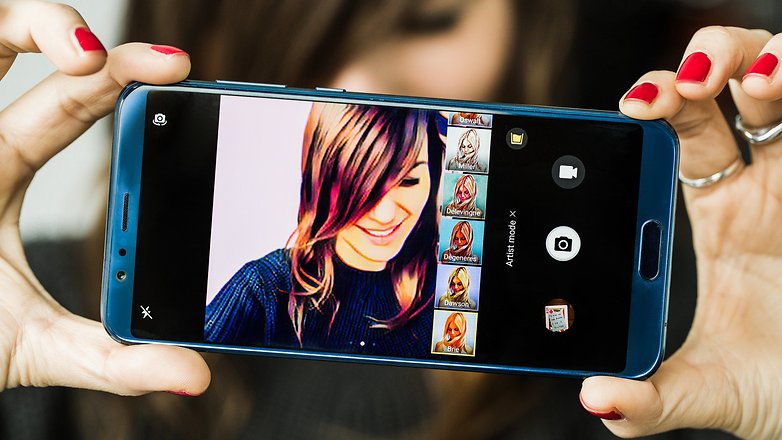
- Artist mode: to transform your photos into comics or make them works of art (in Prism style).
- Apply Instagram-style filters before shooting: activate the Filter item between camera modes and then click the three circles to display the nine filters in real time.
- Take a picture with a smile: access the camera settings with a side swipe and activate Capture smiles.
- Scan a document: open the camera and click Document Scan; frame the document and proceed with scanning as instructed.
Battery
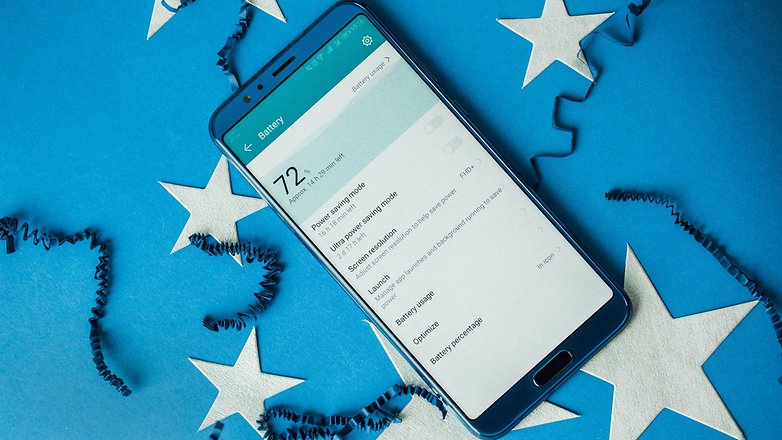
Unfortunately, it doesn’t perform miracles. You won’t be able to make the battery of your smartphone last longer than two days. You can, however, monitor and manage battery consumption with dedicated settings, and if it’s supported, you can take advantage of quick charging to get all the energy you need back in a short time.
- Enable power save mode: To limit apps in the background, disable automatic synchronization of email and system sound.
- Choose ultra energy saving mode: for emergency situations, this mode allows the use of very few apps, greatly limiting the user experience.
- Understand what weighs on power consumption: Settings>Battery>Battery Usage.
- Optimize consumption: Settings>Battery>Optimize, then click on the tips you want to put into practice.
Other useful tips
If you want to have to complete control of the system, here are some additional tricks:
- Activate the developer options: Settings>About phone>Build number, click on this until you see the notification of successful activation.
- Reset your smartphone: Settings>Reset>Factory data reset.
- Update your system: Settings>System Update>Updater or take advantage of this trick.
- Manage two SIM cards at the same time: Settings>Wireless and networks>Dual SIM settings.
- Schedule your smartphone to turn on to sound the alarm: Settings>Smart assistance>Schedule power on/off; set the time that it will turn on and then the time for the alarm.
- Transfer data from your old smartphone: Download Phone Clone on the two devices (Huawei, Honor or Apple) and select the data you want to transfer.
- Better audio experience: Settings>Sound>Huawei Histen audio effects (connect the earphones to the device or the item will not appear in the menu).


- Posts
- Following
- Followers
- Energy
-

 Kenny Khor
HONOR Content Crew
Kenny Khor
HONOR Content Crew
-
+ Follow

-
- 288 Posts
- 14 Following
- 982 Followers
- 32507 Energy


SUBSCRIPTION
I agree to receive the latest offers and information on HONOR products through email or IM (e.g. WhatsApp) provided below and advertisement on third-party platforms. I understand that I can unsubscribe anytime according to Chapter 5 of HONOR Platform Privacy Statement.
CONTACT

- Posts
- photo
- video

EMUI: All the tricks you'll need for your Huawei or Honor phone
How to customize the interface
One of the advantages of EMUI is undoubtedly its level of customization. Set up your own photo as a background, collect the apps in the dedicated drawer, navigate using the physical or virtual keys, rearrange the apps on the screens, it takes just a few steps to make the interface fit your tastes and your needs.
Immerse yourself in the display menu
We often underestimate the importance of the display and the settings associated with it. I am not only talking about the level of brightness but also about the option of modifying the color rendering of the displayed contents, as well as customizing the font size.
Speed up interactions with your device
Not all the options offered by a device are useful. On EMUI there are some functions that I recommend you activate because they will allow you to optimize the interaction with your smartphone by making you navigate with fewer gestures or steps.
Security
Locking your device with a PIN, password, sequence, fingerprint reader or face recognition will help you protect your data. And if you want to keep secrets from curious eyes, you'll be happy to find four features that are designed for you!
Become a master with the camera
This is one of the components users use most and it is full of surprises, especially now that artificial intelligence is taking over smartphones. Introduced on the Mate 10 Pro and View 10 with the Kirin 970 NPU, AI helps to optimize the photographic experience when you choose the best settings and modes, depending on your needs.
Battery
Unfortunately, it doesn’t perform miracles. You won’t be able to make the battery of your smartphone last longer than two days. You can, however, monitor and manage battery consumption with dedicated settings, and if it’s supported, you can take advantage of quick charging to get all the energy you need back in a short time.
Other useful tips
If you want to have to complete control of the system, here are some additional tricks: