

 More Products
 Compare













我的荣耀 开启荣耀之旅



 Disagree Terms
 Log out




[AppGallery] Huawei App Assistant-Stay Connected with One swipe


 Last reply :
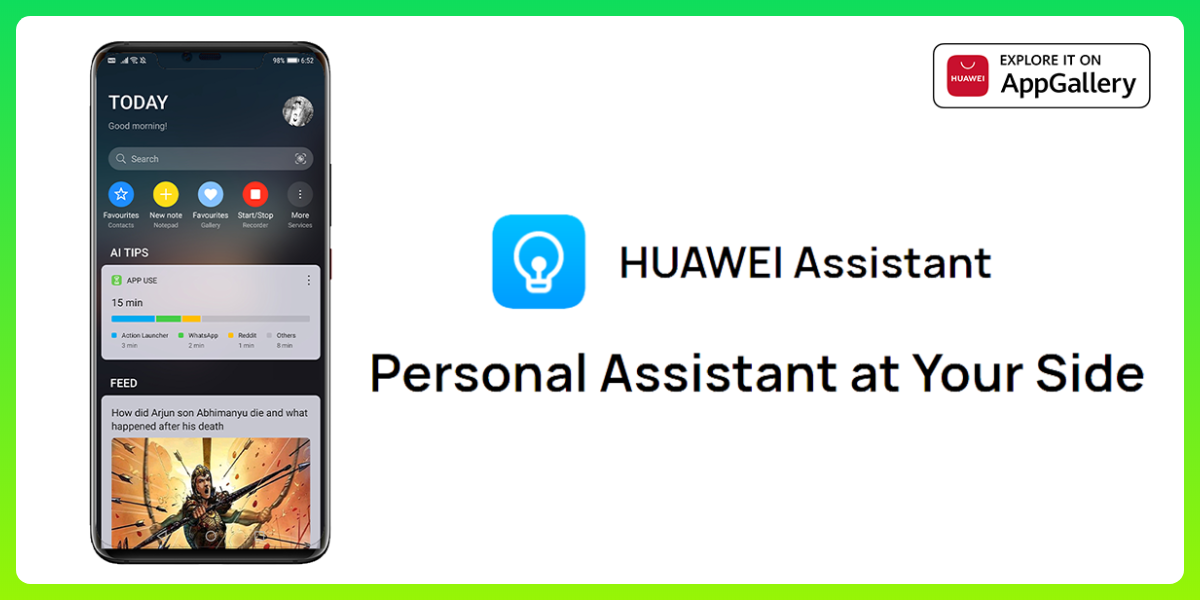
Experience HUAWEI Assistant on your smartphone
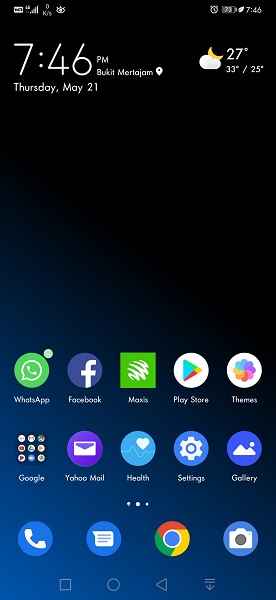
To enable
Go to Settings > Home screen settings > HUAWEI Assistant (Turn On)
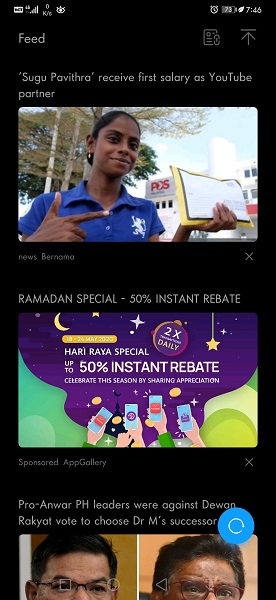
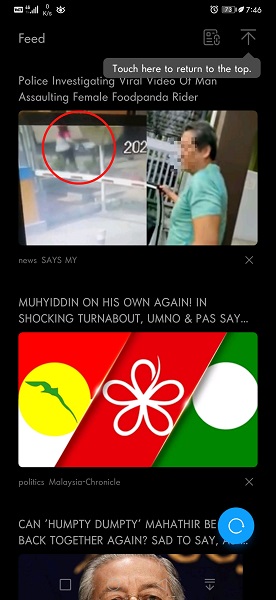
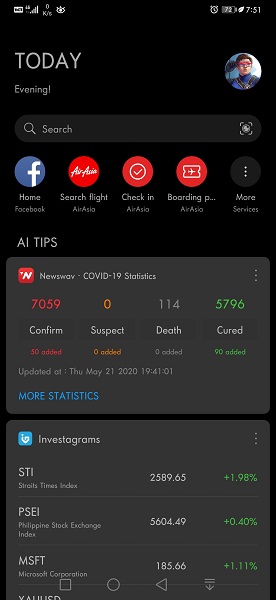
News Feed
+ Stay updated with instant happenings around your Region, Photos, Videos and Much more!
+ Personalized recommendations from leading news sources across the globe including the local contents.
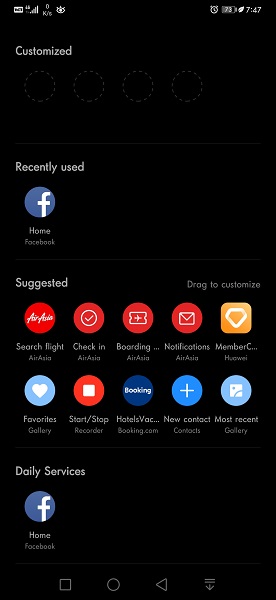
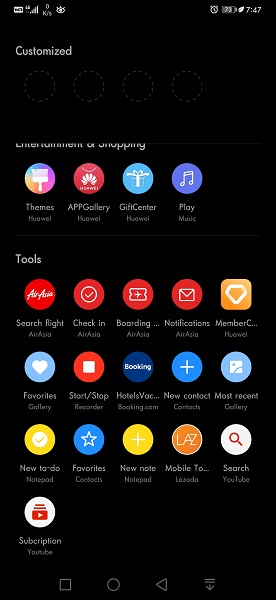
Instant access
+ Access your favorite shortcuts with just a Tap
+ Pin up to four shortcuts directly on the home screen
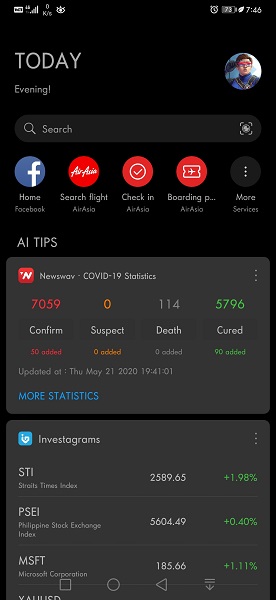
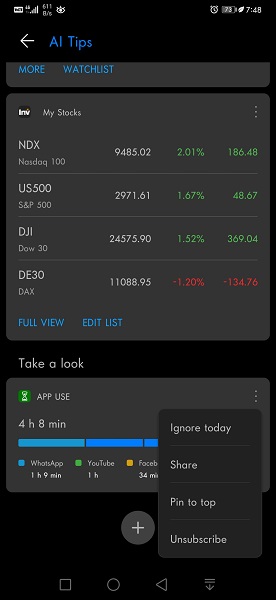
AI Tips
+ Real-time information and services, in a smarter and simpler way powered by AI
+ Displays notifications and reminders via Smart cards
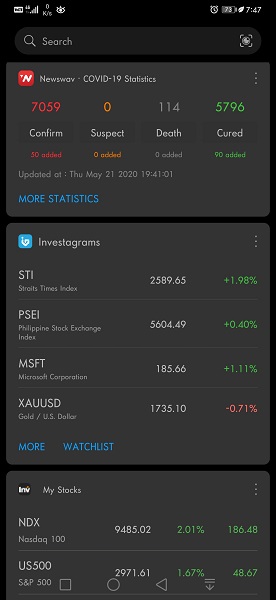
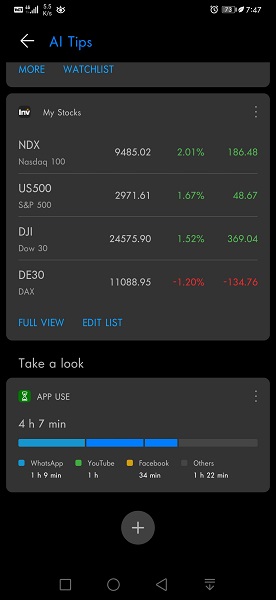
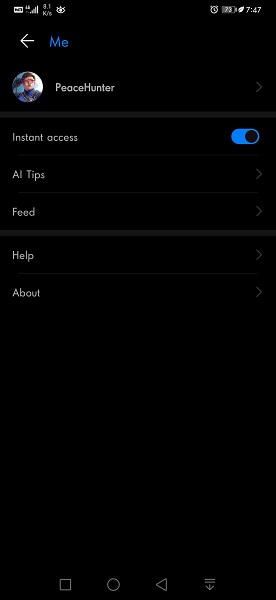
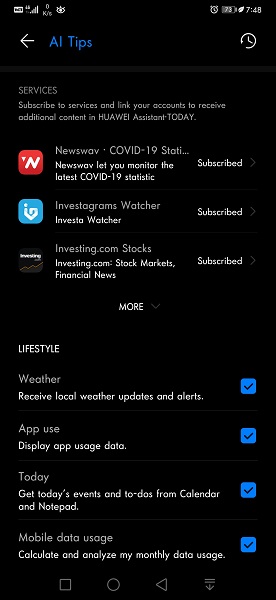
+ Stocks, Sports, Traffic, App Use and Health App info's like Steps etc.
+ Weather Updates, Today's events from Calendar, Notepads and Mobile data usage.
+ Access your deleted Event cards in History
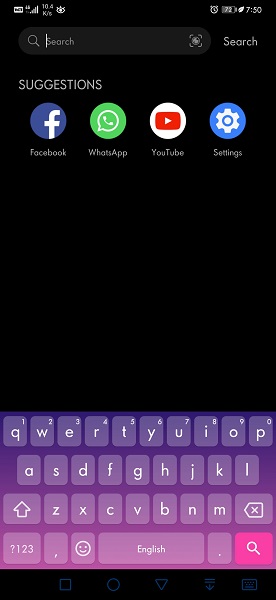
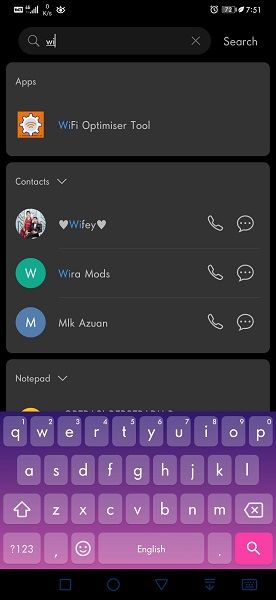
Global Search
+ Seamless searches on your Smartphone like installed Apps, emails etc or any content locally or online.
+ Search directly on default browser or Scan instantly as per your need.
Safe and Secure
+Ensuring that all of your personal data is stored and processed on your device, rather than uploaded to a server.
+HUAWEI Assistant is one swipe away. Access wide-ranging services and content – on just a whim!
Feedback:
HUAWEI Assistant: TODAY
1) An option to select our preferred choice of News contents
For example:
If i want to have my News feed to fill with Sport Contents - then i can choose option "Only Sports"
2) An option to Follow, Share, Hide, Report the Contents
For example:
If i like or dislike any contents the above options comes in handy!
3) Contents in local languages along with translation
4) Ability to play Videos or Musics from HUAWEI Videos and other streaming websites like Dailymotion, Vimeo etc
5) Nearby shops and restaurants
FAQs - HUAWEI Assistant: TODAY
1) What is Event Cards?
AI Tips provides services such as Weather, Emergency alerts, Work reminders etc. You can browse event cards by swiping up or down | You can also hide a card by going into the menu in the upper right corner!
2) Is it possible to recover deleted cards?
Yes!Tap on the profile in HUAWEI Assistant
Go to AI Tips > Settings > History > Restore your deleted Cards
Note: Expired Cards can't be recovered
3) How can I stop receiving Event cards for certain events?
From AI Tips
Go to management screen and disable notifications for events you don't want reminders for!
4) When will I get the notifications?
AI Tips is able to set-up notifications according to time and type of event. You will receive timely notifications for important events.
Note: Actual quantity of notifications will vary depending on the events
5) Where is event card data collected from?
AI Tips has five types of event cards
+ Daily reminders from Calendar events and Notepad
+ Callback reminders come from your call log and Contacts App
+ App usage data comes from Android System
+ Data consumption stats comes from SMS messages while the Weather reminders are from Weather App
Note:
You can disable AI Tips to stop the processing of the above information!




- Posts
- Following
- Followers
- Energy
-

 PeaceHunter
Community Team
PeaceHunter
Community Team
-
+ Follow

-
- 494 Posts
- 180 Following
- 2966 Followers
- 108750 Energy


SUBSCRIPTION
I agree to receive the latest offers and information on HONOR products through email or IM (e.g. WhatsApp) provided below and advertisement on third-party platforms. I understand that I can unsubscribe anytime according to Chapter 5 of HONOR Platform Privacy Statement.
CONTACT

- Posts
- photo
- video

Experience HUAWEI Assistant on your smartphone
To enable
Go to Settings > Home screen settings > HUAWEI Assistant (Turn On)
News Feed
+ Stay updated with instant happenings around your Region, Photos, Videos and Much more!
+ Personalized recommendations from leading news sources across the globe including the local contents.
Instant access
+ Access your favorite shortcuts with just a Tap
+ Pin up to four shortcuts directly on the home screen
AI Tips
+ Real-time information and services, in a smarter and simpler way powered by AI
+ Displays notifications and reminders via Smart cards
+ Stocks, Sports, Traffic, App Use and Health App info's like Steps etc.
+ Weather Updates, Today's events from Calendar, Notepads and Mobile data usage.
+ Access your deleted Event cards in History
Global Search
+ Seamless searches on your Smartphone like installed Apps, emails etc or any content locally or online.
+ Search directly on default browser or Scan instantly as per your need.
Safe and Secure
+Ensuring that all of your personal data is stored and processed on your device, rather than uploaded to a server.
+HUAWEI Assistant is one swipe away. Access wide-ranging services and content – on just a whim!
Feedback:
HUAWEI Assistant: TODAY
1) An option to select our preferred choice of News contents
For example:
If i want to have my News feed to fill with Sport Contents - then i can choose option "Only Sports"
2) An option to Follow, Share, Hide, Report the Contents
For example:
If i like or dislike any contents the above options comes in handy!
3) Contents in local languages along with translation
4) Ability to play Videos or Musics from HUAWEI Videos and other streaming websites like Dailymotion, Vimeo etc
5) Nearby shops and restaurants
FAQs - HUAWEI Assistant: TODAY
1) What is Event Cards?
AI Tips provides services such as Weather, Emergency alerts, Work reminders etc. You can browse event cards by swiping up or down | You can also hide a card by going into the menu in the upper right corner!
2) Is it possible to recover deleted cards?
Yes!Tap on the profile in HUAWEI Assistant
Go to AI Tips > Settings > History > Restore your deleted Cards
Note: Expired Cards can't be recovered
3) How can I stop receiving Event cards for certain events?
From AI Tips
Go to management screen and disable notifications for events you don't want reminders for!
4) When will I get the notifications?
AI Tips is able to set-up notifications according to time and type of event. You will receive timely notifications for important events.
Note: Actual quantity of notifications will vary depending on the events
5) Where is event card data collected from?
AI Tips has five types of event cards
+ Daily reminders from Calendar events and Notepad
+ Callback reminders come from your call log and Contacts App
+ App usage data comes from Android System
+ Data consumption stats comes from SMS messages while the Weather reminders are from Weather App
Note:
You can disable AI Tips to stop the processing of the above information!