

 More Products
 Compare










我的荣耀 开启荣耀之旅



 Disagree Terms
 Log out




12 easy steps to install 3rd party watch face on Magic Watch 2


 Last reply :
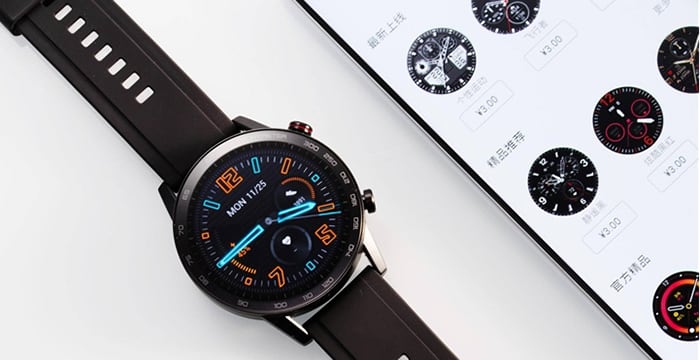
Today I'm gonna teach you an easy way to install 3rd part watch face on Magic Watch 2
Things that you need to prepare:
1) Magic Watch 2
2) China register Huawei id
you can register from here
The following content is set to visible after you reply
https://id1.cloud.huawei.com/CAS/portal/userRegister/regbyphone.html?service=https://www.vmall.com/account/caslogin&loginChannel=26000000&reqClientType=26&lang=zh-cn
*Note Country must select China
3)Huawei health App Version 10.0.0.651
Link:
The following content is set to visible after you reply
https://www.apkmirror.com/apk/huawei-internet-service/health/health-10-0-0-651-release/
4)Huawei health App Version 10.0.1.021 beta
Link:
The following content is set to visible after you reply
https://www.apkmirror.com/apk/huawei-internet-service/health/health-10-0-1-021-wearbeta-release/
Why need 2 Huawei health app?
beacuse on ver. 10.0.1.021 beta you can't find Honor Magic Watch 2 to pair.
5) the last one is the Watch face...where can you get it? out there got many fb , telegram group
that share their custome watch face download it according to your watch size 42mm or 46mm.
remember don't install 46mm watch face to your 42mm watch.
Here is the watch face link :
The following content is set to visible after you reply
http://hwgtfaces.com
Ok Now everythings ready lets get start
1) uninstall the huawei health app in your phone(if got)
2) install Huawei health App Version 10.0.0.651
3) Pair your Magic watch 2 to your phone
4) after succeed pairing install Huawei health App Version 10.0.1.021 beta
don't uninstall Version 10.0.0.651 just let Version 10.0.1.021 beta overlap it
5) You are half way there already....log in your china huawei id Then launch
the Huawei health App
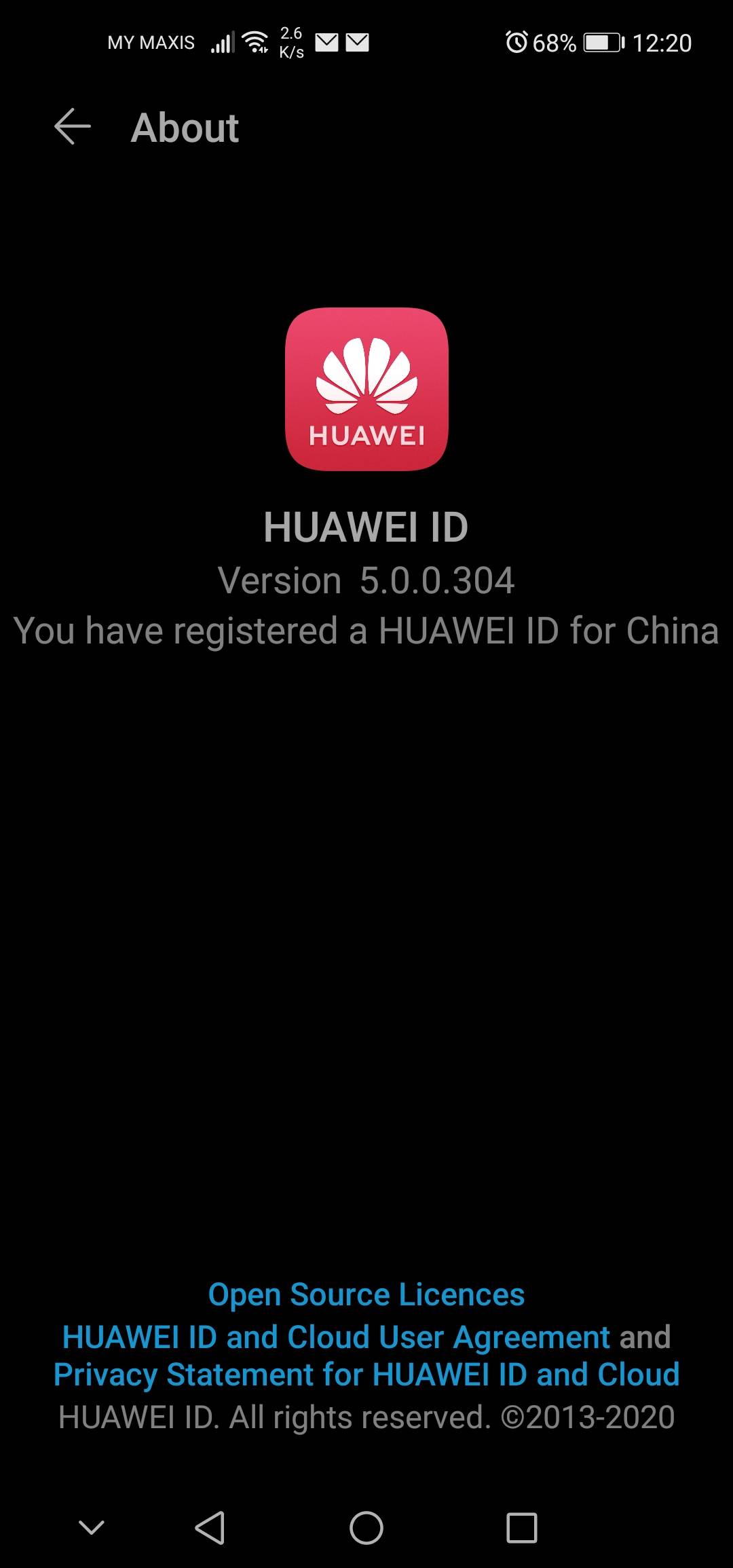
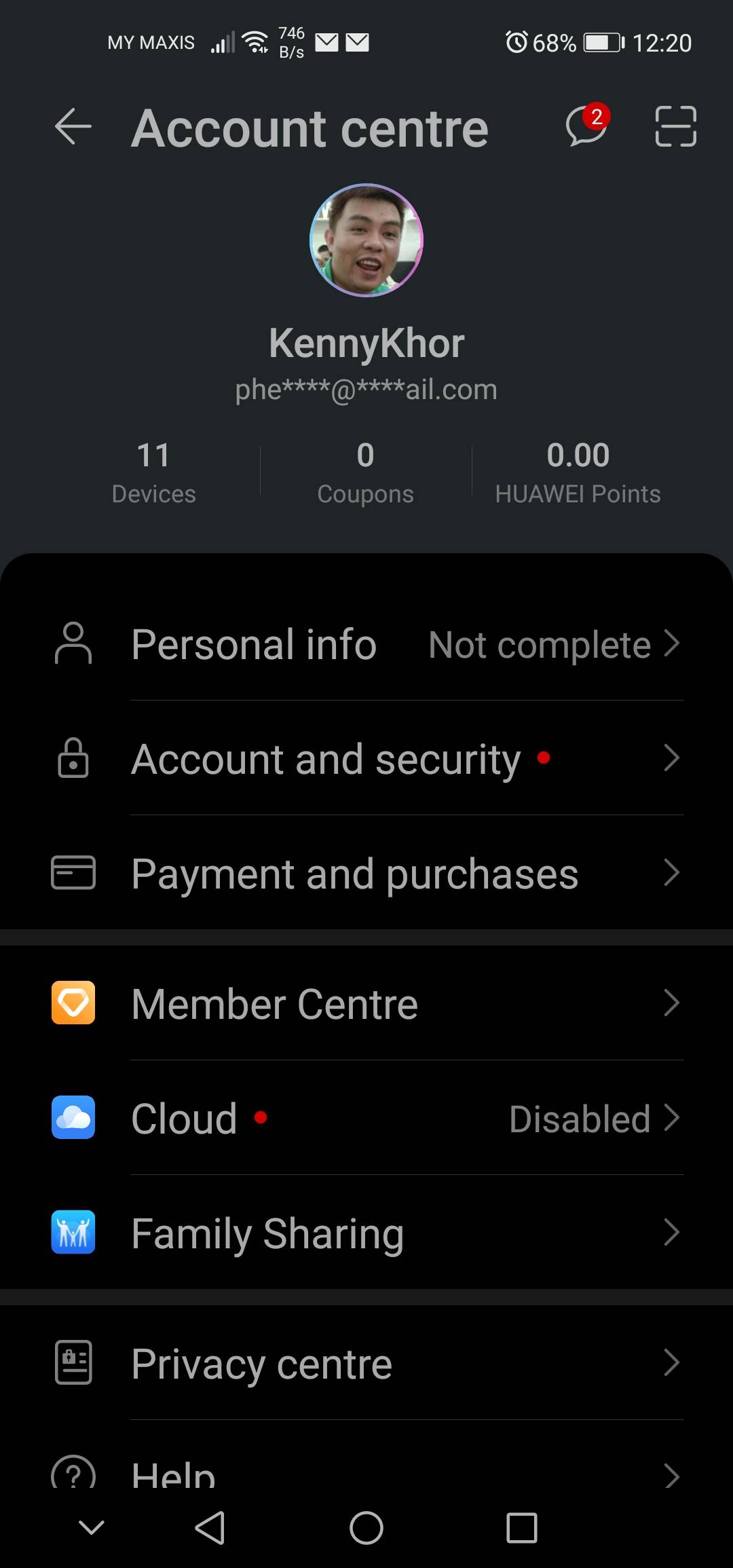
6)After launch Huawei health App it will ask you to update DONT UPDATE ,
just close the app then off your wifi or Data to stay off line then relaunch the
Huawei health App agian it should no update notification already turn on your
wifi or data

7)Connect Your Watch
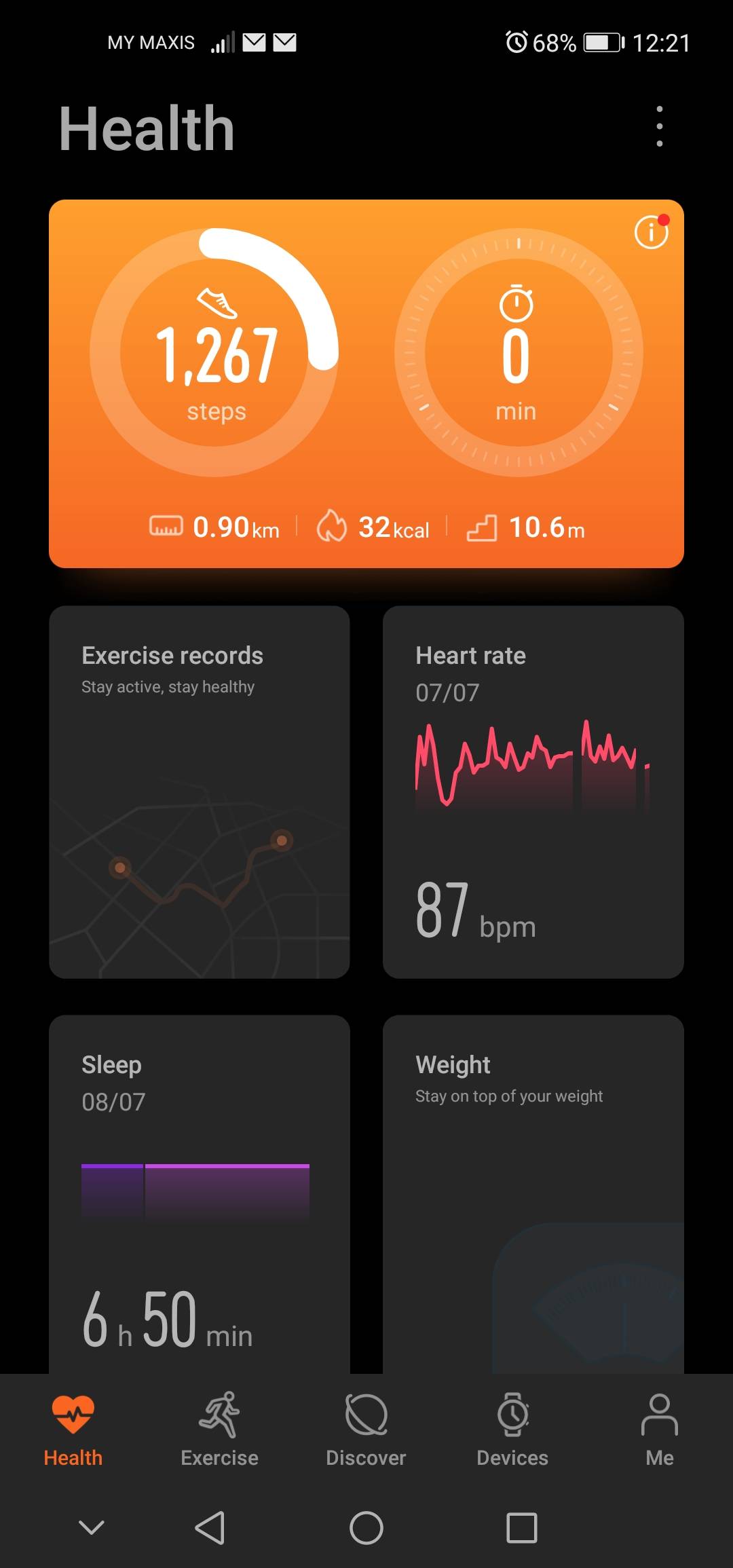

8) Then select watch faces you will see huawei themes service notification allow it
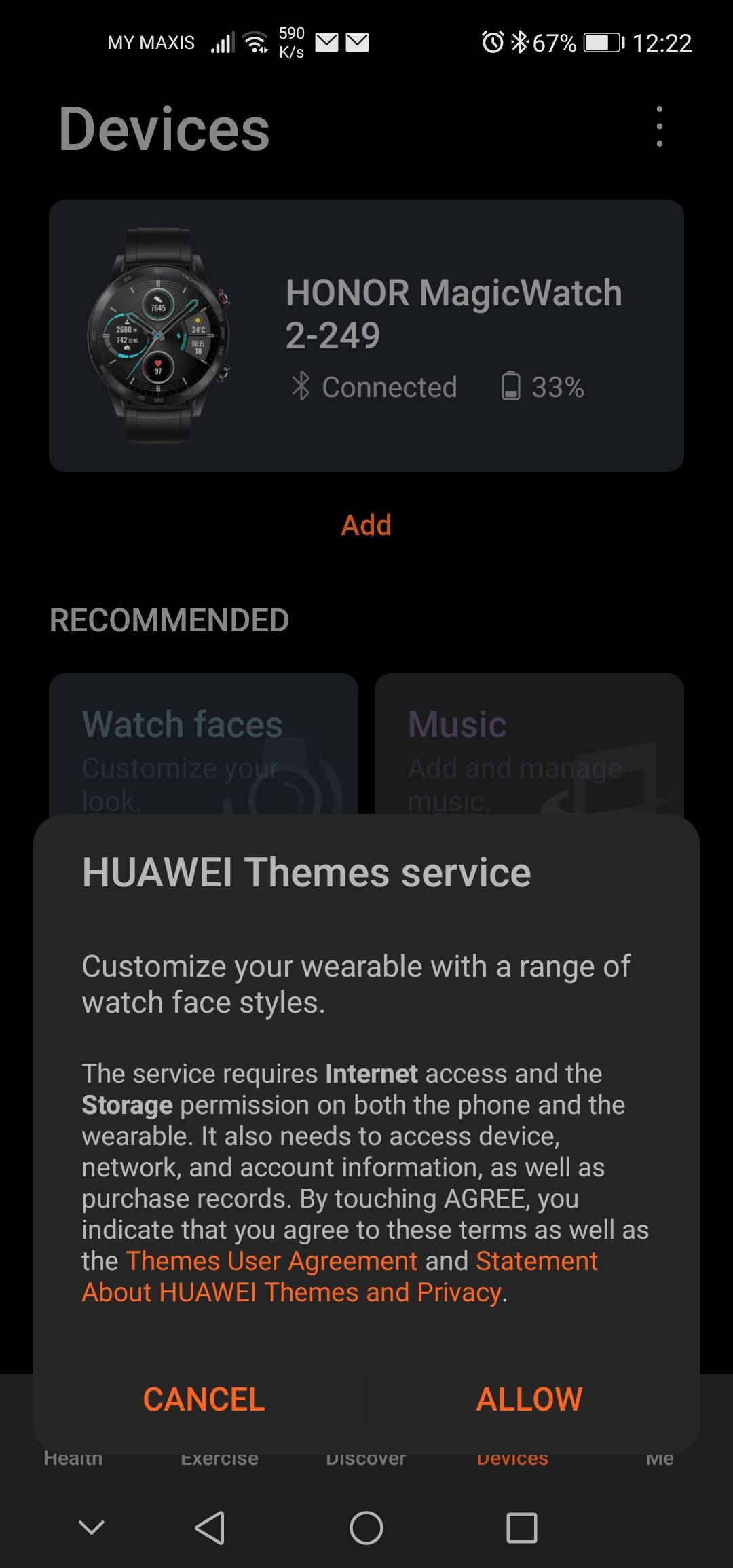
9) You will enter an empty watch face page select the top right 3 dot

10) select upload watch faces ,just press yes When you see the Note.


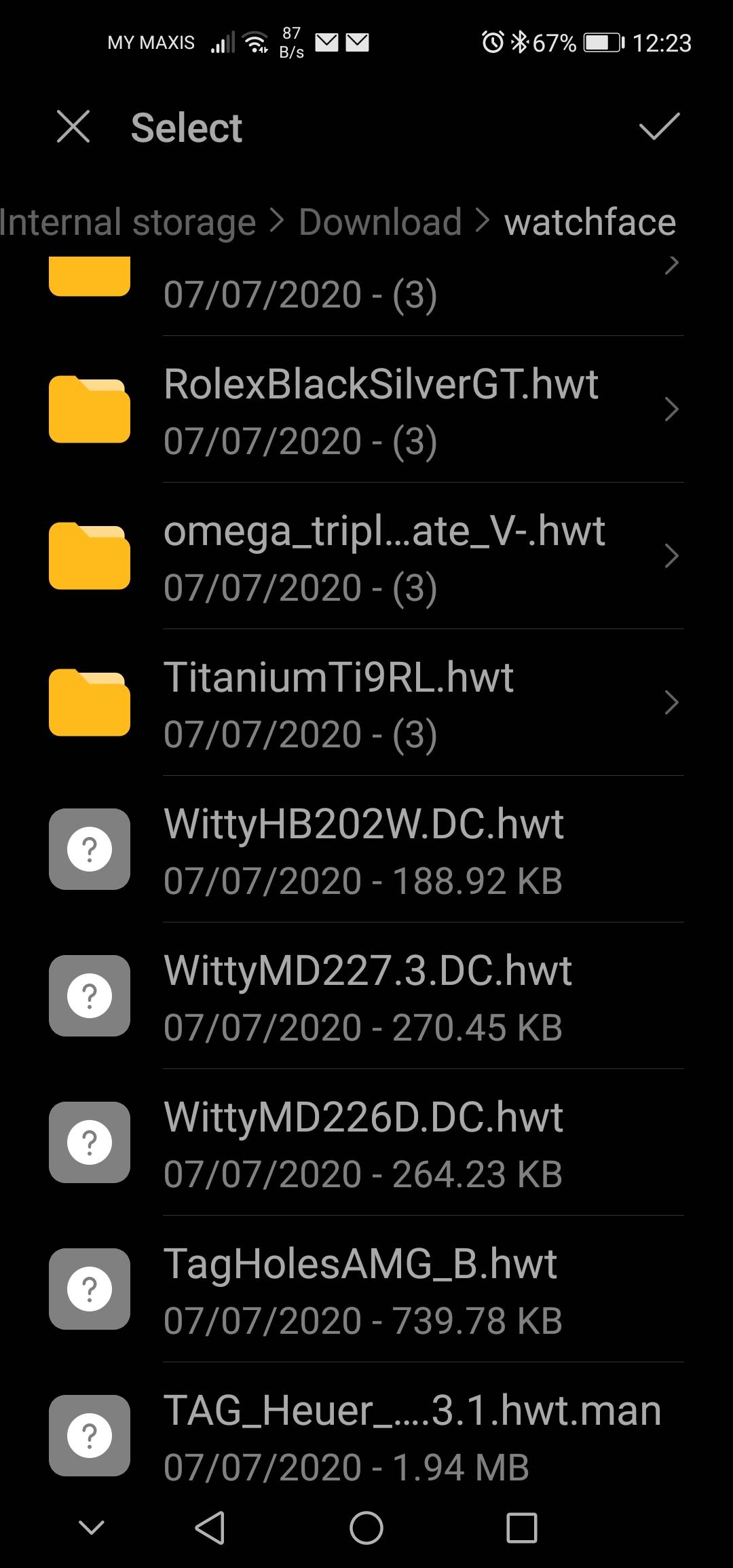
11) Go find the watchface that you download (your Watch face must be store to a new folder)
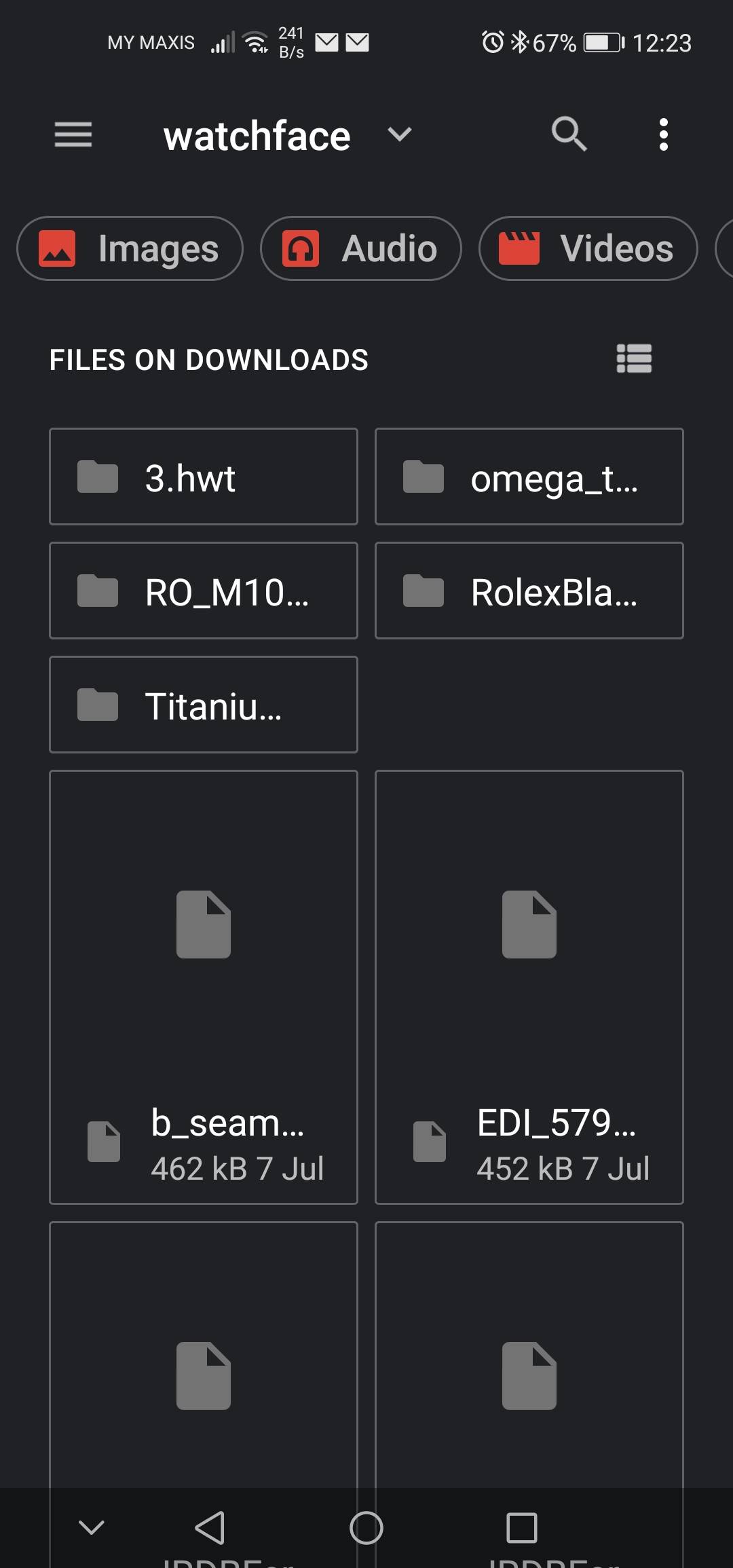
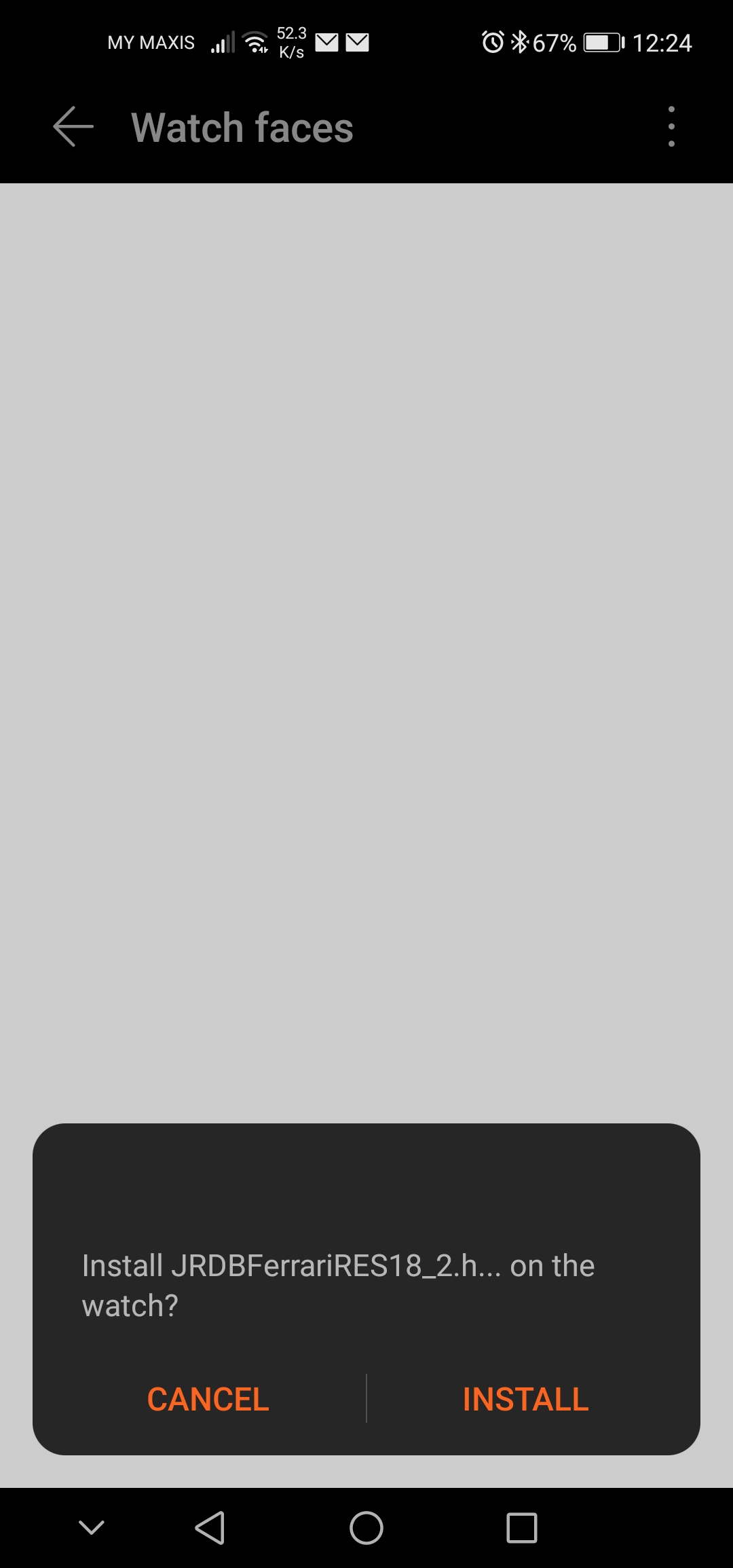
12) Select the watch face that you want then install it. You will see the
installing progress running. after 100% installing congratulations you succeed install 3rd party watch face to your HONOR Magic Watch 2.


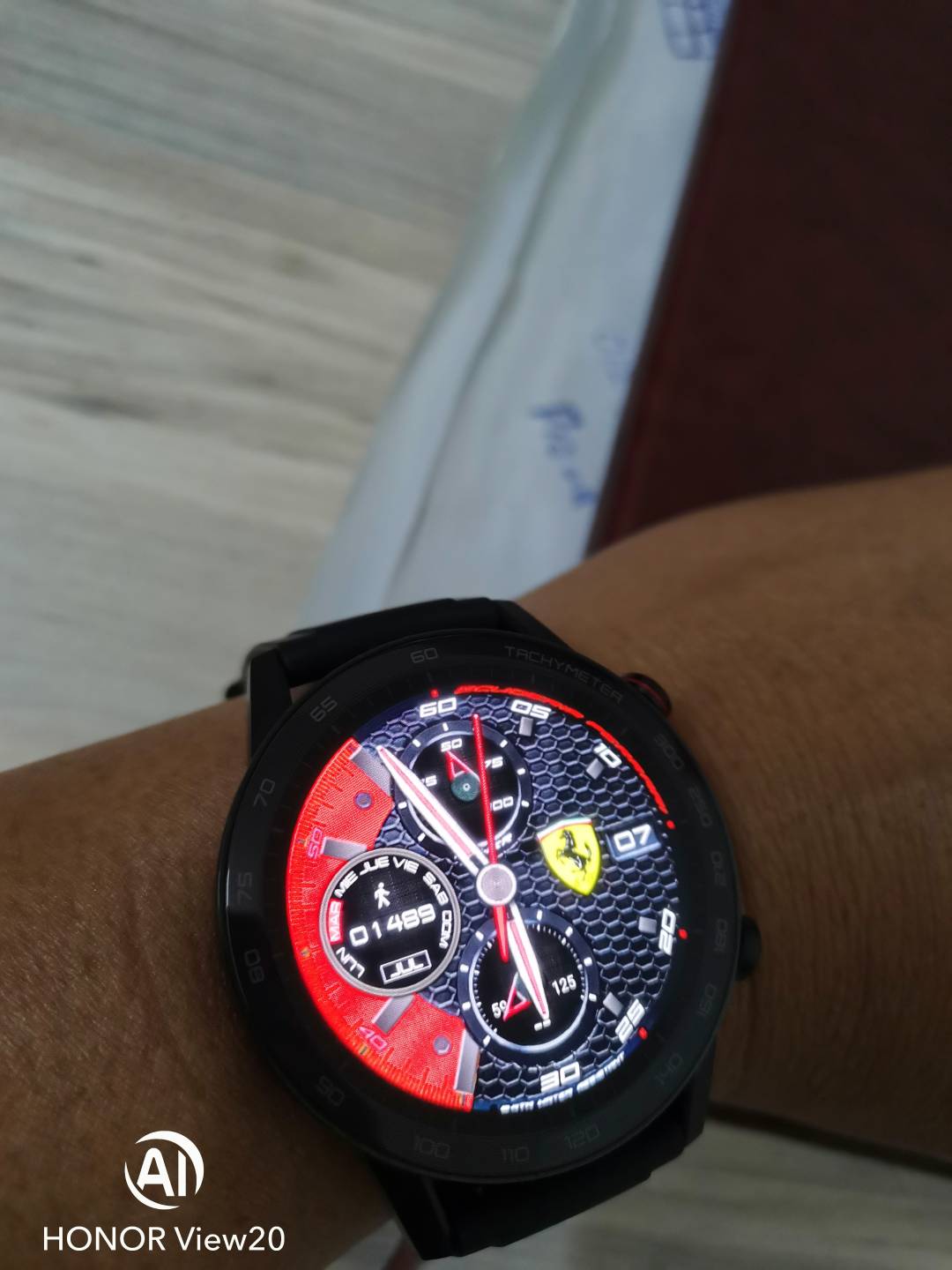
Enjoy.
NOTE :
If you encouter no upload watch faces option missing just do this.

1) Privacy statement > Disable Huawei Themes Service then reenter the watch face page.
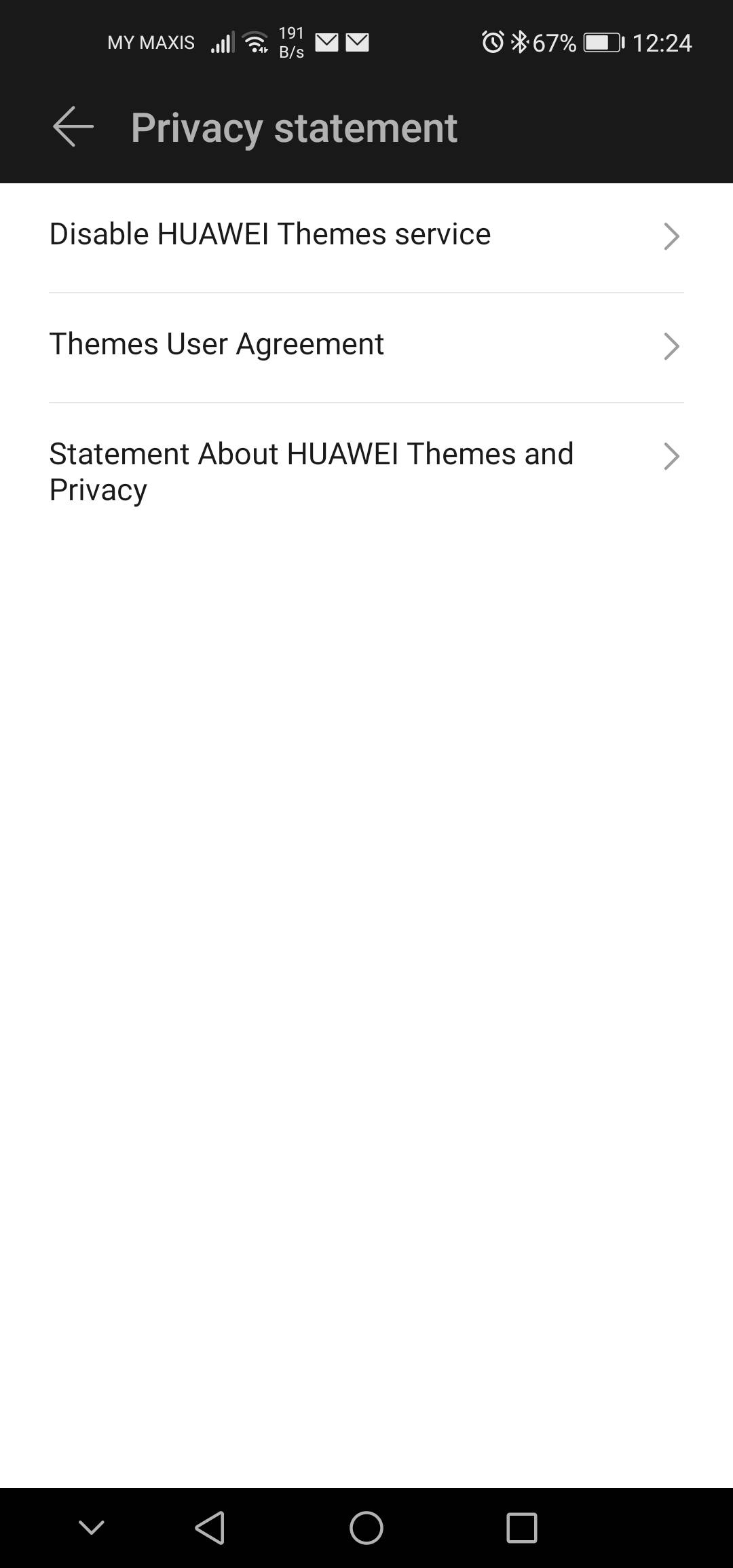
NOTE :
Everytime Change Watch face you need to login China Huawei id and only 1 Watchface at a Can install


- Posts
- Following
- Followers
- Energy
-

 Kenny Khor
HONOR Content Crew
Kenny Khor
HONOR Content Crew
-
+ Follow

-
- 288 Posts
- 14 Following
- 982 Followers
- 32507 Energy


SUBSCRIPTION
I agree to receive the latest offers and information on HONOR products through email or IM (e.g. WhatsApp) provided below and advertisement on third-party platforms. I understand that I can unsubscribe anytime according to Chapter 5 of HONOR Platform Privacy Statement.
CONTACT

- Posts
- photo
- video

Today I'm gonna teach you an easy way to install 3rd part watch face on Magic Watch 2
Things that you need to prepare:
1) Magic Watch 2
2) China register Huawei id
you can register from here
The following content is set to visible after you reply
https://id1.cloud.huawei.com/CAS/portal/userRegister/regbyphone.html?service=https://www.vmall.com/account/caslogin&loginChannel=26000000&reqClientType=26&lang=zh-cn
*Note Country must select China
3)Huawei health App Version 10.0.0.651
Link:
The following content is set to visible after you reply
https://www.apkmirror.com/apk/huawei-internet-service/health/health-10-0-0-651-release/
4)Huawei health App Version 10.0.1.021 beta
Link:
The following content is set to visible after you reply
https://www.apkmirror.com/apk/huawei-internet-service/health/health-10-0-1-021-wearbeta-release/
Why need 2 Huawei health app?
beacuse on ver. 10.0.1.021 beta you can't find Honor Magic Watch 2 to pair.
5) the last one is the Watch face...where can you get it? out there got many fb , telegram group
that share their custome watch face download it according to your watch size 42mm or 46mm.
remember don't install 46mm watch face to your 42mm watch.
Here is the watch face link :
The following content is set to visible after you reply
http://hwgtfaces.com
Ok Now everythings ready lets get start
1) uninstall the huawei health app in your phone(if got)
2) install Huawei health App Version 10.0.0.651
3) Pair your Magic watch 2 to your phone
4) after succeed pairing install Huawei health App Version 10.0.1.021 beta
don't uninstall Version 10.0.0.651 just let Version 10.0.1.021 beta overlap it
5) You are half way there already....log in your china huawei id Then launch
the Huawei health App
6)After launch Huawei health App it will ask you to update DONT UPDATE ,
just close the app then off your wifi or Data to stay off line then relaunch the
Huawei health App agian it should no update notification already turn on your
wifi or data
7)Connect Your Watch
8) Then select watch faces you will see huawei themes service notification allow it
9) You will enter an empty watch face page select the top right 3 dot
10) select upload watch faces ,just press yes When you see the Note.
11) Go find the watchface that you download (your Watch face must be store to a new folder)
12) Select the watch face that you want then install it. You will see the
installing progress running. after 100% installing congratulations you succeed install 3rd party watch face to your HONOR Magic Watch 2.
Enjoy.
NOTE :
If you encouter no upload watch faces option missing just do this.
1) Privacy statement > Disable Huawei Themes Service then reenter the watch face page.
NOTE :
Everytime Change Watch face you need to login China Huawei id and only 1 Watchface at a Can install