More Products
 Compare


















































Uninstall updated software in Safe Mode
| Uninstall updated software in Safe Mode |
- Press F8 during startup.
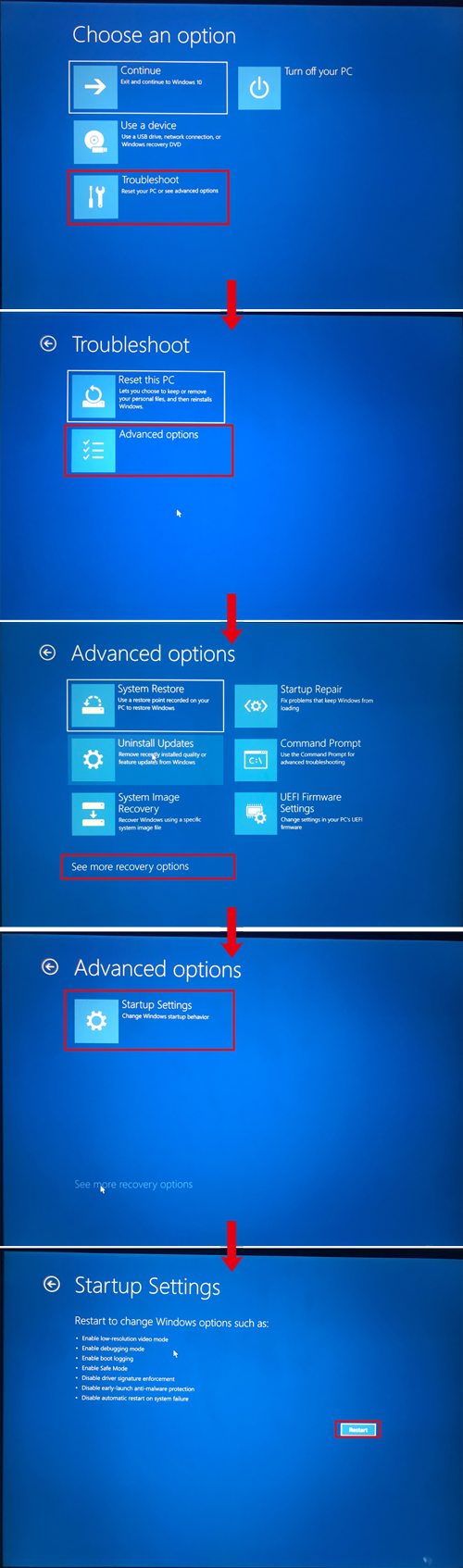
- Click Troubleshoot, and go to Advanced Options > See more recovery optins > Startup Settings > Restart.
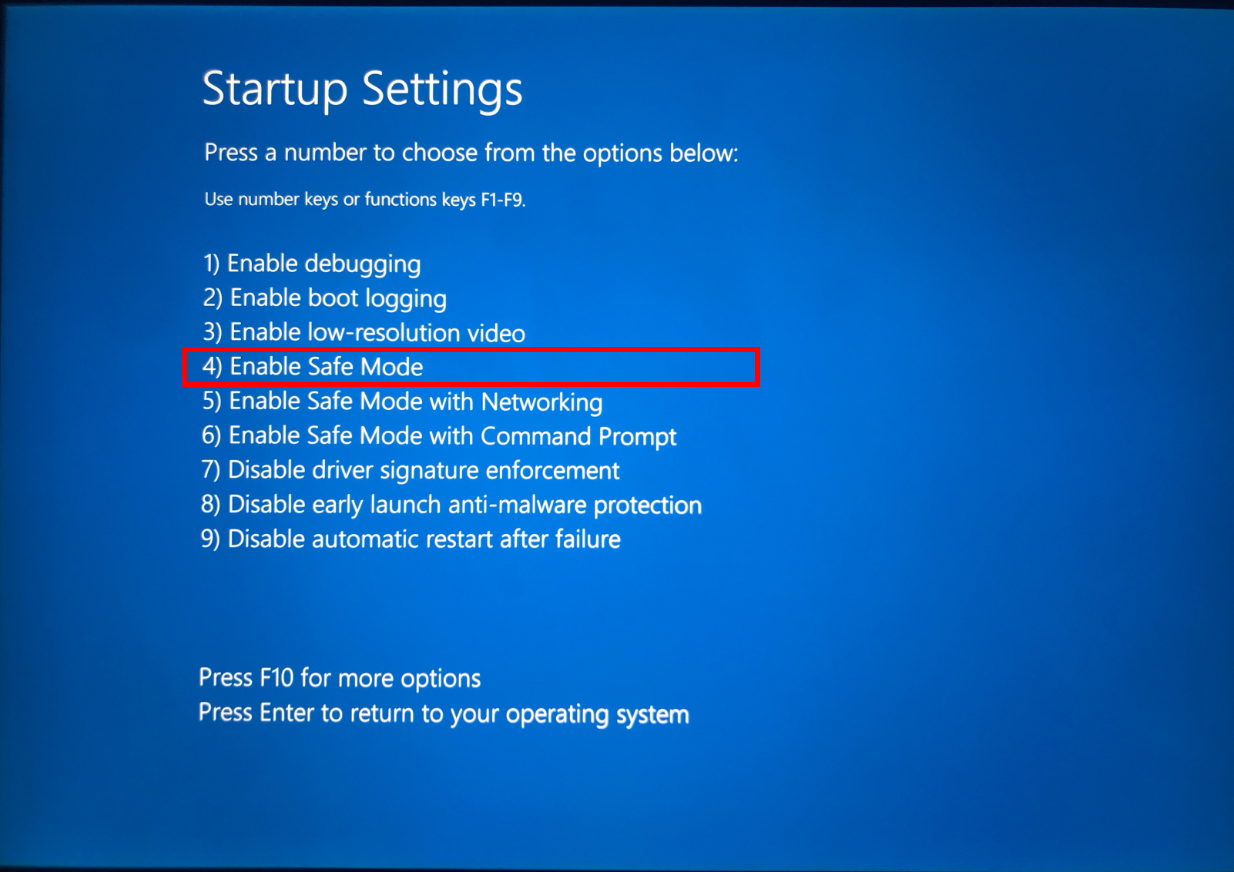
- Press 4 or F4 and select Enable Safe Mode.
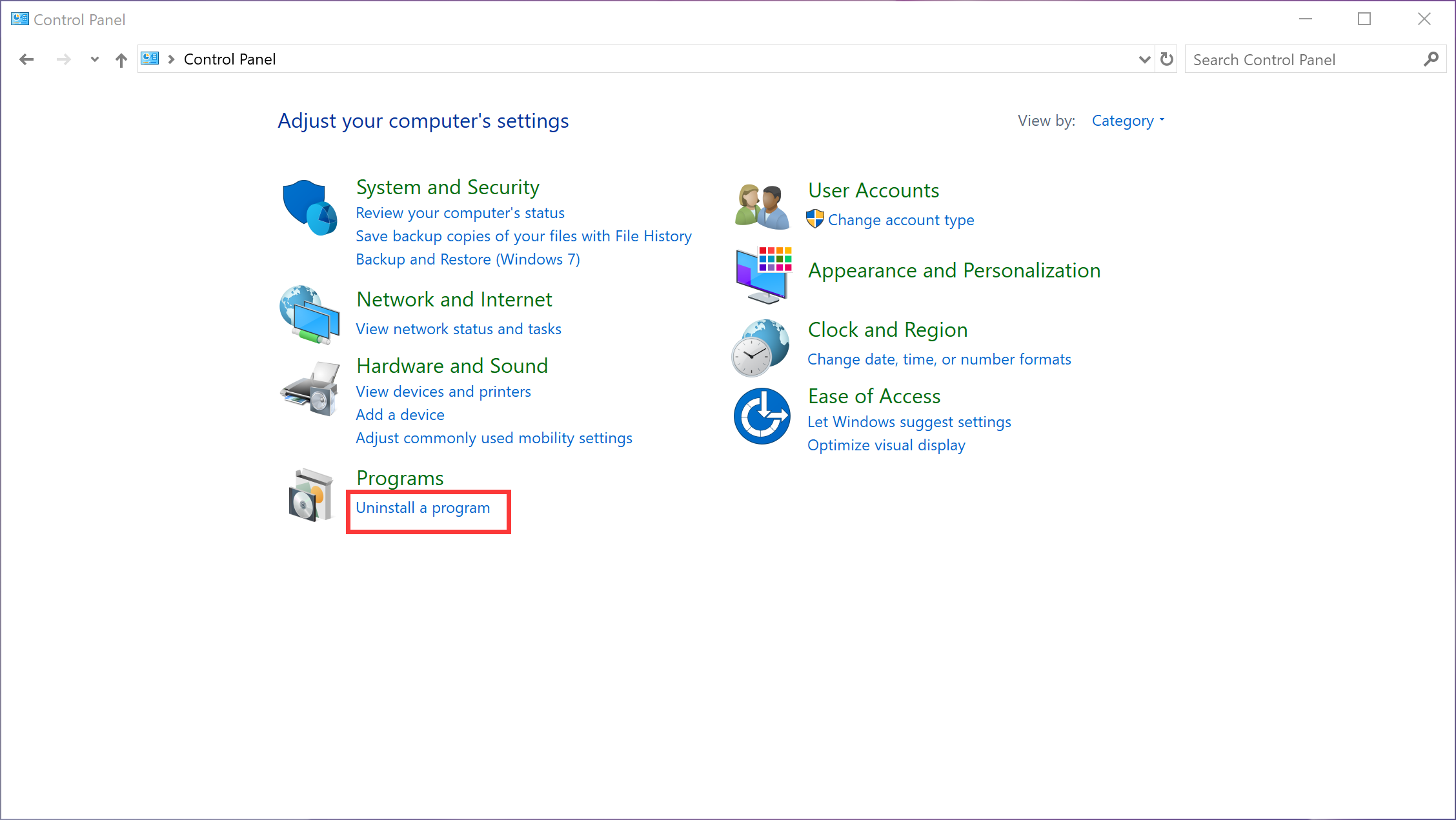
- In Safe Mode, start your account like normal. Search for Control Panel in the taskbar.

- Open it and select Uninstall a program under Programs.
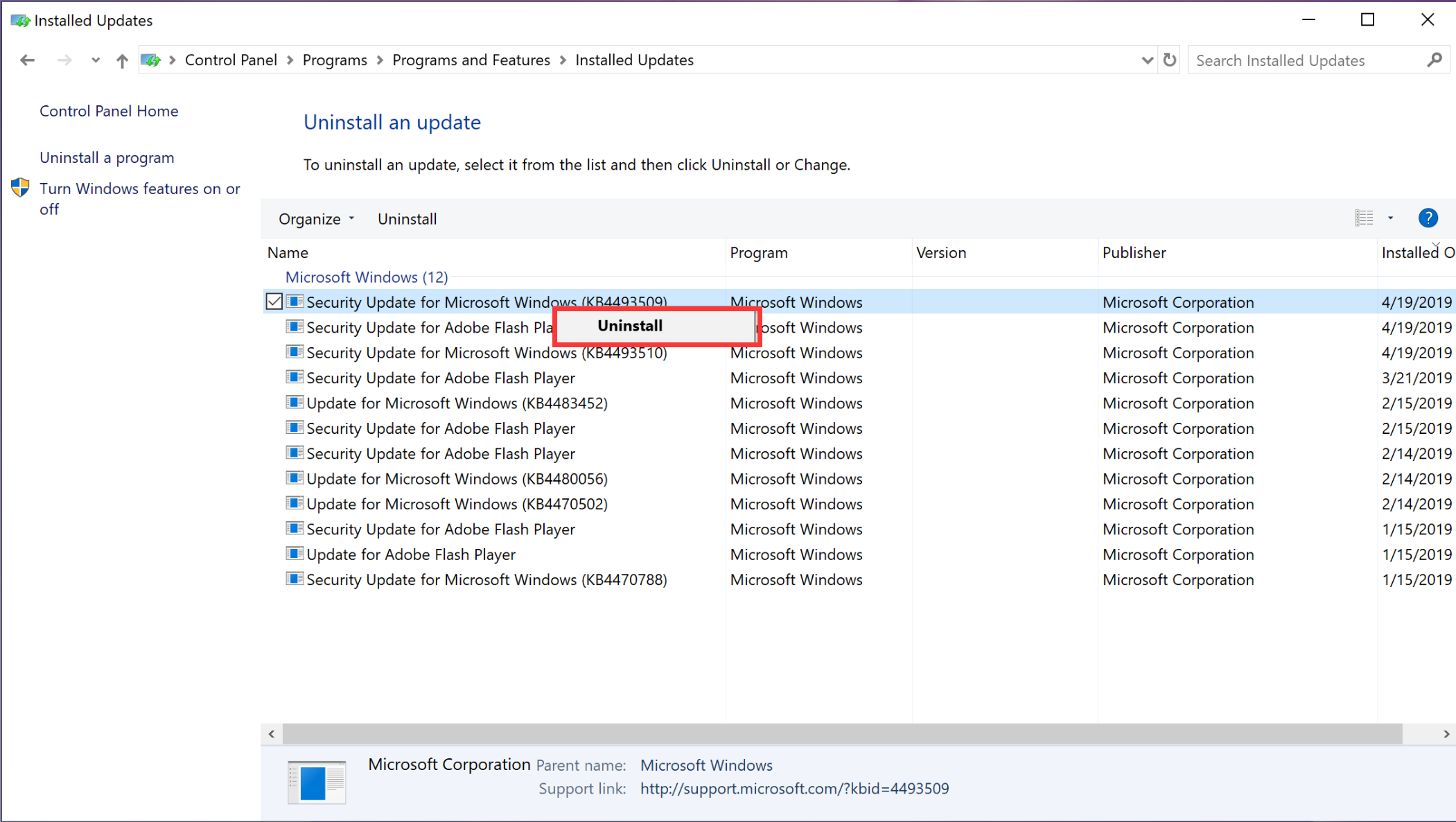
- Click View installed updates.

- Right-click the update you want to uninstall and click Uninstall.
微信扫描二维码分享文章
Thank you for helping us grow better!
Your response has been submitted successfully!