



 More Products
 Compare














我的荣耀 开启荣耀之旅



 Disagree Terms
 Log out




YouTube [tutorial] on HONOR 9X PRO without GMS


 Last reply :
I was trying to figure out how to download YouTube on my new HONOR 9X PRO. There is 2 different method. First one is simple with Huawei Browser and second involves multiple downloads using APK Pure.
1. Browser
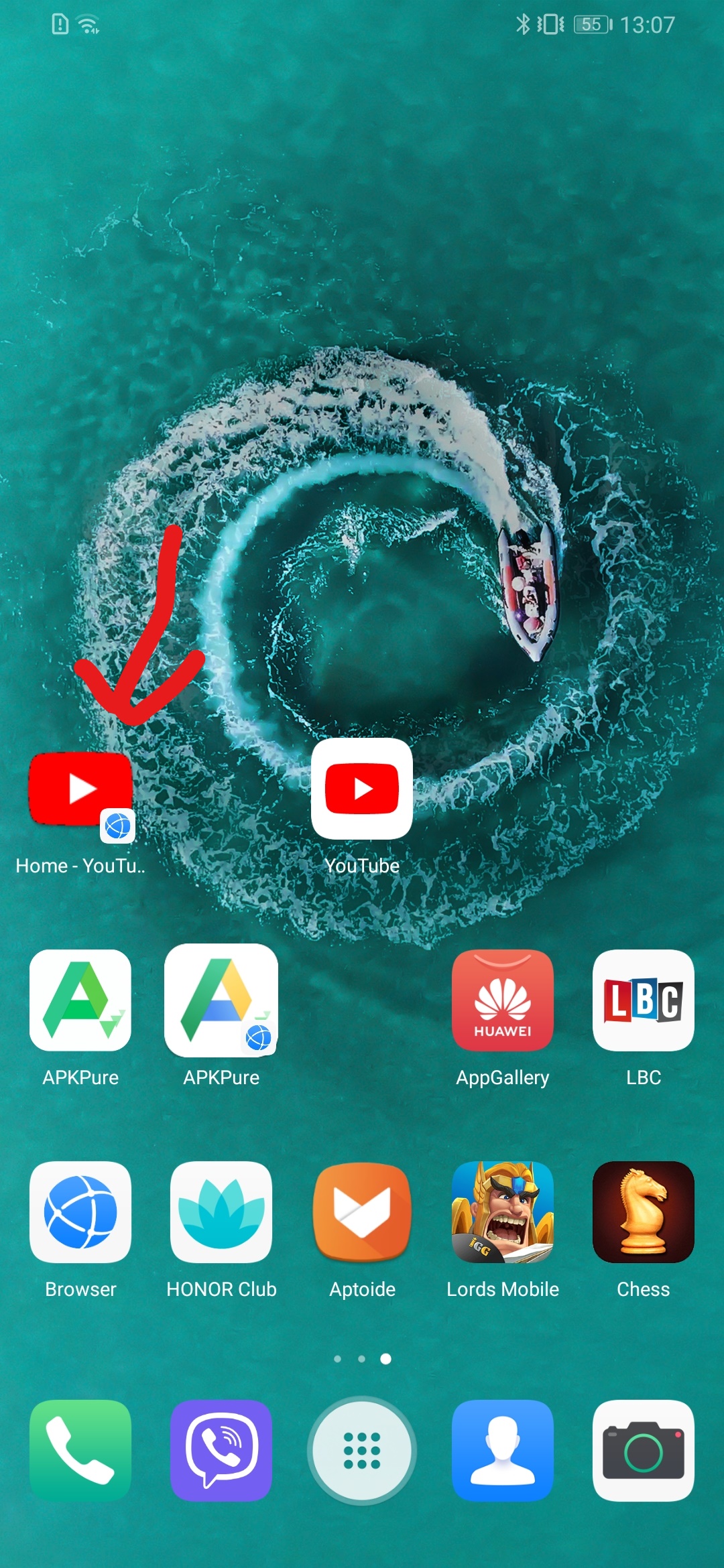
This is simple way to enjoy YouTube. Once we open YouTube via Browser just add YouTube App to Home Screen. And we can access from Home Screen as normal YouTube app. What it does is it create shortcut to browser tab. Every time we come back to YouTube, we end up opening new Tab, eventually, this leads to multiple YouTube Tab on browser. Good thing is that there is no issues with quality and video *.
Steps:
Browser > Youtube> Add to home screen (menu is in 3 vertical dots on top right corner)
2. APK PURE
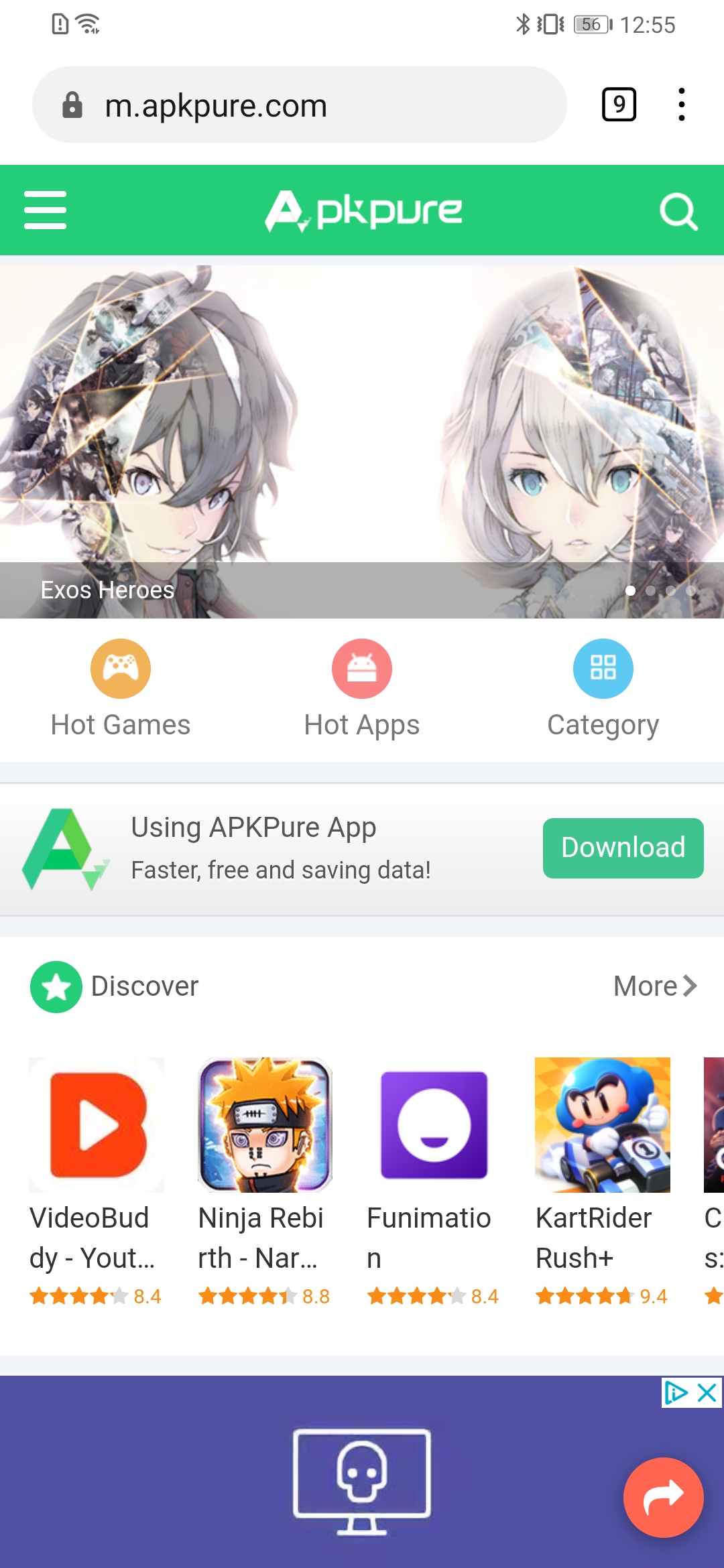
This method involves multiple downloads. First we need to Download APK PURE using Browser.
Steps:
Browser> Apk Pure> download Apk Pure > install (Allow permission to install from external sources if asked)
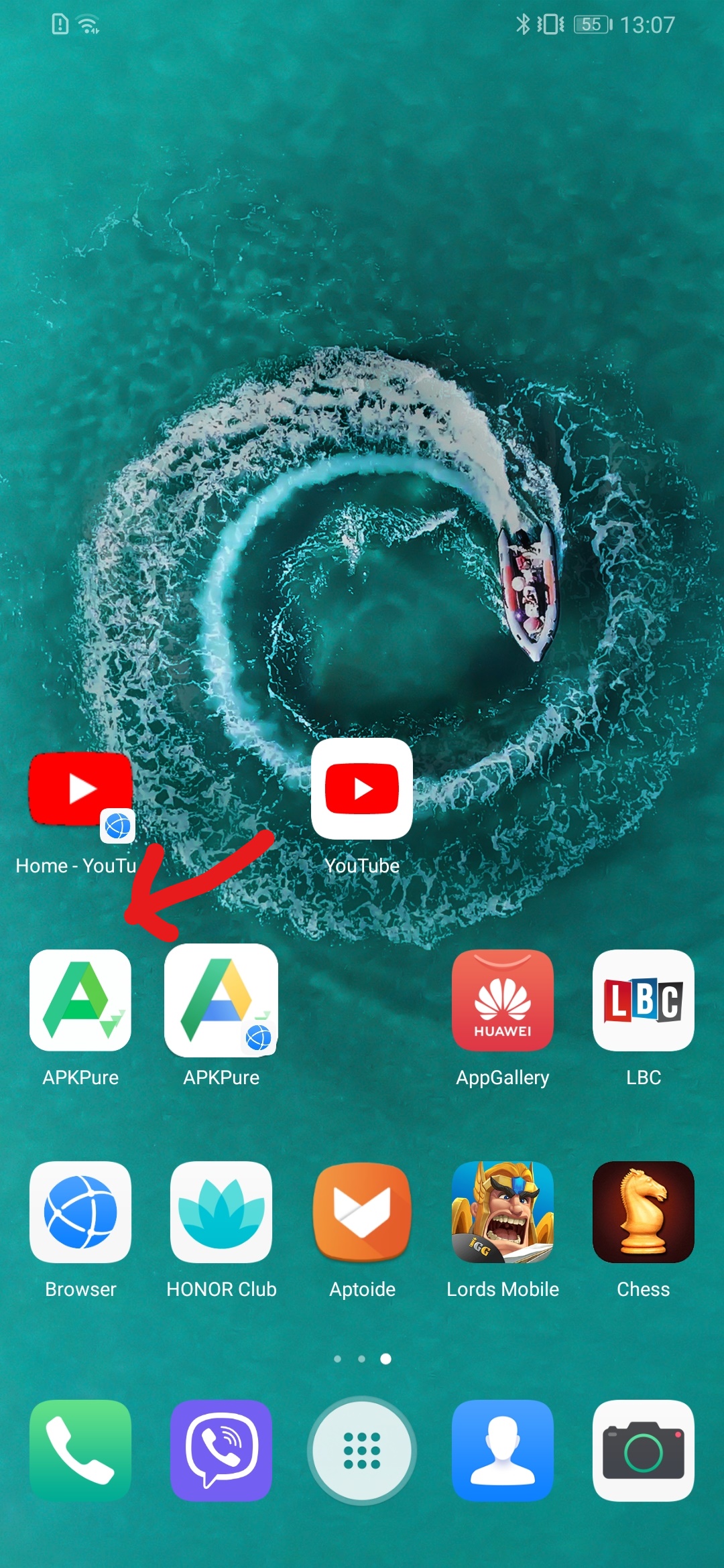
Now we can use Apk Pure app to download apps we are looking for. For this time we are installing YouTube.
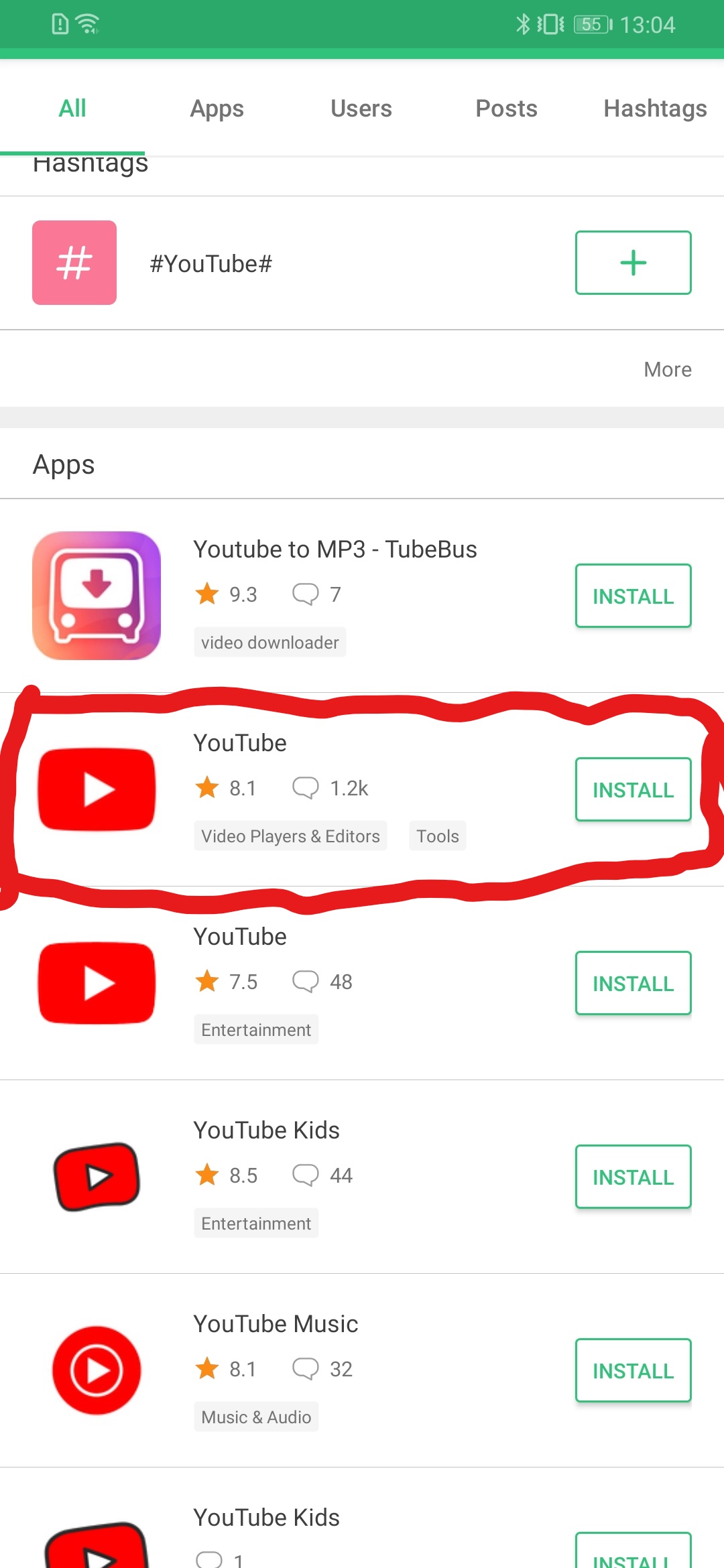
In order to install youtube we need to use apk pure and search for youtube. It is essential to correct APK file. Choose APK file with only Youtube that has a description as video players and editors. Second one on the available list
Steps:
Apk Pure > Search Youtube> Install Youtube (only YouTube, first available/ second on the list).
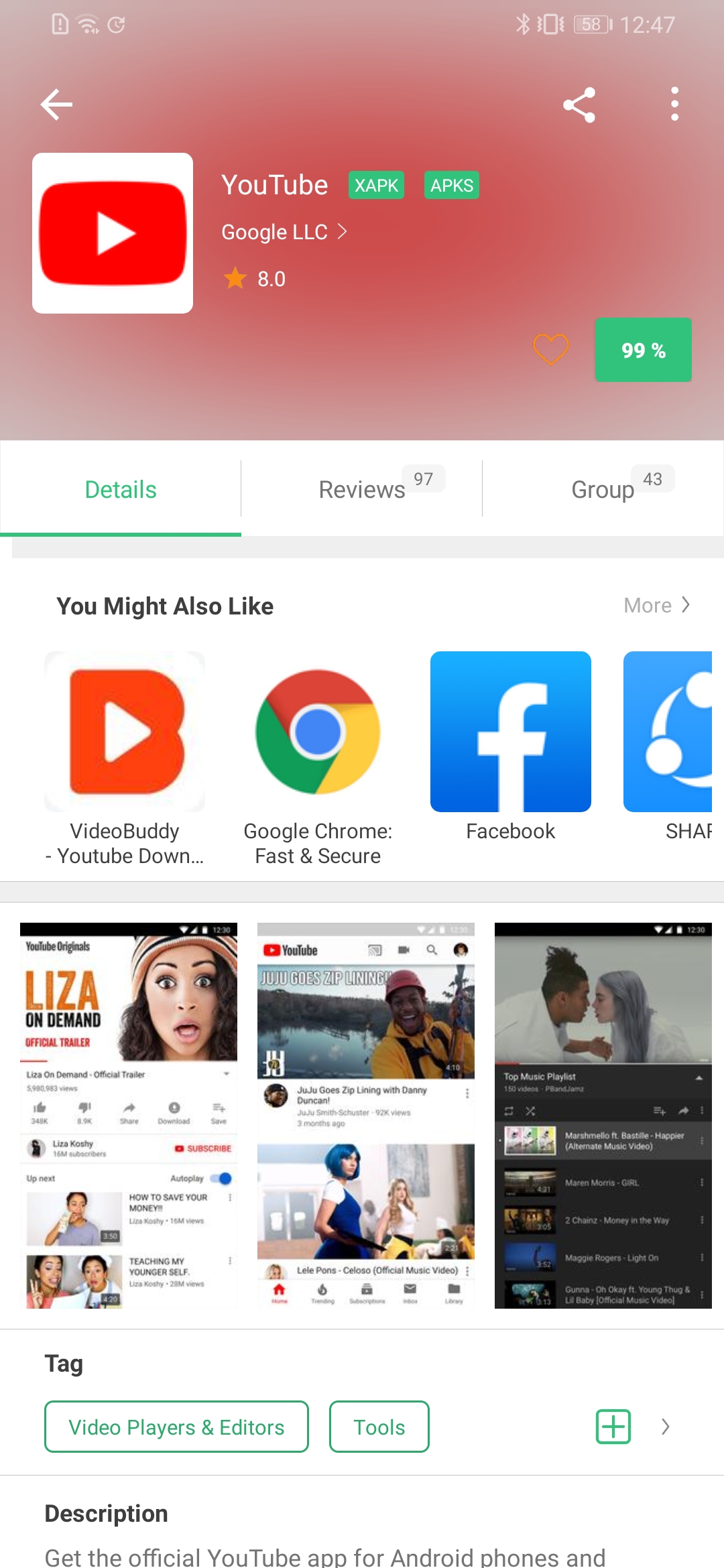
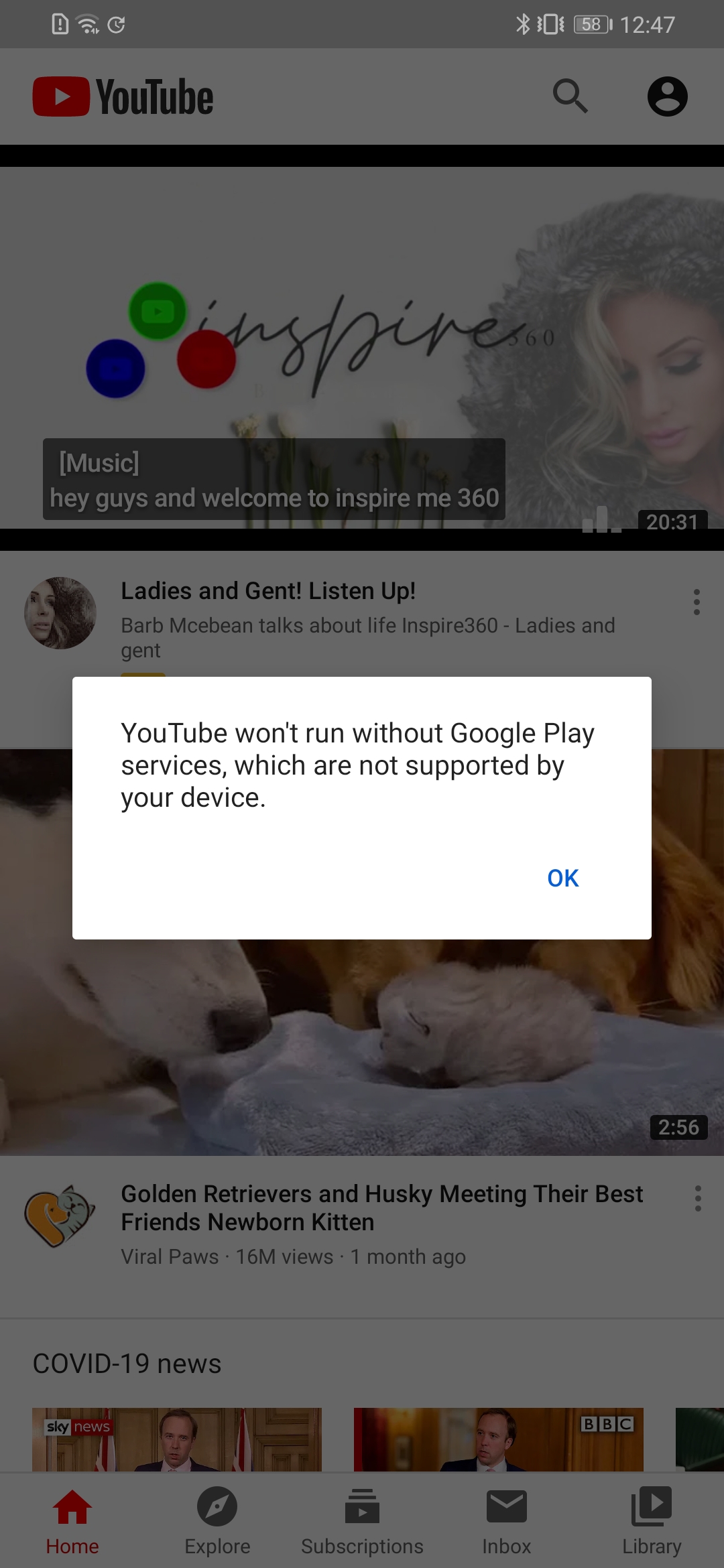
Once the installation process completes we can see the youtube app on our app drawer. It should be red youtube logo with white background. It does not work if you just try to play YouTube Now. In order to complete installation we need further two more Apps Youtube. It may work for other apps that need google play to open. These apps do not work on itself but it will allow other apps to open.
a. Google play store
b. Google Play services.
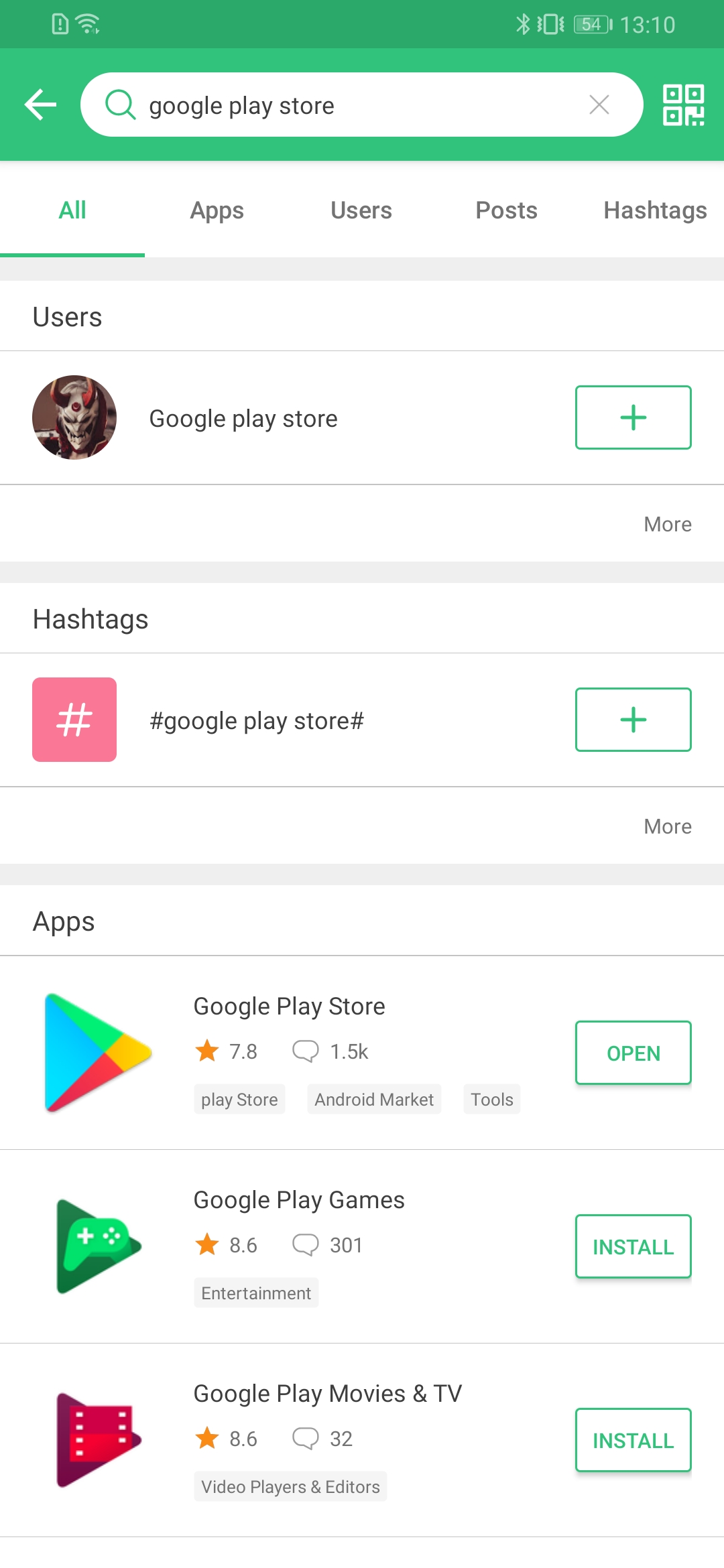
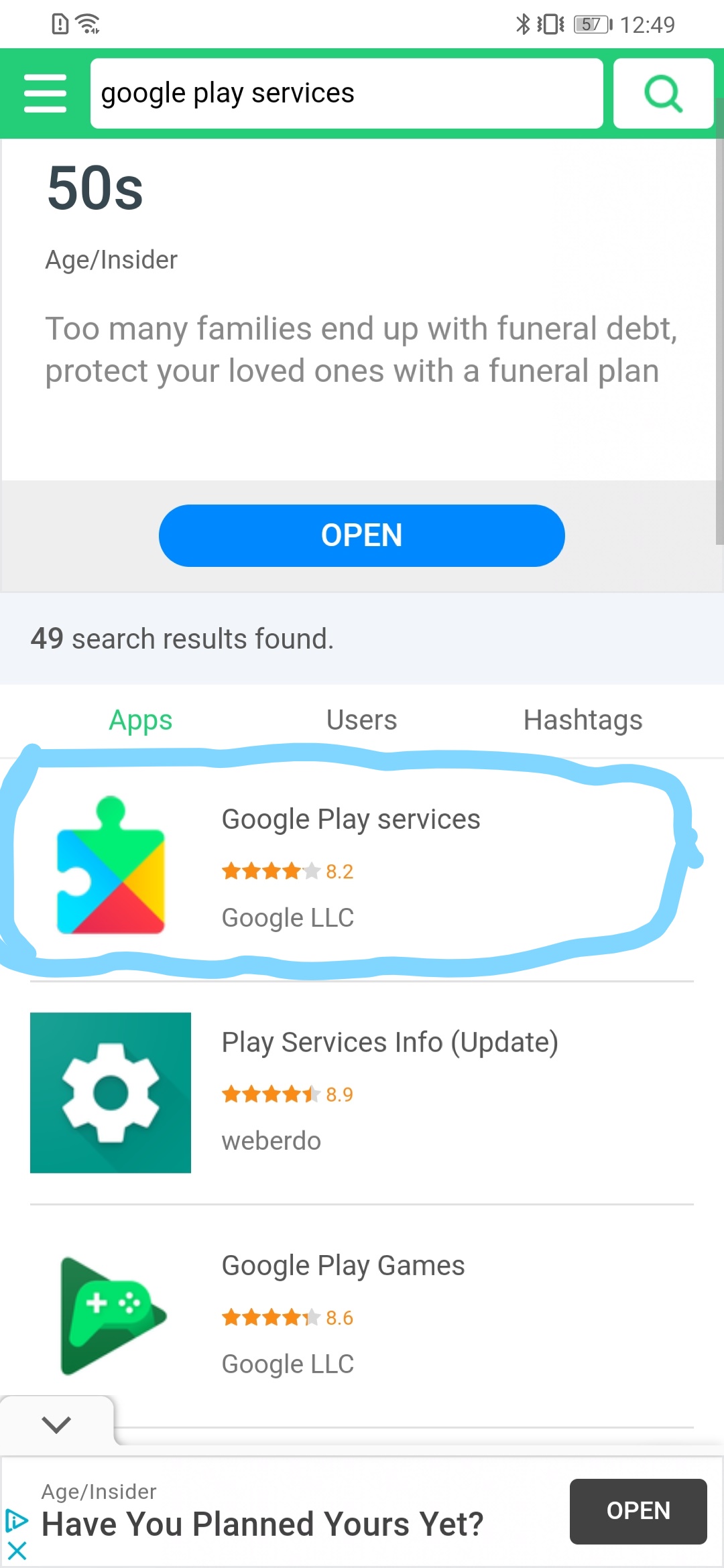
Steps are similar to above.
Apk pure > install Google play store
Apk pure > install Google play services.
there is a major disadvantage in this process. app version does not allows to log in to the youtube account. previously, I was able to use my youtube account as well by installing Google account Manager. however, I could not log in to google account. normally it would allows to log in google account from setting> account> google account.
moreover, this method might be useful for other apps that are not available in App Gallery.
comment below if this method worked for you or if you have any other method to get YouTube and other apps without GMS


- Posts
- Following
- Followers
- Energy
-

 Stha raj
Photographer
Stha raj
Photographer
-
+ Follow

-
- 77 Posts
- 165 Following
- 267 Followers
- 11718 Energy
-
 New Comer
-
 Followers reach 50
-
 Followers reach 100
-
 HONOR STAR 2020
-
 Photography Expert
-
 New Year 2021
-
 Animal Photography
-
 Winter Photo Challenge
-
 Plant Photography
-
 Architecture Medal
-
 Landscape Photography
-
 Earth's Beauty
-
 Product Photography
-
 Summer Sunset Photography
-
 Activity Photography Medal
-
 Autumn Photography
-
 Rain Photography



- Posts
- photo
- video

I was trying to figure out how to download YouTube on my new HONOR 9X PRO. There is 2 different method. First one is simple with Huawei Browser and second involves multiple downloads using APK Pure.
1. Browser
This is simple way to enjoy YouTube. Once we open YouTube via Browser just add YouTube App to Home Screen. And we can access from Home Screen as normal YouTube app. What it does is it create shortcut to browser tab. Every time we come back to YouTube, we end up opening new Tab, eventually, this leads to multiple YouTube Tab on browser. Good thing is that there is no issues with quality and video *.
Steps:
Browser > Youtube> Add to home screen (menu is in 3 vertical dots on top right corner)
2. APK PURE
This method involves multiple downloads. First we need to Download APK PURE using Browser.
Steps:
Browser> Apk Pure> download Apk Pure > install (Allow permission to install from external sources if asked)
Now we can use Apk Pure app to download apps we are looking for. For this time we are installing YouTube.
In order to install youtube we need to use apk pure and search for youtube. It is essential to correct APK file. Choose APK file with only Youtube that has a description as video players and editors. Second one on the available list
Steps:
Apk Pure > Search Youtube> Install Youtube (only YouTube, first available/ second on the list).
Once the installation process completes we can see the youtube app on our app drawer. It should be red youtube logo with white background. It does not work if you just try to play YouTube Now. In order to complete installation we need further two more Apps Youtube. It may work for other apps that need google play to open. These apps do not work on itself but it will allow other apps to open.
a. Google play store
b. Google Play services.
Steps are similar to above.
Apk pure > install Google play store
Apk pure > install Google play services.
there is a major disadvantage in this process. app version does not allows to log in to the youtube account. previously, I was able to use my youtube account as well by installing Google account Manager. however, I could not log in to google account. normally it would allows to log in google account from setting> account> google account.
moreover, this method might be useful for other apps that are not available in App Gallery.
comment below if this method worked for you or if you have any other method to get YouTube and other apps without GMS