



 More Products
 Compare














我的荣耀 开启荣耀之旅



 Disagree Terms
 Log out




[Weekly FAQ Vol.10] How to clear application cache files?


 Last reply :
When your phone is used for a period of time, it will accumulate a large amount of app cache files, which will occupy the storage space of your phone, causing the phone to run slowly. To keep your phone running normally, you can periodically clear out the unwanted application cache files to free up some storage space. Do you know how to clear application cache files?
Here’s a quick guide on how to do it.
Go to Settings > Apps > Apps, under the all apps, select the app you want to clear the cache.
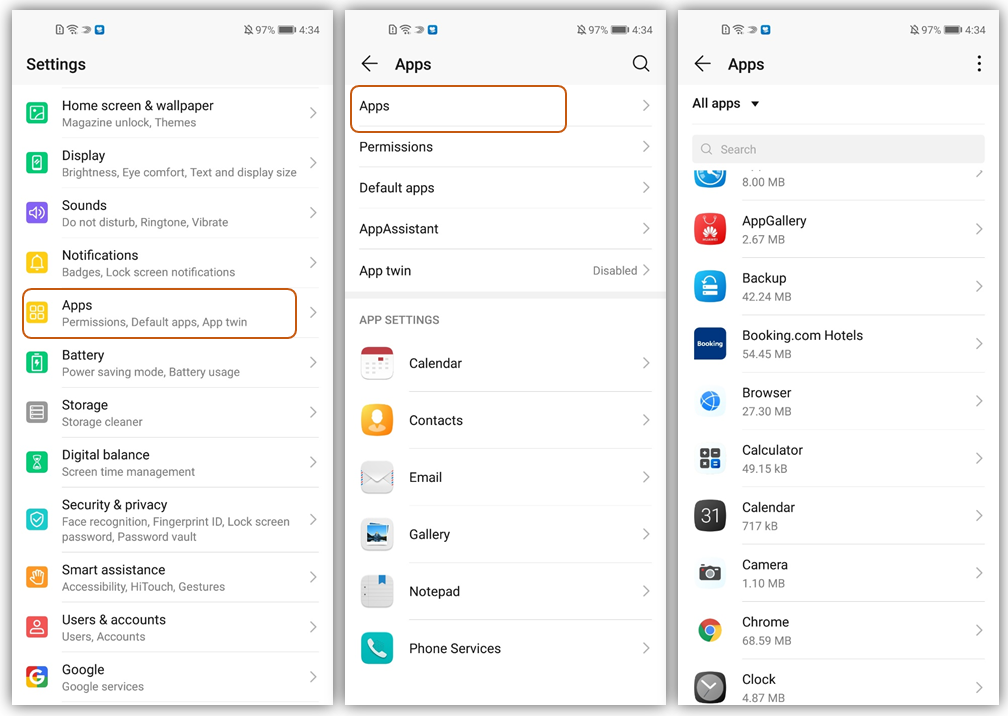
Take browser as an example, let’s see how to clear the cache files.
Go to Settings > Apps > Apps, find Browser and tap it, then tap Storage > tap CLEAR CACHE.
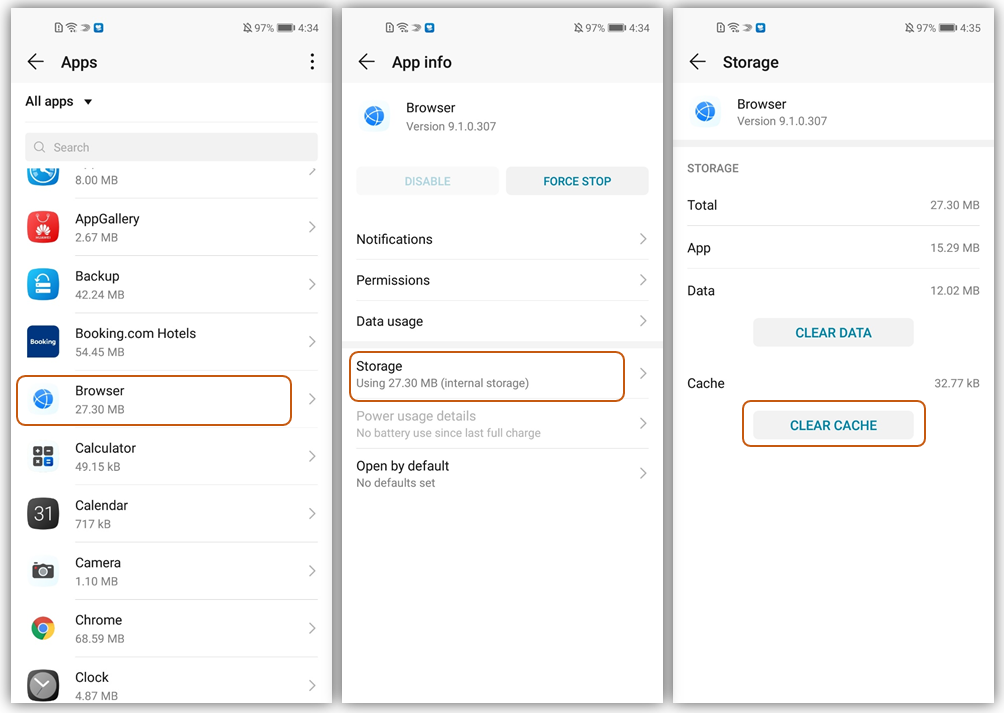
Have you got it? Any questions, please feel free to leave a comment. See you next week!
Note:
The above images are for reference only and may differ from your device.


- Posts
- Following
- Followers
- Energy
-

Yummy_Engineer
-
+ Follow

-
- 22 Posts
- 0 Following
- 36 Followers
- 752 Energy



- Posts
- photo
- video

When your phone is used for a period of time, it will accumulate a large amount of app cache files, which will occupy the storage space of your phone, causing the phone to run slowly. To keep your phone running normally, you can periodically clear out the unwanted application cache files to free up some storage space. Do you know how to clear application cache files?
Here’s a quick guide on how to do it.
Go to Settings > Apps > Apps, under the all apps, select the app you want to clear the cache.
Take browser as an example, let’s see how to clear the cache files.
Go to Settings > Apps > Apps, find Browser and tap it, then tap Storage > tap CLEAR CACHE.
Have you got it? Any questions, please feel free to leave a comment. See you next week!
Note:
The above images are for reference only and may differ from your device.