



 More Products
 Compare














我的荣耀 开启荣耀之旅



 Disagree Terms
 Log out




[VideoTutorial] How to Clone between HONOR smartphones


 Last reply :
Dear HONOR Fans,
Today I would like to share with you a very useful application by Huawei call Phone Clone. This application would allow you to change phones without having to worry about pictures, contacts and important documents.
In this article, I would be showing you step by step on how to simply switch between HONOR Smartphones.
First, I would like to mention that no matter if you are an IOS or Android user Huawei Phone clone is compatible with your phone regardless of the brand. You can download the app from Google Play or Apple Store.
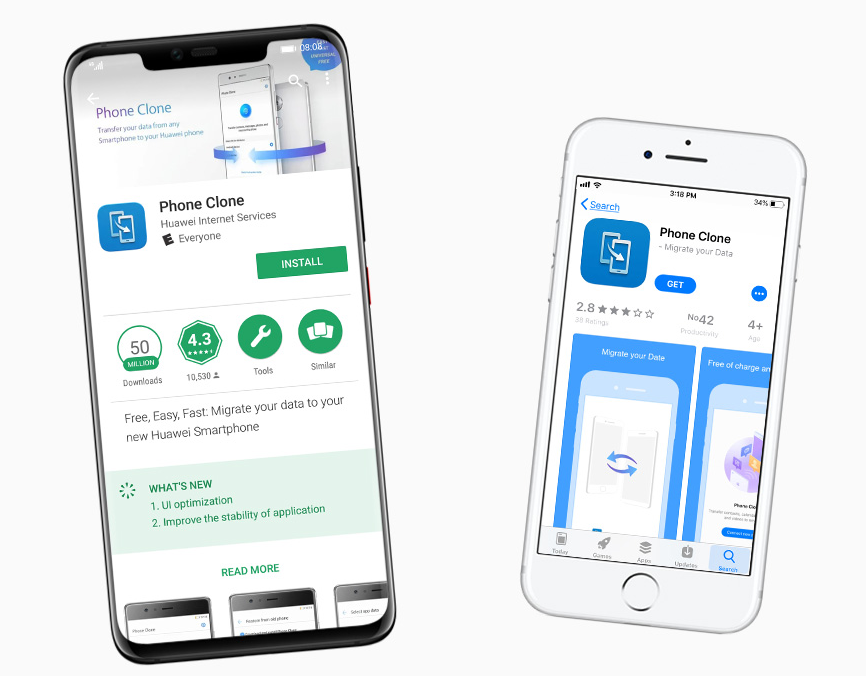
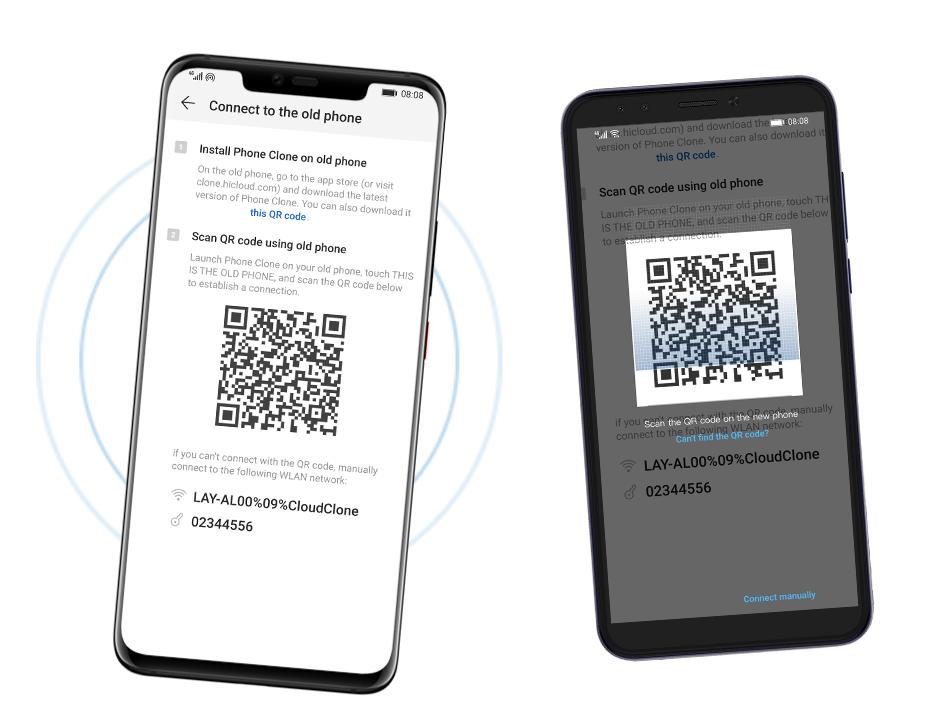
Another amazing add-on on this application is that the users don’t need Wi-Fi or data *, just scan the QR code or connect a local hotspot of the new phone and it would be ready to transfer.
Fast & Safe:
Using this application is pretty safe and fast. The super-fast transfer can reach the speed of 1GB per minute and don’t worry, your beloved photos, videos, contacts, and other files will be easily and safely transferred with the secured wireless network encryption. No back up in the cloud. No heavy hard disk.
Please follow these simple steps:
1. Open the “Phone Clone” App and select the old and new phones.
2. Scan the QR Code and establish a connection
3. Select the data and start the migration
For more detail information on how to phone clone between smartphones, Please Watch Video below. Enjoy!
This is all for today, please don’t forget to like and comment on the section below if you have any other questions regarding this amazing application.
Thank you!


- Posts
- Following
- Followers
- Energy
-

Oliver_HONOR_UK
-
+ Follow

-
- 246 Posts
- 1667 Following
- 944 Followers
- 18381 Energy



- Posts
- photo
- video

Dear HONOR Fans,
Today I would like to share with you a very useful application by Huawei call Phone Clone. This application would allow you to change phones without having to worry about pictures, contacts and important documents.
In this article, I would be showing you step by step on how to simply switch between HONOR Smartphones.
First, I would like to mention that no matter if you are an IOS or Android user Huawei Phone clone is compatible with your phone regardless of the brand. You can download the app from Google Play or Apple Store.
Another amazing add-on on this application is that the users don’t need Wi-Fi or data *, just scan the QR code or connect a local hotspot of the new phone and it would be ready to transfer.
Fast & Safe:
Using this application is pretty safe and fast. The super-fast transfer can reach the speed of 1GB per minute and don’t worry, your beloved photos, videos, contacts, and other files will be easily and safely transferred with the secured wireless network encryption. No back up in the cloud. No heavy hard disk.
Please follow these simple steps:
1. Open the “Phone Clone” App and select the old and new phones.
2. Scan the QR Code and establish a connection
3. Select the data and start the migration
For more detail information on how to phone clone between smartphones, Please Watch Video below. Enjoy!
This is all for today, please don’t forget to like and comment on the section below if you have any other questions regarding this amazing application.
Thank you!