



 More Products
 Compare














我的荣耀 开启荣耀之旅



 Disagree Terms
 Log out




[Tutorials] How to Use Gmail on Your HONOR 9X PRO


 Last reply :
Hey Guys,
Gmail is a frequently-used office tool. I’m also one of those who heavily rely on Gmail. So today I’m back with this post hoping to help you if you are also asking the same question how to use Gmail on HONOR 9X PRO or other HMS smartphones.
We can use Gmail normally on our preinstall mail app (HUAWEI Email) and other mail apps that support Gmail.
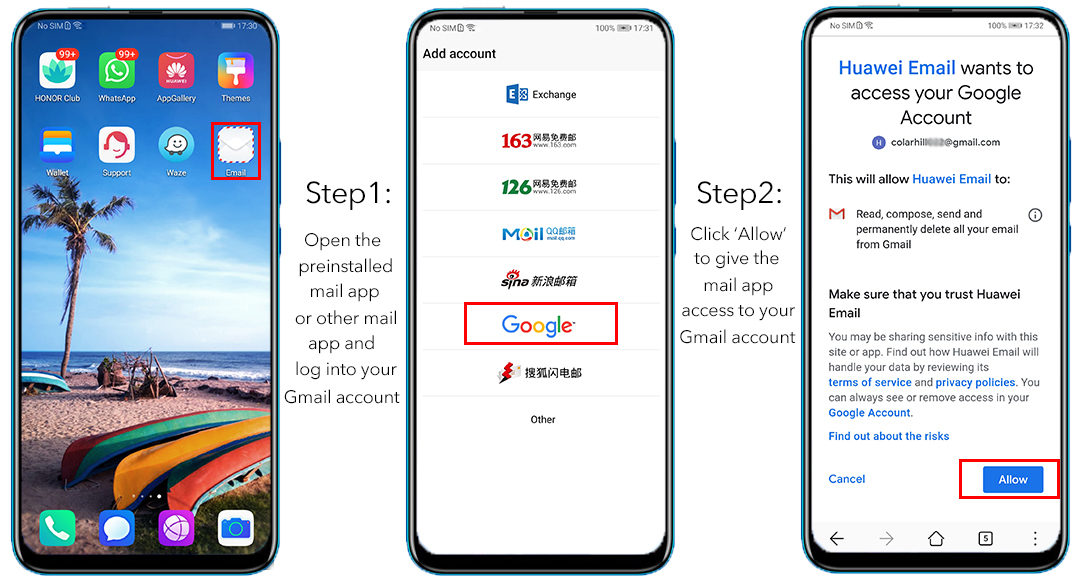
Here is a quick guide on How to configure Gmail. Follow Me!
After the above steps are done, mails in your Gmail account will be synchronized automatically to the mail app you use.
Then you can see the mails of your Gmail account and they will be sorted to a folder ‘Gmail’.
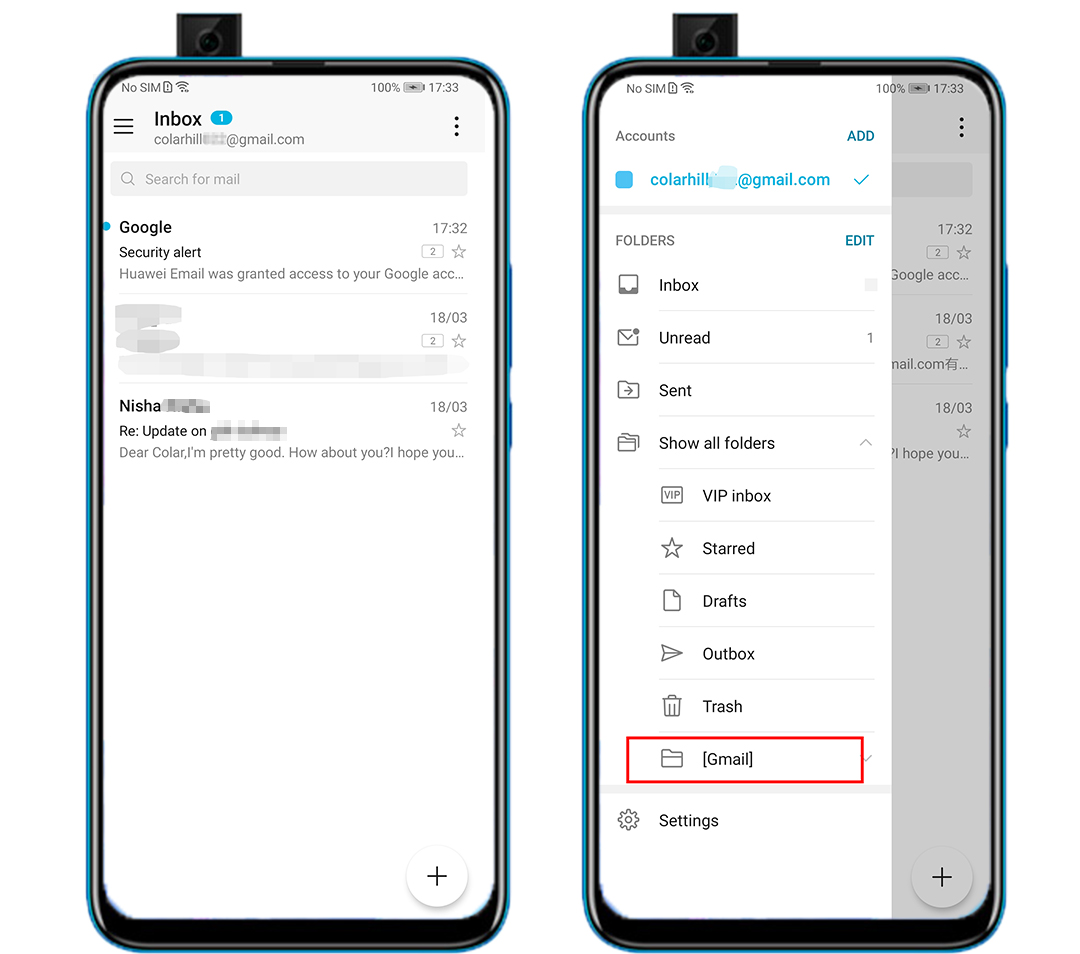
And you can see there is a blue ‘ADD’ button on left top side besides ‘Accounts’ with which you can add your other email accounts that supported by the mail app.
It’s more convenient if you need to use different accounts at the same time.
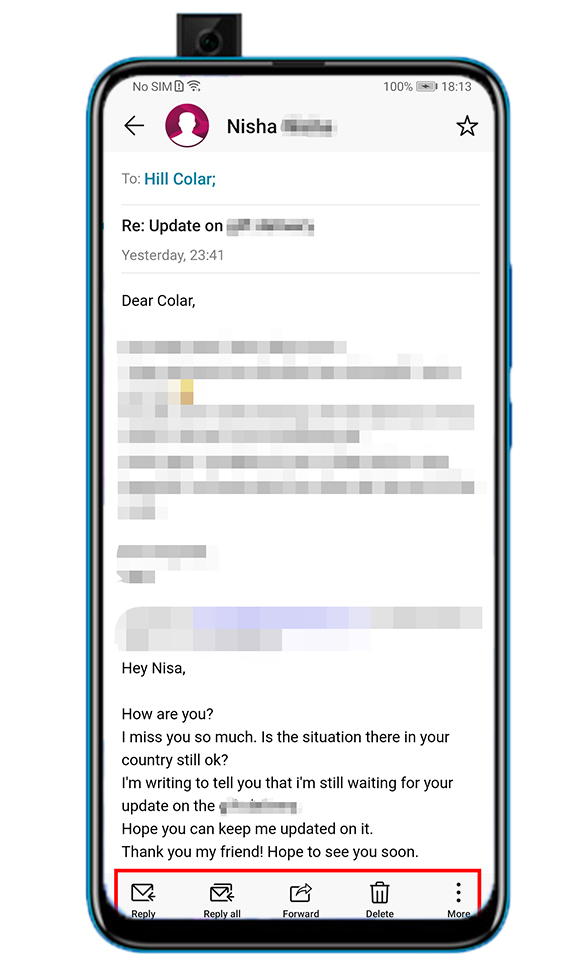
You can use the mail app to reply, forward and delete the mails of your Gmail account. It’s functioning properly.
Besides the preinstalled HUAWEI mail app, here I want to share you two more options:
The first one is Microsoft outlook:
I downloaded it from Apkpure.
Click Here to download this app
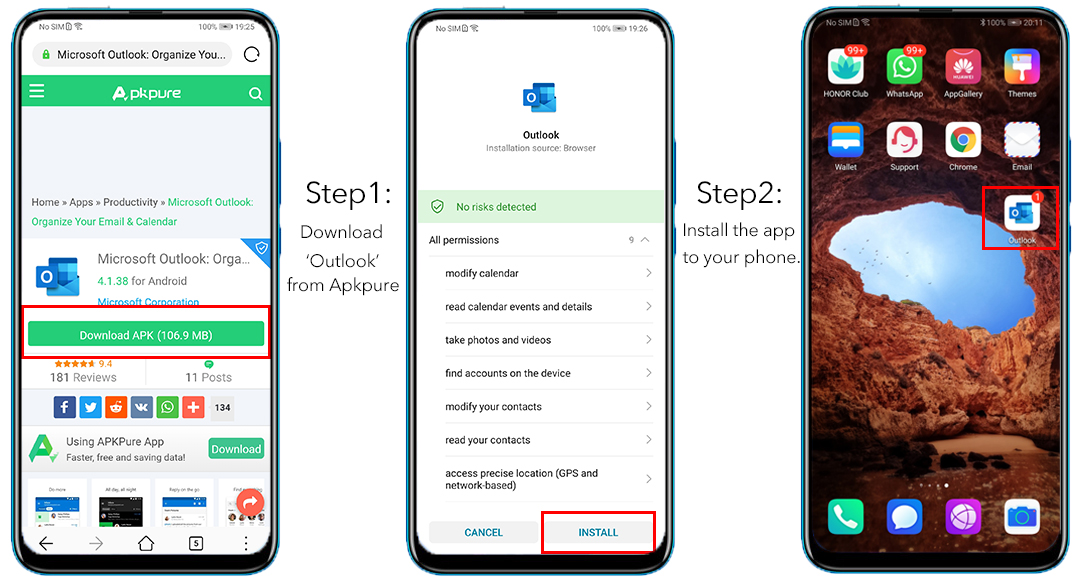
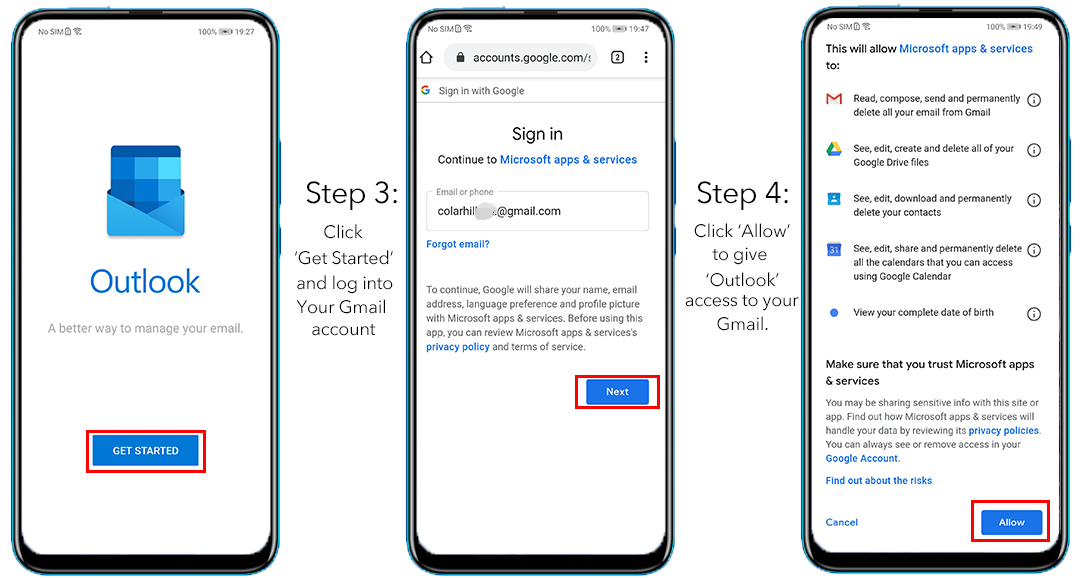
Then let’s check the UI of the app:
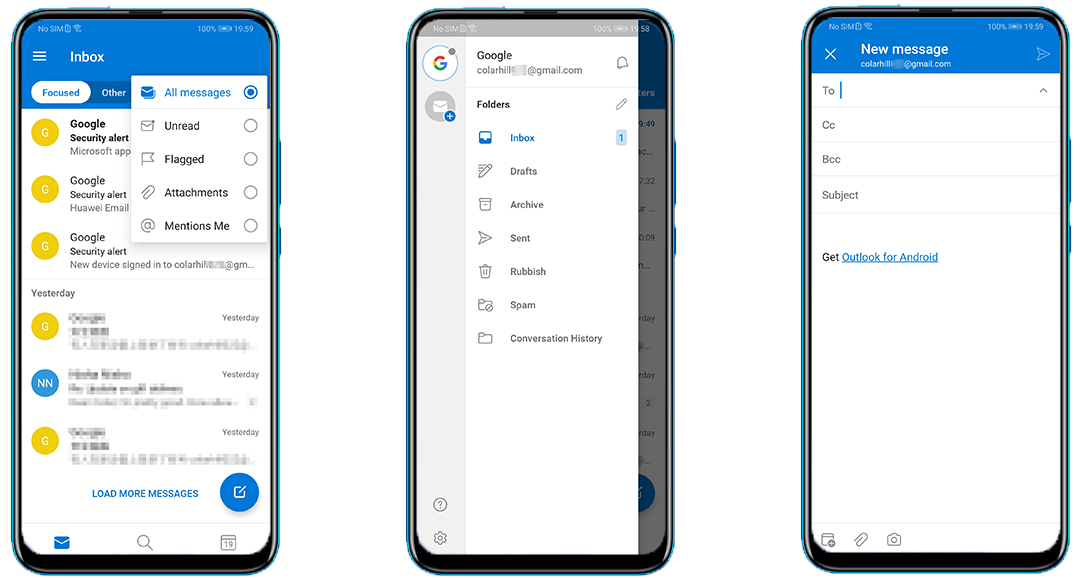
So clean and nice! I like it very much.
The second one is Cloze:

You can access the app easily from third-party app store like Apkpure. But for your convenience, I get the link for u here.
Click Here to download it:
(You can simply install it and configure Gmail following steps introduced above for other mail apps. The steps are similar, so I’m not gonna show it here again.)
What’s more, Cloze is not only a mail app but a useful app for you to manage your relationship by analyzing your history and figure out who and what matters most for you.
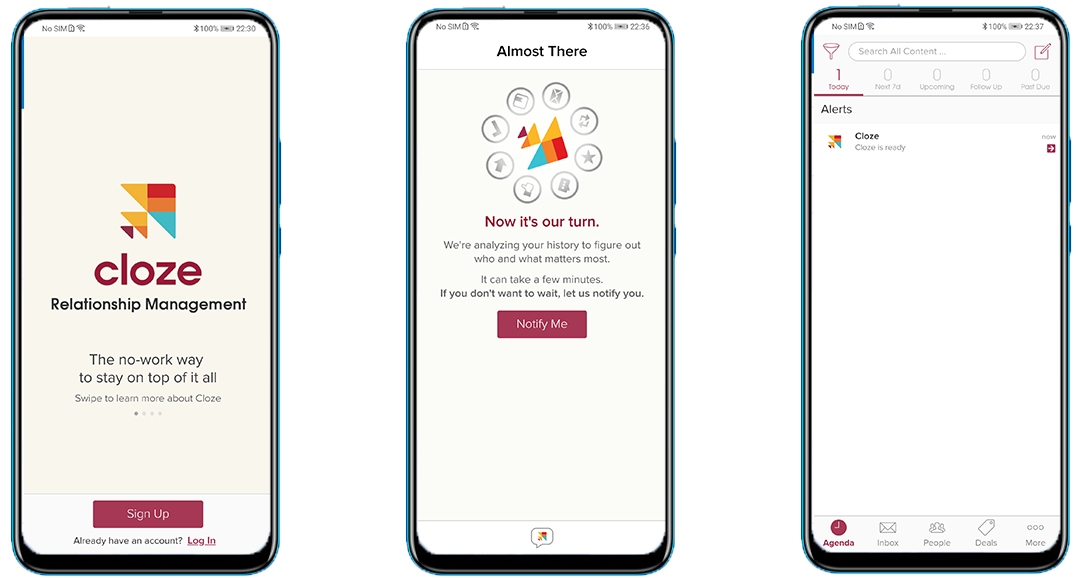
So, which Mail App will you choose? Welcome to share your experience with your mail apps!
Follow me to get the most updated information of HMS and App Gallery!


- Posts
- Following
- Followers
- Energy
-

ColarHill
-
+ Follow

-
- 66 Posts
- 25 Following
- 209 Followers
- 4075 Energy



- Posts
- photo
- video

Hey Guys,
Gmail is a frequently-used office tool. I’m also one of those who heavily rely on Gmail. So today I’m back with this post hoping to help you if you are also asking the same question how to use Gmail on HONOR 9X PRO or other HMS smartphones.
We can use Gmail normally on our preinstall mail app (HUAWEI Email) and other mail apps that support Gmail.
Here is a quick guide on How to configure Gmail. Follow Me!
After the above steps are done, mails in your Gmail account will be synchronized automatically to the mail app you use.
Then you can see the mails of your Gmail account and they will be sorted to a folder ‘Gmail’.
And you can see there is a blue ‘ADD’ button on left top side besides ‘Accounts’ with which you can add your other email accounts that supported by the mail app.
It’s more convenient if you need to use different accounts at the same time.
You can use the mail app to reply, forward and delete the mails of your Gmail account. It’s functioning properly.
Besides the preinstalled HUAWEI mail app, here I want to share you two more options:
The first one is Microsoft outlook:
I downloaded it from Apkpure.
Click Here to download this app
Then let’s check the UI of the app:
So clean and nice! I like it very much.
The second one is Cloze:
You can access the app easily from third-party app store like Apkpure. But for your convenience, I get the link for u here.
Click Here to download it:
(You can simply install it and configure Gmail following steps introduced above for other mail apps. The steps are similar, so I’m not gonna show it here again.)
What’s more, Cloze is not only a mail app but a useful app for you to manage your relationship by analyzing your history and figure out who and what matters most for you.
So, which Mail App will you choose? Welcome to share your experience with your mail apps!
Follow me to get the most updated information of HMS and App Gallery!