



 More Products
 Compare














我的荣耀 开启荣耀之旅



 Disagree Terms
 Log out




[Tutorial] Make your Life Easier with HONOR Notepad


 Last reply :
Hello Fans, its Friday!!!!!!
Today I have a very cool tutorial using HONOR Notepad. Notepad is very useful for everyone, we can use to record some important points, lists, and anything you want to write. You can set up reminders for each note and To-Do lists. This app is present in every HONOR phones and you might have made use of this app already. Now there are some extra features added in the EMUI 9 notepad, which makes the notepad even more exciting.
Let’s start:
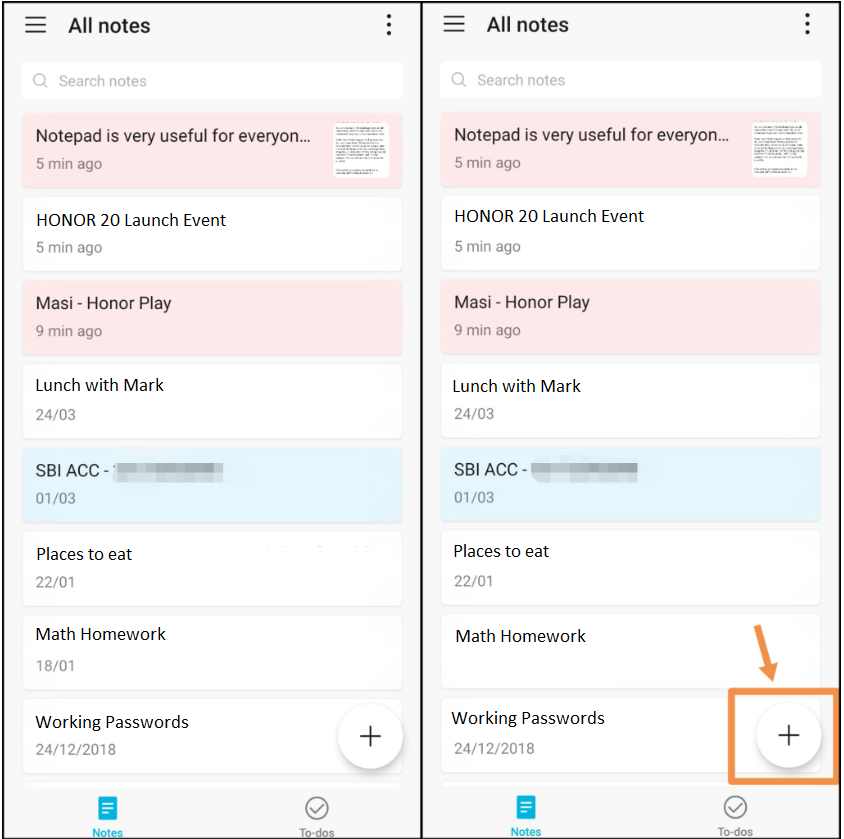
Open Notepad and you will feel a difference in the UI of Notepad, Now it is more clean & interactive to users. Tab on (+) icon to take new notes.
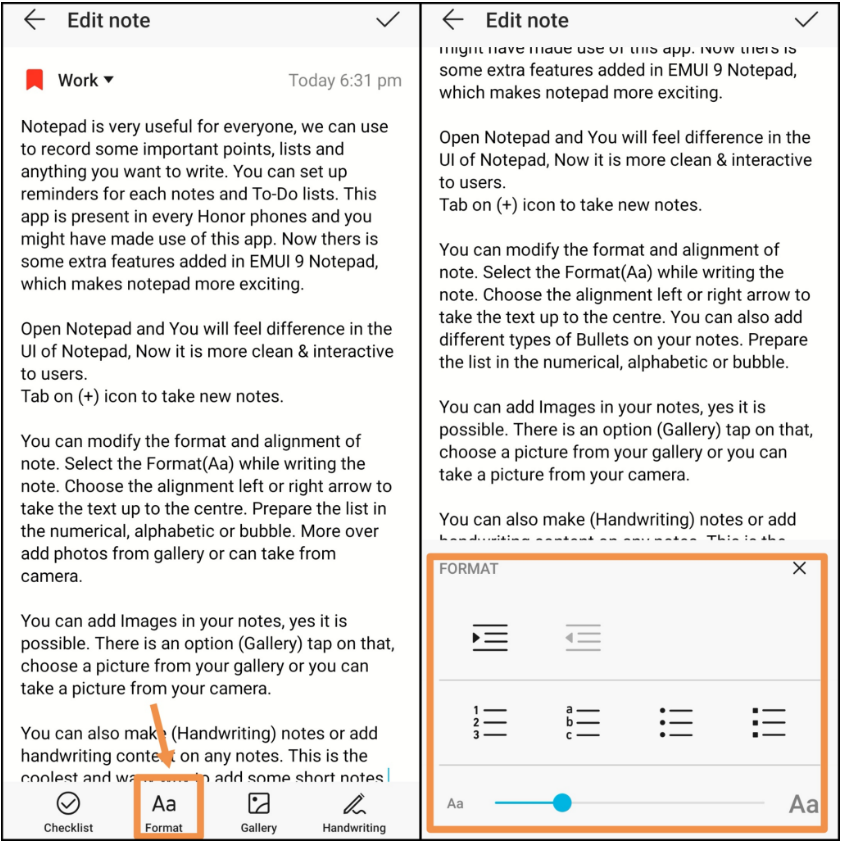
You can modify the format and alignment of note. Select the Format(Aa) while writing the note. Choose the alignment left or right to take the text up to the center. You can also add different types of bullets on your notes. Prepare delist in the numerical, alphabetic or bubble. Increase or decrease the size of fonts.
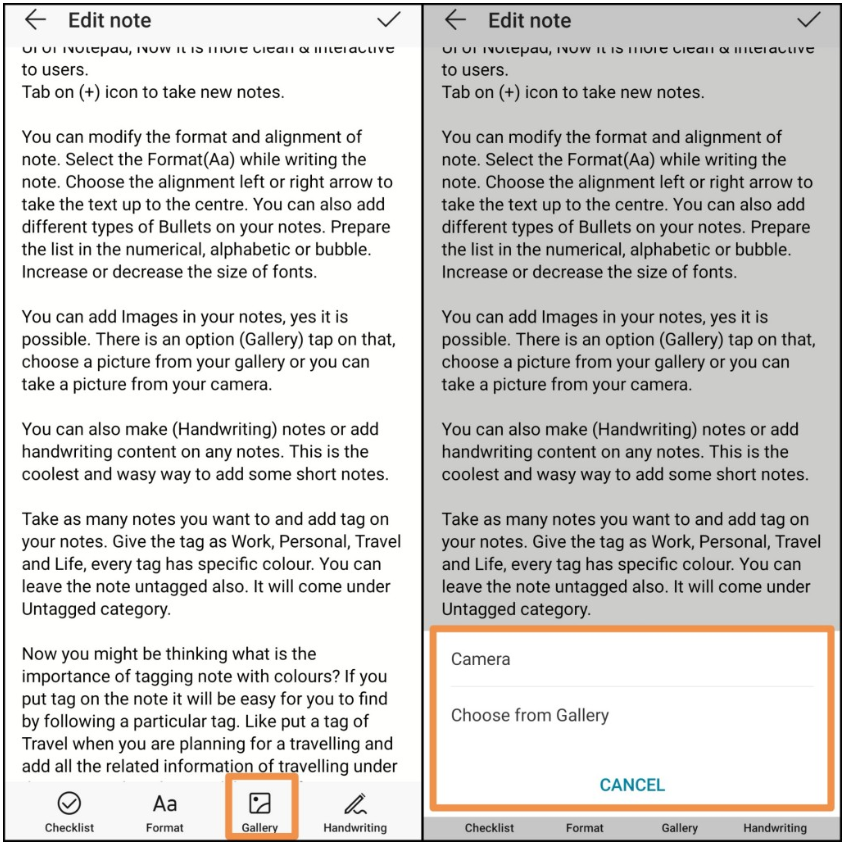
You can add images in your notes, yes it is possible. There is an option (Gallery) tap on that, choose a picture from your gallery or you can take a picture from your camera.
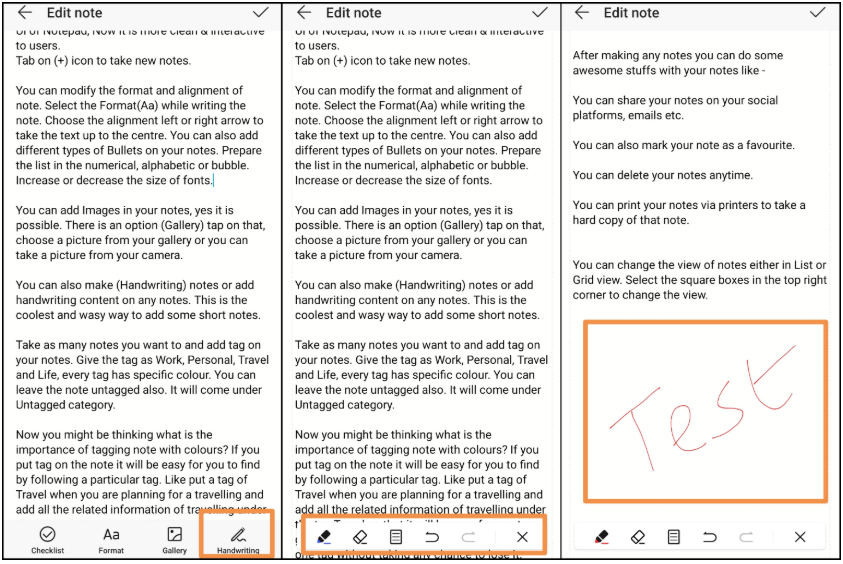
You can also make (Handwriting) notes or add handwriting content on any notes. This is the coolest and easy way to add some short notes.
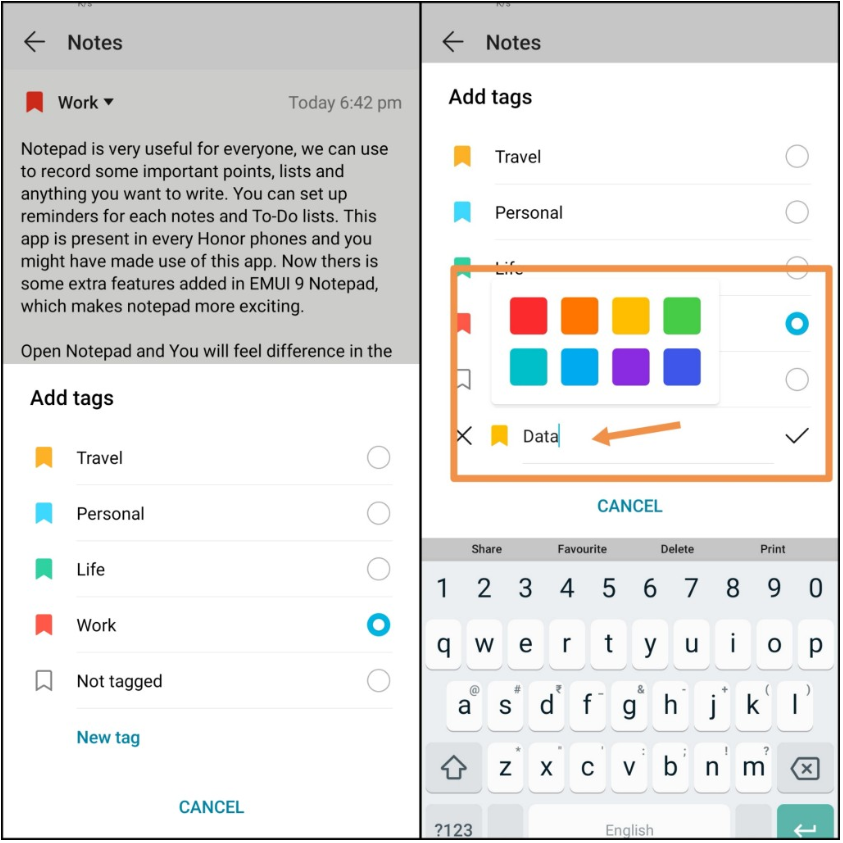
Take as many notes you want to and add (Tag) on your notes. Give the tag as Work, Personal, Travel and Life, every tag has a specific colour. You can leave the note untagged also. It will come under the untagged category.
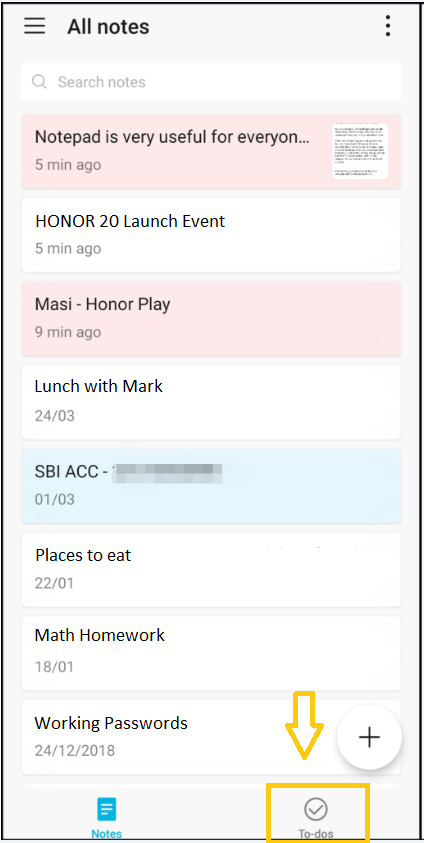
Make more interesting your writing down note. You can create To Do. When you open the Notepad >New Note To-do option appear, make the list of the things which you want to perform. Using this, a bubble kind of thing will appear and the entire To-do list will fall under To-do’s category.
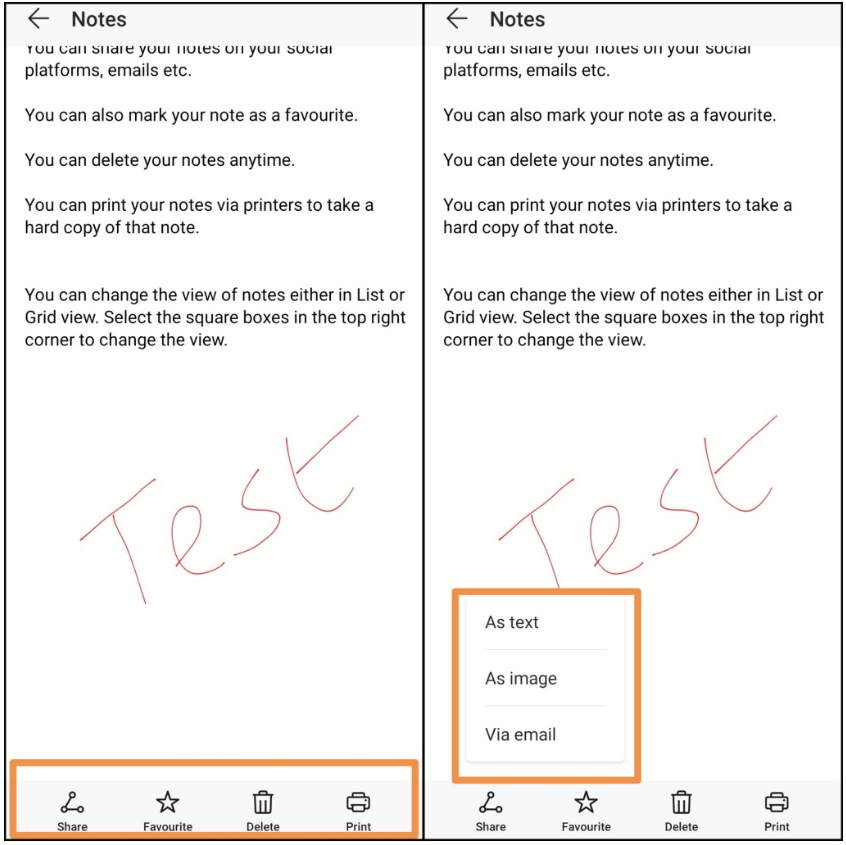
After making any notes you can do some awesome stuff with your notes like:
- You can share your notes on your social platform, emails, etc (As a text or image)
- You can also mark your note as a favourite
- You can delete your notes anytime
- You can print your notes via printers to take a hard copy of that note
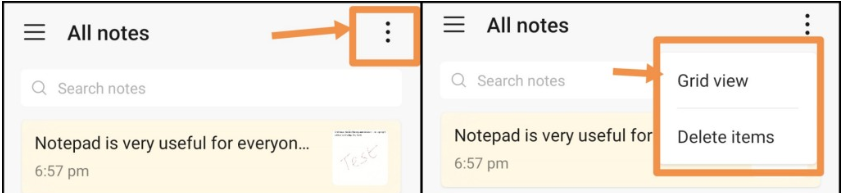
You can change the view of notes either in List or Grid View. Select the square boxes in the top right corner to change the view.
This is all for today, I hope you like it. Don’t forget to follow me and comment in the bottom section!
Cheers!


- Posts
- Following
- Followers
- Energy
-

Sebastian
-
+ Follow

-
- 139 Posts
- 390 Following
- 424 Followers
- 10125 Energy



- Posts
- photo
- video

Hello Fans, its Friday!!!!!!
Today I have a very cool tutorial using HONOR Notepad. Notepad is very useful for everyone, we can use to record some important points, lists, and anything you want to write. You can set up reminders for each note and To-Do lists. This app is present in every HONOR phones and you might have made use of this app already. Now there are some extra features added in the EMUI 9 notepad, which makes the notepad even more exciting.
Let’s start:
Open Notepad and you will feel a difference in the UI of Notepad, Now it is more clean & interactive to users. Tab on (+) icon to take new notes.
You can modify the format and alignment of note. Select the Format(Aa) while writing the note. Choose the alignment left or right to take the text up to the center. You can also add different types of bullets on your notes. Prepare delist in the numerical, alphabetic or bubble. Increase or decrease the size of fonts.
You can add images in your notes, yes it is possible. There is an option (Gallery) tap on that, choose a picture from your gallery or you can take a picture from your camera.
You can also make (Handwriting) notes or add handwriting content on any notes. This is the coolest and easy way to add some short notes.
Take as many notes you want to and add (Tag) on your notes. Give the tag as Work, Personal, Travel and Life, every tag has a specific colour. You can leave the note untagged also. It will come under the untagged category.
Make more interesting your writing down note. You can create To Do. When you open the Notepad >New Note To-do option appear, make the list of the things which you want to perform. Using this, a bubble kind of thing will appear and the entire To-do list will fall under To-do’s category.
After making any notes you can do some awesome stuff with your notes like:
- You can share your notes on your social platform, emails, etc (As a text or image)
- You can also mark your note as a favourite
- You can delete your notes anytime
- You can print your notes via printers to take a hard copy of that note
You can change the view of notes either in List or Grid View. Select the square boxes in the top right corner to change the view.
This is all for today, I hope you like it. Don’t forget to follow me and comment in the bottom section!
Cheers!