



 More Products
 Compare










我的荣耀 开启荣耀之旅



 Disagree Terms
 Log out




[Tutorial] How to Personalize your HUAWEI Music Player Skin


 Last reply :
Hello HONOR Fans'
I hope you all had a great Weekend ;)
In this post - I'm going to guide everyone on "How Personalize your HUAWEI Music Player Skin" with your favorite pictures!
Let's check it out;
Prerequisites:
+ HUAWEI Music Player v12.11.8.305
+ Pictures or Images to choose from Gallery
Step:1
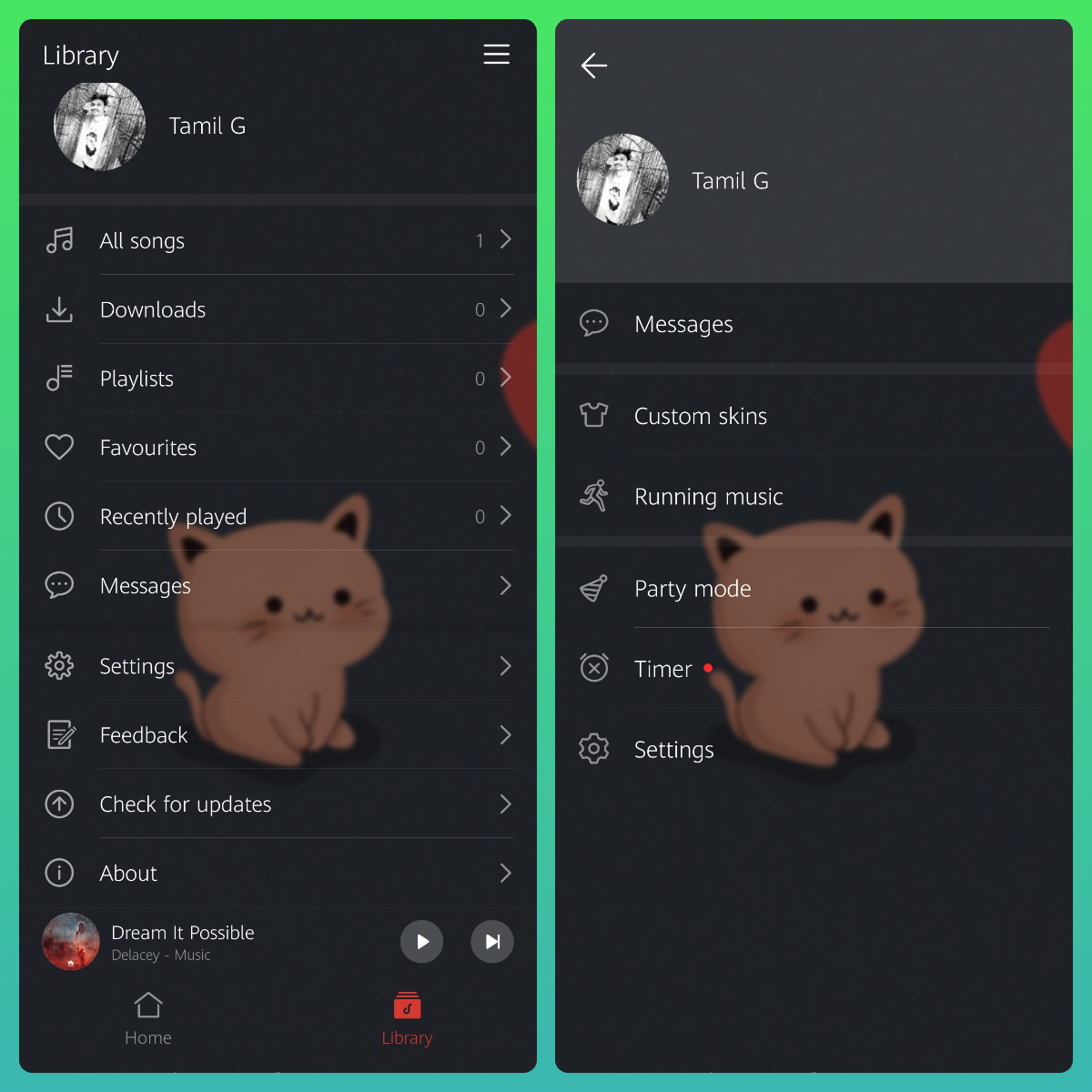
Open HUAWEI Music Player and tap on the navigation icon on the top right corner and touch the Custom skins option.
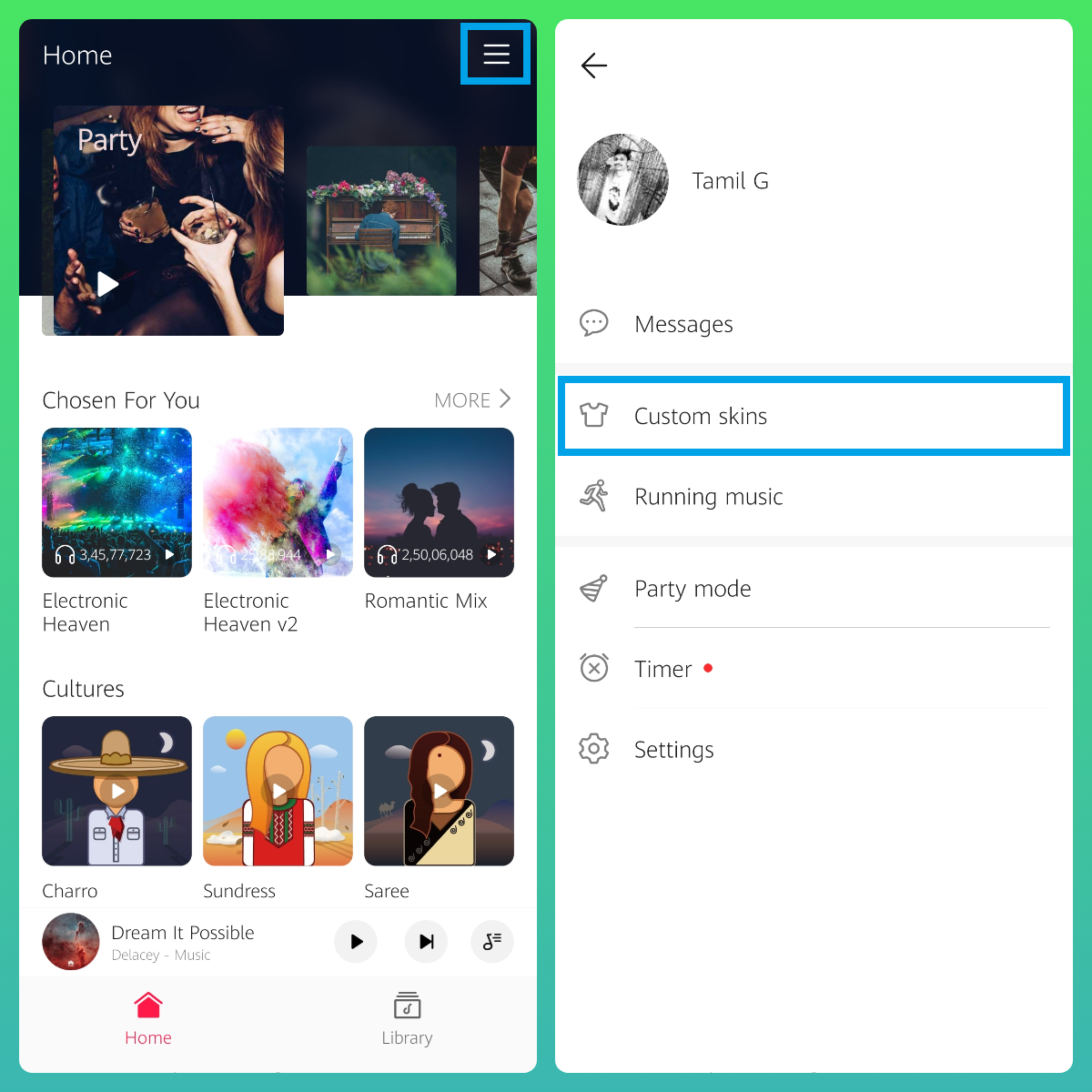
Step:2
Under Customize option - tap on Personalized skins (More >)
Next, on Personalized skins - tap on the Personal Icon on the top right corner to get My skins option

Step:3
Under My skins option - tap on (+) Customize to get started

Step:4
Pick your Gallery and Select your favorite Pictures or Images to set as your HUAWEI Music Player Skin

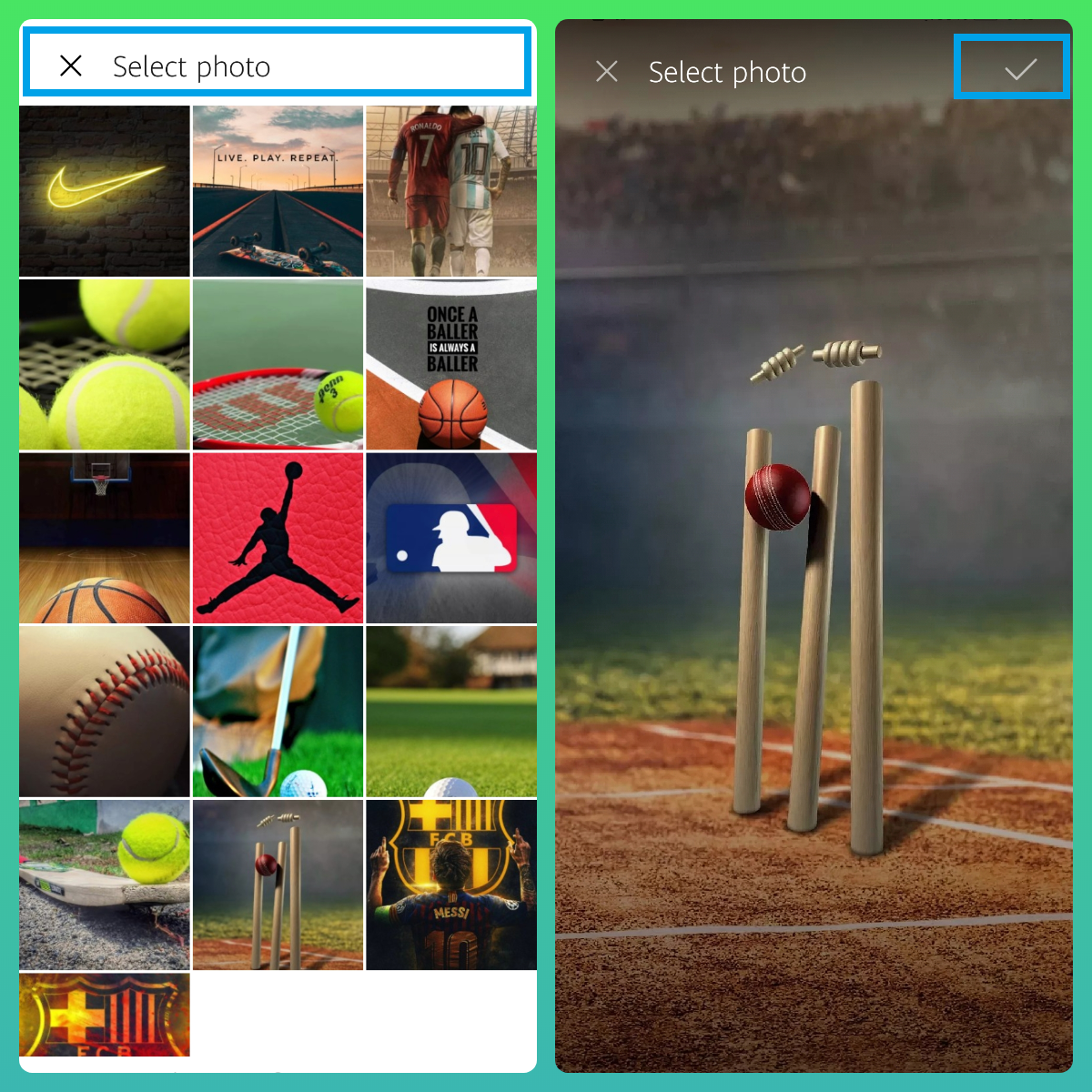
Step:5
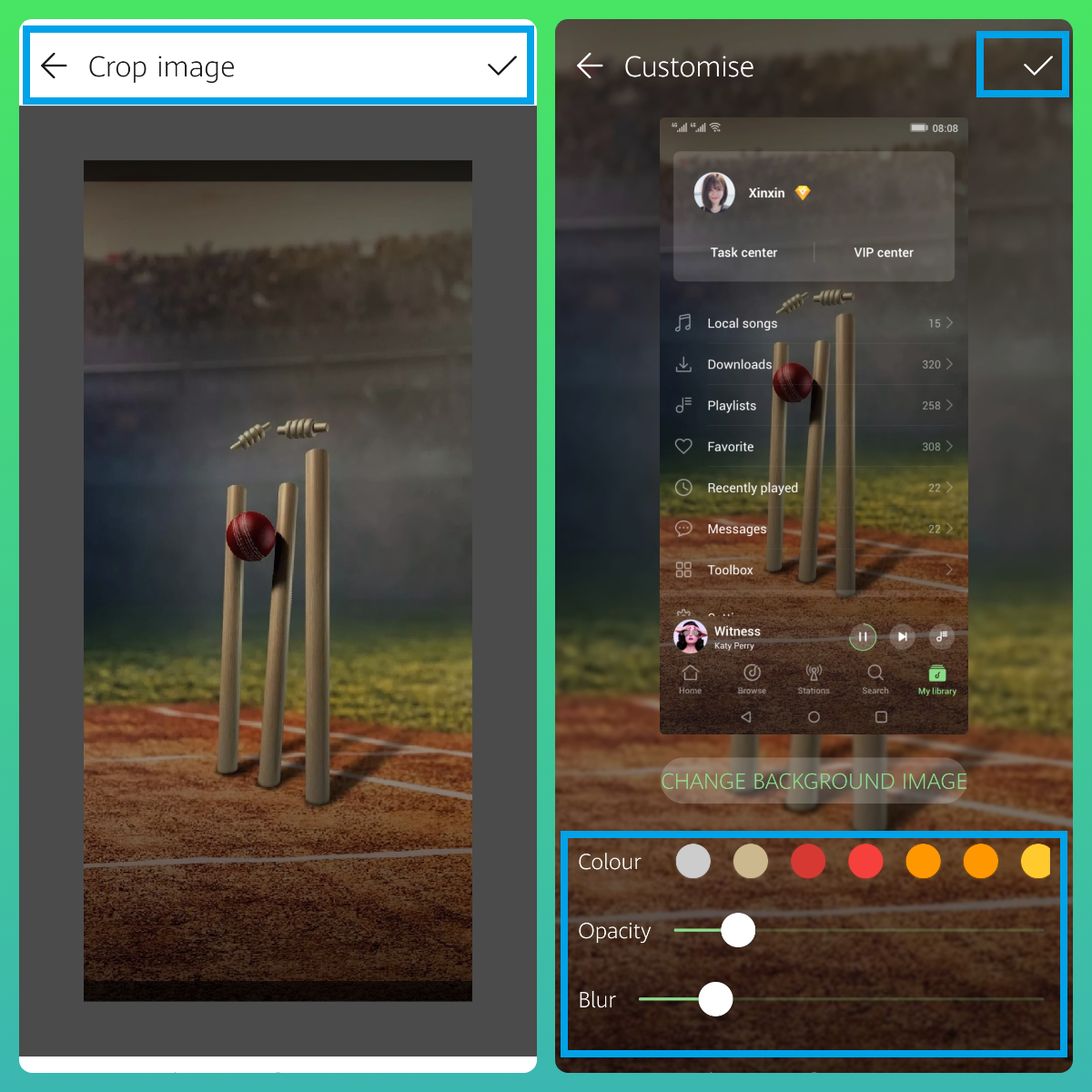
Crop your selected Image and Customize it as per your need
+ You can change the color | Which changes the color of Icons in HUAWEI Music Player
+ Opacity | Will change the brightness of your selected image
+ Blur | Will blur your image to get better output

That's it - Now, you have your personalized skin on your HUAWEI Music Player
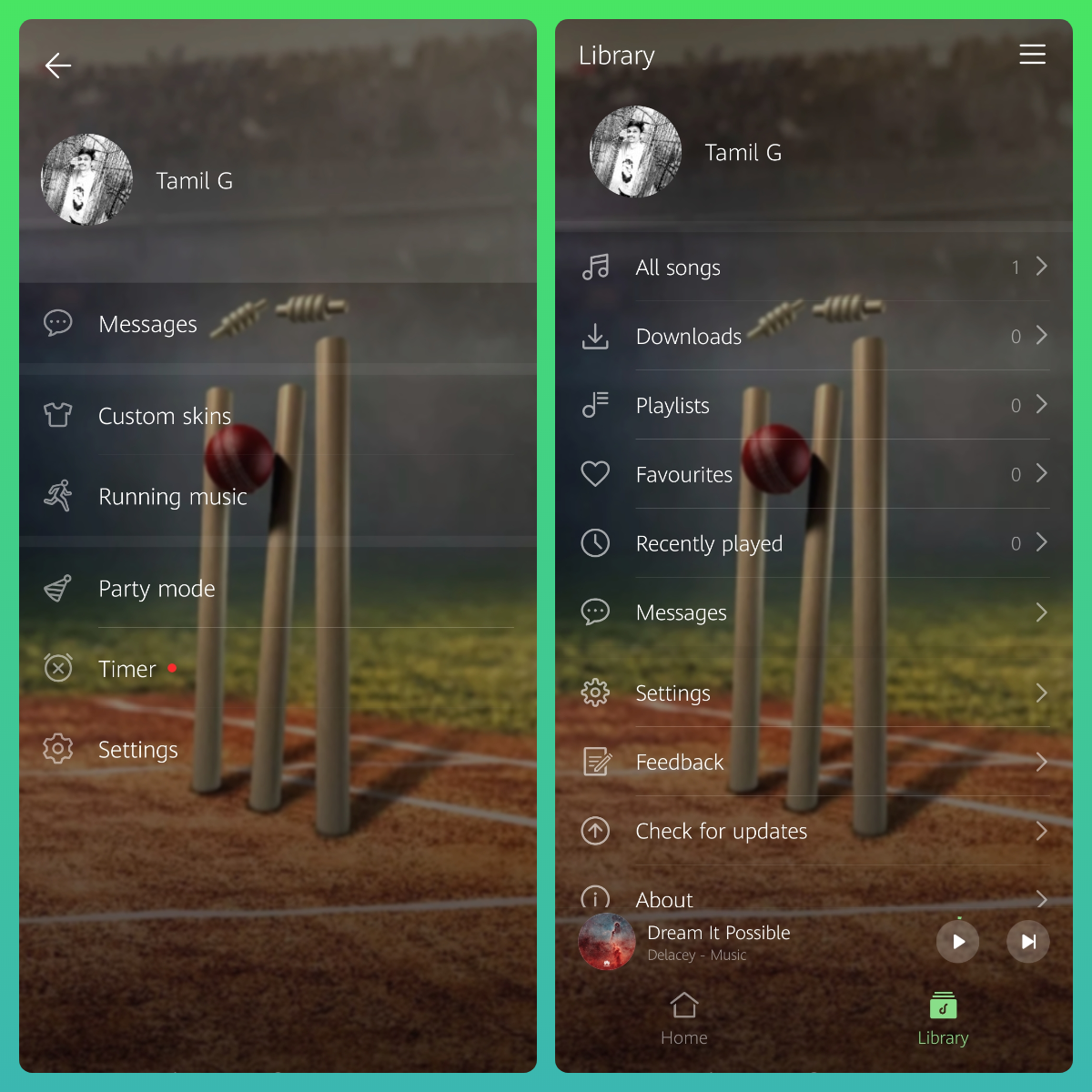
Step:6
+ You can able to update or change your Skin - Just go to My Skins option and tap on Change Background Image to update with new pictures!


+ Select the image and save it to get your updated Personalized skin!
That's it guys - Hope you all find this post useful | Thank you for reading ;)


- Posts
- Following
- Followers
- Energy
-
 Tamil G
Moderator Intern
Tamil G
Moderator Intern
-
+ Follow

-
- 542 Posts
- 49 Following
- 878 Followers
- 39791 Energy

-
 New Comer
-
 Followers reach 50
-
 Followers reach 100
-
 Followers reach 200
-
 7 Days Check-in
-
 30 Days Check-in
-
 100 Days Check-in
-
 Moderator
-
 Halloween 2020
-
 HONOR STAR 2020
-
 New Year 2021
-
 Animal Photography
-
 Plant Photography
-
 Red Photography
-
 Survey Medal!
-
 Water Photography
-
 World Cycling & Running Day
-
 Product Photography
-
 Sky Photography
-
 Activity Photography Medal
-
 Autumn Photography
-
 Rain Photography
-
 HONOR 50: Best Shot!
-
 Monthly Photo Sharing #1 Landscape
-
 HONOR Magic4 Pro
-
 Monthly Photo Sharing #2 People
-
 Monthly Photo Sharing #3 Spring
-
 Monthly Photo Sharing #4 Animal



- Posts
- photo
- video

Hello HONOR Fans'
I hope you all had a great Weekend ;)
In this post - I'm going to guide everyone on "How Personalize your HUAWEI Music Player Skin" with your favorite pictures!
Let's check it out;
Prerequisites:
+ HUAWEI Music Player v12.11.8.305
+ Pictures or Images to choose from Gallery
Step:1
Open HUAWEI Music Player and tap on the navigation icon on the top right corner and touch the Custom skins option.
Step:2
Under Customize option - tap on Personalized skins (More >)
Next, on Personalized skins - tap on the Personal Icon on the top right corner to get My skins option
Step:3
Under My skins option - tap on (+) Customize to get started
Step:4
Pick your Gallery and Select your favorite Pictures or Images to set as your HUAWEI Music Player Skin
Step:5
Crop your selected Image and Customize it as per your need
+ You can change the color | Which changes the color of Icons in HUAWEI Music Player
+ Opacity | Will change the brightness of your selected image
+ Blur | Will blur your image to get better output
That's it - Now, you have your personalized skin on your HUAWEI Music Player
Step:6
+ You can able to update or change your Skin - Just go to My Skins option and tap on Change Background Image to update with new pictures!
+ Select the image and save it to get your updated Personalized skin!
That's it guys - Hope you all find this post useful | Thank you for reading ;)