



 More Products
 Compare














我的荣耀 开启荣耀之旅



 Disagree Terms
 Log out




[Tutorial] How to Enable Gestures!


 Last reply :
Hello Fans,
Today I am going to share an interesting function that you can enable in your HONOR phones. With that said lets I will show you how to activate Gestures.
Please Follow the Steps:
1. Open setting in your phone
2. Scroll down to find “System”. Tap on it
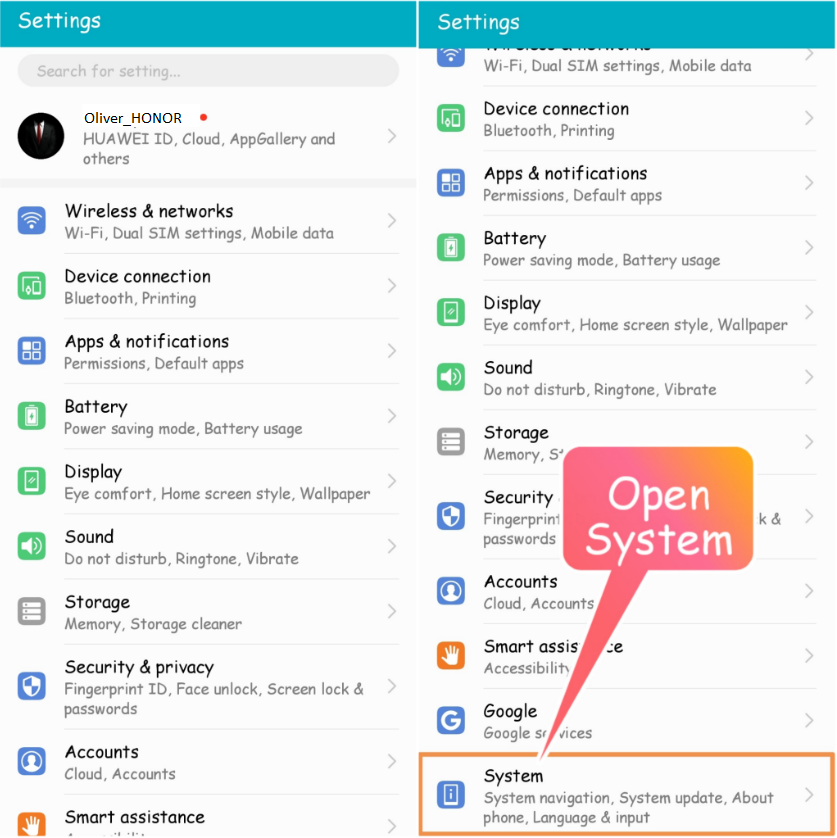
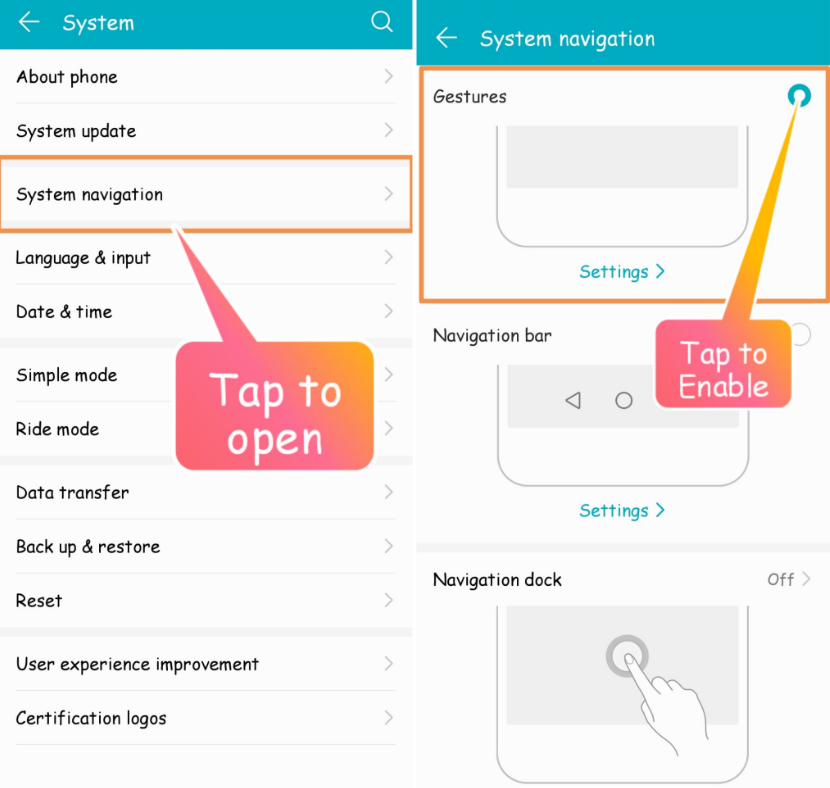
3. Navigate through System Navigation
4. As you can see there are three options to choose from: Gesture, Navigation and Dock
Tap on the circle in the upper right corner to enable gestures.
Now you are good to go…
5. just slide your finger from the left or right vertical side to go Back
6. Just slide your thumb upwards from the bottom center of the phone to reach the Home Screen
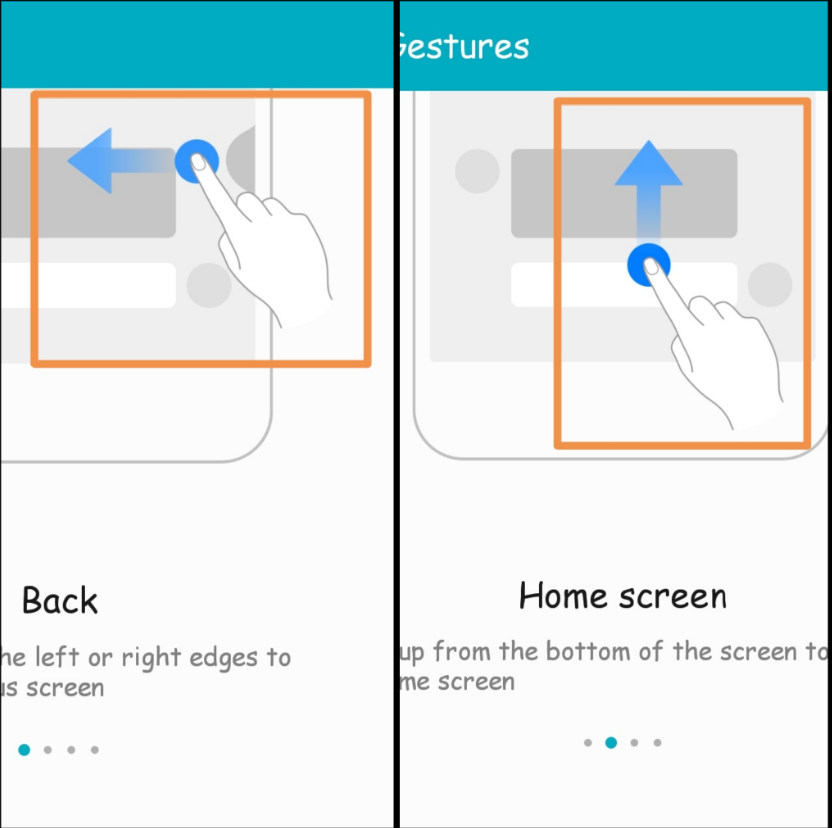
7. Slide your thumb from the bottom center upwards and hold for a bit to see recent tasks
8. To call Google Assistant, slide your thumb from either of the bottom sides upwards and BOOM…, Google appears at your service.
Now that this tutorial is over…
Can you tell me what do you use? Navigation Bar or Gestures? Don’t forget to comment on the section below!


- Posts
- Following
- Followers
- Energy
-

Sebastian
-
+ Follow

-
- 139 Posts
- 390 Following
- 424 Followers
- 10125 Energy



- Posts
- photo
- video

Hello Fans,
Today I am going to share an interesting function that you can enable in your HONOR phones. With that said lets I will show you how to activate Gestures.
Please Follow the Steps:
1. Open setting in your phone
2. Scroll down to find “System”. Tap on it
3. Navigate through System Navigation
4. As you can see there are three options to choose from: Gesture, Navigation and Dock
Tap on the circle in the upper right corner to enable gestures.
Now you are good to go…
5. just slide your finger from the left or right vertical side to go Back
6. Just slide your thumb upwards from the bottom center of the phone to reach the Home Screen
7. Slide your thumb from the bottom center upwards and hold for a bit to see recent tasks
8. To call Google Assistant, slide your thumb from either of the bottom sides upwards and BOOM…, Google appears at your service.
Now that this tutorial is over…
Can you tell me what do you use? Navigation Bar or Gestures? Don’t forget to comment on the section below!