



 More Products
 Compare


ABOUT HONOR
Events















我的荣耀 开启荣耀之旅



 Disagree Terms
 Log out




[Tutorial] How to 'CLAIM' your Gift Packs from Huawei AppGallery!


 Last reply :
Hello HONOR Fans'
Hope you all doing good and getting ready for your Weekend? Then enjoy your Weekend by Claiming your gifts for your favourite games through Huawei AppGallery!
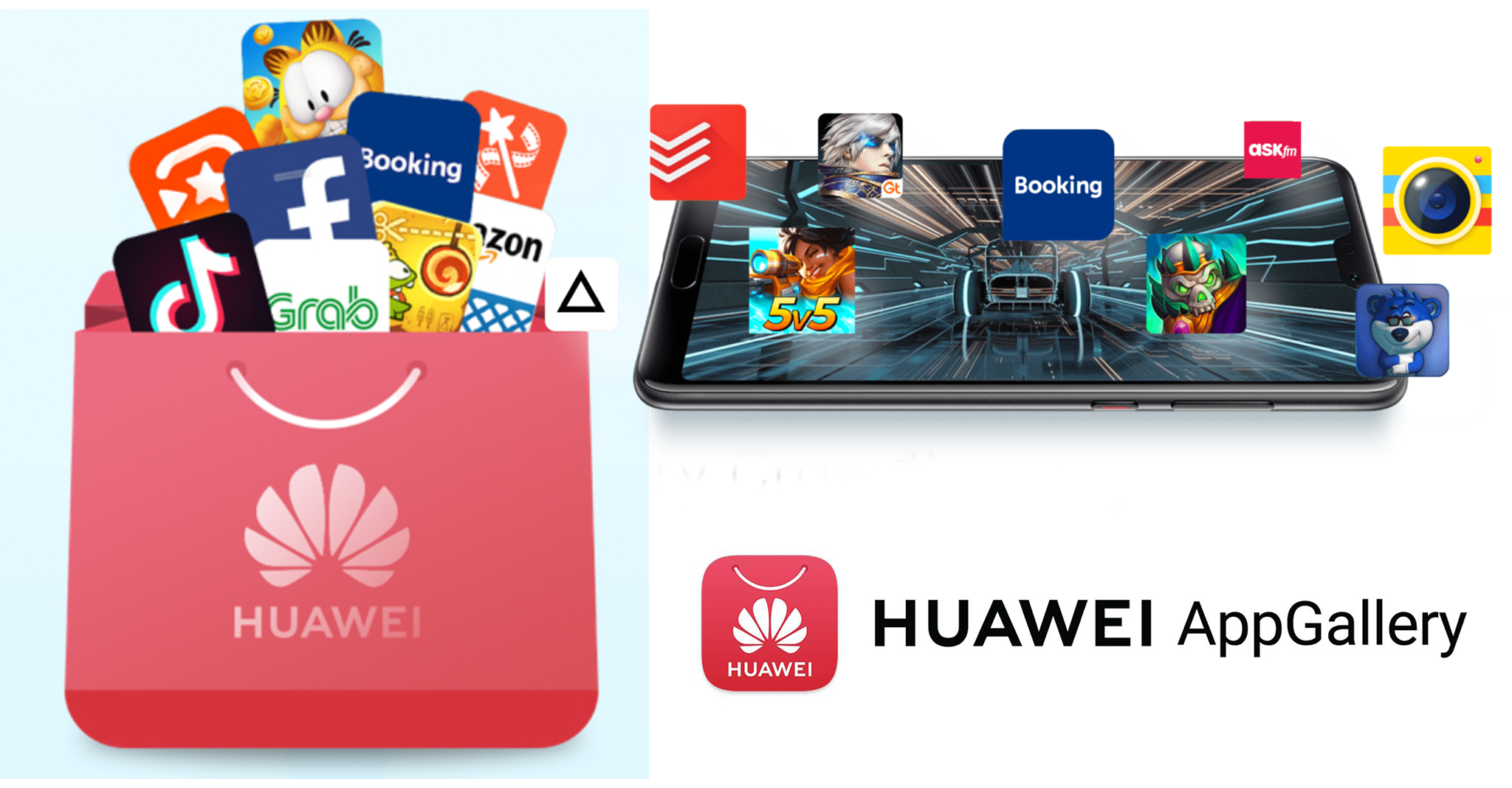
Huawei AppGallery - Make AppGallery your Discovery Centre
AppGallery is the place to discover your next favorite Apps and Games. Enjoy exclusive content and free welcome Gifts, special in-game events, competitions, prize draws and rewards only for AppGallery users. Unleash the Joy of Gaming with the latest hit titles, and discover hot new games, optimized to play faster, smoother and longer on Huawei & Honor phones.
GIFTS
Gift Center is the place where you can access to Vouchers, discount coupons, VIP privileges etc Those exclusive services are only for HUAWEI /HONOR Users.
How to 'CLAIM' your Gift Packs?
(1) Open Huawei AppGallery App > Go to 'Me' option and navigate to 'Gifts' section

(2) Go through or Select your favourite Games and Touch 'CLAIM'
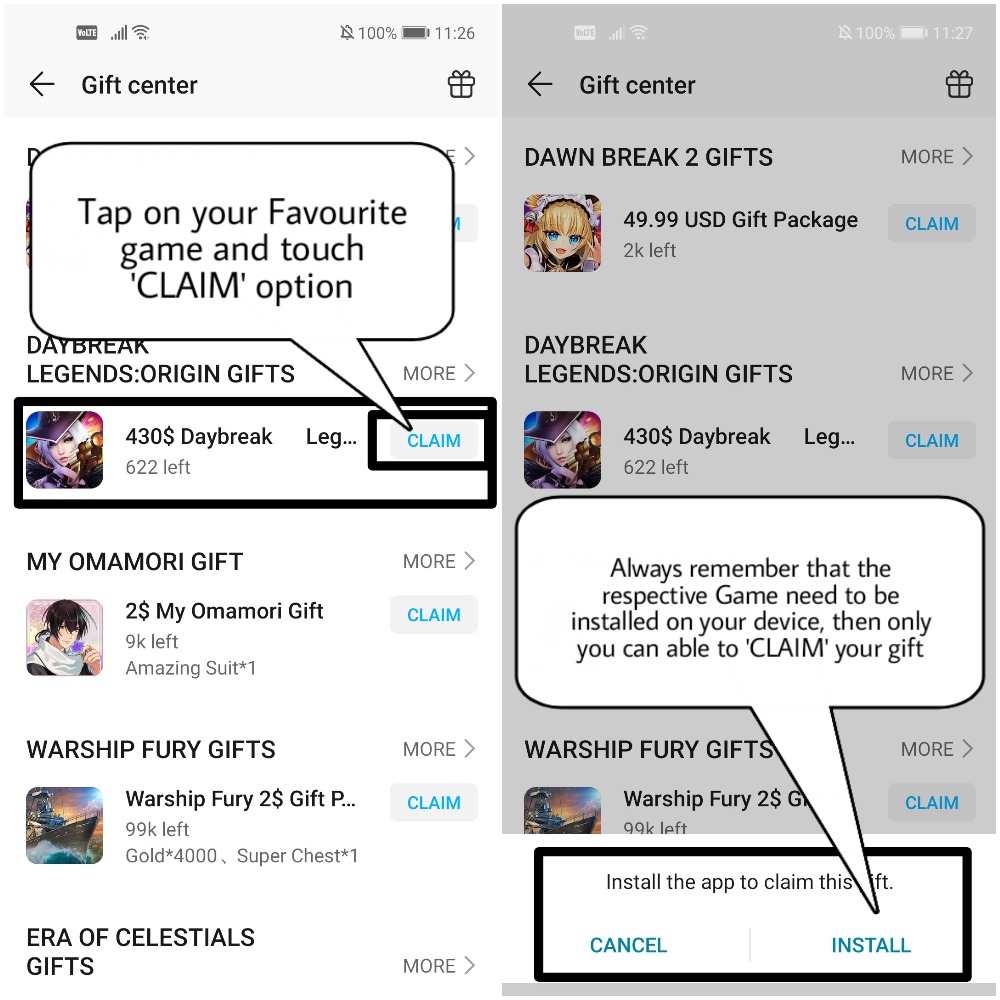
Note: You have install the respective Game, inorder to 'CLAIM' your gift package
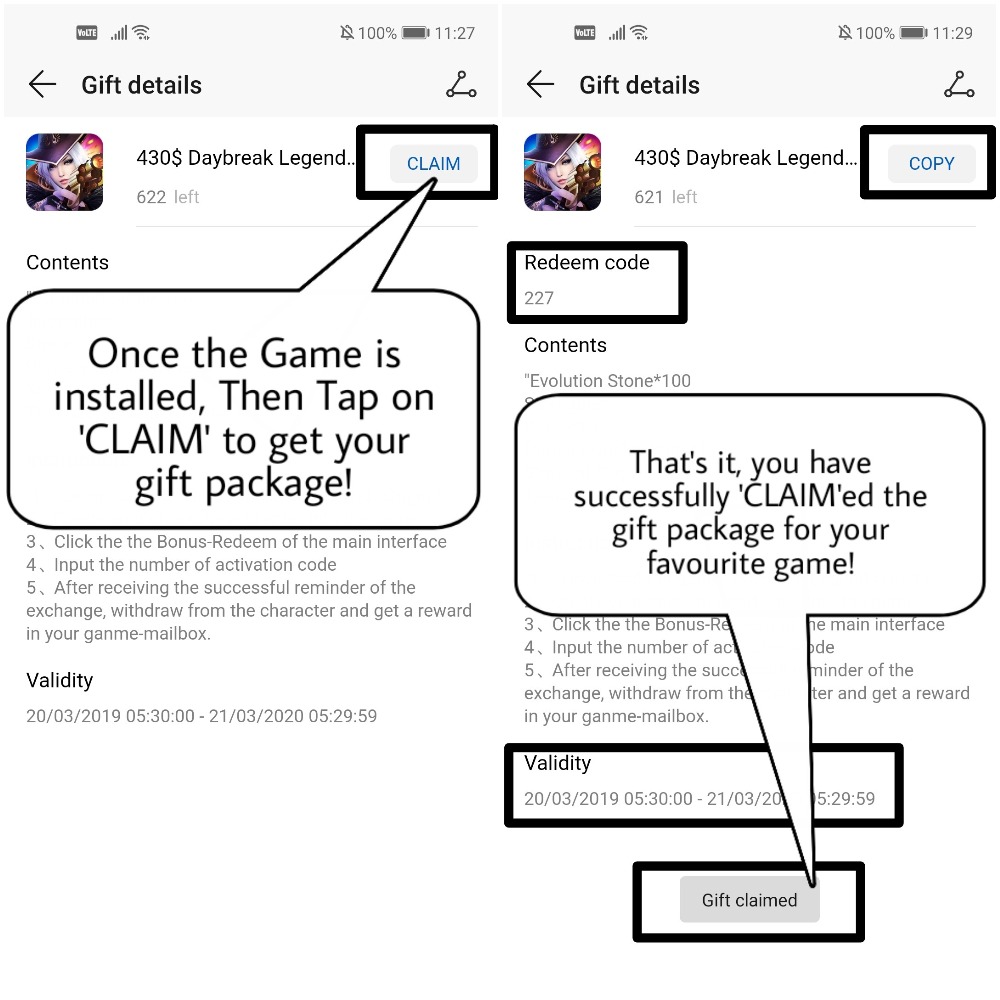
(3) Once you installed, then touch 'CLAIM', that's it you have succesfully 'CLAIM'ed your gift package for your favourite game
(4) You will notified with pop-up 'Gift Claimed' along with the details of 'Validity' and 'Redeem Code'
How to view all your Gift package details?
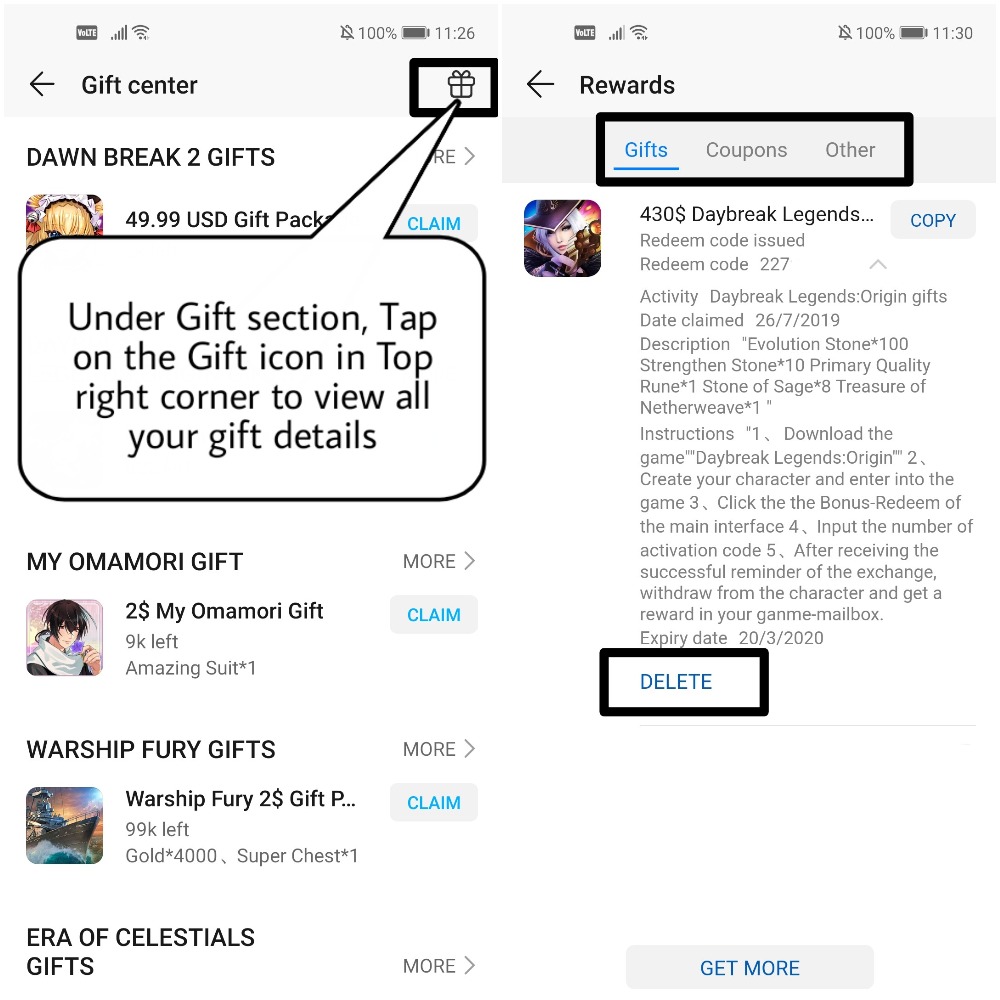
(1) Under Gift center option, Tap on gift icon at the top right corner to view all your claimed gift details etc
(2) Here you can 'Delete', view your Claimed Gifts, Coupons etc
That's it guys, Hope you all find this post useful, Thank you for reading ;)
Happy Weekend, Enjoy and Stay Safe


- Posts
- Following
- Followers
- Energy
-
 Tamil G
Moderator Intern
Tamil G
Moderator Intern
-
+ Follow

-
- 542 Posts
- 49 Following
- 887 Followers
- 39811 Energy

-
 New Comer
-
 Followers reach 50
-
 Followers reach 100
-
 Followers reach 200
-
 7 Days Check-in
-
 30 Days Check-in
-
 100 Days Check-in
-
 Moderator
-
 Halloween 2020
-
 HONOR STAR 2020
-
 New Year 2021
-
 Animal Photography
-
 Plant Photography
-
 Red Photography
-
 Survey Medal!
-
 Water Photography
-
 World Cycling & Running Day
-
 Product Photography
-
 Sky Photography
-
 Activity Photography Medal
-
 Autumn Photography
-
 Rain Photography
-
 HONOR 50: Best Shot!
-
 Monthly Photo Sharing #1 Landscape
-
 HONOR Magic4 Pro
-
 Monthly Photo Sharing #2 People
-
 Monthly Photo Sharing #3 Spring
-
 Monthly Photo Sharing #4 Animal



- Posts
- photo
- video

Hello HONOR Fans'
Hope you all doing good and getting ready for your Weekend? Then enjoy your Weekend by Claiming your gifts for your favourite games through Huawei AppGallery!
Huawei AppGallery - Make AppGallery your Discovery Centre
AppGallery is the place to discover your next favorite Apps and Games. Enjoy exclusive content and free welcome Gifts, special in-game events, competitions, prize draws and rewards only for AppGallery users. Unleash the Joy of Gaming with the latest hit titles, and discover hot new games, optimized to play faster, smoother and longer on Huawei & Honor phones.
GIFTS
Gift Center is the place where you can access to Vouchers, discount coupons, VIP privileges etc Those exclusive services are only for HUAWEI /HONOR Users.
How to 'CLAIM' your Gift Packs?
(1) Open Huawei AppGallery App > Go to 'Me' option and navigate to 'Gifts' section
(2) Go through or Select your favourite Games and Touch 'CLAIM'
Note: You have install the respective Game, inorder to 'CLAIM' your gift package
(3) Once you installed, then touch 'CLAIM', that's it you have succesfully 'CLAIM'ed your gift package for your favourite game
(4) You will notified with pop-up 'Gift Claimed' along with the details of 'Validity' and 'Redeem Code'
How to view all your Gift package details?
(1) Under Gift center option, Tap on gift icon at the top right corner to view all your claimed gift details etc
(2) Here you can 'Delete', view your Claimed Gifts, Coupons etc
That's it guys, Hope you all find this post useful, Thank you for reading ;)
Happy Weekend, Enjoy and Stay Safe