



 More Products
 Compare














我的荣耀 开启荣耀之旅



 Disagree Terms
 Log out




[Tutorial] Honor Music Player Features & Tweaks!!! Huawei Histen Sound Effects!!!


 Last reply :
Hello everyone this is Jay_Cash and today in this article I’m providing you the information about the "Honor music player" features and settings that you all may want to know, so without any further delay let’s start….
First of all let’s have a look how the music app interface looks like:
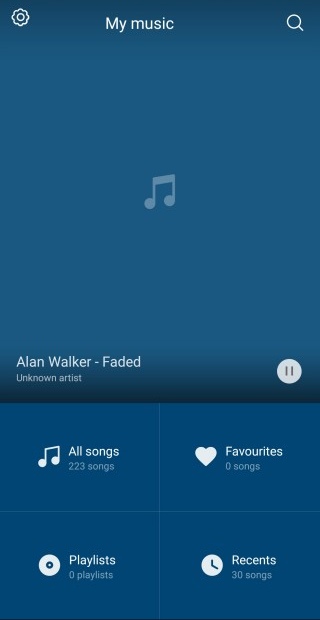
Here you will see the options:
1. All songs (List of all the songs present in your phone)
2. Favourites
3. Playlists
4. Recents
Favourites:
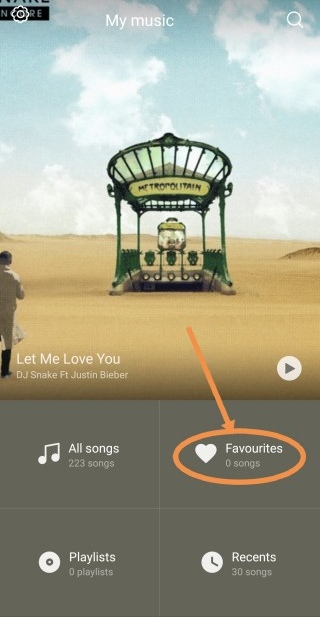
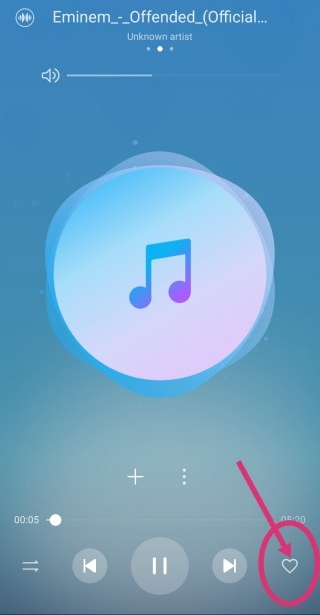
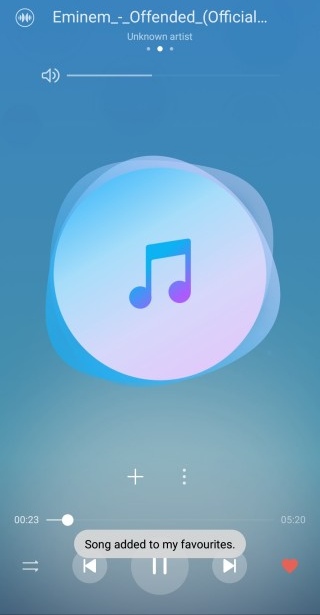
Now as you all can see there is an option of playing your favourite songs only, all you need to do is to press the 'heart' icon which is present on your screen while you are listening to music.
Playlists:
You can create your own playlists according to you, whether you want to create a workout jukebox or you want to make a romantic song album, just click on it, name it, add the desired songs and the job is done.
Recent:
The latest recent songs you've heared on the music app will appear here. ( Upto 30 )
Settings:
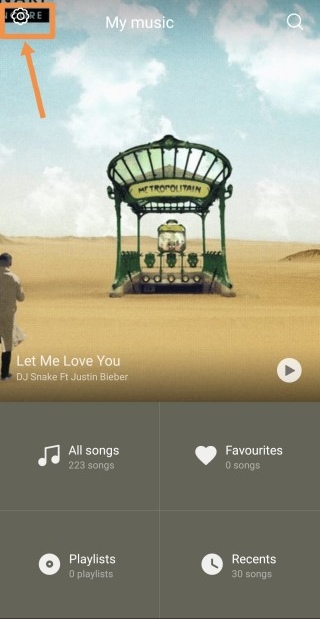
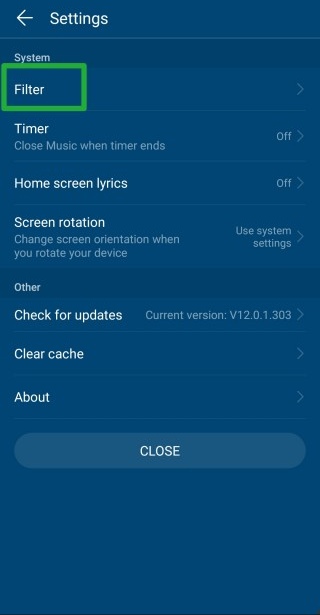
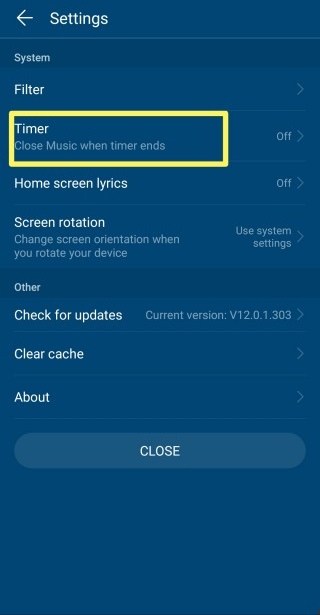
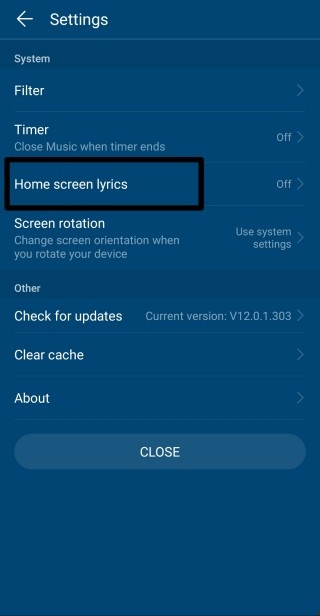
Under the settings you will find these options,
you can filter the small duration songs in filter option,
you can set a timer if you want after a particular duration your music should stop
and the coolest option is home screen lyrics, so I will tell you about that.
Home Screen Lyrics:
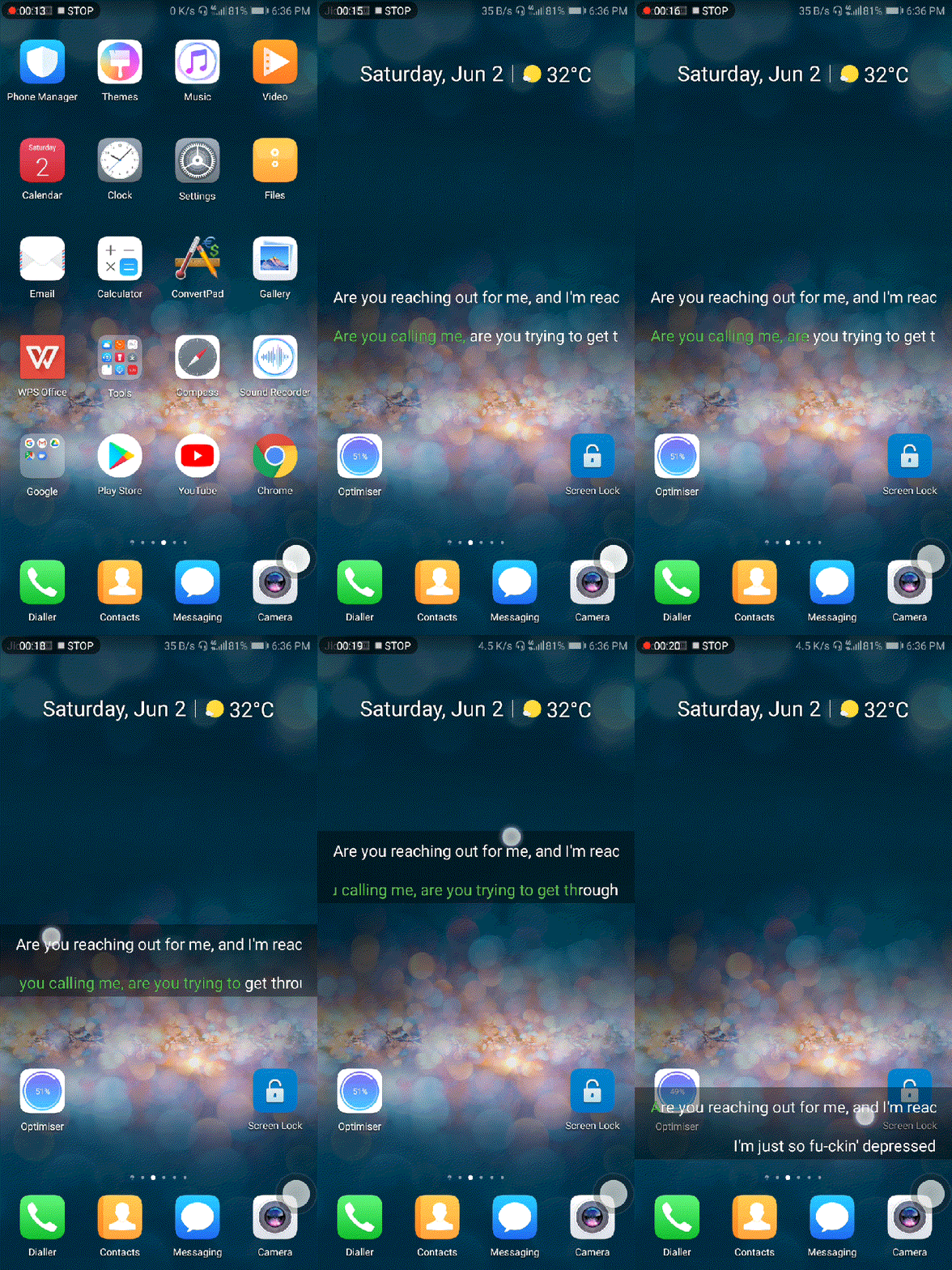
This is a cool feature, all you need to do is to play a song which have lyrics in it and then just switch the home screen lyrics on.
You can now enjoy the lyrics on your homescreen and you can also drag it up and down according to your preference.
Huawei Histen Sound Effects:
So to all the users who were asking for sound effects & equaliser, here it is. Histen sound effects not only have a 3D sound effect but there are many more features by which you can get the true audio experience.
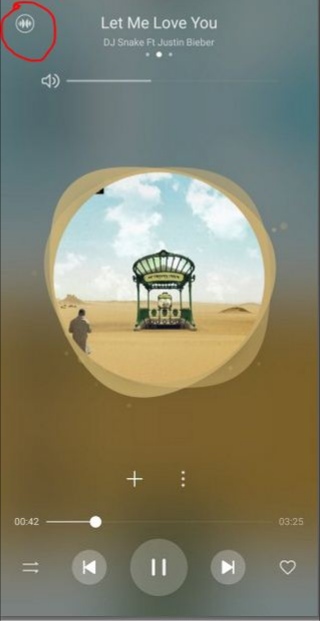
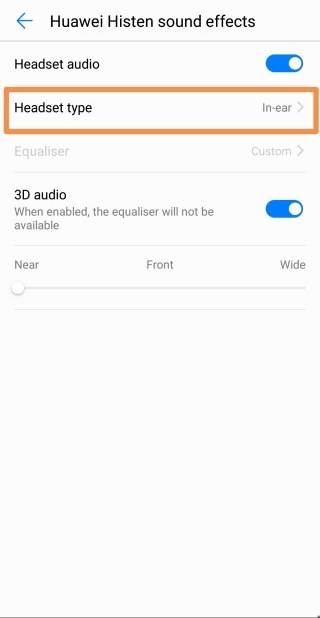

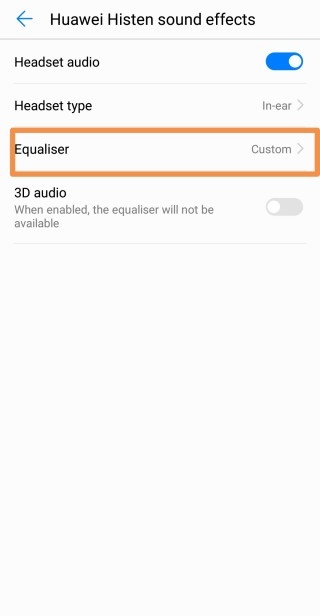

All you have to do is to click it's icon as shown above, select the earphone type, select if you want to use equaliser or 3D audio.
NOTE: 3D audio and equaliser works seperately, these features do not work at a time.
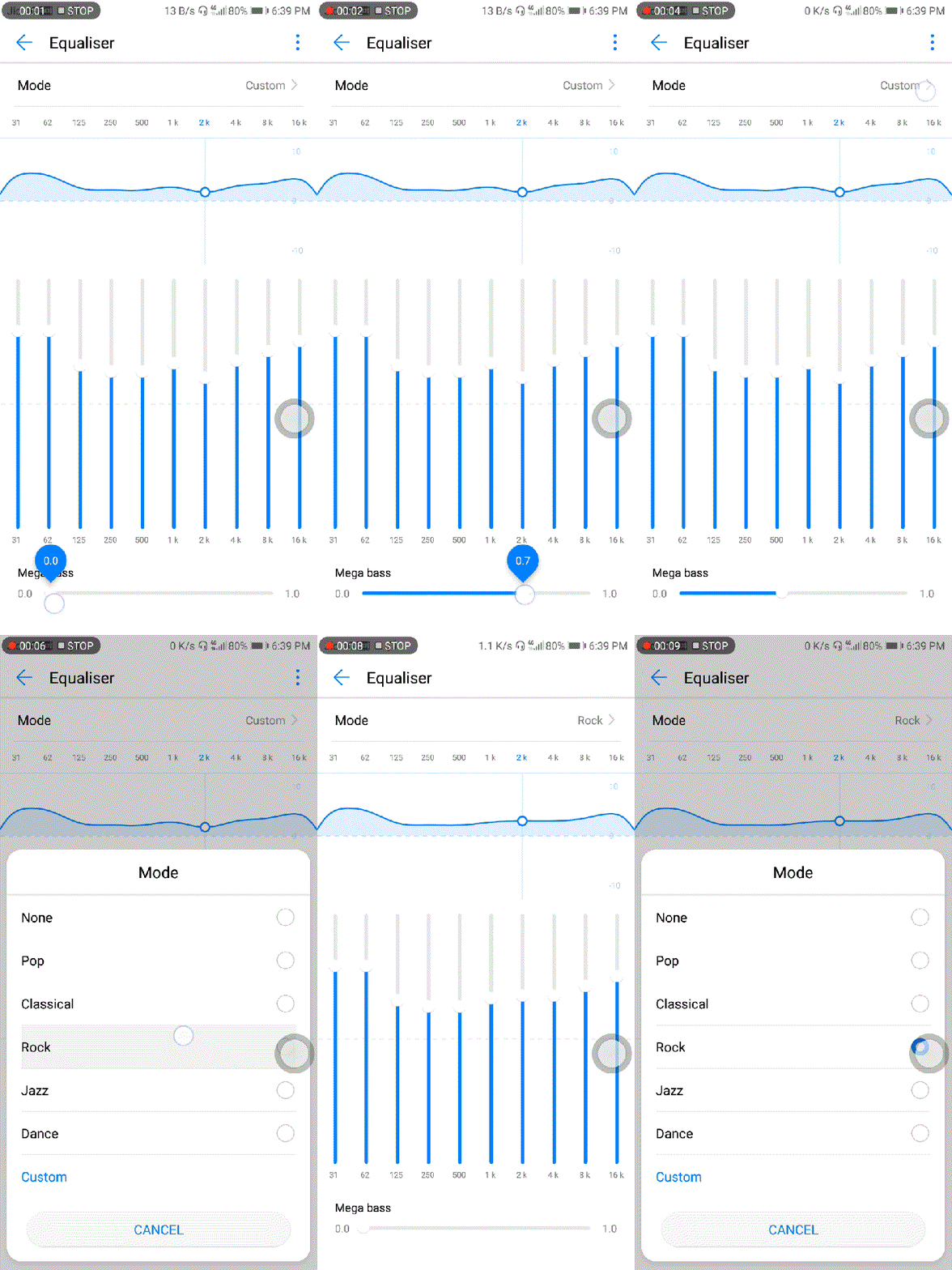
The GIF image below shows how to set up and use equaliser
So guys this was the tutorial about Honor music app and Huawei histen sound effects, hope you all find it informative and like this post. If you have any query about the music app, do post your comment in the comment box below. Also if you like my work just let me know by your kind words, like my post and follow me here.
#We_Are_The_Brave


- Posts
- Following
- Followers
- Energy
-

Jay_Cash
-
+ Follow

-
- 13 Posts
- 7 Following
- 19 Followers
- 1181 Energy



- Posts
- photo
- video

Hello everyone this is Jay_Cash and today in this article I’m providing you the information about the "Honor music player" features and settings that you all may want to know, so without any further delay let’s start….
First of all let’s have a look how the music app interface looks like:
Here you will see the options:
1. All songs (List of all the songs present in your phone)
2. Favourites
3. Playlists
4. Recents
Favourites:
Now as you all can see there is an option of playing your favourite songs only, all you need to do is to press the 'heart' icon which is present on your screen while you are listening to music.
Playlists:
You can create your own playlists according to you, whether you want to create a workout jukebox or you want to make a romantic song album, just click on it, name it, add the desired songs and the job is done.
Recent:
The latest recent songs you've heared on the music app will appear here. ( Upto 30 )
Settings:
Under the settings you will find these options,
you can filter the small duration songs in filter option,
you can set a timer if you want after a particular duration your music should stop
and the coolest option is home screen lyrics, so I will tell you about that.
Home Screen Lyrics:
This is a cool feature, all you need to do is to play a song which have lyrics in it and then just switch the home screen lyrics on.
You can now enjoy the lyrics on your homescreen and you can also drag it up and down according to your preference.
Huawei Histen Sound Effects:
So to all the users who were asking for sound effects & equaliser, here it is. Histen sound effects not only have a 3D sound effect but there are many more features by which you can get the true audio experience.
All you have to do is to click it's icon as shown above, select the earphone type, select if you want to use equaliser or 3D audio.
NOTE: 3D audio and equaliser works seperately, these features do not work at a time.
The GIF image below shows how to set up and use equaliser
So guys this was the tutorial about Honor music app and Huawei histen sound effects, hope you all find it informative and like this post. If you have any query about the music app, do post your comment in the comment box below. Also if you like my work just let me know by your kind words, like my post and follow me here.
#We_Are_The_Brave