



 More Products
 Compare










我的荣耀 开启荣耀之旅



 Disagree Terms
 Log out




[Tutorial] Customise your Google Widget


 Last reply :
Hello Fans, I AM BACK!!!
Who is interested in knowing how to customize your google widget? Well, Google 's search widget is one of the most liked widgets of all the time. In this article, I will be showing you how to customize it at your preference and how to match the widgets with the wallpapers.
From this:
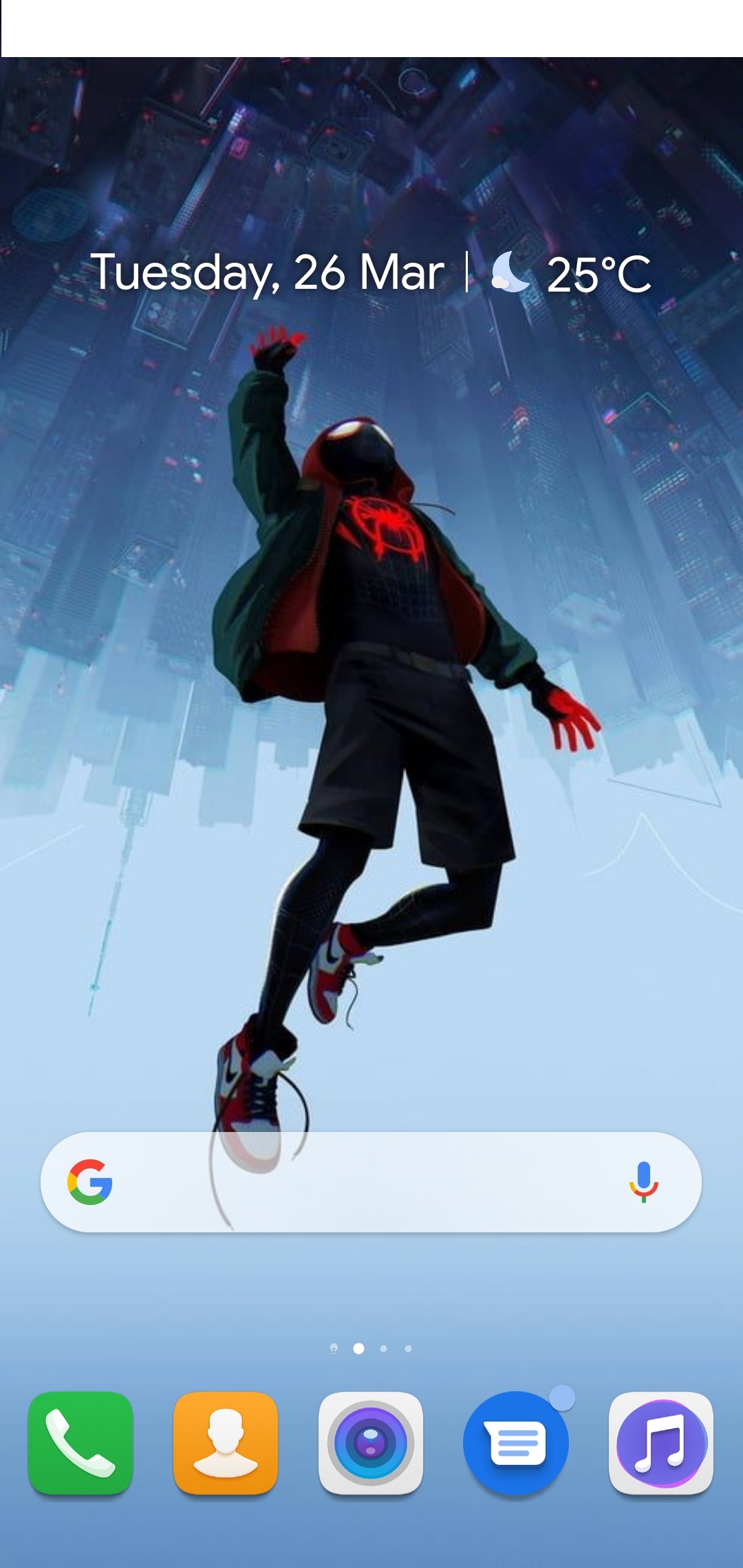
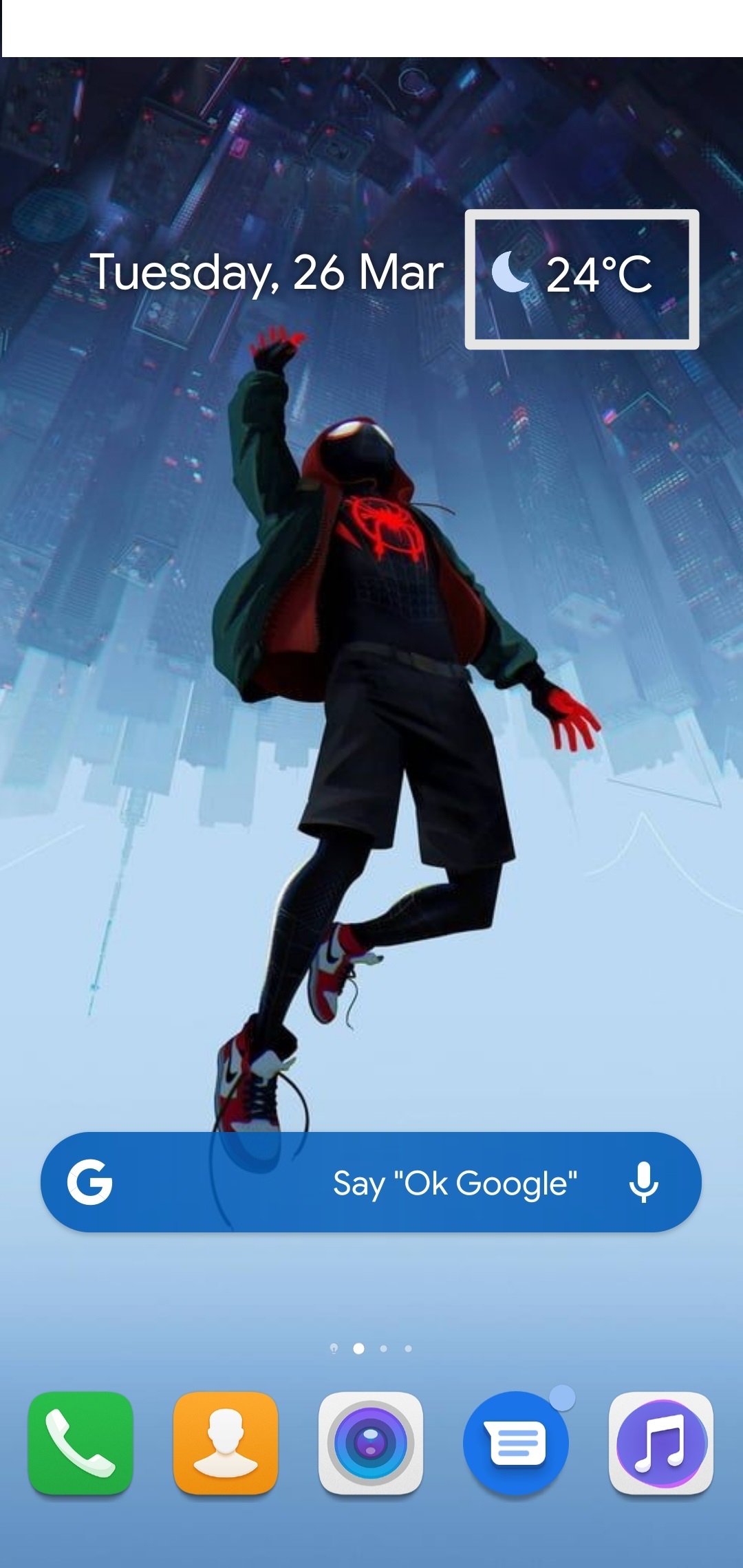
To this:
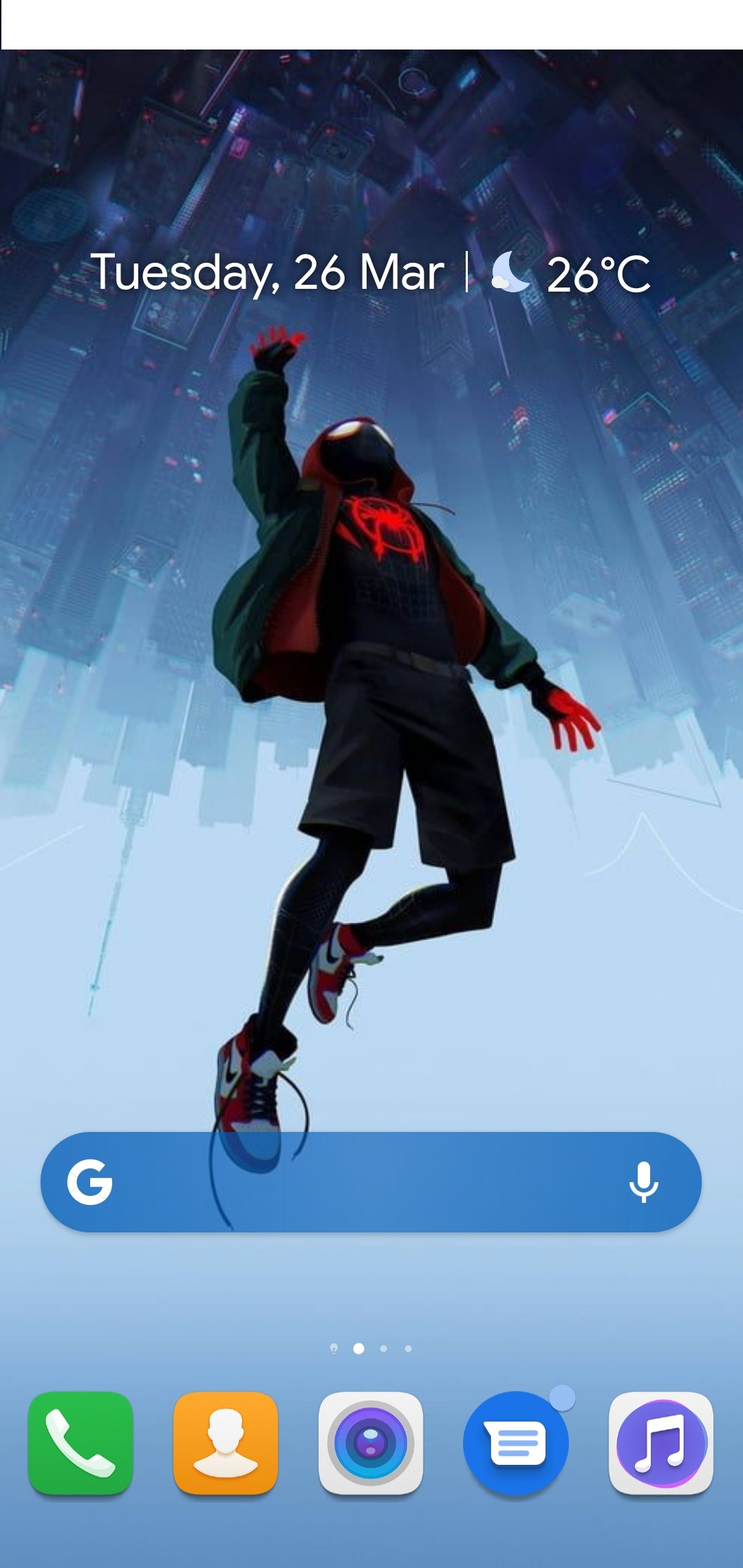
Steps to customize Google widgets:
1. Add two of the widgets, one is the one to be customized Google search widget and the other one is the At a glance, by tap and holding the home screen, selecting widgets and then tapping on Google and then tap on Google and At a glance.
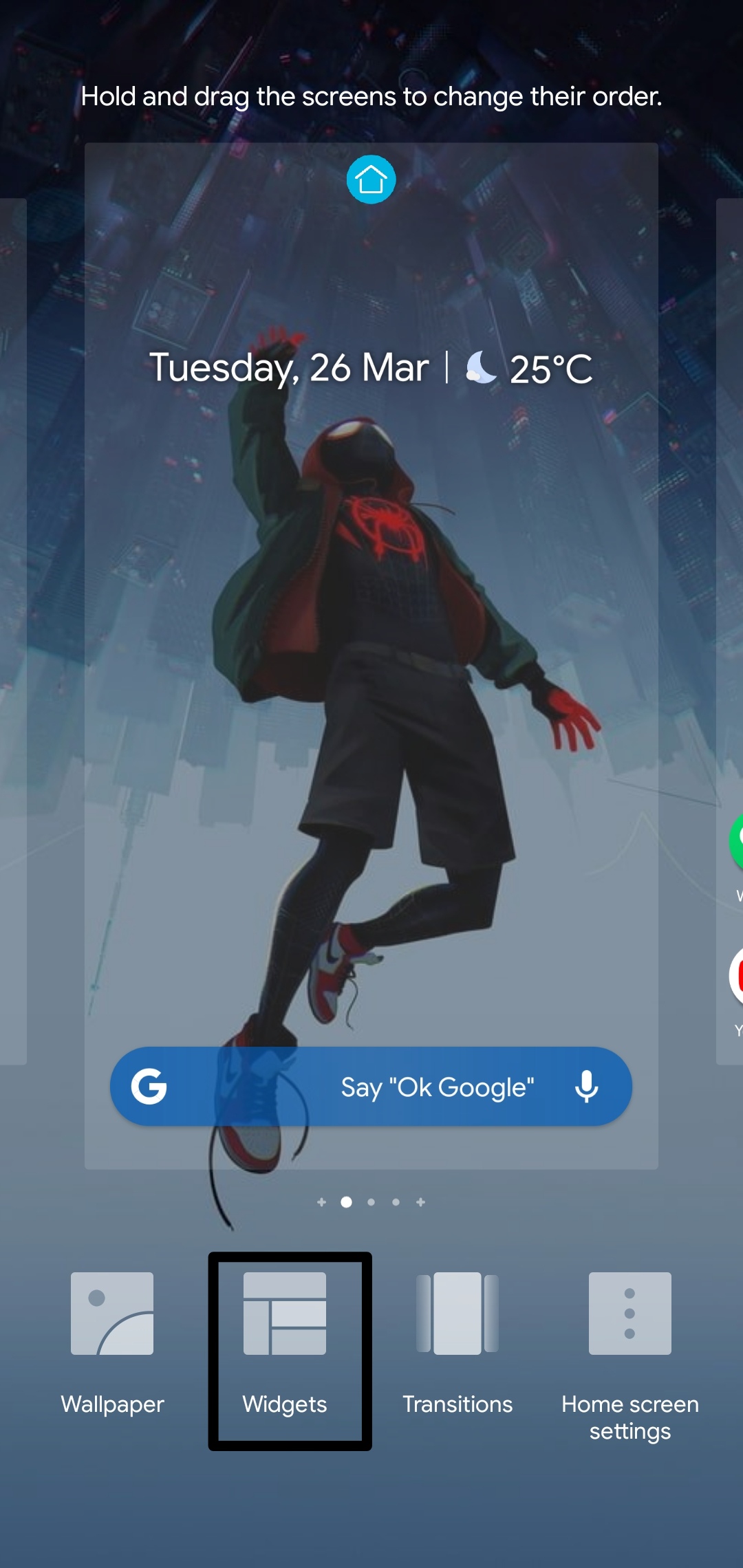
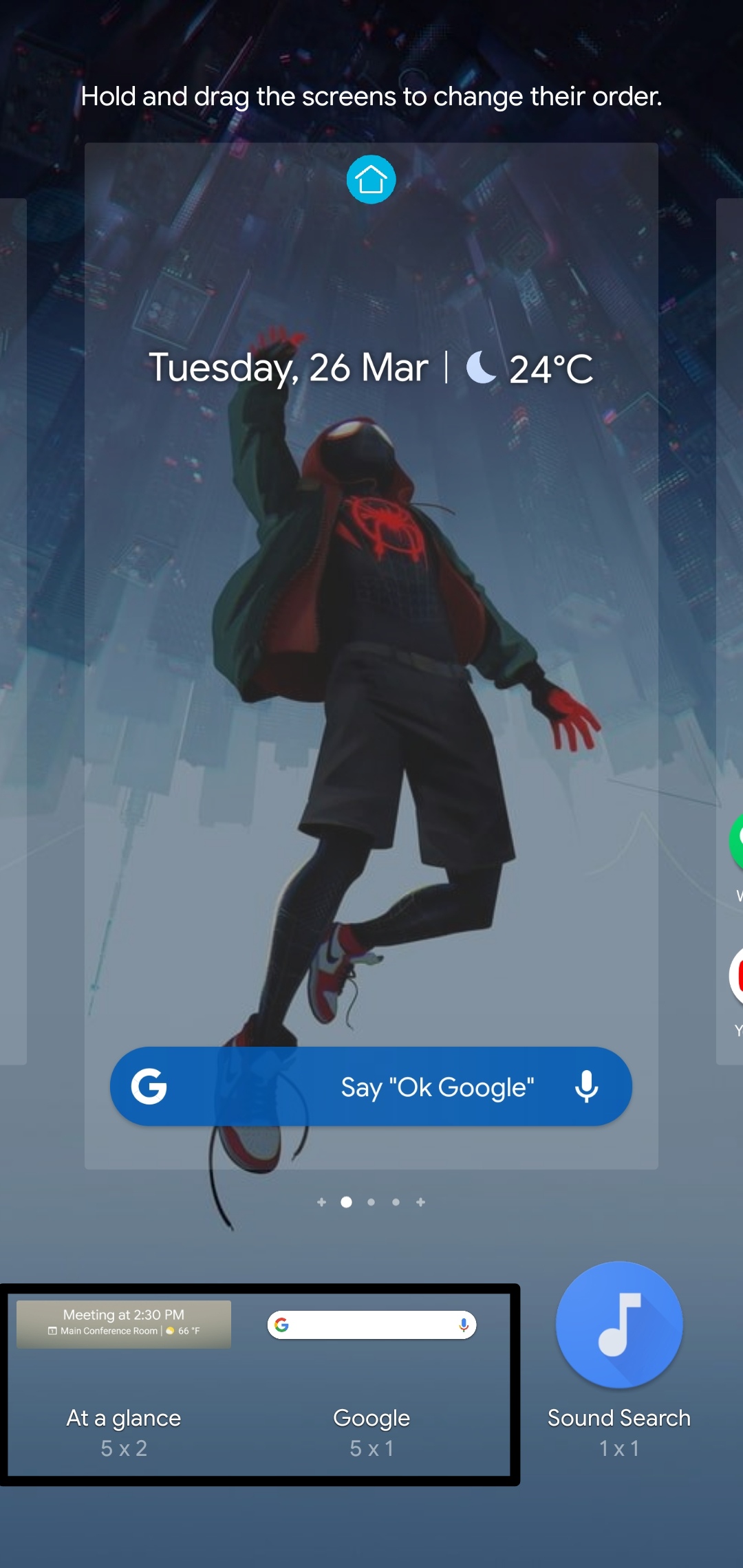
2. Once you add them both, align them to wherever you want.
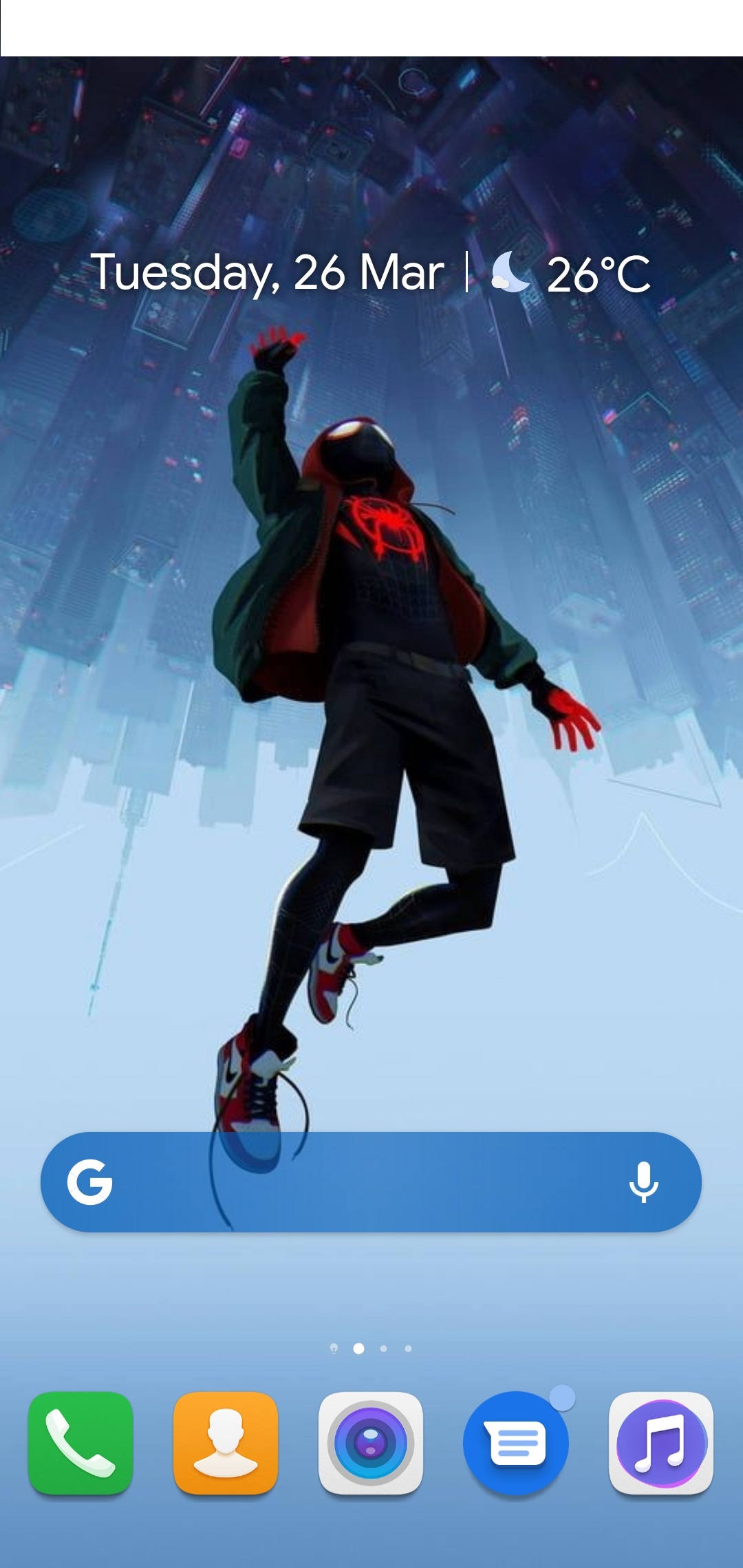
3. Now after aligning the widgets, just click on the Weather option from the At a glance widget which will take you to the below window.
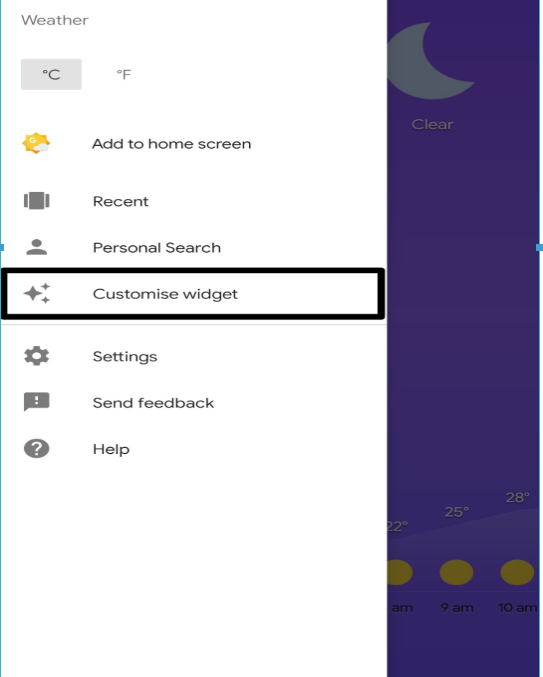
4. Now explore the menu by tapping over the Three lines over the top left corner where you will see the following options.

5. Now tap on customize the widget, where you will see this kind of window.
6. So here you will find the four main Options: Bar Logo, Bar Shape, Bar Color, Bar Shading.
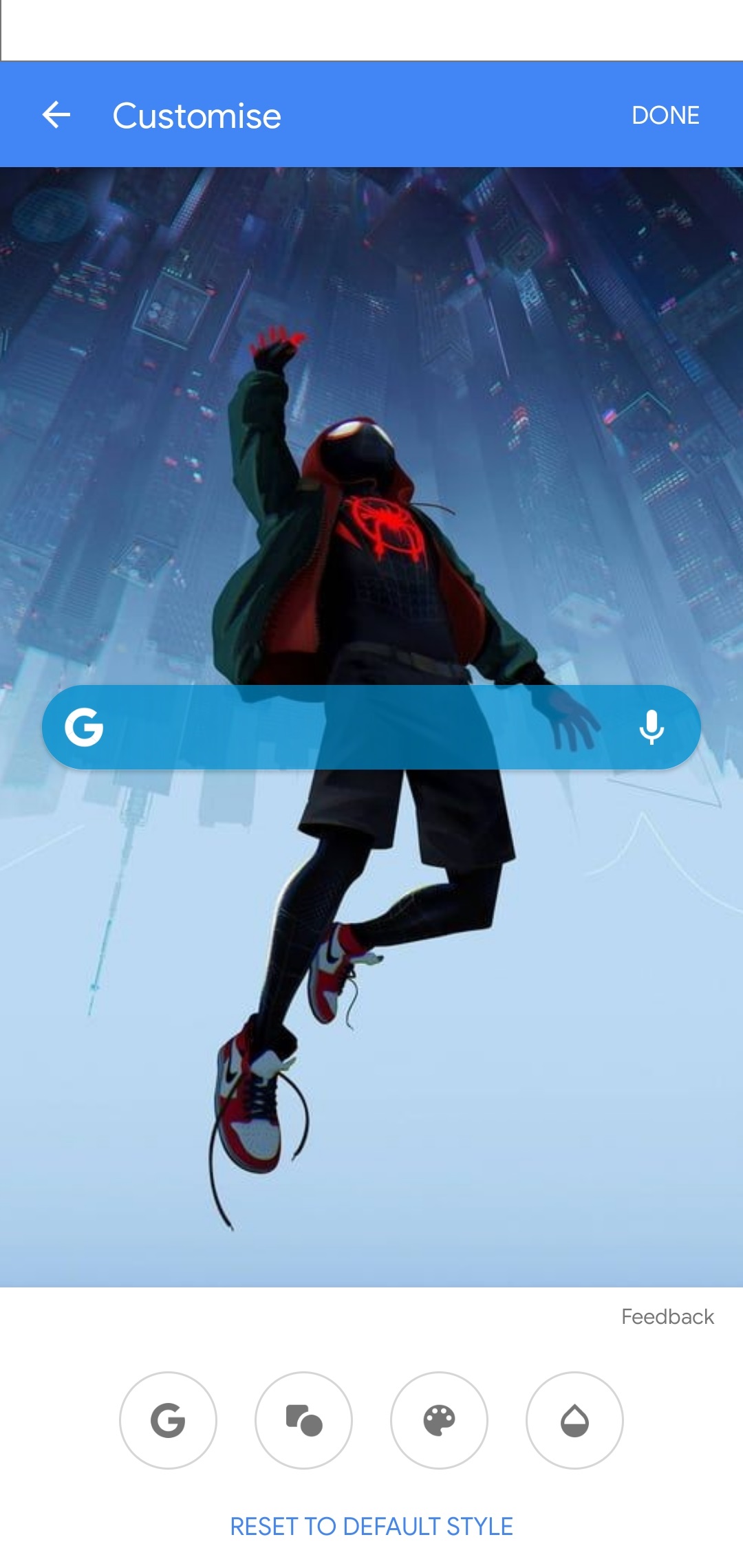
The last step is playing and customizing the logo and widget at your preference.
I hope this was very helpful and for any more queries just comment below or ping me in my personal message.
Cheers!


- Posts
- Following
- Followers
- Energy
-

GeekyMarshmallow
-
+ Follow

-
- 114 Posts
- 445 Following
- 648 Followers
- 10729 Energy



- Posts
- photo
- video

Hello Fans, I AM BACK!!!
Who is interested in knowing how to customize your google widget? Well, Google 's search widget is one of the most liked widgets of all the time. In this article, I will be showing you how to customize it at your preference and how to match the widgets with the wallpapers.
From this:
To this:
Steps to customize Google widgets:
1. Add two of the widgets, one is the one to be customized Google search widget and the other one is the At a glance, by tap and holding the home screen, selecting widgets and then tapping on Google and then tap on Google and At a glance.
2. Once you add them both, align them to wherever you want.
3. Now after aligning the widgets, just click on the Weather option from the At a glance widget which will take you to the below window.
4. Now explore the menu by tapping over the Three lines over the top left corner where you will see the following options.
5. Now tap on customize the widget, where you will see this kind of window.
6. So here you will find the four main Options: Bar Logo, Bar Shape, Bar Color, Bar Shading.
The last step is playing and customizing the logo and widget at your preference.
I hope this was very helpful and for any more queries just comment below or ping me in my personal message.
Cheers!