



 More Products
 Compare














我的荣耀 开启荣耀之旅



 Disagree Terms
 Log out




[Tips & Tricks] What to do when Huawei Share fails to transfer files!


 Last reply :
Hello HONOR Fans'
In this post am going to share some tips to improve and prevent errors while transfering files via "Huawei Share"
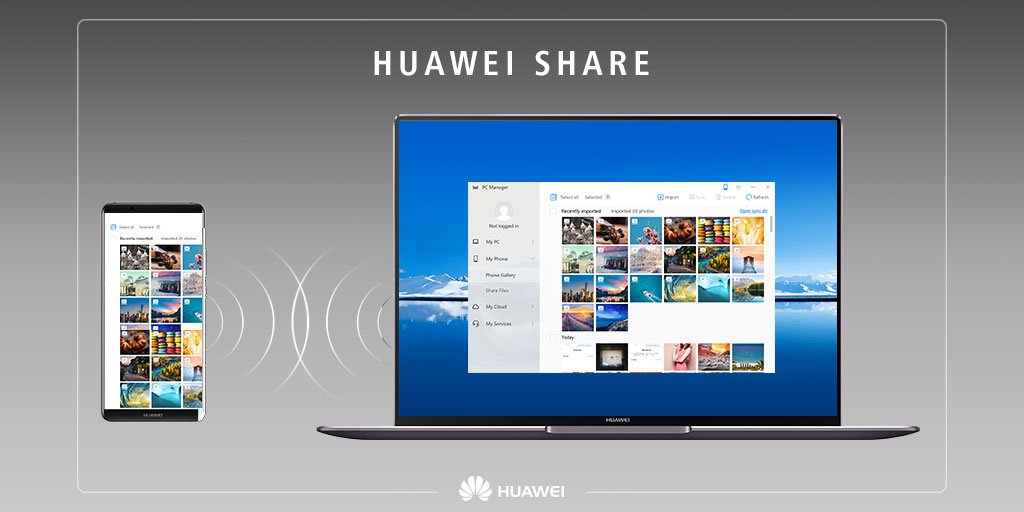
Huawei Share:
Huawei Share uses Wi-Fi and Bluetooth to transfer data. When Huawei Share is enabled, both Wi-Fi and Bluetooth are automatically enabled.You can use Huawei Share to quickly transfer photos, videos and other files between Huawei devices. Huawei Share uses Bluetooth to detect other nearby Huawei devices and then uses Wi-Fi Direct to quickly transfer files without using mobile data. When you transfering files via Huawei Share but unfortunately it fails because there may be several causes,
Let's check out the Tips below to prevent these errors
Ensure that the two devices are within Bluetooth range (10 m).
Ensure that the screen of the other device is turned on. If the screen of the other device is turned off, file transfer may fail.
Restart Bluetooth or Wi-Fi on both devices and try again.
Check whether the other device is using Huawei Share to send or receive files. If so, try again after it is done.
Check whether the device is using apps like Wi-Fi Direct or multi-screen interaction. If so, disconnect them on both devices.
Check whether the storage space of the other device is insufficient. If so, clear the storage space and try again.
Restart your device or the other device and try again.
If the issue persists, back up your data and try again after Factory reset. If not take your phone with the proof of purchase to an authorized Huawei Customer Service Center for assistance.
Hope you all find this post useful, Thank you for reading ;)


- Posts
- Following
- Followers
- Energy
-
 Tamil G
Moderator Intern
Tamil G
Moderator Intern
-
+ Follow

-
- 542 Posts
- 49 Following
- 881 Followers
- 39795 Energy

-
 New Comer
-
 Followers reach 50
-
 Followers reach 100
-
 Followers reach 200
-
 7 Days Check-in
-
 30 Days Check-in
-
 100 Days Check-in
-
 Moderator
-
 Halloween 2020
-
 HONOR STAR 2020
-
 New Year 2021
-
 Animal Photography
-
 Plant Photography
-
 Red Photography
-
 Survey Medal!
-
 Water Photography
-
 World Cycling & Running Day
-
 Product Photography
-
 Sky Photography
-
 Activity Photography Medal
-
 Autumn Photography
-
 Rain Photography
-
 HONOR 50: Best Shot!
-
 Monthly Photo Sharing #1 Landscape
-
 HONOR Magic4 Pro
-
 Monthly Photo Sharing #2 People
-
 Monthly Photo Sharing #3 Spring
-
 Monthly Photo Sharing #4 Animal



- Posts
- photo
- video

Hello HONOR Fans'
In this post am going to share some tips to improve and prevent errors while transfering files via "Huawei Share"
Huawei Share:
Huawei Share uses Wi-Fi and Bluetooth to transfer data. When Huawei Share is enabled, both Wi-Fi and Bluetooth are automatically enabled.You can use Huawei Share to quickly transfer photos, videos and other files between Huawei devices. Huawei Share uses Bluetooth to detect other nearby Huawei devices and then uses Wi-Fi Direct to quickly transfer files without using mobile data. When you transfering files via Huawei Share but unfortunately it fails because there may be several causes,
Let's check out the Tips below to prevent these errors
Ensure that the two devices are within Bluetooth range (10 m).
Ensure that the screen of the other device is turned on. If the screen of the other device is turned off, file transfer may fail.
Restart Bluetooth or Wi-Fi on both devices and try again.
Check whether the other device is using Huawei Share to send or receive files. If so, try again after it is done.
Check whether the device is using apps like Wi-Fi Direct or multi-screen interaction. If so, disconnect them on both devices.
Check whether the storage space of the other device is insufficient. If so, clear the storage space and try again.
Restart your device or the other device and try again.
If the issue persists, back up your data and try again after Factory reset. If not take your phone with the proof of purchase to an authorized Huawei Customer Service Center for assistance.
Hope you all find this post useful, Thank you for reading ;)