



 More Products
 Compare














我的荣耀 开启荣耀之旅



 Disagree Terms
 Log out




[Tips & Tricks] Notification Style - Dot Notifications or Unread Count! How to apply!!!


 Last reply :
Hi everyone, do you want to turn on that "Notification dot" style notifications in your Honor smartphone?
If yes, then this article is for you....
As you all know EMUI 8.0 has it all in terms of style, power and is highly customizable too.
So here in this article I'm going to tell you how you can turn on that notification dot for unread message count and other notifications.
First of all see how the both type of notification style looks like:
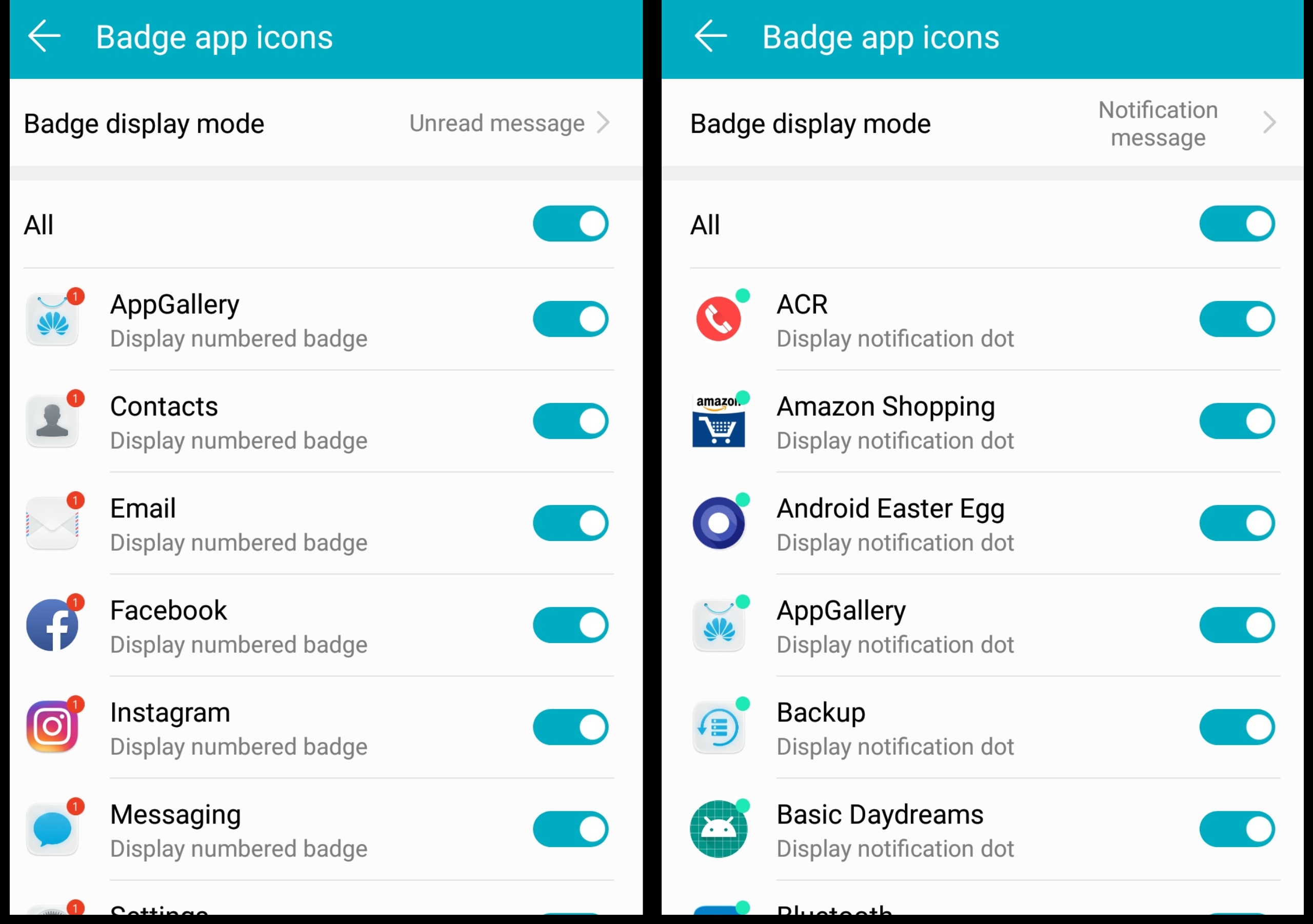
So now let's see how to set/change your notification style, simply follow these steps:
1. Press and hold on empty space in screen.
2. Select settings.
3. Select badge app icons.
4. Select badge display mode.
5. Select the type you want to.
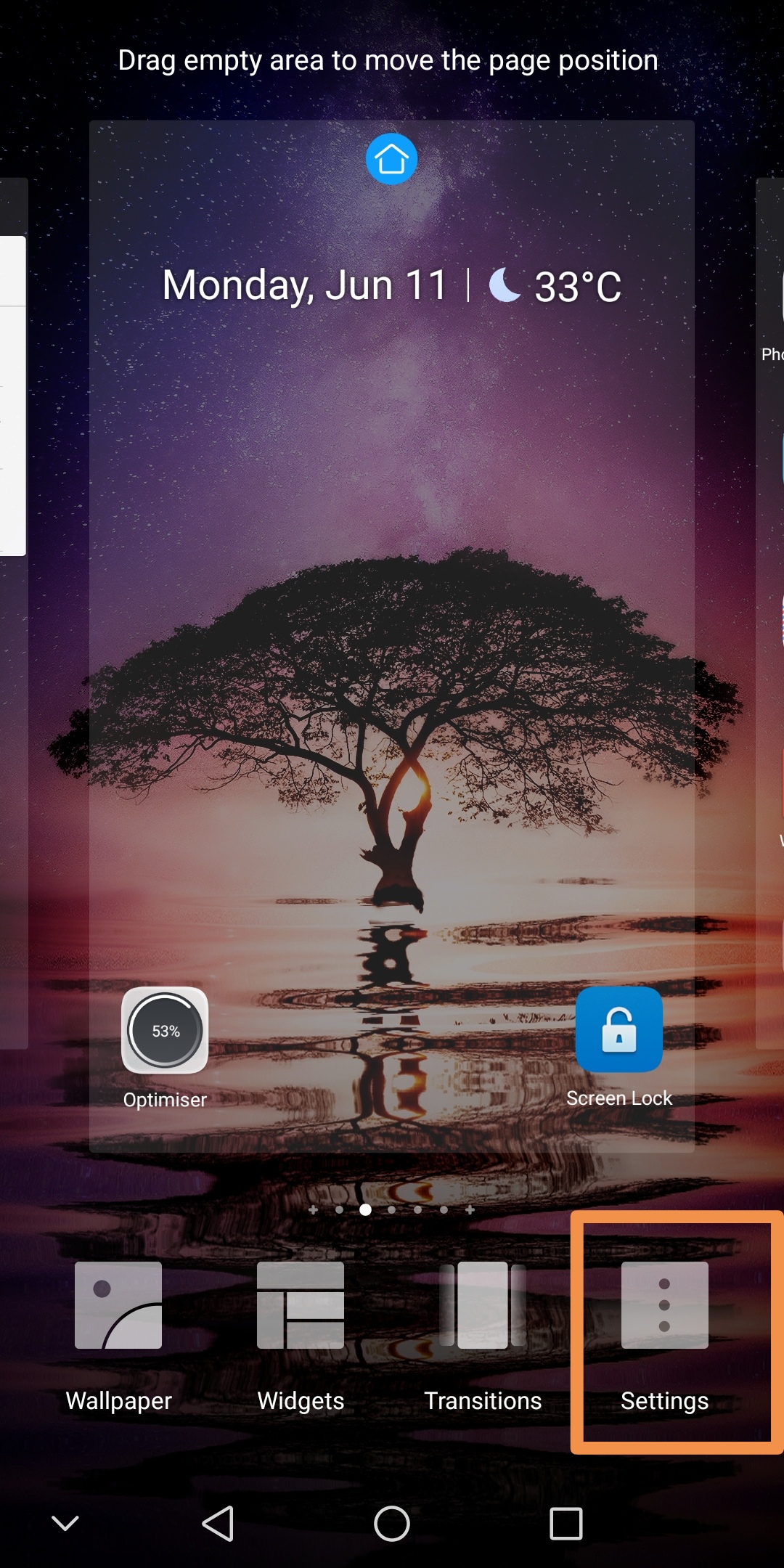
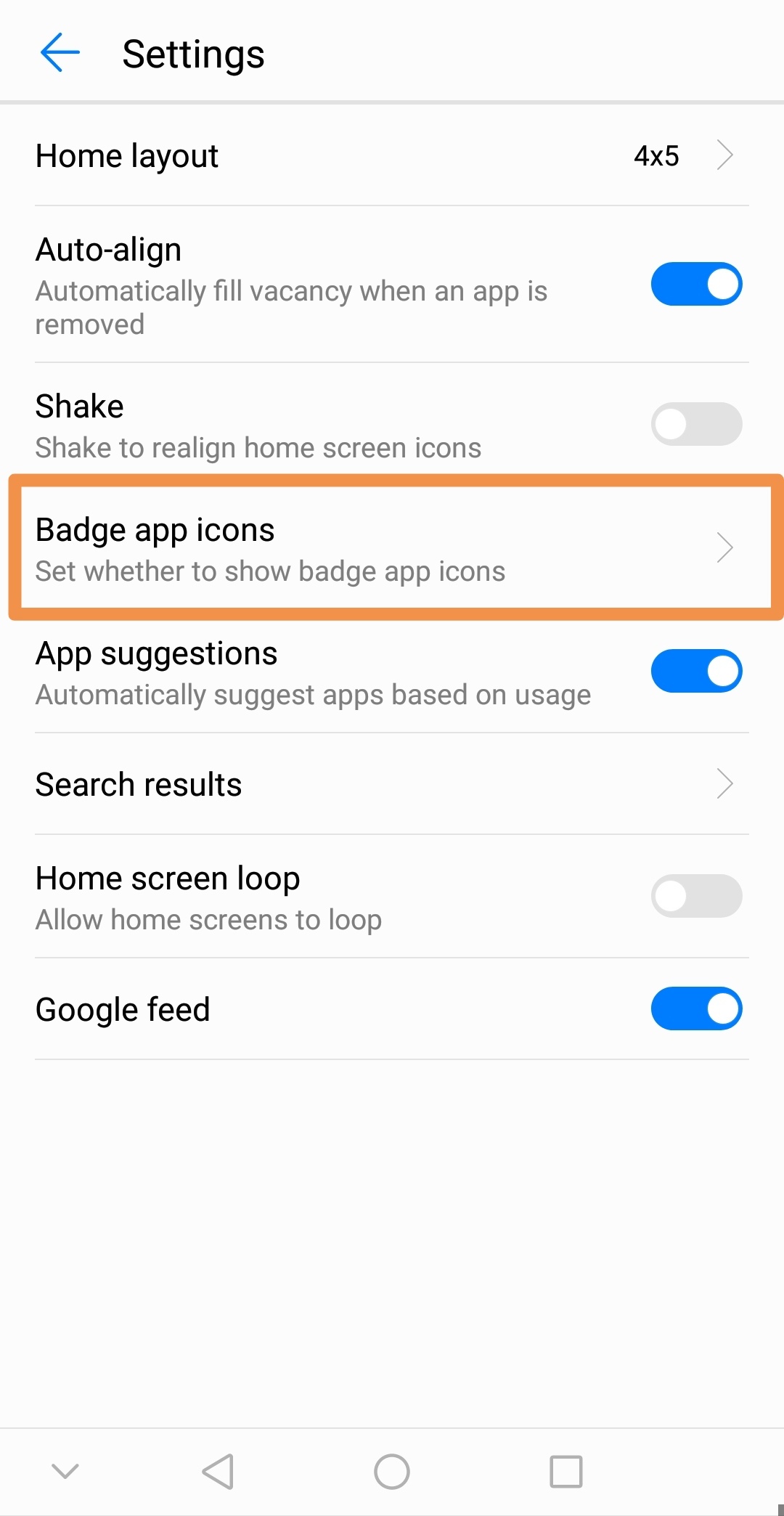
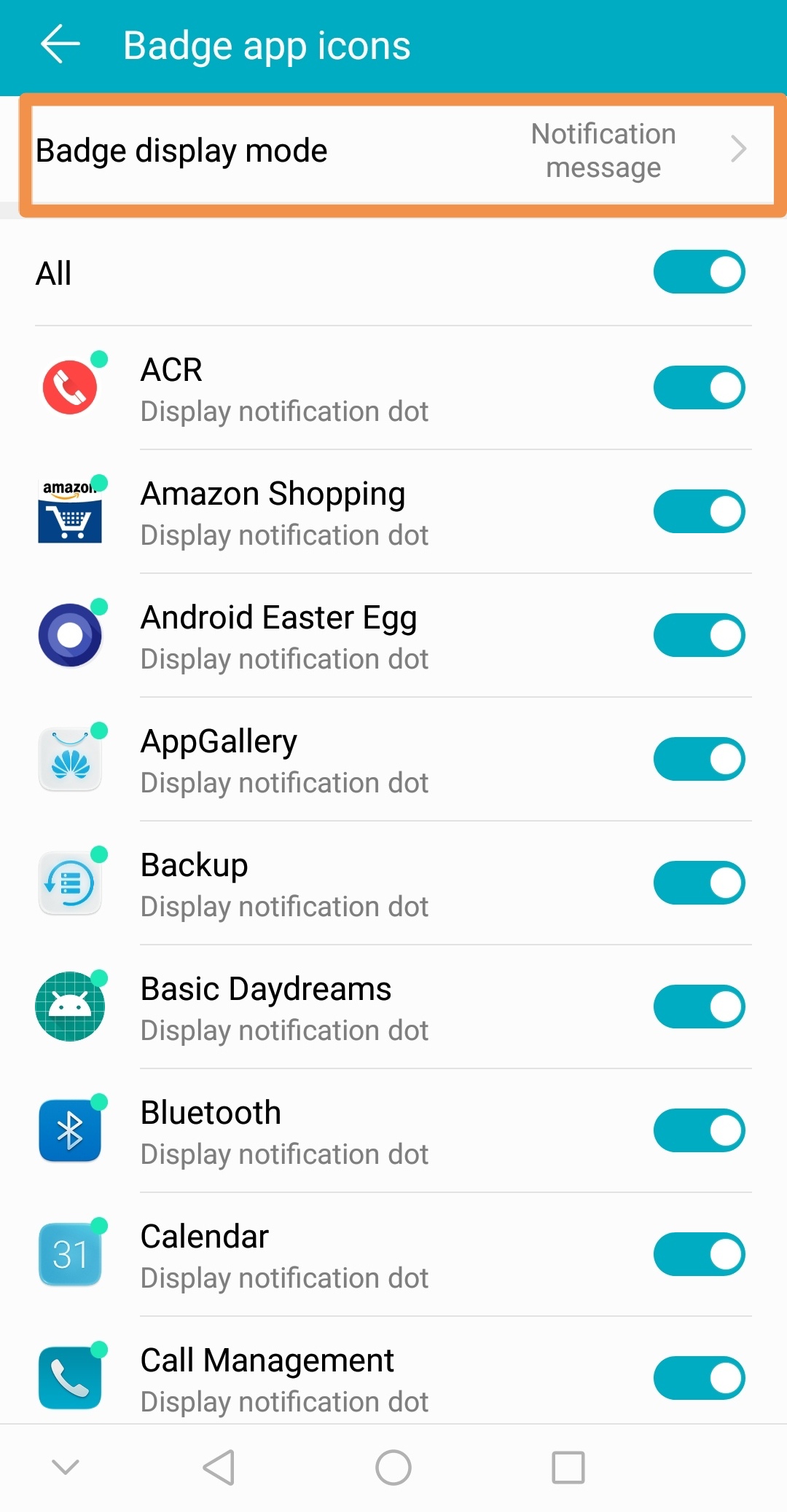
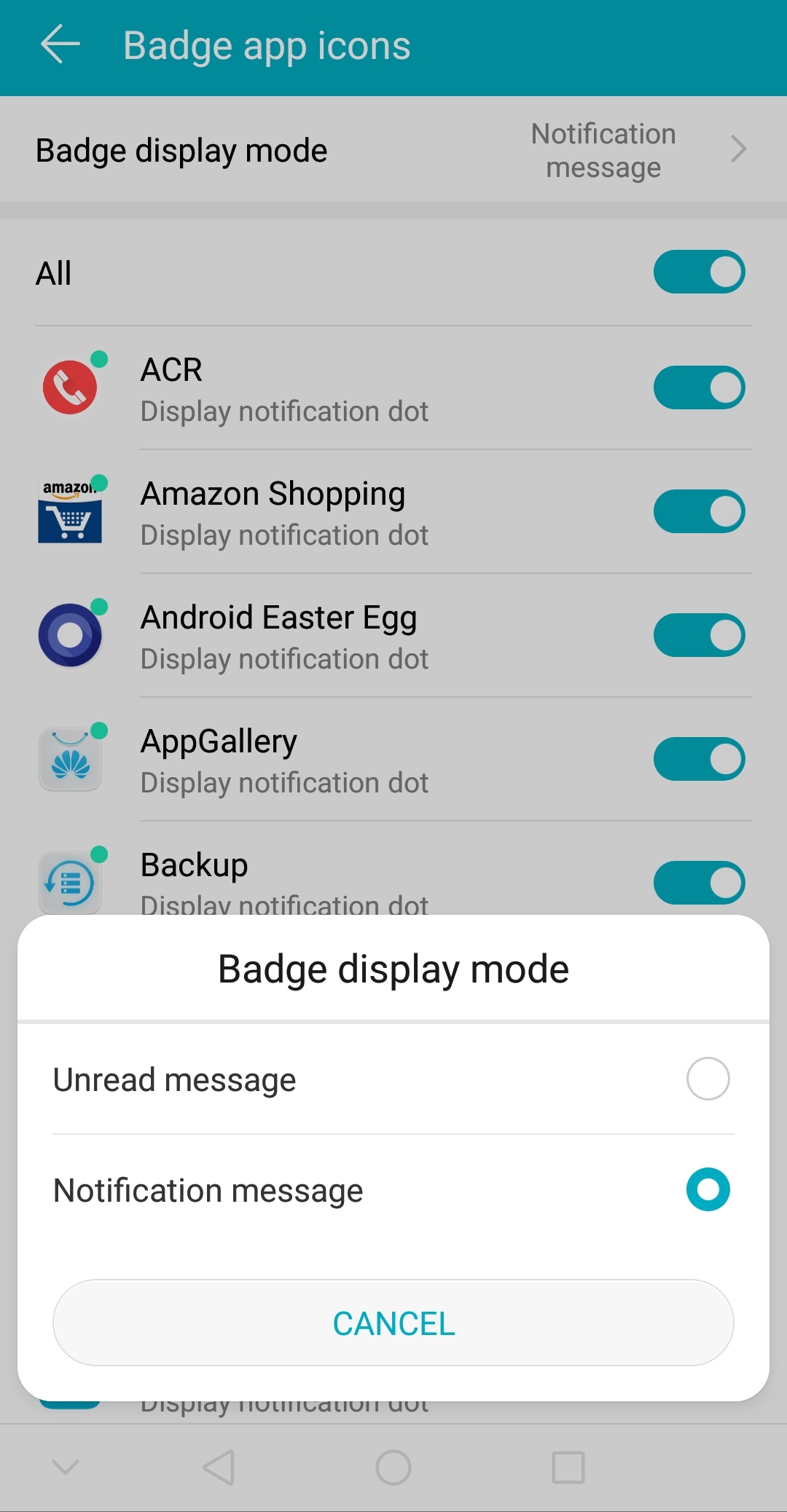
That's it.
Note : If you want to use notifications dot then select 'notification message' else select 'unread message'.
So guys this was my tutorial about how to customize your phone with two different types of badge notifications, hope you like this article and find it useful.
Please show me your support by giving this post a like if you want and also if you like my work so please follow me.
Thank you.
We_Are_The_Brave


- Posts
- Following
- Followers
- Energy
-

Jay_Cash
-
+ Follow

-
- 13 Posts
- 7 Following
- 19 Followers
- 1181 Energy



- Posts
- photo
- video

Hi everyone, do you want to turn on that "Notification dot" style notifications in your Honor smartphone?
If yes, then this article is for you....
As you all know EMUI 8.0 has it all in terms of style, power and is highly customizable too.
So here in this article I'm going to tell you how you can turn on that notification dot for unread message count and other notifications.
First of all see how the both type of notification style looks like:
So now let's see how to set/change your notification style, simply follow these steps:
1. Press and hold on empty space in screen.
2. Select settings.
3. Select badge app icons.
4. Select badge display mode.
5. Select the type you want to.
That's it.
Note : If you want to use notifications dot then select 'notification message' else select 'unread message'.
So guys this was my tutorial about how to customize your phone with two different types of badge notifications, hope you like this article and find it useful.
Please show me your support by giving this post a like if you want and also if you like my work so please follow me.
Thank you.
We_Are_The_Brave