



 More Products
 Compare














我的荣耀 开启荣耀之旅



 Disagree Terms
 Log out




[Tips & Tricks] How to Take DSLR like Portraits with Single Lens in Honor Device Which Have Pro-Mode


 Last reply :
Hello Guys,
Today I’m going to share a great camera tip that may help you to take photos like DSLRs.
Yes, you heard right that you can enjoy portrait even if you have a single camera or dual and I untitleddailyuntitleddailyuntitleddailyure you that it doesn’t have that Edge Detection issues because our camera will work the same as the DSLR do.
So in most of the Honor devices, they give Pro-mode which is also called Manual mode. Those who don’t know what is Pro-Mode or never used it I will tell you in brief that you can understand it wisely in this post.
Basically let’s just check the right top ‘I’ button in Pro-mode which will tell you what are the things we can control in Pro-Mode.
So let’s get started.
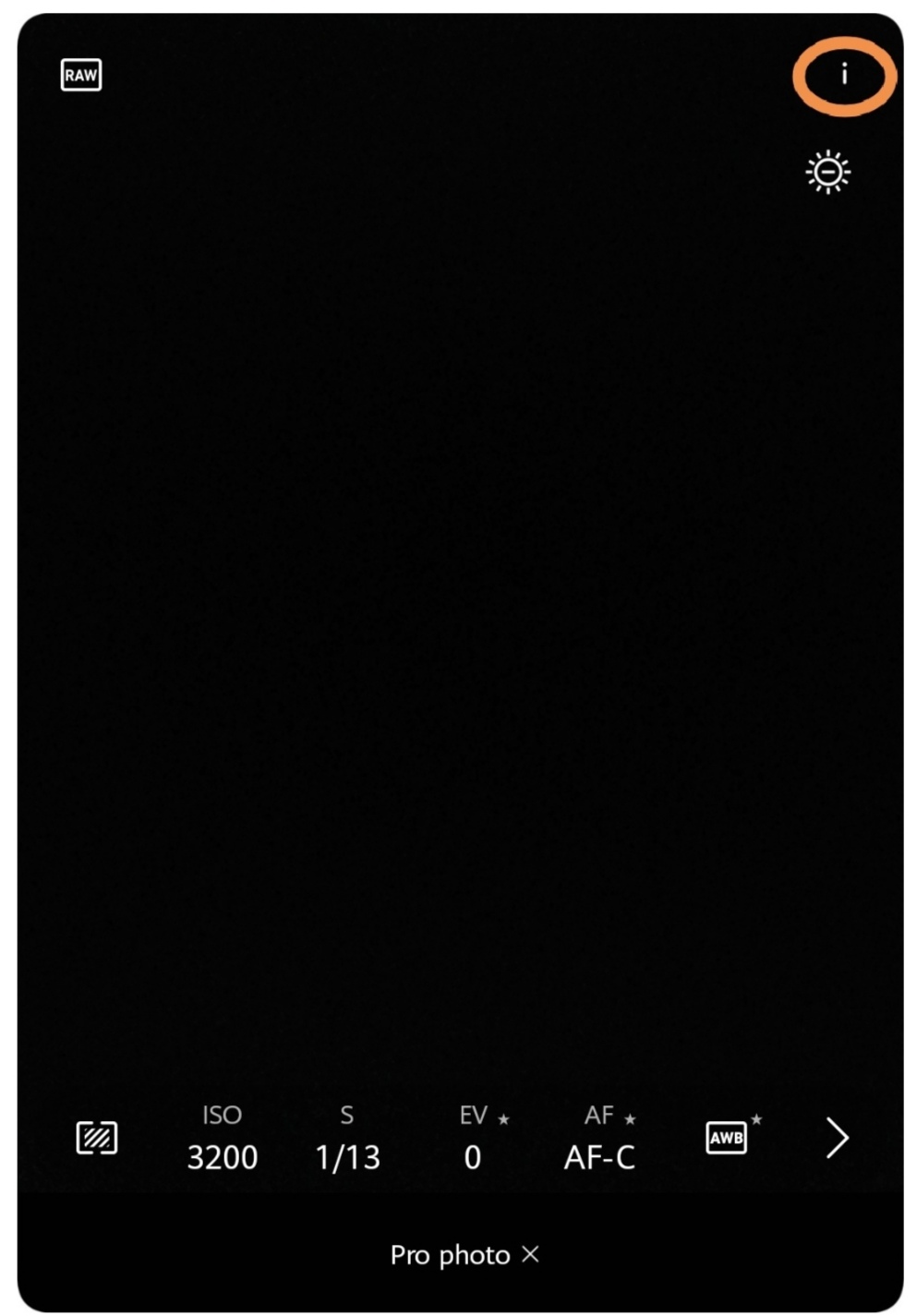
1. Stay in front of the object not too close not too far. (If far zoom more but the quality of the photo will be lesser with higher zoom).
2. Go in Pro-Mode.
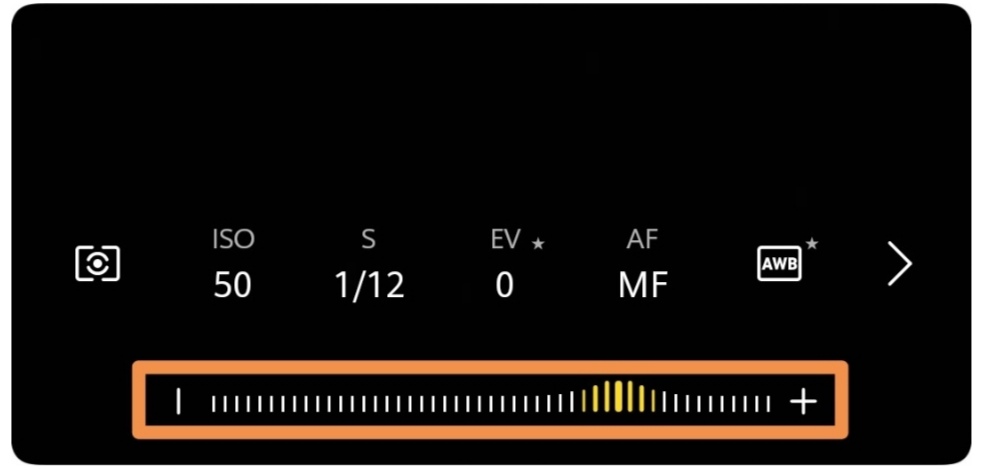
3. Use some amount of zoom
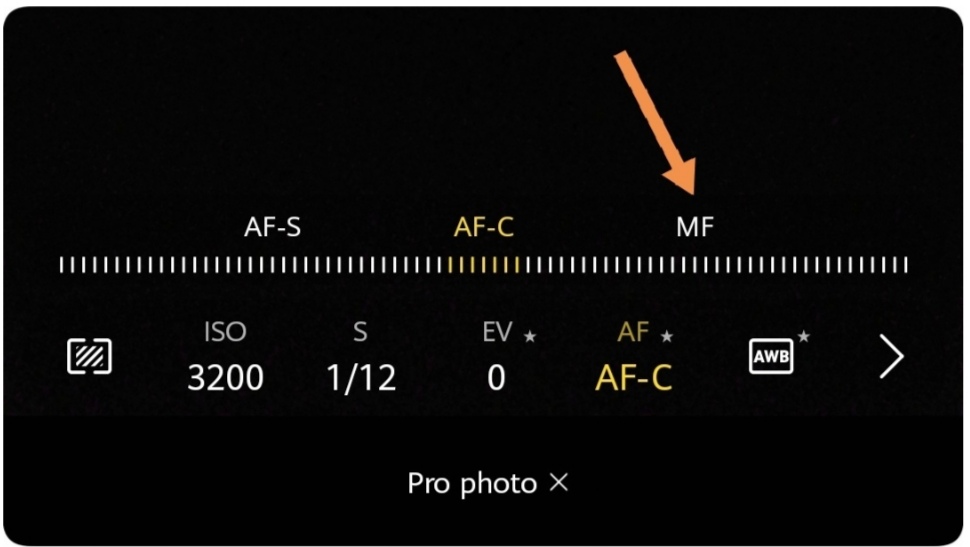
4. Tap on the AF-C
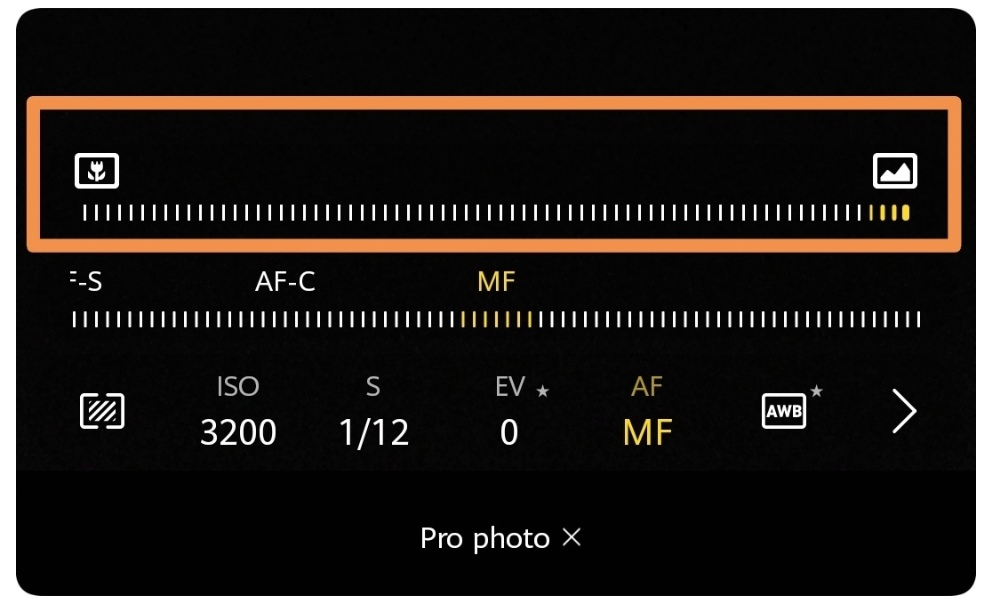
5. Now tap on MF.
6. You will notice that a scroll line came over MF.
7. We are going to use that line to adjust our focus by scrolling.
8. First focus on the object that you will see the background 'in focus' too
9. Now use that scroll bar to the slightly left side that you will see that background of the object is blurring too and our object is in focus too. (Don't scroll too fast that makes object blur too.
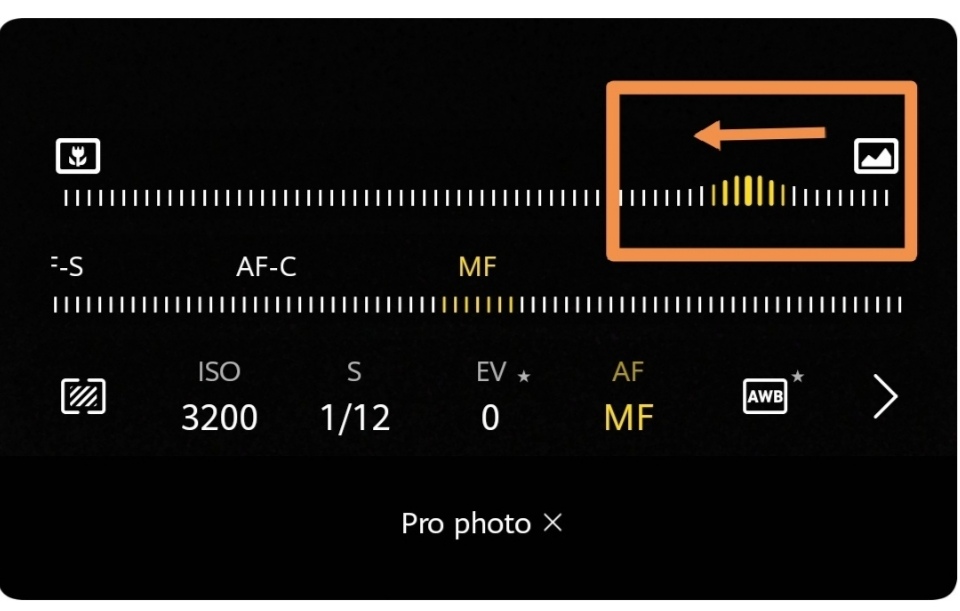
Remember: Do not do focus on-screen after adjusting the scroll focus bar.
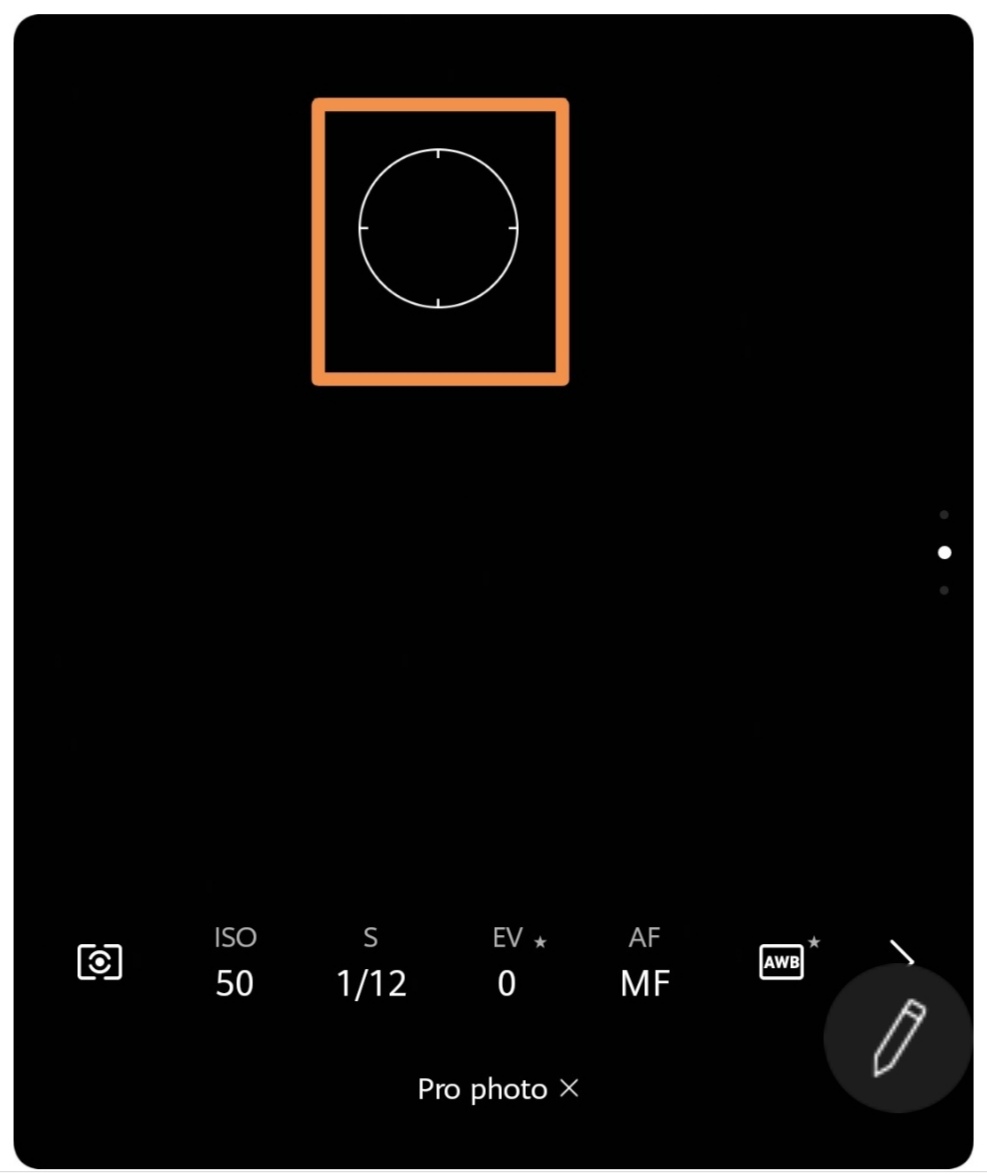
10. After that, you need to notice that noise levels too. If the noise is more than adjusting the ISO level in the lower side than auto-adjusted.
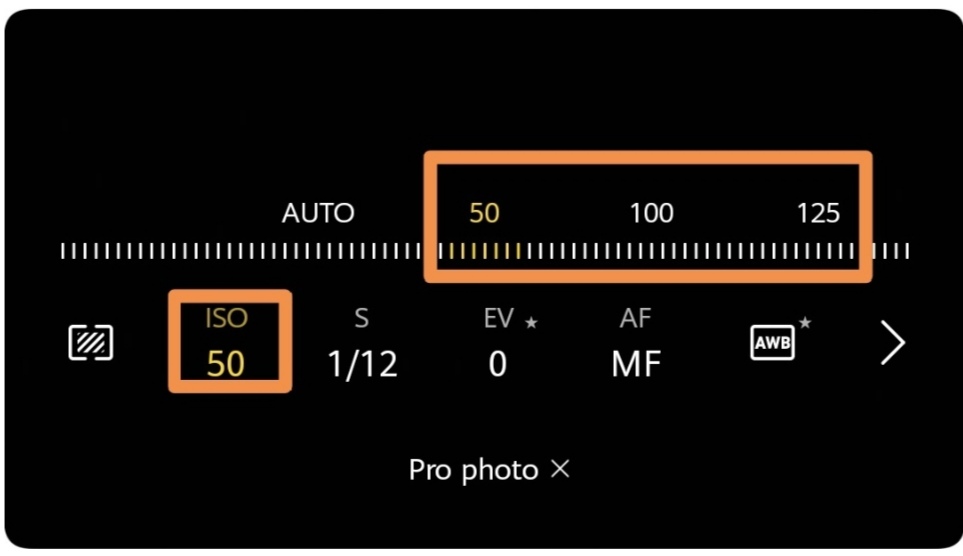
11. This is an extra tip for night portrait that if you want to take portrait in the night and have tripod you can try by making ISO lower as possible and set shutter speeds for nearly 1 second. (In between 0.3 to 0.8 is perfect for me).
If your phone is capable of RAW format then use it with Pro-Mode and then later edit with Photoshop or Snapseed.
Hope you like it! For any other questions, please comment below!
Thanks!


- Posts
- Following
- Followers
- Energy
-

GeekyMarshmallow
-
+ Follow

-
- 114 Posts
- 445 Following
- 649 Followers
- 10729 Energy



- Posts
- photo
- video

Hello Guys,
Today I’m going to share a great camera tip that may help you to take photos like DSLRs.
Yes, you heard right that you can enjoy portrait even if you have a single camera or dual and I untitleddailyuntitleddailyuntitleddailyure you that it doesn’t have that Edge Detection issues because our camera will work the same as the DSLR do.
So in most of the Honor devices, they give Pro-mode which is also called Manual mode. Those who don’t know what is Pro-Mode or never used it I will tell you in brief that you can understand it wisely in this post.
Basically let’s just check the right top ‘I’ button in Pro-mode which will tell you what are the things we can control in Pro-Mode.
So let’s get started.
1. Stay in front of the object not too close not too far. (If far zoom more but the quality of the photo will be lesser with higher zoom).
2. Go in Pro-Mode.
3. Use some amount of zoom
4. Tap on the AF-C
5. Now tap on MF.
6. You will notice that a scroll line came over MF.
7. We are going to use that line to adjust our focus by scrolling.
8. First focus on the object that you will see the background 'in focus' too
9. Now use that scroll bar to the slightly left side that you will see that background of the object is blurring too and our object is in focus too. (Don't scroll too fast that makes object blur too.
Remember: Do not do focus on-screen after adjusting the scroll focus bar.
10. After that, you need to notice that noise levels too. If the noise is more than adjusting the ISO level in the lower side than auto-adjusted.
11. This is an extra tip for night portrait that if you want to take portrait in the night and have tripod you can try by making ISO lower as possible and set shutter speeds for nearly 1 second. (In between 0.3 to 0.8 is perfect for me).
If your phone is capable of RAW format then use it with Pro-Mode and then later edit with Photoshop or Snapseed.
Hope you like it! For any other questions, please comment below!
Thanks!