



 More Products
 Compare














我的荣耀 开启荣耀之旅



 Disagree Terms
 Log out




[Tips & Tricks] How to Share Images in Whatsapp Messages without losing Quality!


 Last reply :
Hey HONOR Fans,
I am sure you are familiar and use Whatsapp for messaging your Friends, sending pictures to your loved ones and sending the pictures of other important documents. You might have noticed that after sharing the images Whatsapp Compresses the quality of image manifold through compression of the images and thus reducing the image quality.
How to Solve this Compression Issue?
If you want to share an Image and retain its original quality you will have to follow the following steps:
Step 1: Rename the picture to (image.doc) before sending: i) Open the Files App on your HONOR Smartphone
- Long Press to Select the "Image" you want to send in "Orignal Quality" -> Tap on "More" button at the Bottom Right -> Select "Rename"
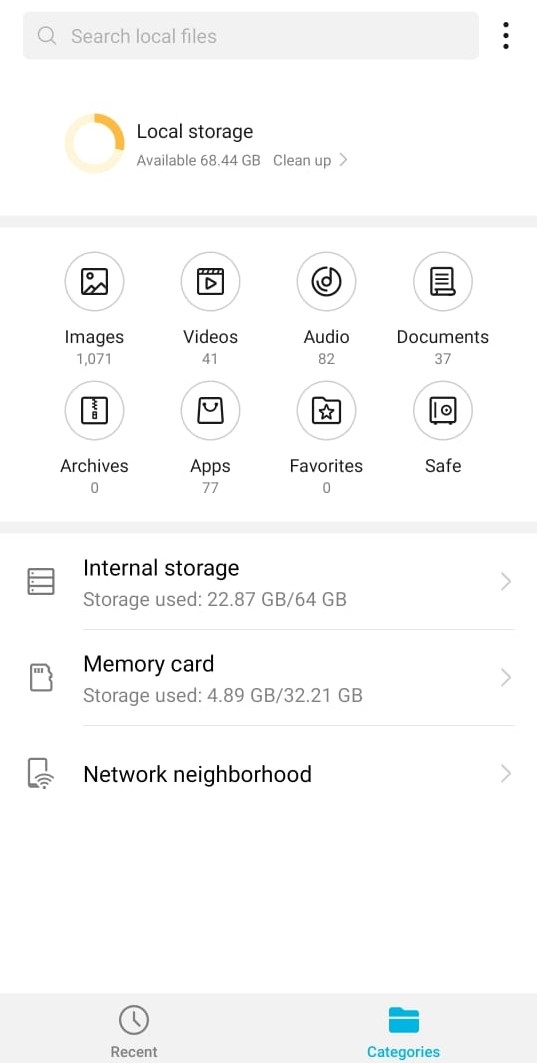
- Replace ".jpg, .png or .jpeg" with ".doc" and press "Ok"

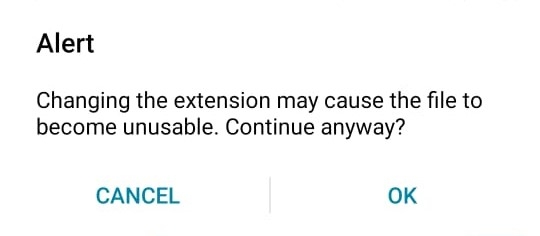
- Accept the Alert Prompt Message

Now you can share the image directly from your Smartphone on the Whatsapp number you want.
Step 2: Rename the picture to .jpg at the receiver end
- After you are done sending the image file, ask the recipient of the file to change the name back to its original Image extension i.e jpg, png, jpeg You can use this Trick to send the high-quality images to your loved ones or also with your work colleagues.
I hope you like this trick and it will be useful for you in the future.
Thank you


- Posts
- Following
- Followers
- Energy
-

 Gracy
Moderator Intern
Gracy
Moderator Intern
-
+ Follow

-
- 80 Posts
- 19 Following
- 318 Followers
- 8689 Energy










- Posts
- photo
- video

Hey HONOR Fans,
I am sure you are familiar and use Whatsapp for messaging your Friends, sending pictures to your loved ones and sending the pictures of other important documents. You might have noticed that after sharing the images Whatsapp Compresses the quality of image manifold through compression of the images and thus reducing the image quality.
How to Solve this Compression Issue?
If you want to share an Image and retain its original quality you will have to follow the following steps:
Step 1: Rename the picture to (image.doc) before sending: i) Open the Files App on your HONOR Smartphone
- Long Press to Select the "Image" you want to send in "Orignal Quality" -> Tap on "More" button at the Bottom Right -> Select "Rename"
- Replace ".jpg, .png or .jpeg" with ".doc" and press "Ok"
- Accept the Alert Prompt Message
Now you can share the image directly from your Smartphone on the Whatsapp number you want.
Step 2: Rename the picture to .jpg at the receiver end
- After you are done sending the image file, ask the recipient of the file to change the name back to its original Image extension i.e jpg, png, jpeg You can use this Trick to send the high-quality images to your loved ones or also with your work colleagues.
I hope you like this trick and it will be useful for you in the future.
Thank you