



 More Products
 Compare














我的荣耀 开启荣耀之旅



 Disagree Terms
 Log out




[Tips&Tricks] How to completely uninstall preinstalled apps from your phone without root


 Last reply :
Hello HONOR Fans,
It seems that a lot of people have applications on their phones that they don't want to use or even don't want to have installed on their devices. In my case, I don't use Google Photos app and wanted to uninstall it, but after a while app apeared again after uninstallation. That is why I was searching the Internet for a method to uninstal app completely and to be sure that it won't be there again if I don't want it. I came across a method called ADB method and I want to share with HONOR Fans that maybe have similar problems like me. Also, I am sharing this in order to everyone have all in one place.
Note: Be careful not to uninstall any essential apps as it might affect the functionality of your device! If you are not sure what you are doing, it is better not to do it at all!
First, you need access to a laptop or a Desktop PC. Make sure you have USB drivers for your device installed on your PC or laptop. If not, you need to go to your device manufacturers website and download and install the latest drivers.
Second, download the official ADB tools from >>here<< and extract them to Desktop location on your PC or copy web link: https://dl.google.com/android/repository/platform-tools-latest-windows.zip
Third, if you haven’t enabled the developer mode, go to the software information section under the "About phone" option on settings. Tap on the "build number" details several times until you get the option to unlock the developer mode. You can access the developer options now. Navigate to the USB debugging option and then enable it.
Next, you need to grab your phone and head over to Google Play Store and download and install the application called App Inspector.
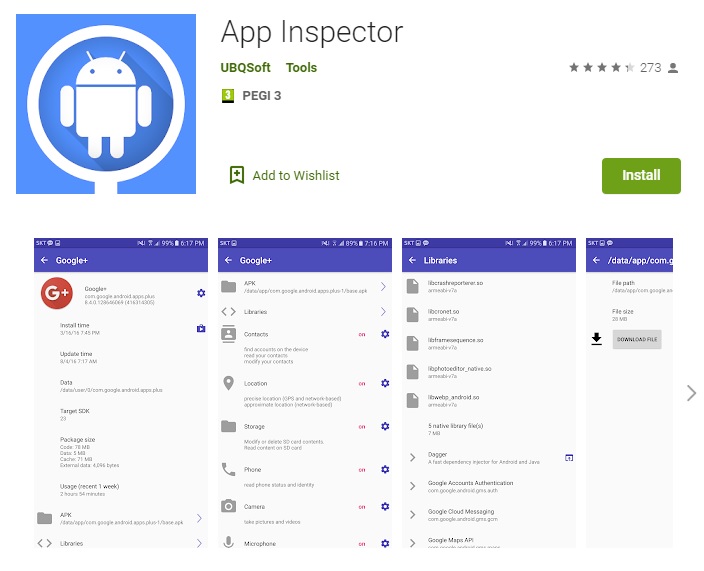
After instalation, open the application and select the pre-installed app that you want to uninstall from the list of installed apps on your device. Note down the package name of the app. In my case it was: com.google.android.apps.photos
Now connect your phone to your PC using your USB cable and make sure that the file transfer mode is selected. Open the folder (on the Desktop) where you had extracted the ADB tools zip archive and then open a command prompt or a Windows PowerSuntitleddailyuntitleddailyuntitleddaily window at that location by holding the untitleddailyuntitleddailyuntitleddailyft key and then right clicking on an empty space and selecting the "Open the PowerSuntitleddailyuntitleddailyuntitleddaily window here" option.
Type the below commands one by one on the command prompt window.
Make sure your phone is connected to your PC via USB and then type the command
adb devices
on the command prompt. Now if you run the adb devices command, the terminal will print the serial number of your device. If so, then you’re ready to move on. You will get a popup on your phone asking you to Allow USB debugging on your PC. Just click on OK to proceed.
adb suntitleddailyuntitleddailyuntitleddaily
pm uninstall –k —user 0 “name of the package”
For example I wanted to uninstall the Google Photos app from from device, just type
pm uninstall –k —user 0 com.google.android.apps.photos
Note: If you followed all steps, the app you have selected will be uninstalled and removed from your Android device. You can always install the app from the Google Play Store or by install an APK file, but the app will also be restored if you perform a factory reset.
I hope this TIPS will be helpful to someone. Probably, you can find this method by yourself on the Internet, but I wanted to share it here.
If you have questions, feel free to ask. Cheers! 


- Posts
- Following
- Followers
- Energy
-

Dedicated
-
+ Follow

-
- 11 Posts
- 8 Following
- 25 Followers
- 6805 Energy



- Posts
- photo
- video

Hello HONOR Fans,
It seems that a lot of people have applications on their phones that they don't want to use or even don't want to have installed on their devices. In my case, I don't use Google Photos app and wanted to uninstall it, but after a while app apeared again after uninstallation. That is why I was searching the Internet for a method to uninstal app completely and to be sure that it won't be there again if I don't want it. I came across a method called ADB method and I want to share with HONOR Fans that maybe have similar problems like me. Also, I am sharing this in order to everyone have all in one place.
Note: Be careful not to uninstall any essential apps as it might affect the functionality of your device! If you are not sure what you are doing, it is better not to do it at all!
First, you need access to a laptop or a Desktop PC. Make sure you have USB drivers for your device installed on your PC or laptop. If not, you need to go to your device manufacturers website and download and install the latest drivers.
Second, download the official ADB tools from >>here<< and extract them to Desktop location on your PC or copy web link: https://dl.google.com/android/repository/platform-tools-latest-windows.zip
Third, if you haven’t enabled the developer mode, go to the software information section under the "About phone" option on settings. Tap on the "build number" details several times until you get the option to unlock the developer mode. You can access the developer options now. Navigate to the USB debugging option and then enable it.
Next, you need to grab your phone and head over to Google Play Store and download and install the application called App Inspector.
After instalation, open the application and select the pre-installed app that you want to uninstall from the list of installed apps on your device. Note down the package name of the app. In my case it was: com.google.android.apps.photos
Now connect your phone to your PC using your USB cable and make sure that the file transfer mode is selected. Open the folder (on the Desktop) where you had extracted the ADB tools zip archive and then open a command prompt or a Windows PowerSuntitleddailyuntitleddailyuntitleddaily window at that location by holding the untitleddailyuntitleddailyuntitleddailyft key and then right clicking on an empty space and selecting the "Open the PowerSuntitleddailyuntitleddailyuntitleddaily window here" option.
Type the below commands one by one on the command prompt window.
Make sure your phone is connected to your PC via USB and then type the command
adb devices
on the command prompt. Now if you run the adb devices command, the terminal will print the serial number of your device. If so, then you’re ready to move on. You will get a popup on your phone asking you to Allow USB debugging on your PC. Just click on OK to proceed.
adb suntitleddailyuntitleddailyuntitleddaily
pm uninstall –k —user 0 “name of the package”
For example I wanted to uninstall the Google Photos app from from device, just type
pm uninstall –k —user 0 com.google.android.apps.photos
Note: If you followed all steps, the app you have selected will be uninstalled and removed from your Android device. You can always install the app from the Google Play Store or by install an APK file, but the app will also be restored if you perform a factory reset.
I hope this TIPS will be helpful to someone. Probably, you can find this method by yourself on the Internet, but I wanted to share it here.
If you have questions, feel free to ask. Cheers!