



 More Products
 Compare


ABOUT HONOR
Events













我的荣耀 开启荣耀之旅



 Disagree Terms
 Log out




[Tips & Tricks] Get started with the dark mode on your HONOR MagicBook Laptops!


 Last reply :
Dark mode is available on HONOR Magicbook laptops. There is no need to download and install the dark mode extension to get that or app. How to get dark mode after a few simple steps is shared in this post.

an image of a dark mode on laptops
In this post - I'm going to share a guide on "How to get started with the dark mode on your HONOR MagicBook" Laptops!
Advantages of dark mode:
saving energy
comfortable for your eyes
Dark Mode
The dark theme personalization setting is one of the best new features of Windows 10. You can turn from light to dark mode automatically – ideal for low light conditions such as working during the night. UWP applications, including Mail, Calendar, and the Windows Store app, go to a black background when you make the move, which can also save your battery power.
Get started with the dark mode on your HONOR Magicbook laptops
Step:1
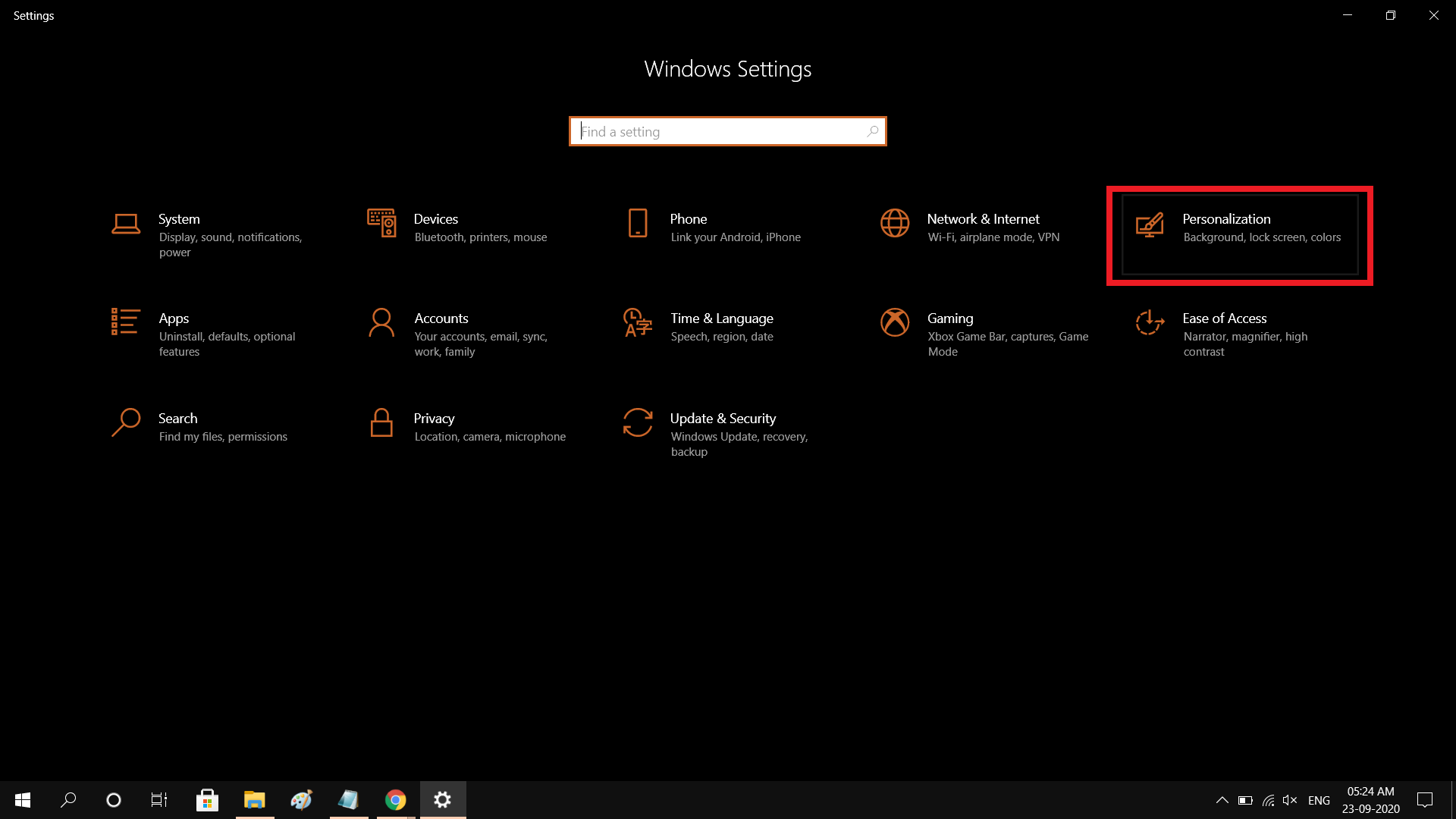
Go to Settings (Windows key + I)
Step:2
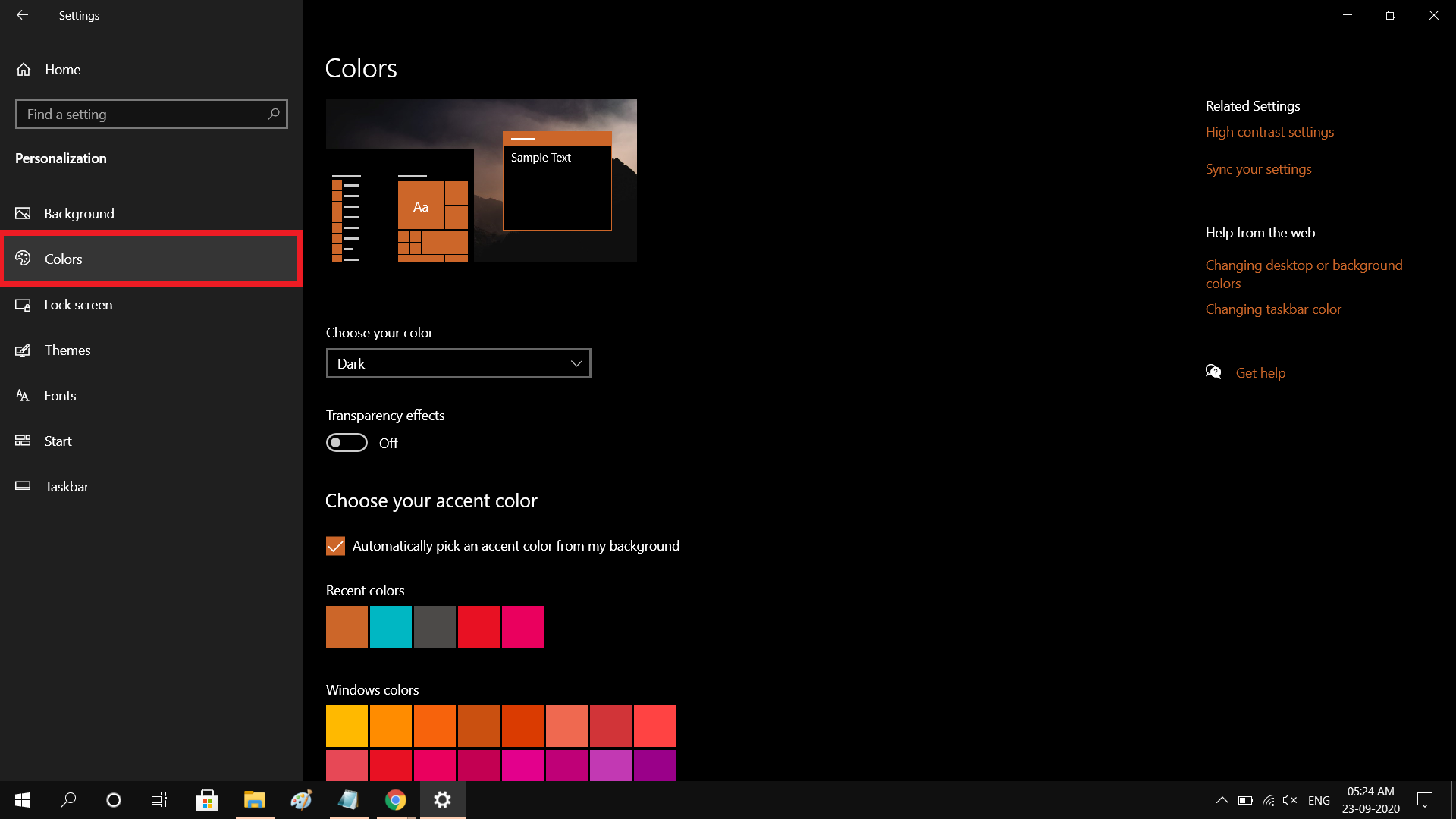
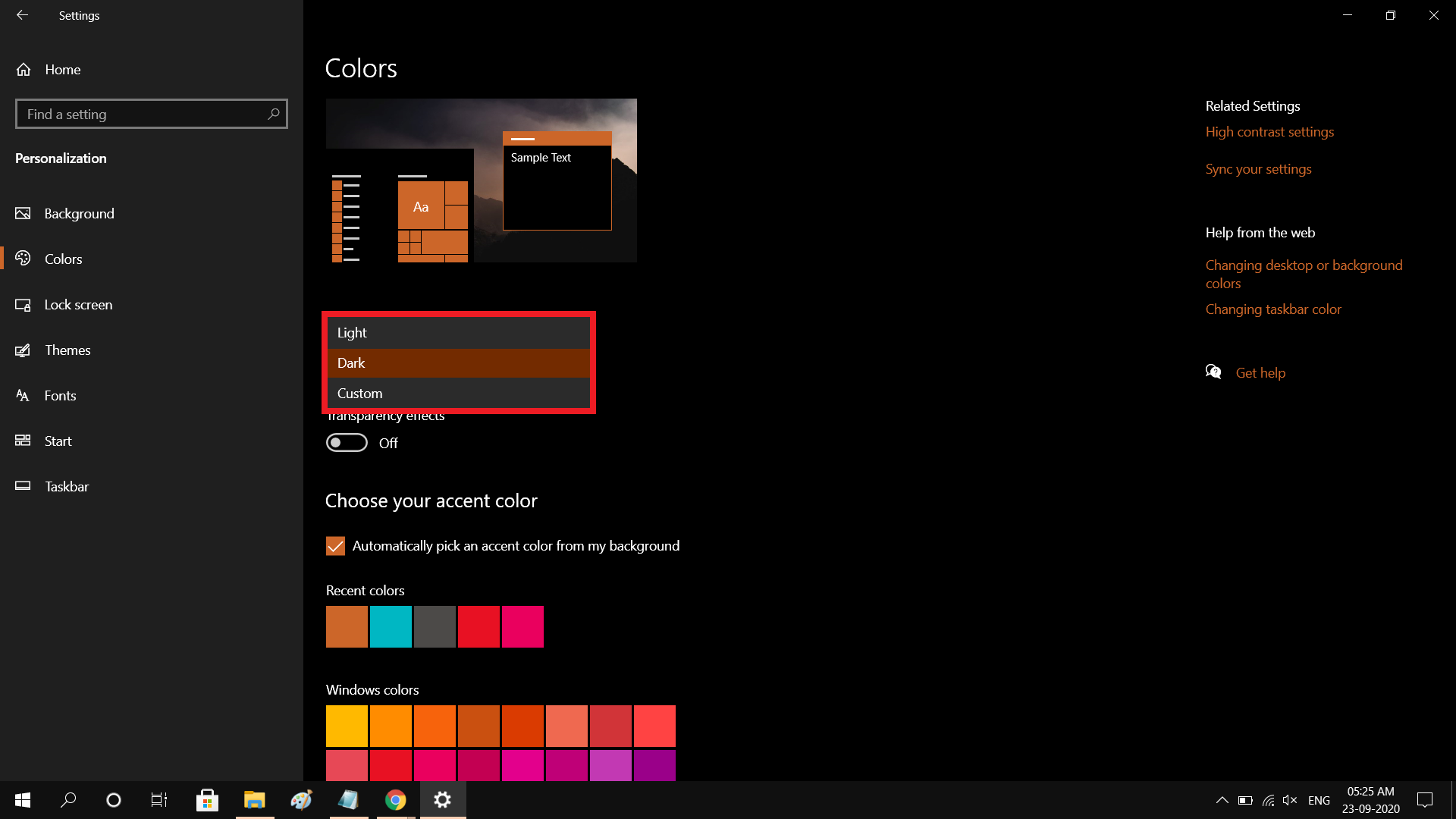
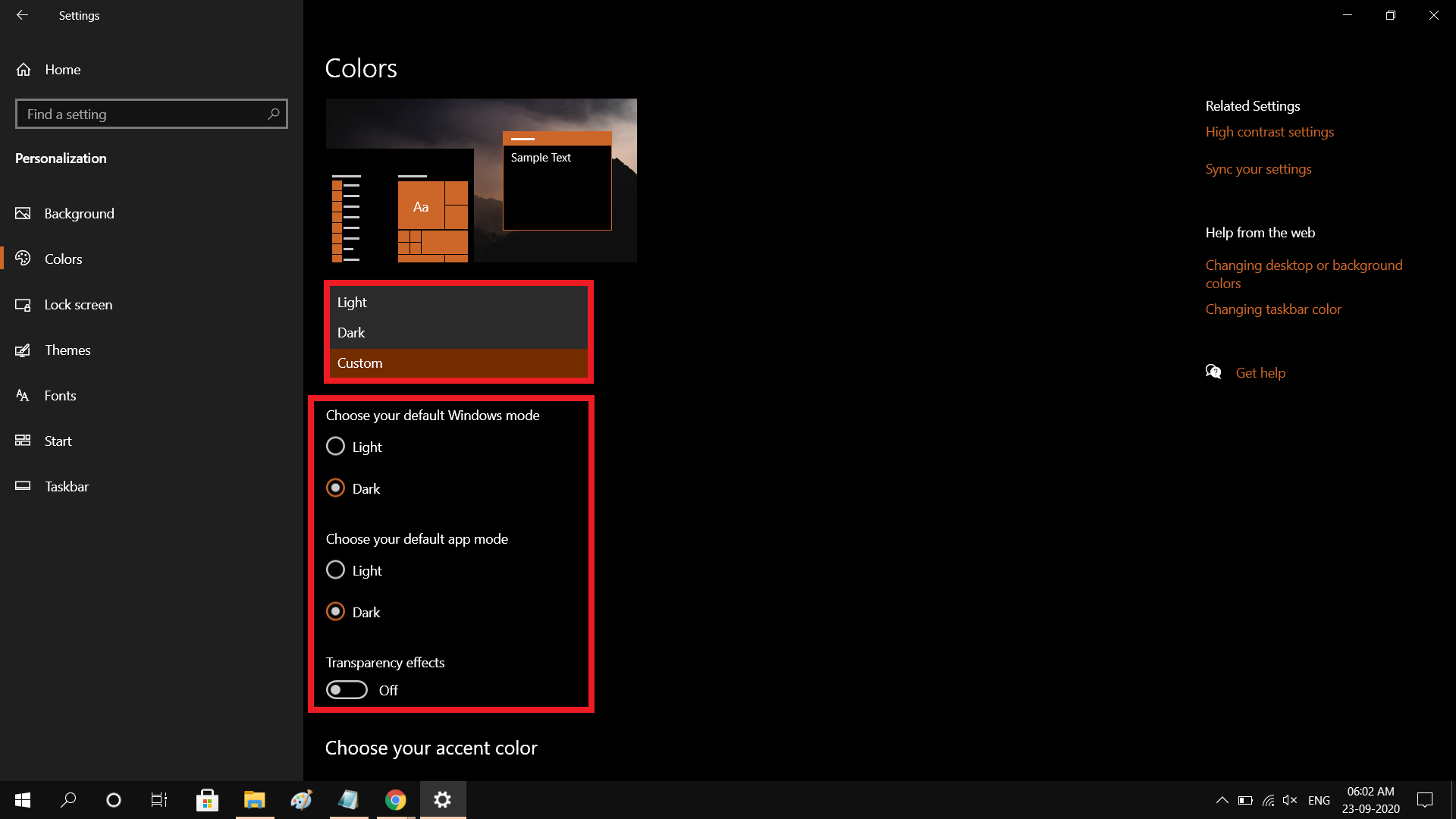
Select “Personalization" > Choose “Colors” > under Choose your color > select "Dark"
Step:3
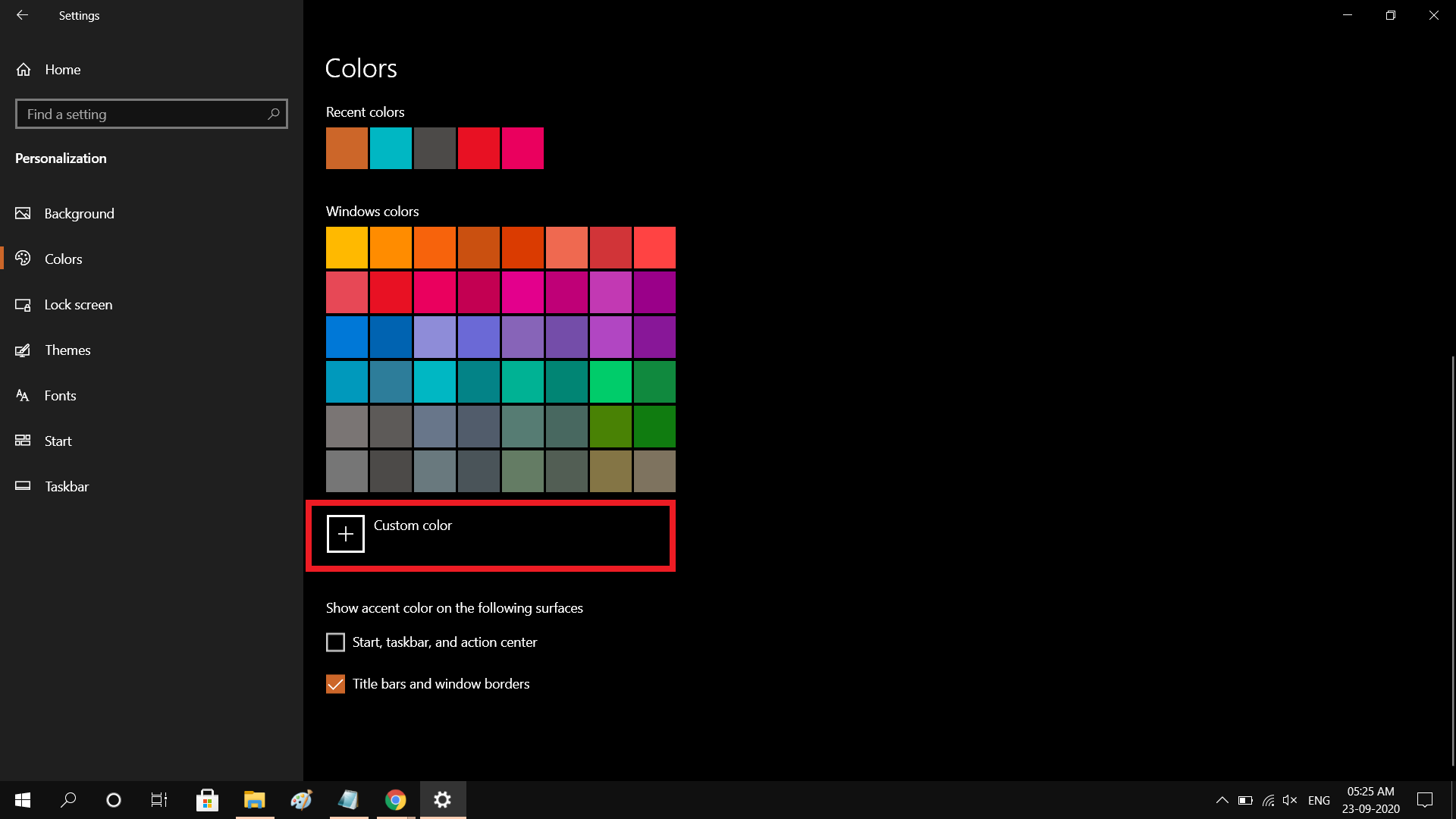
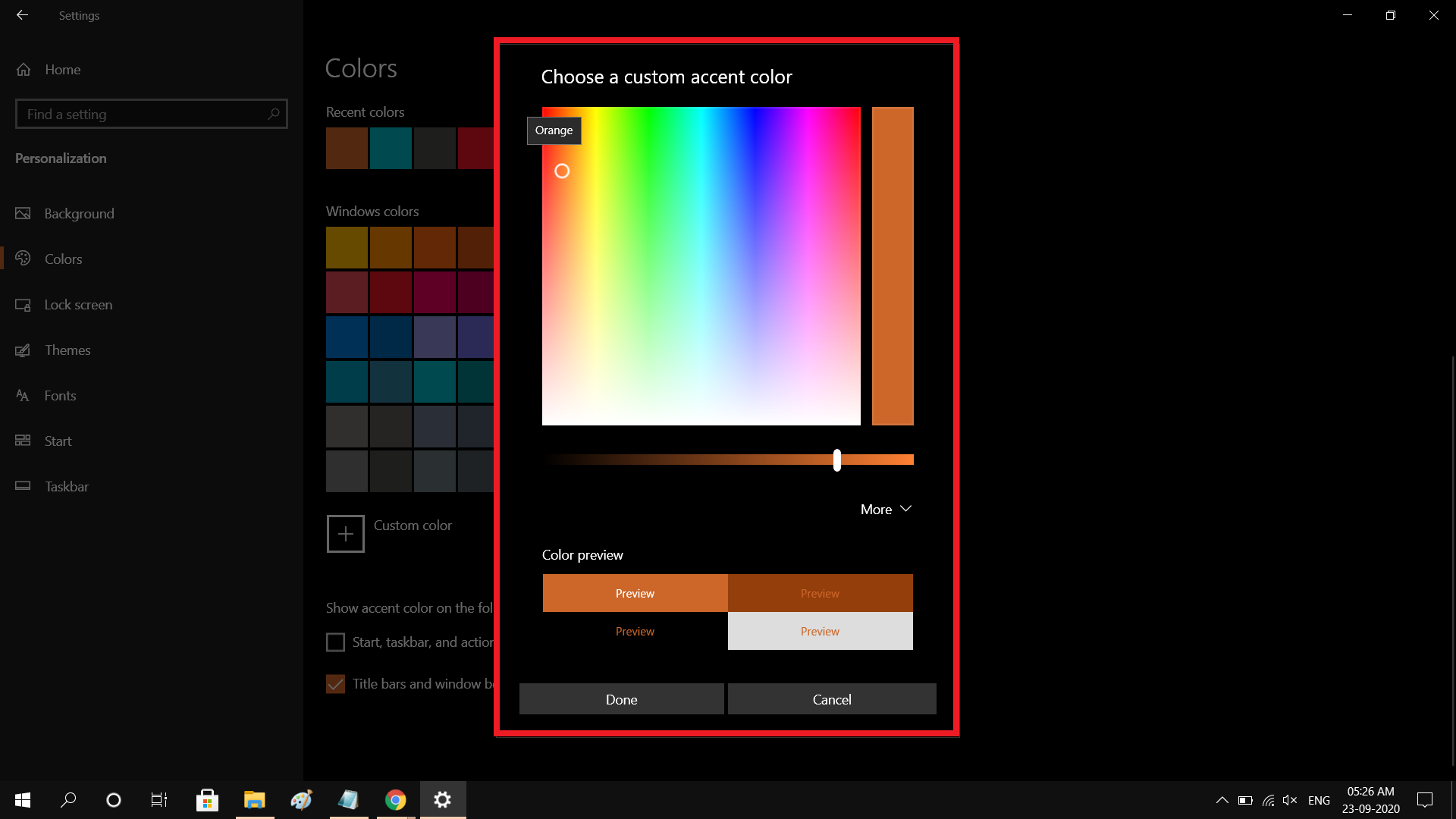
You can also choose Custom color options
Choose your default Windows mode
Choose your default App mode
Choose a custom accent color including Transparency effects



- Posts
- Following
- Followers
- Energy
-
 Tamil G
Moderator Intern
Tamil G
Moderator Intern
-
+ Follow

-
- 542 Posts
- 49 Following
- 887 Followers
- 39811 Energy

-
 New Comer
-
 Followers reach 50
-
 Followers reach 100
-
 Followers reach 200
-
 7 Days Check-in
-
 30 Days Check-in
-
 100 Days Check-in
-
 Moderator
-
 Halloween 2020
-
 HONOR STAR 2020
-
 New Year 2021
-
 Animal Photography
-
 Plant Photography
-
 Red Photography
-
 Survey Medal!
-
 Water Photography
-
 World Cycling & Running Day
-
 Product Photography
-
 Sky Photography
-
 Activity Photography Medal
-
 Autumn Photography
-
 Rain Photography
-
 HONOR 50: Best Shot!
-
 Monthly Photo Sharing #1 Landscape
-
 HONOR Magic4 Pro
-
 Monthly Photo Sharing #2 People
-
 Monthly Photo Sharing #3 Spring
-
 Monthly Photo Sharing #4 Animal



- Posts
- photo
- video

Dark mode is available on HONOR Magicbook laptops. There is no need to download and install the dark mode extension to get that or app. How to get dark mode after a few simple steps is shared in this post.
an image of a dark mode on laptops
In this post - I'm going to share a guide on "How to get started with the dark mode on your HONOR MagicBook" Laptops!
Advantages of dark mode:
saving energy
comfortable for your eyes
Dark Mode
The dark theme personalization setting is one of the best new features of Windows 10. You can turn from light to dark mode automatically – ideal for low light conditions such as working during the night. UWP applications, including Mail, Calendar, and the Windows Store app, go to a black background when you make the move, which can also save your battery power.
Get started with the dark mode on your HONOR Magicbook laptops
Step:1
Go to Settings (Windows key + I)
Step:2
Select “Personalization" > Choose “Colors” > under Choose your color > select "Dark"
Step:3
You can also choose Custom color options
Choose your default Windows mode
Choose your default App mode
Choose a custom accent color including Transparency effects