



 More Products
 Compare














我的荣耀 开启荣耀之旅



 Disagree Terms
 Log out




[Tips & Tricks] Create Original Theme! How to get started?


 Last reply :
Dear HONOR Fans, 
Today I want to share with you how to get started to create a theme. If you have the interest to create an original theme but haven’t tried yet, I am sure that this tutorial could help you to understand the original theme better.
1. Download the theme tool from here:
Leave a comment below to unlock the content
Then explore the function and get some idea of how to create a new theme.
2. Think about your theme idea and design the wallpapers first.
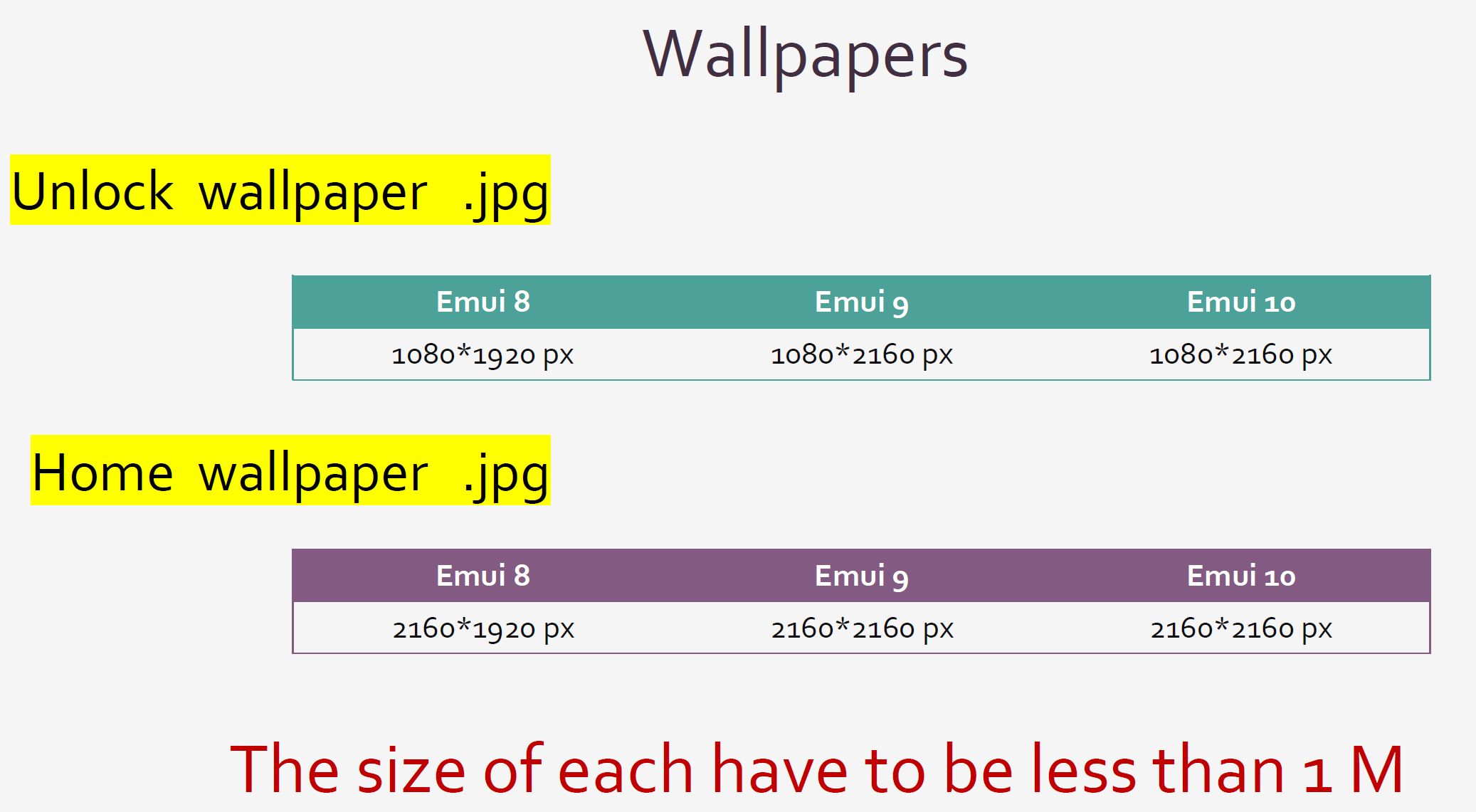
You have to design two wallpapers.
In my opinion, the home screen should make sure that the application icons added to stand out, for the users easy to find the application required. So my idea is, make that less clear. Below is an example:
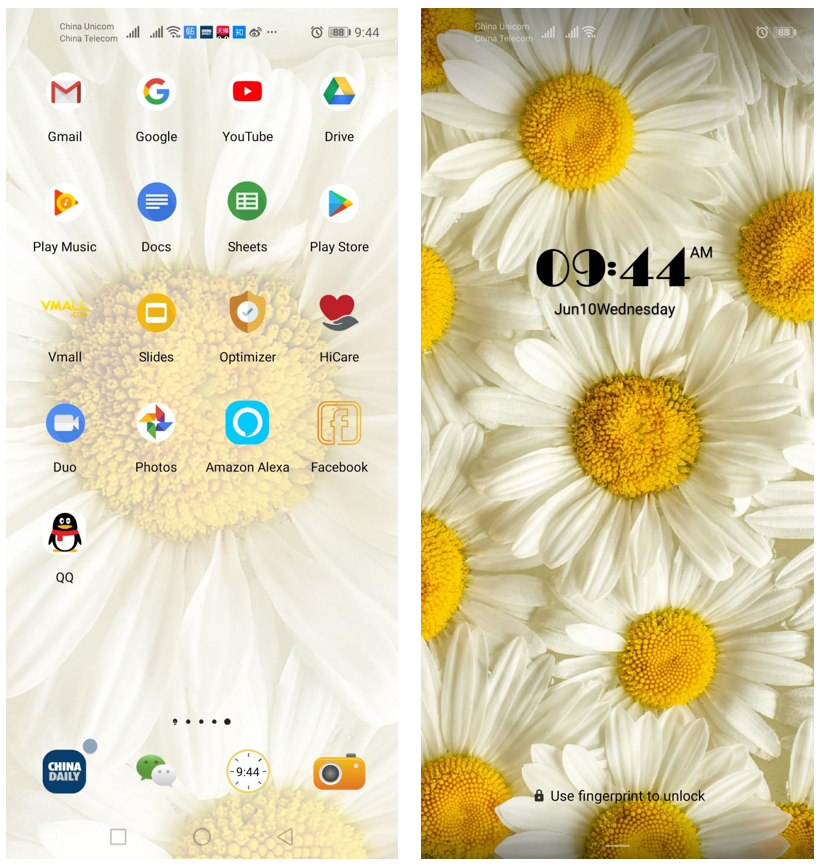
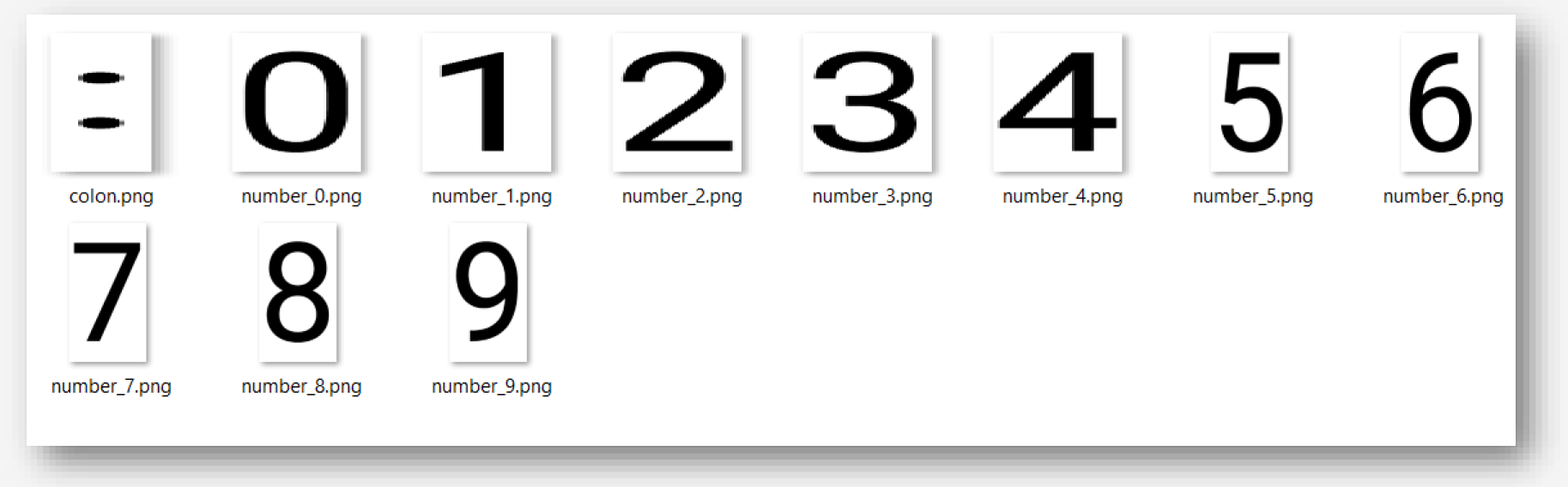
3. Then go ahead and design the unlock screen numbers for the time.
size <=200untitleddaily400. And name as the following.
4. Design your icons.
Each icon in a separate artboard named with the icon name and takes the 192untitleddaily192 px or 256untitleddaily256 px size, however you don’t need to remember this at all.
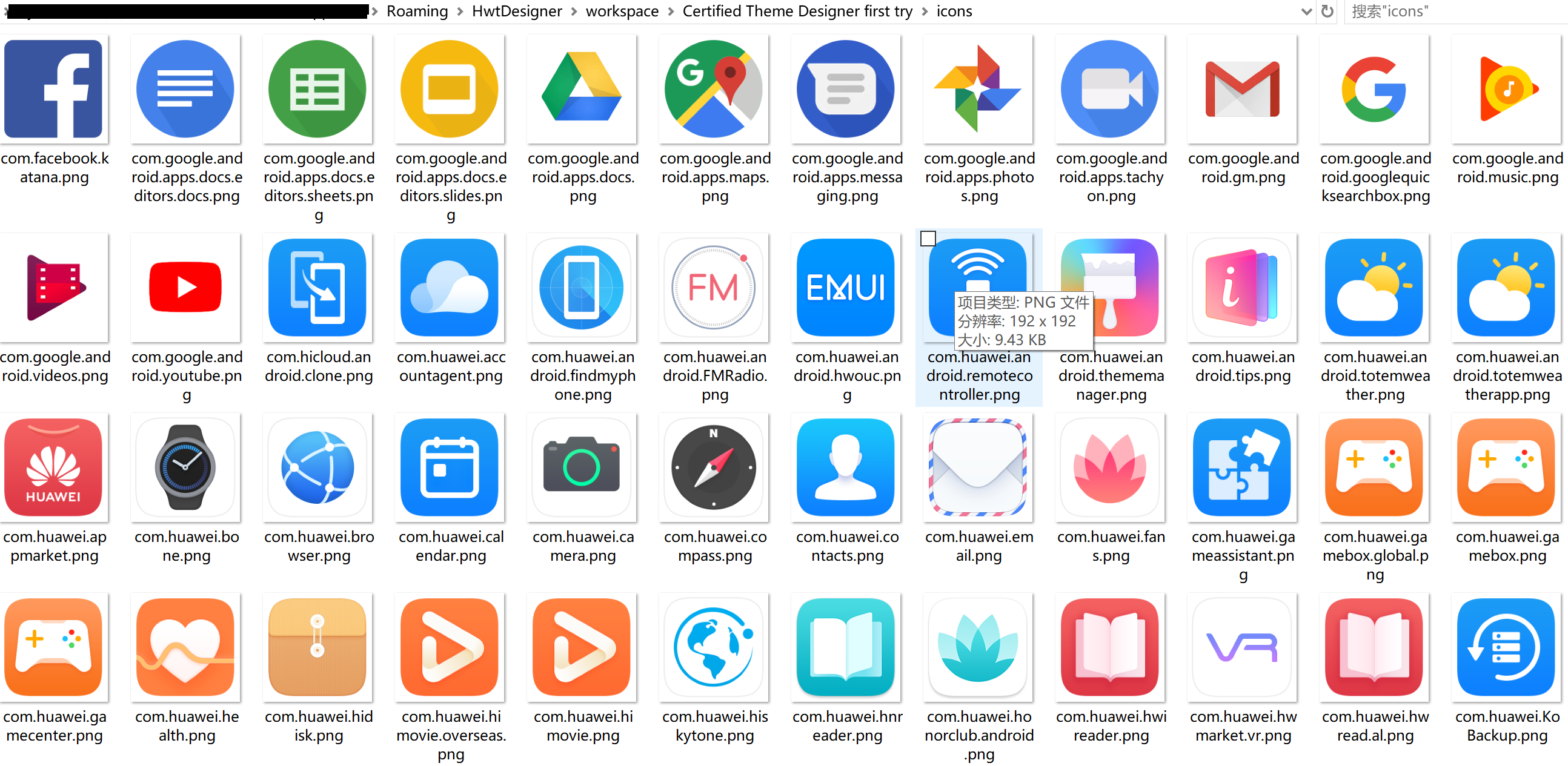
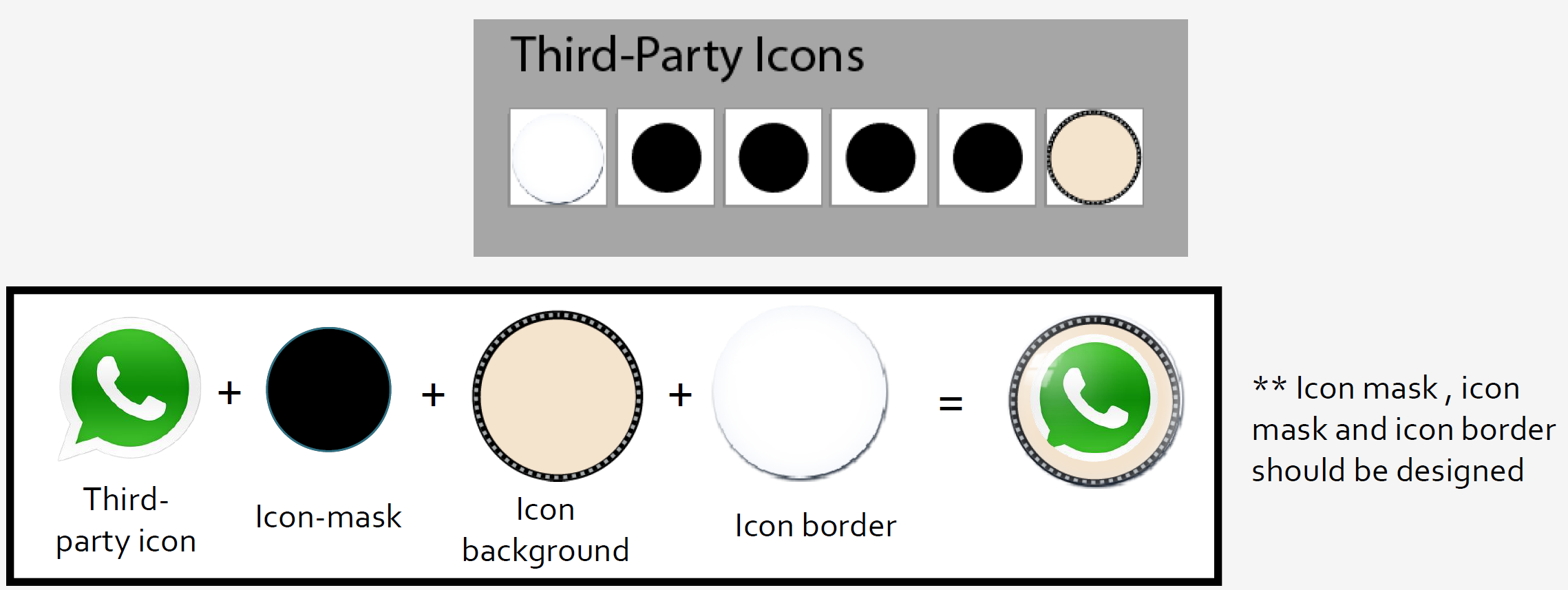
There are three different kinds of icons, still icon, live icon and third-party icon. And below shows how all the icons you may want to re-design, which is also why you don’t need to remember.
After you download the theme tool, if you click icons, then the original icon, that will open a folder. From there you will see all the icons.
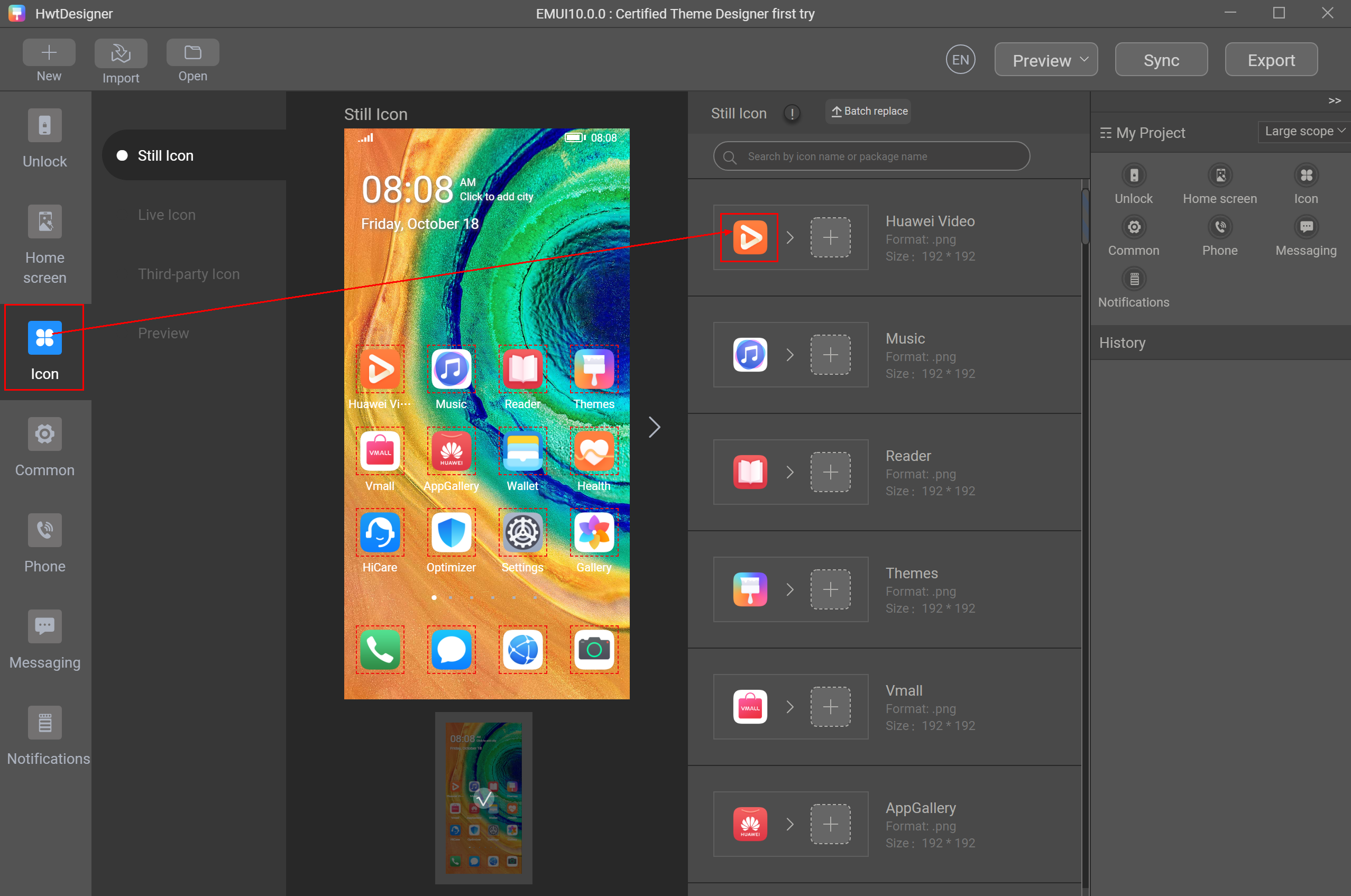
And for third party icon,
In summary, get the wallpapers, unlock screen number and icons ready first, then to create a new them with HUAWEI theme tool, could be really easy for you.
Other useful material:
Just explore below page.
https://developer.huawei.com/consumer/en/doc/distribution/content/other-files
Follow me if you want to get more creative watch/Band faces and wallpapers.


- Posts
- Following
- Followers
- Energy
-

 Akram Elsaiegh [1]
Designer
Akram Elsaiegh [1]
Designer
-
+ Follow

-
- 23 Posts
- 20 Following
- 47 Followers
- 3392 Energy








- Posts
- photo
- video

Dear HONOR Fans,
Today I want to share with you how to get started to create a theme. If you have the interest to create an original theme but haven’t tried yet, I am sure that this tutorial could help you to understand the original theme better.
1. Download the theme tool from here:
Leave a comment below to unlock the content
Then explore the function and get some idea of how to create a new theme.
2. Think about your theme idea and design the wallpapers first.
You have to design two wallpapers.
In my opinion, the home screen should make sure that the application icons added to stand out, for the users easy to find the application required. So my idea is, make that less clear. Below is an example:
3. Then go ahead and design the unlock screen numbers for the time.
size <=200untitleddaily400. And name as the following.
4. Design your icons.
Each icon in a separate artboard named with the icon name and takes the 192untitleddaily192 px or 256untitleddaily256 px size, however you don’t need to remember this at all.
There are three different kinds of icons, still icon, live icon and third-party icon. And below shows how all the icons you may want to re-design, which is also why you don’t need to remember.
After you download the theme tool, if you click icons, then the original icon, that will open a folder. From there you will see all the icons.
And for third party icon,
In summary, get the wallpapers, unlock screen number and icons ready first, then to create a new them with HUAWEI theme tool, could be really easy for you.
Other useful material:
Just explore below page.
https://developer.huawei.com/consumer/en/doc/distribution/content/other-files
Follow me if you want to get more creative watch/Band faces and wallpapers.