



 More Products
 Compare










我的荣耀 开启荣耀之旅



 Disagree Terms
 Log out




[Tips & Tricks] Clear Cache & Optimize your HONOR smartphone!


 Last reply :
Hey everyone,
Today we’d like to show you how to clear cache of certain apps on your phone and how to use the ‘Optimizer’ app.
Clear cache
When you use your phone for a long time, it will accumulate a large amount of app cache files, which will eat up your phone's storage space and cause it to run slowly. To keep your phone running smoothly, clear out the unwanted application cache files on a regular basis to free up some storage space. Do you know how to clear the cache files in an application?
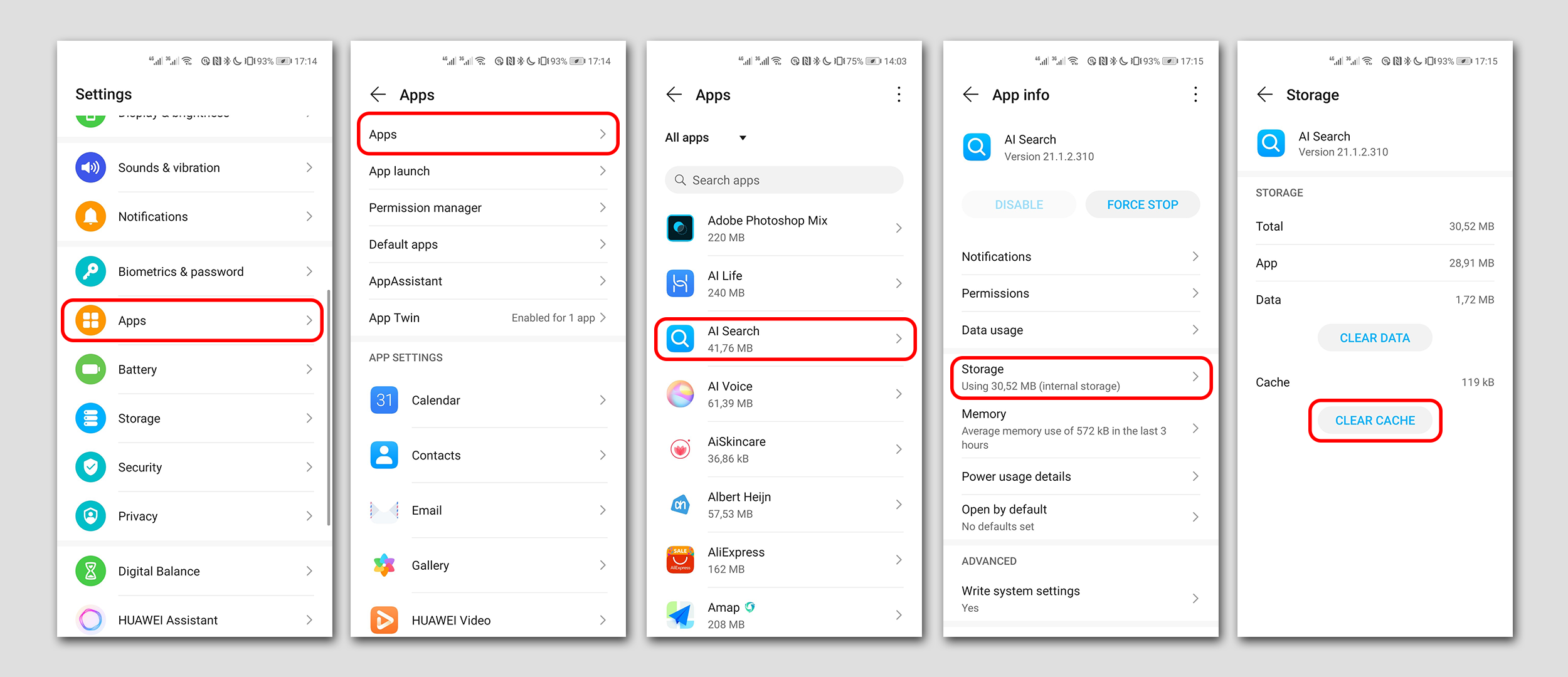
Go to Settings > Apps > Apps, under all apps, select the app you want to clear the cache.
Optimizer
Open the Optimizer app and touch OPTIMIZE. Your Phone will automatically optimize its overall performance, security, battery performance, and device management. You can also customize the optimization options. The system will recommend that you use Optimize. This will help you increase running speed, check for security risks, optimize power consumption, and monitor and block unknown phone numbers and harassment calls.
How to optimize and clean up your device?
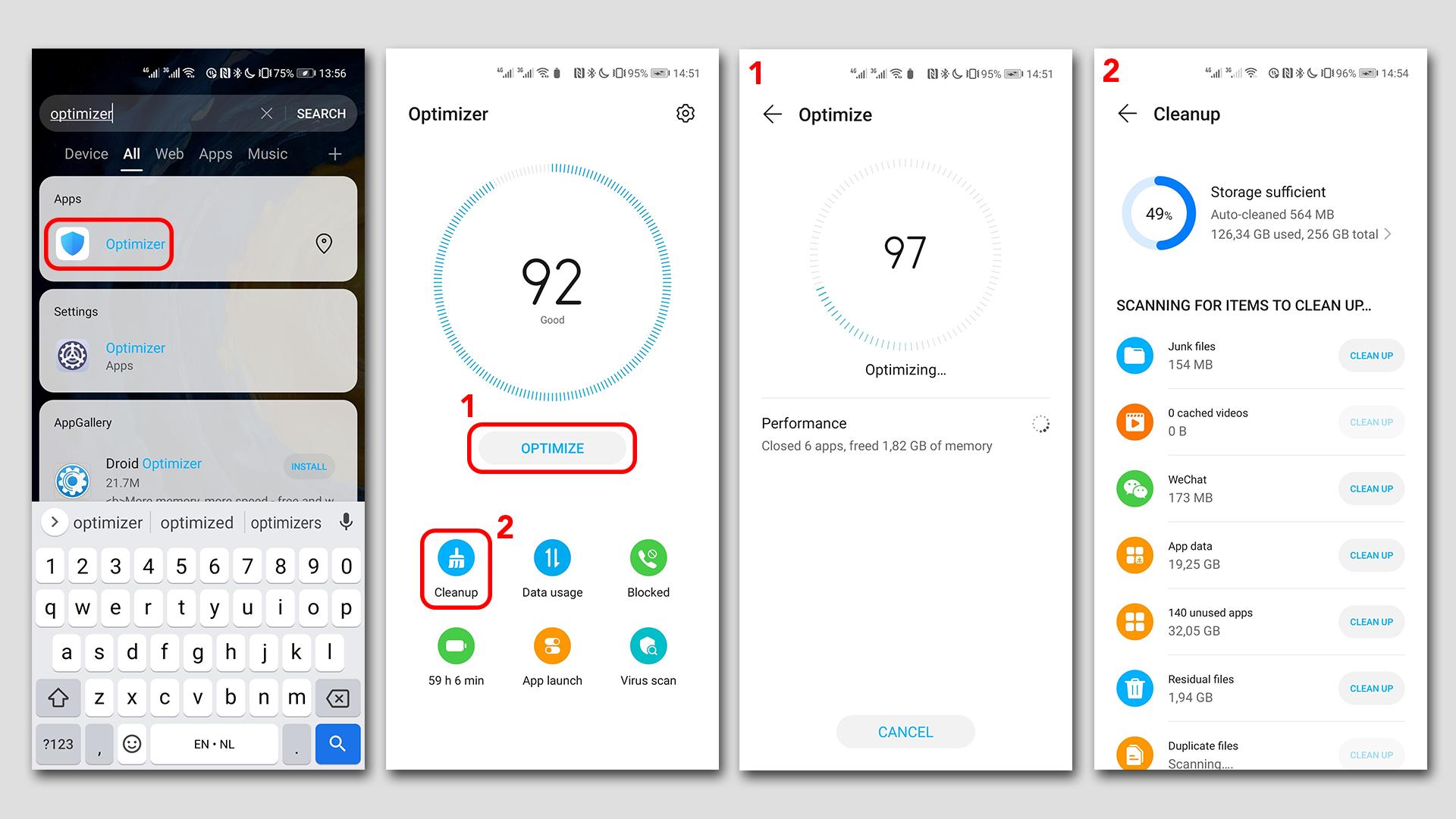
Search for: Optimizer
Click on optimize to optimize your device
Click on Cleanup to remove files and cleanup apps etc
Hopefully this tutorial has helped you out!
What else would you like to know more about?
Please, let us know in the comments


- Posts
- Following
- Followers
- Energy
-

 Matt HONOR
Community Team
Matt HONOR
Community Team
-
+ Follow

-
- 565 Posts
- 67 Following
- 2475 Followers
- 50452 Energy



- Posts
- photo
- video

Hey everyone,
Today we’d like to show you how to clear cache of certain apps on your phone and how to use the ‘Optimizer’ app.
Clear cache
When you use your phone for a long time, it will accumulate a large amount of app cache files, which will eat up your phone's storage space and cause it to run slowly. To keep your phone running smoothly, clear out the unwanted application cache files on a regular basis to free up some storage space. Do you know how to clear the cache files in an application?
Go to Settings > Apps > Apps, under all apps, select the app you want to clear the cache.
Optimizer
Open the Optimizer app and touch OPTIMIZE. Your Phone will automatically optimize its overall performance, security, battery performance, and device management. You can also customize the optimization options. The system will recommend that you use Optimize. This will help you increase running speed, check for security risks, optimize power consumption, and monitor and block unknown phone numbers and harassment calls.
How to optimize and clean up your device?
Search for: Optimizer
Click on optimize to optimize your device
Click on Cleanup to remove files and cleanup apps etc
Hopefully this tutorial has helped you out!
What else would you like to know more about?
Please, let us know in the comments