



 More Products
 Compare














我的荣耀 开启荣耀之旅



 Disagree Terms
 Log out




Tips : how to save more battery life


 Last reply :
Many of you complaint about battery draining issues and power fluctuation so this many tips might help you to stable your phone's battery consumption...so lets get started, you
1. Use your stock battery saver.
If you use stock battery saver it can add upto 90 minutes more of you battery run time.if you use any 3rd party app battery saver...they even consumps more battery so be aware of using any kind of BATTERY SAVERS.
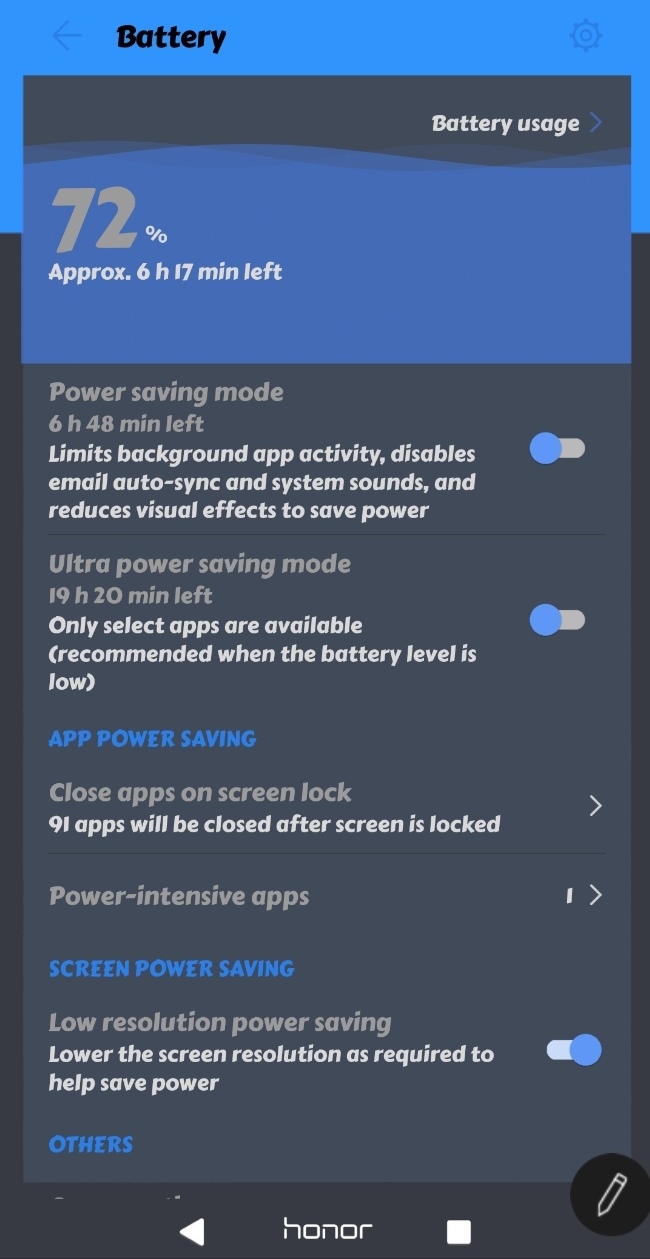
2. Use Low / Smart Resolution power saving mode.
If you like to play high end games and enjoy more time on it this option is made for you...i play real racing 3 with this feature on and it saves more battery. Even it works with those games who do not have any graphics option.
3. Do not use AUTO BRIGHNESS.
if you think your phone will save more battery while phone can automatically select the brighness then you're wrong because if you use it, it will use light/ lux sensor and this sensor use a bit kind of energy. So select manual brightness ;)
4. Disable wifi and bluetooth scanning option.
As you all know sometimes some app automatically use wi-fi in background for location information and this might be biggest impact on you battery
Just give a look at this screenshot
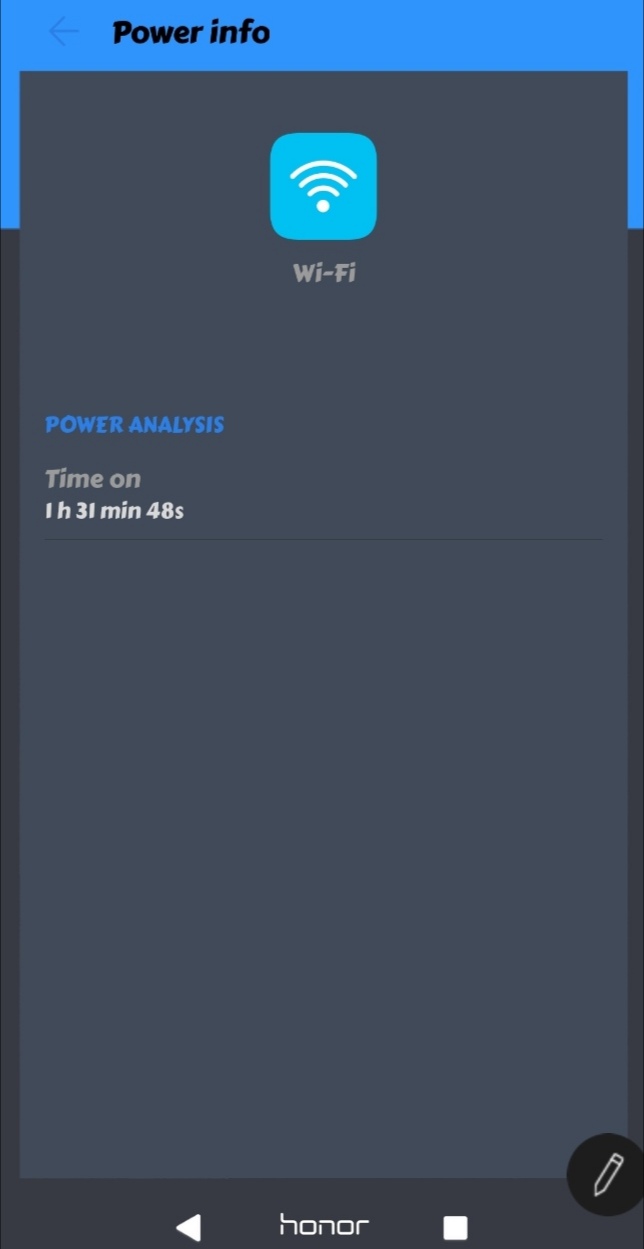
Yes, wi-fi even works in background so if you do not use wi-fi regularly then here follow steps
Setting →search for 'scanning' at the top of setting menu→turn of both Bluetooth and WI-FI scanning option this stops your WiFi to run on background.
5. Turn off cloud printing option.
If in your phone there is not cloud printing then skip this tip (i dont have it) but if you have then search for printing option and disable cloud print searching option.
6. Use GSM(2G)mode Or LTE(4G) not WCDMA(3G) FOR SECOND SIM OR BOTH SIM.
I said 2g or 4g more just because they are stable network than 3g...in 3g mode the network get weak at some region/area so use your second sim or both at 2g or 4g. It might save alot of battery.
7. Use only good devolopers app.
If you ever felt that while using the app is taking so much battery power then do not use those apps because once they active they always be active in background and never let your phone on sleep mode. Check the battery consumption in settings find the apps that make your phone awake and force stop it or uninstall it ;)
8. Use greenify app.
Here's the link : https://play.google.com/store/apps/details?id=com.oasisfeng.greenify
Greenify is the best app to save and manage your application and control and it makes more smoother the phone. Select some of the apps that takes so much bettery consumption and force to stop it ;) please if you dont have root in your device then select non root mode on greenify.
9. Use once your phone manger(stock app) before going to sleep.
Phone manager is good to stop the background apps before going to sleep and clears unusable data too
10. Please restart your phone twice in week.
Many of you just use your phone more than week and do not restart it. If you dont restart your phone twice a week then system apps takes alot or RAM and consumption level a bit more by system apps so restart your phone for fresh start ;)
11. Manage your apps launch events and stop running them in background
well this great option given in EMUI to prevent battery drain....some of the app takes place in background activities so app saver is the option to stop them when sleep time.
• Go to settings » Battery » Launch » Manage batch Manually
Here you can find auto launch, secondary launch and run in background to prevent them run in background.
12. Control the data usuage of apps.
Give only selected app for data usuage because when you run some apps with data usuage they will start lagging and show you some ads. So best option is to diable the data for them in app settings.
Here's how you can stop it.
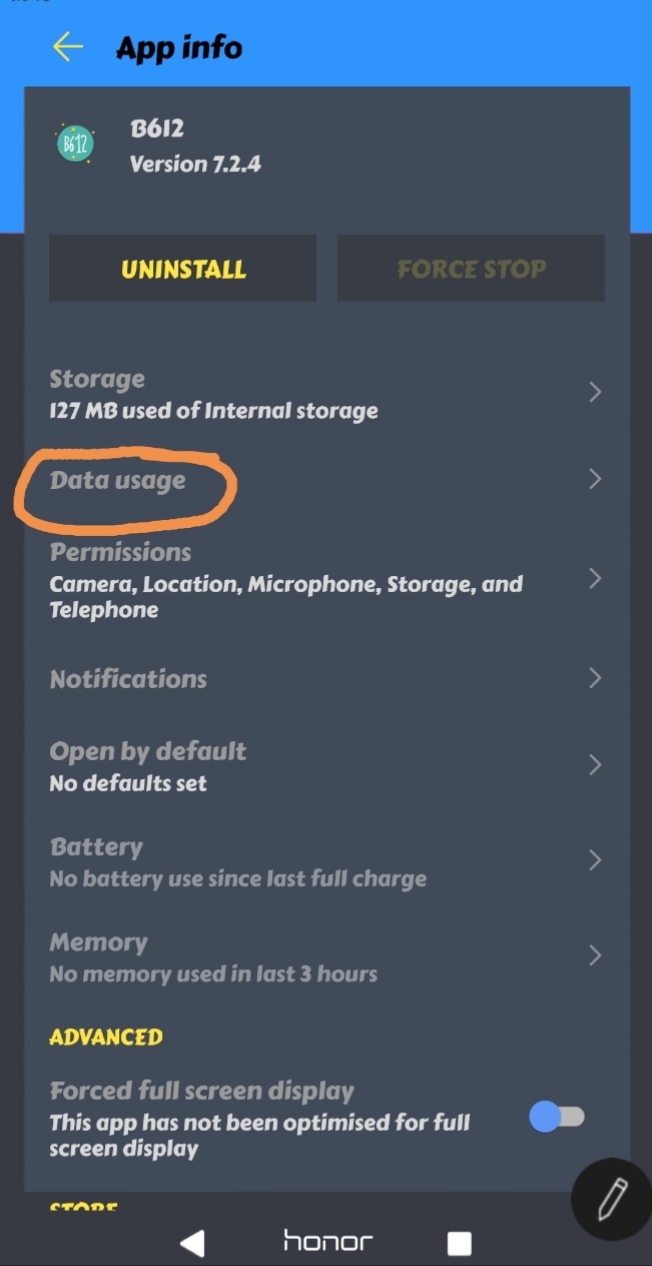
See i stopped B612 to use data...it saves my data and battery too.
13. Stop unnecessary usage of Location services.
Well most of us are not aware of location services are on because once apps are closed it does not off the location services and it still consumes battery power in background so heres are some steps to prevent battery usuage by unnecessary locations services.
• Turn of the location services when u notice it or use 'device only' or 'battery saving' Location modes. Or select these apps to use low battery use.

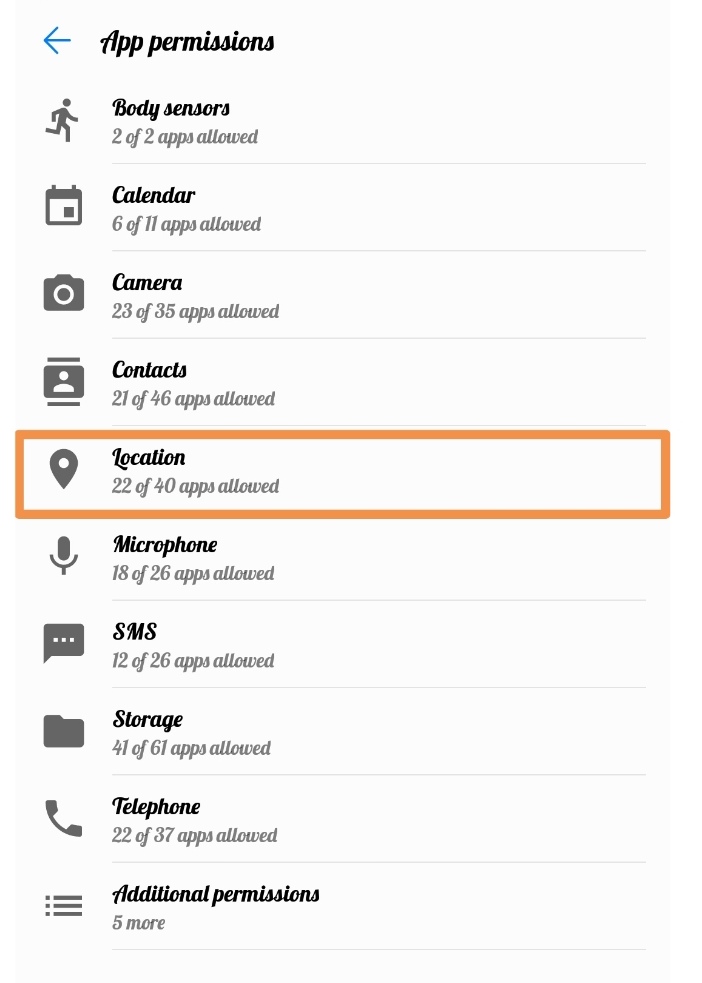
• Go and search in settings 'app permissions' and you will find Location there....tap it and diable the unnecessary apps to use location services.


- Posts
- Following
- Followers
- Energy
-

Jacob_finn
-
+ Follow

-
- 3 Posts
- 6 Following
- 3 Followers
- 195 Energy



- Posts
- photo
- video

Many of you complaint about battery draining issues and power fluctuation so this many tips might help you to stable your phone's battery consumption...so lets get started, you
1. Use your stock battery saver.
If you use stock battery saver it can add upto 90 minutes more of you battery run time.if you use any 3rd party app battery saver...they even consumps more battery so be aware of using any kind of BATTERY SAVERS.
2. Use Low / Smart Resolution power saving mode.
If you like to play high end games and enjoy more time on it this option is made for you...i play real racing 3 with this feature on and it saves more battery. Even it works with those games who do not have any graphics option.
3. Do not use AUTO BRIGHNESS.
if you think your phone will save more battery while phone can automatically select the brighness then you're wrong because if you use it, it will use light/ lux sensor and this sensor use a bit kind of energy. So select manual brightness ;)
4. Disable wifi and bluetooth scanning option.
As you all know sometimes some app automatically use wi-fi in background for location information and this might be biggest impact on you battery
Just give a look at this screenshot
Yes, wi-fi even works in background so if you do not use wi-fi regularly then here follow steps
Setting →search for 'scanning' at the top of setting menu→turn of both Bluetooth and WI-FI scanning option this stops your WiFi to run on background.
5. Turn off cloud printing option.
If in your phone there is not cloud printing then skip this tip (i dont have it) but if you have then search for printing option and disable cloud print searching option.
6. Use GSM(2G)mode Or LTE(4G) not WCDMA(3G) FOR SECOND SIM OR BOTH SIM.
I said 2g or 4g more just because they are stable network than 3g...in 3g mode the network get weak at some region/area so use your second sim or both at 2g or 4g. It might save alot of battery.
7. Use only good devolopers app.
If you ever felt that while using the app is taking so much battery power then do not use those apps because once they active they always be active in background and never let your phone on sleep mode. Check the battery consumption in settings find the apps that make your phone awake and force stop it or uninstall it ;)
8. Use greenify app.
Here's the link : https://play.google.com/store/apps/details?id=com.oasisfeng.greenify
Greenify is the best app to save and manage your application and control and it makes more smoother the phone. Select some of the apps that takes so much bettery consumption and force to stop it ;) please if you dont have root in your device then select non root mode on greenify.
9. Use once your phone manger(stock app) before going to sleep.
Phone manager is good to stop the background apps before going to sleep and clears unusable data too
10. Please restart your phone twice in week.
Many of you just use your phone more than week and do not restart it. If you dont restart your phone twice a week then system apps takes alot or RAM and consumption level a bit more by system apps so restart your phone for fresh start ;)
11. Manage your apps launch events and stop running them in background
well this great option given in EMUI to prevent battery drain....some of the app takes place in background activities so app saver is the option to stop them when sleep time.
• Go to settings » Battery » Launch » Manage batch Manually
Here you can find auto launch, secondary launch and run in background to prevent them run in background.
12. Control the data usuage of apps.
Give only selected app for data usuage because when you run some apps with data usuage they will start lagging and show you some ads. So best option is to diable the data for them in app settings.
Here's how you can stop it.
See i stopped B612 to use data...it saves my data and battery too.
13. Stop unnecessary usage of Location services.
Well most of us are not aware of location services are on because once apps are closed it does not off the location services and it still consumes battery power in background so heres are some steps to prevent battery usuage by unnecessary locations services.
• Turn of the location services when u notice it or use 'device only' or 'battery saving' Location modes. Or select these apps to use low battery use.
• Go and search in settings 'app permissions' and you will find Location there....tap it and diable the unnecessary apps to use location services.